Introduction
The Compustar CSX4900-S is a comprehensive 4-button, 2-way remote start system designed to provide convenience and security for your vehicle. It features an impressive 3000-foot range and includes the Drone X1LTE module for smartphone control, offering unlimited range capabilities. This manual provides essential information for setting up, operating, and maintaining your system.

Figure 1: Compustar CSX4900-S Remote Start System Overview.
Негизги өзгөчөлүктөрү
- 2-Way Remote Start Bundle: Provides 2-Way LED Confirmation for successful command execution.
- Кеңейтилген диапазон: Up to 3000-ft range with the included 2-way LED remote.
- Смартфонду башкаруу: Includes Drone X1-LTE for unlimited range control via smartphone (subscription required for full functionality).
- Ачкычсыз кирүү: Convenient vehicle access.
- CM900-S Control Module: The core remote start control unit.
- 3X Lock Start: Allows remote start using your vehicle's OEM remote by pressing the lock button three times.
- Water-Resistant Remote: The 2WG15 remote is designed for durability and resistance to water.

Figure 2: Key features of the Compustar system, highlighting 2-way communication, water resistance, and 3X Lock Start capability.
Орнотуу жана орнотуу
Professional installation is highly recommended for the Compustar CSX4900-S system to ensure proper functionality and vehicle compatibility. This system is primarily designed for automatic transmission vehicles. Some vehicles may require additional parts, which are sold separately.
Камтылган компоненттер:
- (1) 2WG15R-FM 2-Way G15 FM Remote
- (1) Drone X1-LTE Module
- (1) ANT-2WFMX 2-Way FMX Antenna
- (1) CM900-S Remote Start Control Module
- (1) FT-TEMP Temperature Sensor (Thermistor)

Figure 3: Contents of the CSX4900-S package.
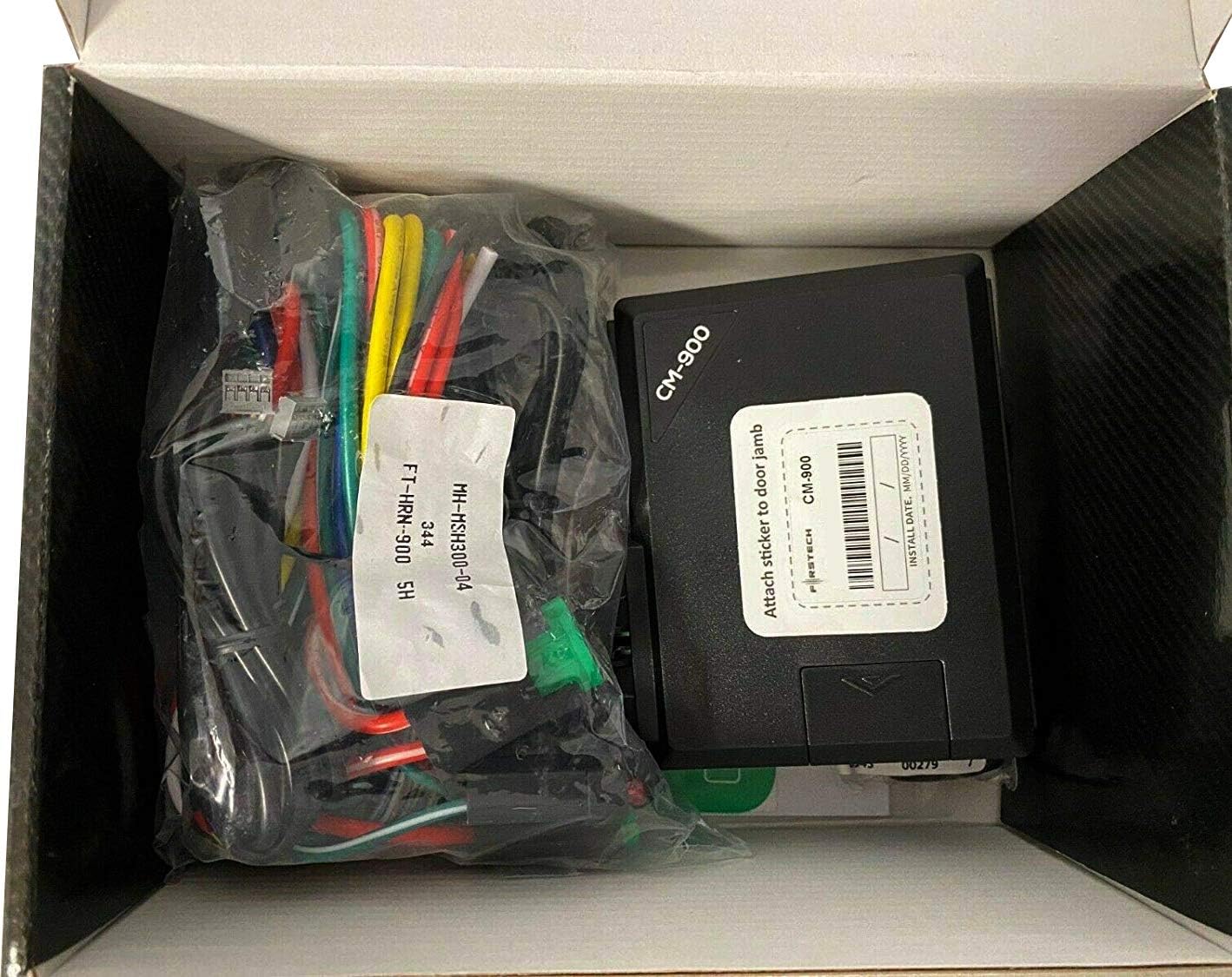
4-сүрөт: Ички view of the product packaging, showing the CM900 module and associated wiring.
Blade AL Module and Programming:
The Compustar CSX4900-S system is designed to integrate with an iDatalink BLADE-AL module (sold separately) for vehicle-specific data and immobilizer bypass. This module requires flashing and programming to match your vehicle's specifications.


Figure 5: Required iDatalink BLADE-AL module and ADS-USB programming tool (sold separately).
For detailed instructions on flashing and updating your BLADE-AL module and Compustar controller, please refer to the official video guide below. This process typically involves connecting the module to a computer using an ADS-USB cable and using the iDatalink Weblink Updater software.
Video 1: Idatalink BLADE Remote Start/Security Bypass Module Flashing. This video demonstrates the process of flashing and updating the iDatalink BLADE module and Compustar controller using the WebLink Updater software.
Иштөө нускамалары
Using the 2-Way Remote:
The included 2-way LED remote provides visual and audible confirmation of commands sent to your vehicle. With a range of up to 3000 feet, you can confidently lock, unlock, and remote start your vehicle.
- Кулпу: Press the lock button once. The remote will confirm the lock command.
- Кулпуну ачуу: Press the unlock button once. The remote will confirm the unlock command.
- Алыстан баштоо: Press the remote start button (typically the key icon) twice. The remote will confirm the vehicle has started.
- 3X Lock Start: For compatible vehicles, press the lock button on your vehicle's OEM remote three times to initiate remote start.

Figure 6: Compustar 2-Way Remote and Smartphone App.
Smartphone Control with DroneMobile (X1LTE):
The Drone X1LTE module enables unlimited range control of your vehicle via the DroneMobile app on your smartphone. A subscription/service plan is required for full smartphone functionality, including GPS tracking. Basic use of the Compustar or factory remote does not require a subscription.
- Download the DroneMobile app from your device's app store.
- Follow the in-app instructions to register your Drone X1LTE module and link it to your vehicle.
- Use the app to lock, unlock, remote start/stop, and track your vehicle from virtually anywhere with cellular service.

Figure 7: Smartphone control via the DroneMobile app.
The DroneMobile app also allows for family sharing, enabling multiple users to access and control the vehicle. For optimal comfort, you can preset your vehicle's temperature settings before initiating a remote start.
Video 2: Warm Up & Cool Down with Compustar Long-Range Remote Starters. This video illustrates the convenience of using Compustar remote start systems to pre-condition your vehicle's interior temperature.
Техникалык тейлөө
- Алыскы батарея: Replace the remote's battery when the low battery indicator appears or when range/responsiveness decreases. Refer to your remote's specific guide for battery type and replacement instructions.
- Тутум компоненттери: Ensure all installed components (CM900-S module, Drone X1LTE, antenna) are securely mounted and free from moisture or excessive heat.
- Программалык камсыздоо жаңыртуулары: Periodically check the iDatalink website for firmware updates for your BLADE-AL module and CM900-S controller to ensure optimal performance and compatibility.
Проблемаларды чечүү
- Алыстан жооп бербейт: Check remote battery. Ensure you are within range. Verify the vehicle's battery is charged.
- Унаа от албай жатат: Confirm all doors, hood, and trunk are closed. Ensure the vehicle's transmission is in park (automatic transmission). Check for any active vehicle alarms or immobilizer issues.
- Smartphone App Issues: Verify cellular data connection. Check DroneMobile app for service plan status. Try restarting the app or your phone.
- Системанын бузулушу: If issues persist, it is recommended to contact an authorized Compustar installer for diagnosis and repair. Avoid attempting complex repairs yourself, as this may void your warranty.
Техникалык шарттар
| Спецификация | Деталь |
|---|---|
| Модель номери | CSX4900-S |
| Remote Type | 4-Button, 2-Way LED |
| Remote Range | 3000 метрге чейин |
| Смартфонду башкаруу | Yes, with Drone X1LTE Module (subscription required) |
| Шайкештик | Automatic Transmission vehicles (some may require extra parts) |
| Элемент Салмагы | 1.72 фунт |
| Пакеттин өлчөмдөрү | 8.07 x 5.79 x 3.35 дюйм |
| Өндүрүүчү | Compustar |
Кепилдик маалымат
The Compustar CSX4900-S system comes with a Limited Lifetime System Warranty for the main control unit and a 1-Year Remote Warranty for the included remote control. Please retain your proof of purchase for warranty claims. For specific terms and conditions, refer to the warranty documentation provided with your product or contact Compustar customer support.
Колдоо
For technical assistance, installation inquiries, or troubleshooting beyond the scope of this manual, it is strongly recommended to contact an Authorized Compustar Installer near you. They possess the expertise and specialized tools required for proper installation, programming, and servicing of your remote start system. You can find authorized installers through the official Compustar webсайт.
For general product information, visit the official Compustar webсайт.


