Продукт бүттүview
The DELTACO GAM-085 is an optical gaming mouse designed for both right and left-handed users, embodying the principle that "Gaming is for everyone." It features dynamic RGB lighting with 9 different modes, a high-precision sensor, and a durable build quality, making it suitable for extended gaming sessions.
This mouse is equipped with LED strips on both sides, a glossy surface for enhanced aesthetics, and a scroll wheel and logo that illuminate to indicate the active DPI setting. Its robust design ensures reliability and comfort.
Жайгашуу
Setting up your DELTACO GAM-085 gaming mouse is straightforward. Follow these steps to get started:
- Чычканды таңгактан чыгаруу: Carefully remove the mouse from its packaging. Ensure all components are present.
- Компьютериңизге туташуу: Locate an available USB port on your computer. Insert the USB connector of the GAM-085 mouse into the USB port.
- Драйверди орнотуу: Your operating system (Windows, macOS, Linux) should automatically detect and install the necessary drivers for the mouse. This process usually takes a few seconds. No additional software installation is required for basic functionality.
- Кошумча программалык камсыздоо: For advanced customization of DPI settings, button assignments, and RGB lighting effects, you may download the dedicated DELTACO GAMING software from the official DELTACO webсайт.

Image: The DELTACO GAM-085 gaming mouse, showcasing its sleek black design and USB cable connection.
Иштөө нускамалары
The DELTACO GAM-085 mouse offers various features for an optimized gaming experience. Here's how to operate its key functions:
DPI тууралоо
The mouse features a PMW3325 sensor with adjustable DPI settings ranging from 400 to 5000 DPI. The scroll wheel and DELTACO GAMING logo will change color to indicate the current DPI level.
- To cycle through DPI settings, press the dedicated DPI button located behind the scroll wheel. Each press will switch to the next predefined DPI level.
- The specific DPI levels and their corresponding colors can be customized via the optional DELTACO GAMING software.

Сүрөт: Жогорку view of the mouse, highlighting the scroll wheel and the DPI adjustment button.
RGB жарык режимдери
The GAM-085 mouse features 9 different RGB lighting modes, plus an option to turn the lighting completely off. The glossy surface enhances the visual effect of the RGB lighting.
- To switch between RGB lighting modes, simultaneously press the жылдыруу дөңгөлөгү жана оң баскычты чыкылдатыңыз. Each combination press will cycle to the next lighting mode.
- To turn off the LEDs, cycle through the modes until the lighting is off, or press and hold the scroll wheel for 5 seconds (undocumented feature).
- Further customization of lighting effects, colors, and speed is available through the DELTACO GAMING software.

Image: The DELTACO GAM-085 mouse illuminated with purple RGB lighting, showcasing the side LED strips.

Image: The DELTACO GAM-085 mouse illuminated with blue RGB lighting, highlighting the scroll wheel and logo.
Программалануучу баскычтар
The GAM-085 mouse features 6 buttons, including the standard left/right click, scroll wheel click, DPI button, and two side buttons. These buttons can be reprogrammed for various functions using the DELTACO GAMING software.
- By default, the two side buttons function as "page up" and "page down."
- Refer to the software's user interface for detailed instructions on button remapping.

Сүрөт: каптал view of the DELTACO GAM-085 mouse, clearly showing the two programmable side buttons.
Техникалык тейлөө
Proper maintenance ensures the longevity and optimal performance of your DELTACO GAM-085 gaming mouse.
- Тазалоо: Чычкандын бетин аарчуу үчүн жумшак, кургак, мамыксыз чүпүрөктү колдонуңуз. Өжөр кир үчүн бир аз сүртүңүзampen the cloth with water or a mild cleaning solution. Avoid using harsh chemicals, abrasive cleaners, or solvents.
- Сенсор тазалоо: Occasionally, dust or debris may accumulate around the optical sensor on the bottom of the mouse. Use a cotton swab or compressed air to gently clean the sensor area. Do not touch the sensor directly with your fingers.
- Кабельге кам көрүү: The mouse features a fabric-covered USB cable. Avoid sharp bends, kinks, or excessive pulling on the cable to prevent damage. Store the cable neatly when not in use.
- Сактагыч: Узак мөөнөткө колдонулбаганда чычканды күн нурунан жана экстремалдык температурадан алыс, таза, кургак чөйрөдө сактаңыз.

Image: The underside of the DELTACO GAM-085 mouse, showing the optical sensor and glide pads.
Проблемаларды чечүү
If you encounter issues with your DELTACO GAM-085 gaming mouse, refer to the following common troubleshooting steps:
| Көйгөй | Мүмкүн себеп | Чечим |
|---|---|---|
| Чычкан жооп бербей жатат. | Бош USB туташуу, туура эмес USB порт, драйвер маселеси. |
|
| DPI жөндөөлөрү өзгөрбөйт. | DPI button not pressed correctly, software conflict. |
|
| RGB lighting is off or not changing modes. | Lighting mode is off, incorrect button combination, software override. |
|
| Чычкан курсору туура эмес же жылмакай эмес. | Кир оптикалык сенсор, чычкандын жаздыкчасынын бети жараксыз. |
|
Техникалык шарттар
| Өзгөчөлүк | Деталь |
|---|---|
| Модель номери | ГАМ-085 |
| Бренд | DELTACO GAMING |
| Байланыш технологиясы | USB (Зымдуу) |
| Сенсор түрү | Оптикалык (PMW 3325) |
| DPI диапазону | 400-5000 DPI |
| Добуш берүү көрсөткүчү | 1000 Гц |
| баскычтардын саны | 6 |
| Которуу түрү | Huano (up to 10 million clicks) |
| RGB жарыктандыруу | 9 LED modes, customizable via software |
| Кабелдин узундугу | 1.85m fabric-covered USB cable |
| Колдун багыты | Эки тараптуу |
| Түс | Кара |
| Шайкеш түзмөктөр | PC, Gaming Consoles (where USB mouse input is supported) |
Кепилдик жана колдоо
DELTACO GAMING products are built with quality and durability in mind. For information regarding warranty coverage, technical support, or to download the latest software and drivers for your GAM-085 mouse, please visit the official DELTACO GAMING webсайтка же кардарларды тейлөөгө кайрылыңыз.
- Официалдуу Webсайт: www.deltaco.eu (же тиешелүү аймактык сайт)
- Кардарларды колдоо: Чиновниктин байланыш бөлүмүнө кайрылыңыз website for support channels (email, phone, etc.).
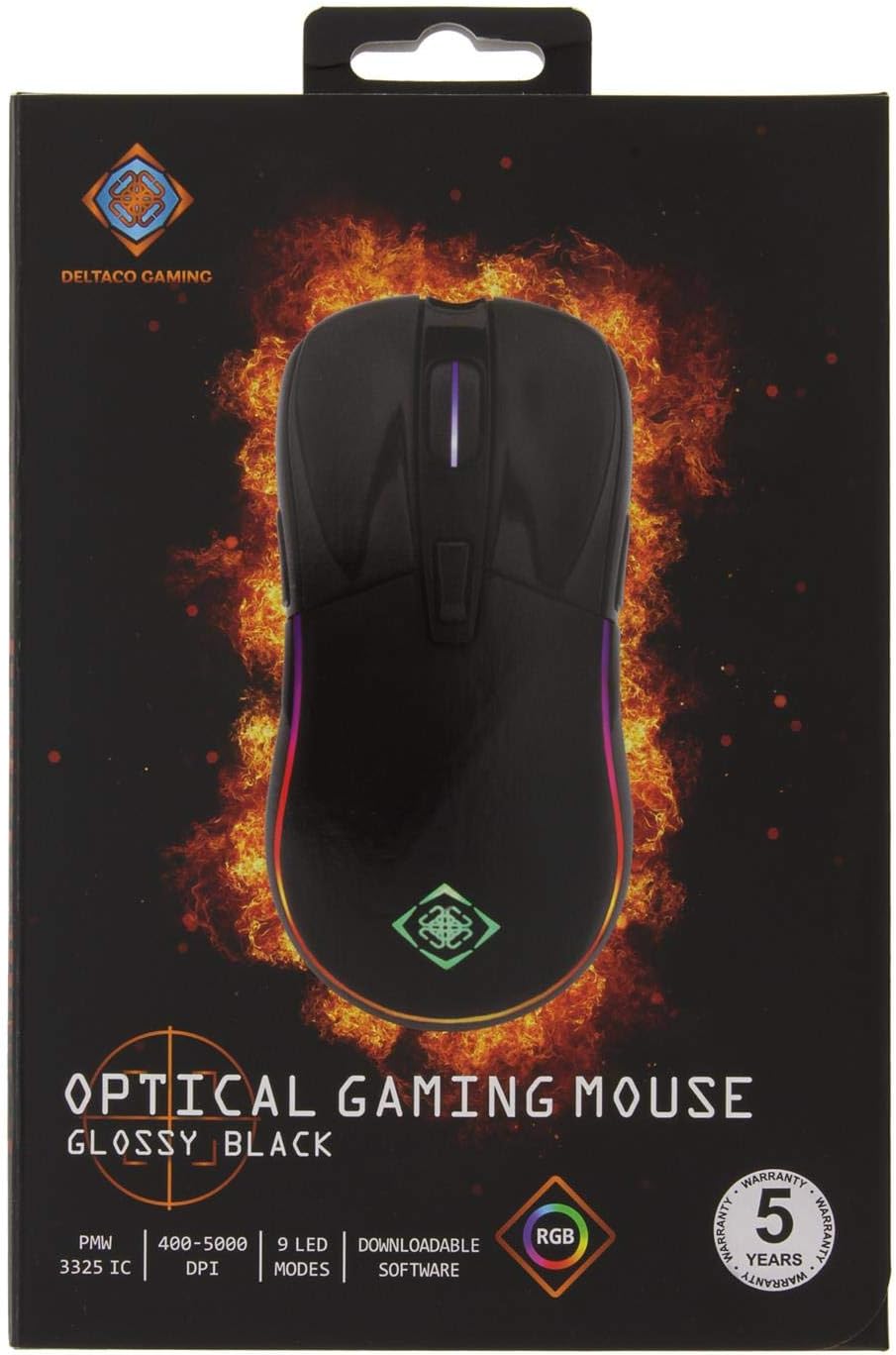
Image: The retail packaging for the DELTACO GAM-085 Optical Gaming Mouse, highlighting key features and branding.


