1. Киришүү
This manual provides instructions for the installation, operation, and maintenance of the Cudy GS108 8-Port Gigabit Unmanaged Ethernet Network Switch. This device is designed to expand your wired network connectivity, offering high-speed data transfer for various devices in home or office environments.
2. Продукт бүтүп калдыview
2.1 Негизги өзгөчөлүктөрү
- 8 Гигабиттик RJ45 порттору: Provides 8 x 10/100/1000Mbps RJ45 ports for connecting to your router, modem, or other network devices.
- Plug & Play: Requires no software configuration or complex setup.
- Auto MDI/MDIX: Eliminates the need for crossover cables.
- Автоматтык сүйлөшүүлөр: Automatically detects the link speed of connected devices.
- желдеткичсиз дизайн: Ensures silent operation.
- Металл Сasing: Durable metal housing for enhanced heat dissipation and longevity.
- Энергияны үнөмдөө: Automatically adjusts power consumption based on link status and cable length, saving up to 68% energy.
- Алыскы аралыкка берүү: Supports data transmission up to 170 meters with Cat.5e or higher Ethernet cables.
2.2 Пакеттин мазмуну
- Cudy GS108 8-Port Gigabit Unmanaged Ethernet Network Switch
- Кубат адаптери (DC 5V)
- User Manual
2.3 Физикалык көрүнүш
The Cudy GS108 features a compact metal casing with LED indicators on the front panel and RJ45 ports and a DC power input on the rear panel.

Сүрөт: алдыңкы view of the Cudy GS108 switch, showing the PWR LED and 8 port status LEDs, along with 8 RJ45 Ethernet ports and a DC 5V power input.
3. Орнотуу нускамалары
The Cudy GS108 switch is designed for simple plug-and-play installation. No software configuration is required.
3.1 Которгучту туташтыруу
- Кубатка туташуу: Plug the provided power adapter into the DC 5V port on the switch and then into a power outlet. The PWR LED on the front panel will illuminate.
- Роутерге/модемге туташуу: Connect one end of an Ethernet cable to any LAN port on your router or modem. Connect the other end of this cable to any of the 8 RJ45 ports on the Cudy GS108 switch.
- Тармак түзмөктөрүн туташтыруу: Connect your network devices (e.g., computers, game consoles, IPTV boxes, printers, NAS) to the remaining RJ45 ports on the Cudy GS108 switch using Ethernet cables.
- Байланышты текшерүү: After connecting, wait approximately one minute. The corresponding LED for each connected port will light up, indicating an active link.

Image: Diagram illustrating how to connect various devices like computers, IPTV, printers, NAS, game consoles, and routers to the Cudy GS108 switch for network extension.
3.2 Монтаждоо параметрлери
The Cudy GS108 switch can be placed on a desktop or mounted on a wall.
- Иш тактада жайгаштыруу: Которгучту жалпак, туруктуу бетке коюңуз. Аппараттын айланасында жетиштүү желдетүүнү камсыз кылыңыз.
- Дубалга орнотуу: The switch includes mounting slots on its underside for wall installation. Use appropriate screws (not included) to secure the switch to a wall.
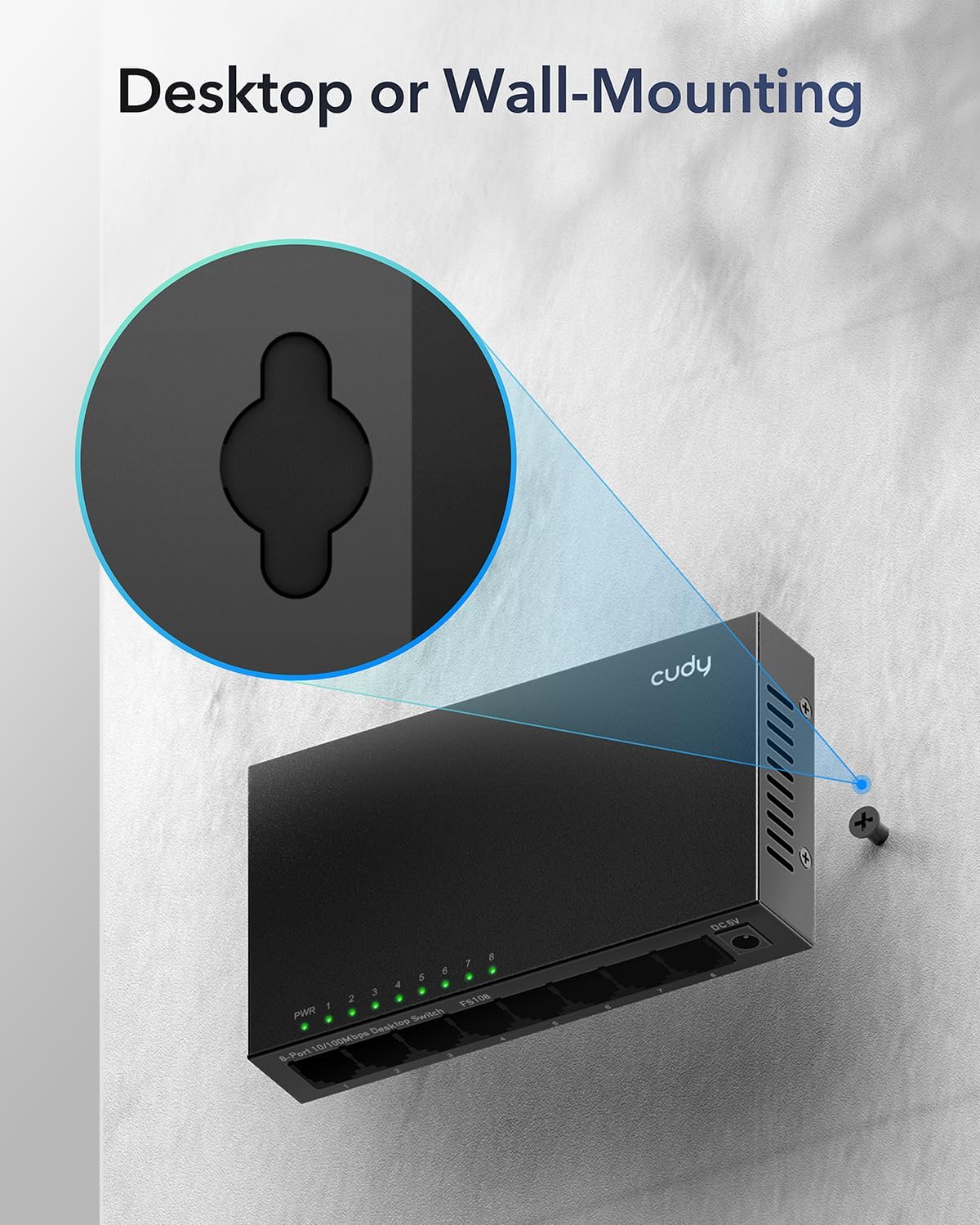
Image: Illustration demonstrating the wall-mounting capability of the Cudy GS108 switch, highlighting the keyhole slots on the back for screw placement.
4. Иштөө нускамалары
4.1 LED көрсөткүчтөрү
The front panel of the GS108 switch features several LED indicators to provide status information:
- PWR LED: Которгучтун кубат абалын көрсөтөт.
- Күйүк: Коммутатор күйгүзүлдү.
- Өчүк: Которгуч өчүрүлгөн.
- Port 1-8 LEDs: Each port has an associated LED that indicates its link/activity status.
- Жашыл (катуу): A device is connected and operating at Gigabit (1000Mbps) speed.
- Жашыл (Жалтылдап): Data is being transmitted or received on the Gigabit port.
- Сары (катуу): A device is connected and operating at 10/100Mbps speed.
- Сары (Жалтылдап): Data is being transmitted or received on the 10/100Mbps port.
- Өчүк: No device is connected to the port, or the connected device is powered off.
4.2 Тармактын негизги иштеши
Once connected, the Cudy GS108 switch automatically handles data forwarding between connected devices. It operates as an unmanaged switch, meaning it does not require any user configuration for basic network functionality. Devices connected to the switch will be able to communicate with each other and with the internet (if the switch is connected to a router/modem).
5. Техникалык тейлөө
To ensure optimal performance and longevity of your Cudy GS108 switch, follow these maintenance guidelines:
- Жайгашкан жери: Place the switch in a cool, dry location away from direct sunlight, heat sources, and excessive moisture.
- Вентиляция: Ensure that the ventilation holes on the sides of the switch are not blocked to allow for proper airflow, even though it has a fanless design.
- Тазалоо: Коммутатордун сыртын тазалоо үчүн жумшак, кургак чүпүрөктү колдонуңуз. Суюк тазалоочу каражаттарды же аэрозольдорду колдонбоңуз.
- Күч: Use only the provided power adapter. Disconnect the power adapter during electrical storms or when the device is not in use for extended periods.
- Кабелдик башкаруу: Keep Ethernet cables neatly organized to prevent strain on the ports and accidental disconnections.

Image: A desktop monitor in an office setting, representing the power-saving capabilities of the Cudy GS108 switch when ports are idle.
6. Кыйынчылыктарды
If you encounter issues with your Cudy GS108 switch, refer to the following troubleshooting tips:
- Кубат жок (PWR LED өчүк):
- Кубат адаптери өчүргүчкө жана иштеген электр розеткасына бекем туташып турганын текшериңиз.
- Башка аспапка сайып, розетка иштеп жатканын текшериңиз.
- No Link/Activity on a Port (Port LED Off):
- Ethernet кабели коммутатор портуна жана тармак түзмөгүнө бекем туташкандыгын текшериңиз.
- Туташкан тармак түзмөгү күйгүзүлгөнүн жана туура иштегенин текшериңиз.
- Try a different Ethernet cable to rule out cable damage.
- Аппаратты которгучтун башка портуна туташтырууга аракет кылыңыз.
- Жай тармак ылдамдыгы:
- Ensure you are using Cat.5e or higher Ethernet cables for Gigabit speeds.
- Verify that your connected devices and router/modem support Gigabit Ethernet.
- Check the port LED color: Green indicates Gigabit speed, Yellow indicates 10/100Mbps speed. If it's yellow and you expect green, check the connected device's network adapter settings or cable quality.
- Continuous Power/Loop Blinking:
- This switch is an башкарылбаган switch and does not support Power over Ethernet (PoE). Ensure you are not attempting to connect PoE devices or using PoE injectors with this switch, as it is not designed for such functionality.
- If multiple switches are connected in a loop without proper Spanning Tree Protocol (STP) configuration (which unmanaged switches do not have), it can cause network loops. Ensure your network topology avoids physical loops between unmanaged switches.
7. Техникалык шарттар
| Өзгөчөлүк | Спецификация |
|---|---|
| Модел | GS108 |
| Порттардын саны | 8 x 10/100/1000Mbps RJ45 порттору |
| Interface Type | RJ45 |
| Маалыматтарды өткөрүү ылдамдыгы | 1000 Мегабит/секунда (Мбит/сек) |
| Тtage | 12 вольт (ток) |
| Иштин материалы | Металл |
| Продукциянын өлчөмдөрү | 6.5 x 3.62 x 2.68 дюйм (16.5 x 9.2 x 6.8 см) |
| Элемент Салмагы | 11.3 унция (0.32 килограмм) |
| Түс | Кара |
| Шайкеш түзмөктөр | Camera, Router, PC, Game Console, IPTV, NAS, Printer |
| Өндүрүүчү | Shenzhen Cudy Technology Co., Ltd. |
8. Кепилдик жана колдоо
Cudy products are designed for reliability and ease of use. For support, please refer to the official Cudy website for frequently asked questions, firmware updates, and contact information. Cudy also provides official videos and a mobile application for setup and management of compatible devices.
For specific warranty information, please consult the warranty card included with your product or visit the official Cudy support page.
Cudy Official Webсайт: www.cudy.com


