Introduction
This manual provides essential instructions for the safe and efficient use of your Redmi 10000mAh Power Bank (Model PB100LZm). Please read this manual thoroughly before using the product and retain it for future reference.
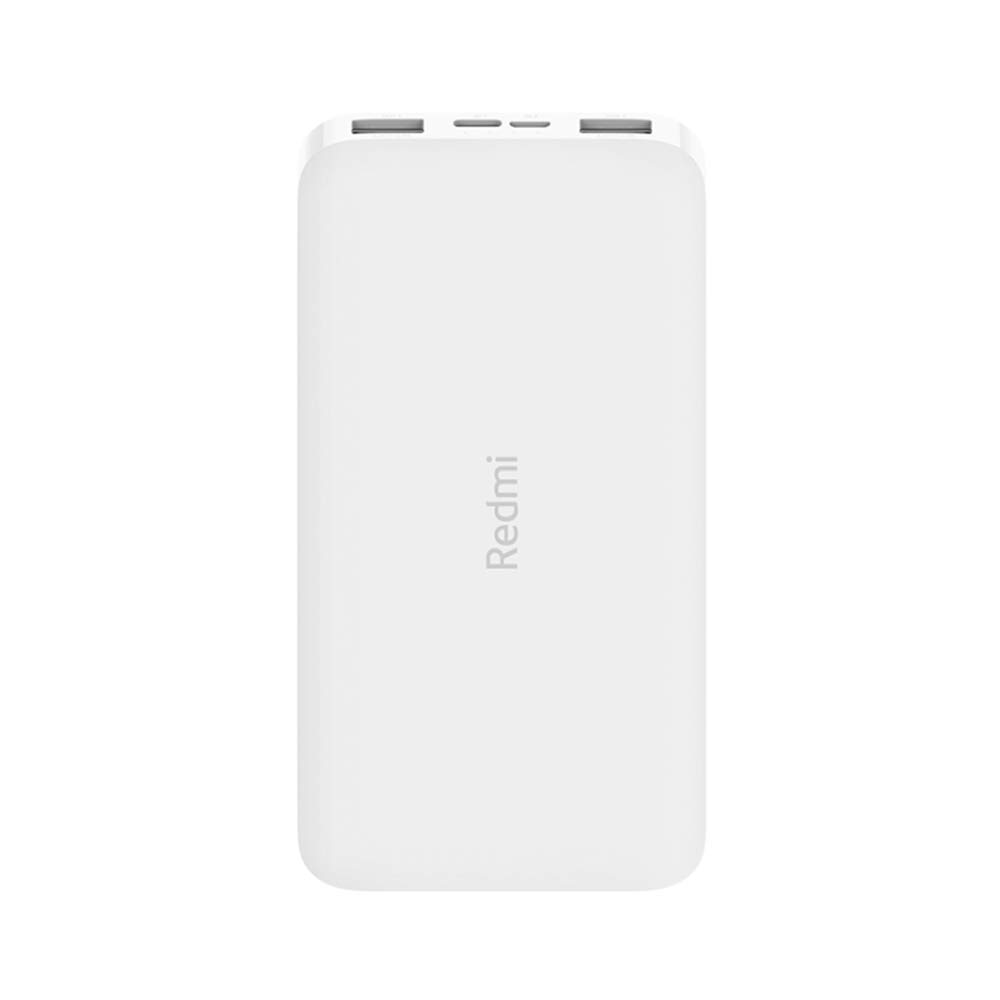
Сүрөт: бурчтуу view of the white Redmi 10000mAh Power Bank.
Коопсуздук маалыматы
To prevent injury, damage to the product, or damage to property, observe the following safety precautions:
- Do not disassemble, repair, or modify the power bank.
- Do not expose the power bank to fire, high temperatures, or direct sunlight.
- Суу же башка суюктуктар менен байланышуудан алыс болуңуз.
- Power банкты кулатпаңыз, сүзбөңүз же күчтүү термелүүгө дуушар кылбаңыз.
- Балдар жетпеген жерде сактаңыз.
- Туура келген заряддоо кабелдерин жана адаптерлерин гана колдонуңуз.
- Dispose of the power bank according to local regulations.
Продукт бүттүview
Familiarize yourself with the components of your Redmi 10000mAh Power Bank.

Image: Close-up of the power bank's top edge showing two USB-A output ports (OUT1, OUT2), one Micro-USB input port (IN1), one USB-C input port (IN2), and four LED battery level indicators.
- USB-A чыгаруу порттору (OUT1, OUT2): Тышкы түзмөктөрдү заряддоо үчүн колдонулат.
- Micro-USB Input Port (IN1): Used to charge the power bank.
- USB-C Input Port (IN2): Used to charge the power bank.
- LED көрсөткүчтөрү: Four small lights indicating the remaining battery level.
- Кубат баскычы: Located on the side, used to check battery level or activate charging.

Сүрөт: каптал view of the power bank highlighting the power button.
Жайгашуу
Power банктын алгачкы заряддоо
Before first use, fully charge your Redmi 10000mAh Power Bank.
- Connect a compatible USB cable to either the Micro-USB (IN1) or USB-C (IN2) input port on the power bank.
- Кабелдин экинчи учун USB кубат адаптерине (кошумча эмес) же компьютердин USB портуна туташтырыңыз.
- The LED indicators will light up, showing the charging progress. All four LEDs will be solid when fully charged.
Түзмөктөрдү туташтыруу
The power bank is compatible with mobile phones and other USB-powered devices.
- Use the appropriate charging cable for your device.
- Connect one end of the cable to one of the USB-A output ports (OUT1 or OUT2) on the power bank.
- Кабелдин экинчи учун аппаратыңыздын заряддоо портуна туташтырыңыз.
Иштөө нускамалары
Тышкы түзмөктөрдү заряддоо
Once a device is connected, the power bank should automatically begin charging. If not, press the power button once to initiate charging.

Image: The power bank connected via a USB cable to charge a mobile phone, resting on a wooden table.
- The LED indicators will show the power bank's remaining battery level during charging.
- You can charge two devices simultaneously using both USB-A output ports.
Батарея деңгээлин текшерүү
Press the power button once to check the remaining battery level. The LED indicators will light up for a few seconds:
- 1 LED: 0-25% калган батарея
- 2 LED: 25-50% калган батарея
- 3 LED: 50-75% калган батарея
- 4 LED: 75-100% калган батарея
Техникалык тейлөө
- Тазалоо: Power bankты жумшак, кургак чүпүрөк менен сүртүңүз. Катуу химиялык заттарды же абразивдүү материалдарды колдонбоңуз.
- Сактагыч: Power банкты күн тийбеген жана экстремалдык температурадан алыс, салкын, кургак жерде сактаңыз.
- Батареяга кам көрүү: For optimal battery life, avoid fully discharging the power bank frequently. Recharge it when the battery level is low. If not used for extended periods, charge it to about 50% every three months.
Проблемаларды чечүү
| Көйгөй | Мүмкүн чечим |
|---|---|
| Power банк заряддалбай жатат. |
|
| Түзмөк кубат банкынан кубатталбай жатат. |
|
| Жай кубаттоо. |
|
Техникалык шарттар
| Бренд | Xiaomi |
| Модель номери | PB100LZm |
| Кубаттуулугу | 10000 мАч |
| Түс | Ак |
| Батарея түрү | Литий полимери |
| Киргизүү порттору | 1x Micro-USB, 1x USB-C |
| Output Ports | 2x USB-A (5.1V=2.4A each) |
| Шайкеш түзмөктөр | Mobile Phones and other USB-powered devices |
| Өлчөмдөр | 15.8 x 8 x 2 см |
| Салмагы | 276 грамм |
Кепилдик жана колдоо
Based on the provided product information, this product is indicated as having кепилдик жок. For any product-related inquiries or technical support, please refer to the official Xiaomi support channels or your point of purchase.


