1. Киришүү
The FreedConn TCOM-SC is a Bluetooth communication system designed for motorcycle helmets. It allows for wireless communication, music streaming, FM radio, and GPS voice instructions, enhancing safety and convenience during rides. This manual provides detailed instructions for installation, operation, and maintenance of your TCOM-SC unit.
2. Продукциянын өзгөчөлүктөрү
- Bluetooth 3.0 туташуусу: For stable wireless connections.
- Домофон функциясы: Supports pairing of up to 3 riders, with 2 riders communicating simultaneously over a range of up to 800 meters.
- LCD дисплей: Provides clear visual information on status, battery, and FM radio frequency.
- Суу өткөрбөйт дизайн: Ар кандай аба ырайынын шарттарында ишенимдүү иштөөнү камсыз кылат.
- FM радиосу: Көңүл ачуу үчүн орнотулган FM радио.
- Өркүндөтүлгөн ызы-чууну көзөмөлдөө: Reduces background noise for clear audio.
- Музыка ойнотуу: Stereo music streaming with playback control.
- Кайра заряддалуучу батарея: Long standby time and usage duration.
- Жалпы шайкештик: Suitable for full-face and flip-up helmets.

Сүрөт: бүттүview of FreedConn TCOM-SC product features, including 3-rider connection, 800m duplex intercom, phone connectivity, last number redial, FM radio, advanced noise control, stereo music, playback control, individual volume control, rechargeable battery, waterproof, sunproof, dustproof, and hard & soft microphone options.
3. Пакеттин мазмуну
Сураныч, бардык буюмдар бар экенин текшерүү үчүн пакетти текшериңиз:
- 1 x Intercom Host
- 1 x Headset (Soft Mic/Hard Mic options)
- 1 x USB кабели
- 1 x 3M Clip
- 1 х клип
- 1 x Screwdriver
- 1 x User Manual
- 6 x Headset Velcro Pads

Image: Visual representation of the FreedConn TCOM-SC package contents, including the intercom host, headset with microphone, USB cable, mounting clips, screwdriver, user manual, and headset velcro pads.
4. Продукт бүтүп калдыview жана компоненттер
Familiarize yourself with the main components of the TCOM-SC unit:
- LCD дисплей экраны: Иштөө абалын көрсөтөт.
- чуркоо дөңгөлөк: Multi-function control for volume, track skipping, and menu navigation.
- Көп функциялуу баскыч: For power, intercom, and phone calls.
- Charger and Headset Socket: For connecting the charging cable and headset.
- Stereo Ear Speakers: Аудио чыгаруу үчүн.
- Ызы-чууну жокко чыгаруучу микрофон: Available in hard cable (boom mic) and soft cable (flexible mic) versions.

Image: Diagram illustrating the components of the FreedConn TCOM-SC headset, including stereo ear speakers, power on/off and intercom button, LCD display screen, jog wheel, multi-function button, charger and headset socket, noise canceling microphone (hard and soft cable options), and slot cable.
5. Орнотуу
Follow these steps to install the TCOM-SC unit on your helmet:
- Монтаждоо ыкмасын тандоо: cl ортосунда чечим кабыл алыңызamp mount (for helmets with an edge) or the adhesive mount (for helmets without a suitable edge).
- монтаждоо: Securely attach the chosen mount to the left side of your helmet.
- Insert Intercom Unit: Slide the TCOM-SC unit onto the mount until it clicks into place.
- Динамиктерди орнотуу: Attach the Velcro pads to the inside of your helmet, then place the stereo speakers over the Velcro pads, aligning them with your ears.
- Микрофонду орнотуу: For full-face helmets, use the soft cable microphone and position it inside the chin bar. For open-face or flip-up helmets, use the hard cable boom microphone and position it in front of your mouth.
- Гарнитураны туташтыруу: Plug the headset cable into the headset socket on the TCOM-SC unit.
- Маршруттук кабелдер: Neatly tuck all cables under the helmet padding to avoid obstruction and ensure comfort.
6. Батареяны заряддоо
The TCOM-SC unit is powered by a rechargeable battery. Ensure it is fully charged before first use.
- Connect the provided USB cable to the charging port on the TCOM-SC unit.
- Connect the other end of the USB cable to a USB power adapter (not included) or a computer USB port.
- The LCD display will indicate charging status.
- Адатта, заряддоо болжол менен 2.5 саатка созулат.
- A full charge provides up to 10 hours of phone calling time, 8 hours of intercom time, and up to 300 hours of standby time.
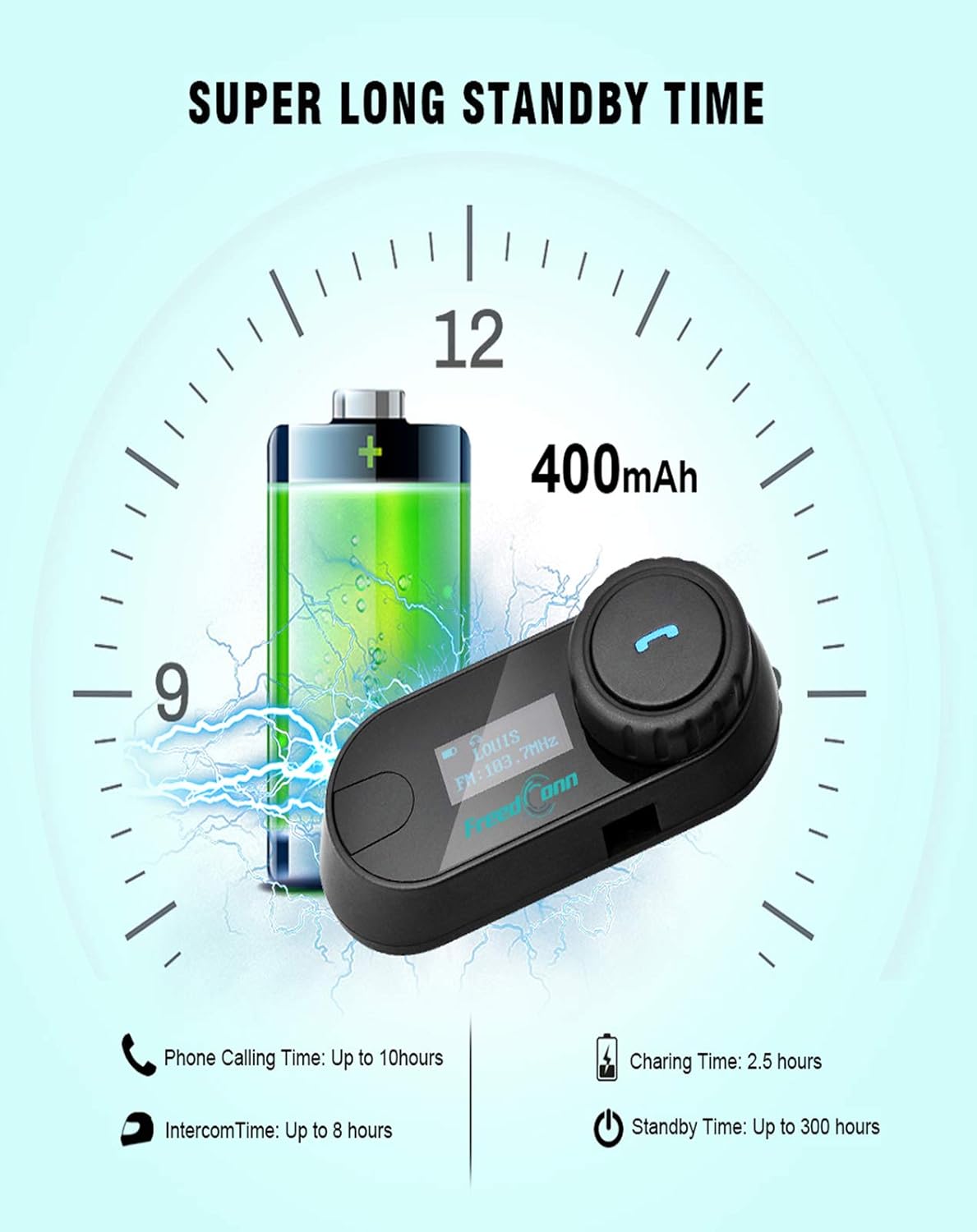
Image: Illustration of FreedConn TCOM-SC battery life and charging details, showing a 400mAh battery, 2.5 hours charging time, up to 10 hours phone calling time, up to 8 hours intercom time, and up to 300 hours standby time.
7. Негизги операциялар
7.1 Күйгүзүү/өчүрүү
- Күйгүзүү: Press and hold the Multi-function Button for approximately 3 seconds until you hear a voice prompt and the LCD screen illuminates.
- Өчүрүү: Press and hold the Multi-function Button for approximately 5 seconds until you hear a voice prompt and the LCD screen turns off.
7.2 Үндү тууралоо
- Rotate the Jog Wheel forward to increase volume.
- Rotate the Jog Wheel backward to decrease volume.
8. Bluetooth Жупташтыруу
8.1 Уюлдук телефон менен жупташтыруу
- TCOM-SC блогунун өчүрүлгөнүн текшериңиз.
- Press and hold the Multi-function Button for approximately 5-7 seconds until the LCD screen shows "Pairing" and the indicator light flashes red and blue alternately.
- Мобилдик телефонуңузда Bluetooth иштетип, түзмөктөрдү издеңиз.
- Select "FreedConn TCOM-SC" from the list of available devices.
- If prompted, enter the PIN code "0000".
- Once paired, the LCD will show "Connected" and the indicator light will flash blue slowly.
8.2 Башка TCOM-SC блогу (домофон) менен жупташтыруу
To establish intercom communication between two TCOM-SC units:
- Эки TCOM-SC блогунун тең өчүк экенин текшериңиз.
- On both units, press and hold the Multi-function Button for approximately 5-7 seconds until they enter pairing mode (red and blue indicator lights flashing alternately).
- Briefly press the Multi-function Button on бир of the units. It will search for the other unit.
- Once connected, both units will show "Intercom" on their LCD screens and the indicator lights will flash blue slowly.
For multi-rider intercom (up to 3 units), repeat the pairing process with the third unit, ensuring only two units are actively communicating at any given time.
9. Иштөө функциялары
9.1 Телефон чалуулар
- Чакырууга жооп берүү: Көп функциялуу баскычты кыскача басыңыз.
- Чакырууну аяктоо: Көп функциялуу баскычты кыскача басыңыз.
- Чакырууну четке кагуу: Көп функциялуу баскычты 2 секунд басып туруңуз.
- Акыркы номерди кайра терүү: Көп функциялуу баскычты эки жолу басыңыз.
9.2 Музыканы ойнотуу
- Ойнотуу/тындыруу: Көп функциялуу баскычты кыскача басыңыз.
- Кийинки трек: Rotate the Jog Wheel forward and hold for 2 seconds.
- Мурунку трек: Rotate the Jog Wheel backward and hold for 2 seconds.
9.3 FM радиосу
- FMди күйгүзүү/өчүрүү: Double-press the Multi-function Button to switch between music/intercom and FM radio.
- Скандоо станциялары: Rotate the Jog Wheel forward or backward to change stations.
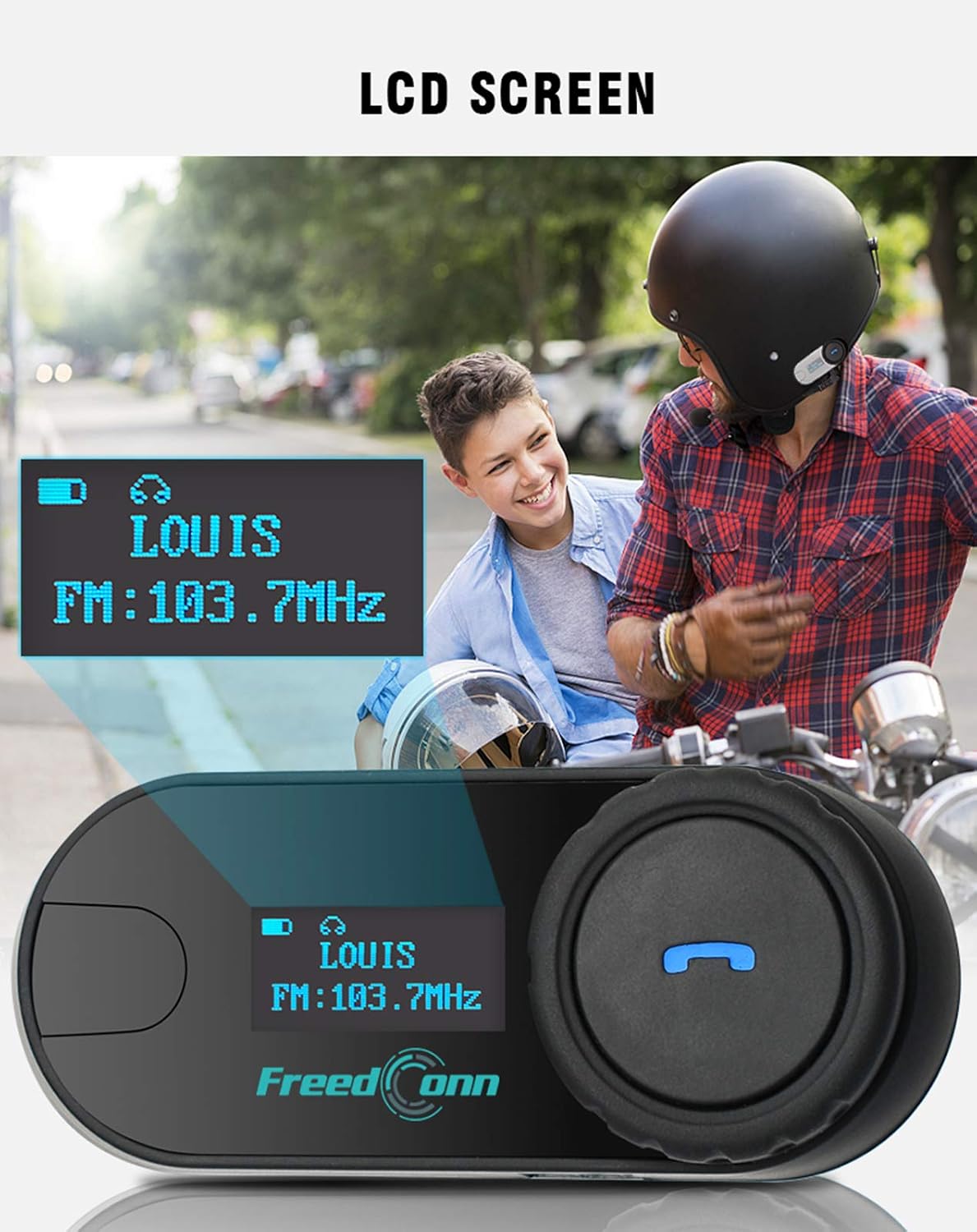
Сүрөт: Жакын план view of the FreedConn TCOM-SC LCD screen, displaying information such as connected device name (e.g., LOUIS) and FM radio frequency (e.g., FM: 103.7MHz).
10. Техникалык тейлөө
- Аппаратты жумшак менен тазалаңыз, гamp кездеме. Катуу химиялык заттарды же эриткичтерди колдонбоңуз.
- Сууга туруштук берүү үчүн кубатталбай жатканда кубаттоочу порттун капкагы бекем жабылганын текшериңиз.
- Агрегатты колдонбогондо салкын, кургак жерде сактаңыз.
- Аппаратты экстремалдык температурага тийгизүүдөн сактаңыз.

Image: The FreedConn TCOM-SC unit shown with water splashing around it, illustrating its waterproof, sun protection, and dust-proof capabilities, highlighting its durable and protective design.
11. Кыйынчылыктарды
- Кубат жок: Батареянын заряддалганын текшериңиз. Заряддоочу түзүлүшкө туташтырып, кайра аракет кылыңыз.
- Жупташуу мүмкүн эмес: Make sure both devices are in pairing mode. Turn off and restart both devices, then try pairing again. Ensure no other Bluetooth devices are interfering.
- Үн жок: Check volume levels on both the TCOM-SC and the connected device. Ensure the headset is properly plugged into the unit.
- Домофондун үзгүлтүккө учурашы: Ensure units are within the 800m range and there are no major obstructions. Re-establish the intercom connection.
- Начар аудио сапаты: Check microphone placement. Ensure speakers are correctly positioned over your ears. Reduce background noise if possible.
12. Техникалык шарттар
| Модель номери | TCOM-SC |
| Bluetooth версиясы | 3.0 |
| Домофон диапазону | 800 метрге чейин (2 чабандес) |
| Батарея сыйымдуулугу | 400mAh |
| Phone Calling Time | 10 саатка чейин |
| Домофон убактысы | 8 саатка чейин |
| Күтүү убактысы | 300 саатка чейин |
| Заряддоо убактысы | Болжол менен 2.5 саат |
| Сууга туруктуулук деңгээли | Суу өткөрбөйт |
| Продукциянын өлчөмдөрү | 1.22 x 0.98 x 3.19 дюйм |
| Элемент Салмагы | 10.2 унция |
13. Кепилдик жана колдоо
For warranty information and technical support, please refer to the official FreedConn webсайтка же сатуучуга кайрылыңыз. Сатып алганыңыздын далили катары сатып алуу дүмүрчөгүңүздү сактаңыз.


