1. Киришүү
Thank you for choosing HiFuture FlyBuds True Wireless Earbuds. This manual provides essential information for setting up, operating, and maintaining your earbuds to ensure optimal performance and longevity. Please read this manual carefully before use.
Пакеттин мазмуну
- 1 x Pair of HiFuture FlyBuds Earbuds
- 1 х заряддоо кутусу
- 3 x Pairs of Eartips (S, M, L)
- 1 x USB Type-C заряддоо кабели
- 1 x User Manual

Image: HiFuture FlyBuds earbuds, charging case, and various eartips.
2. Продукт бүтүп калдыview
The HiFuture FlyBuds are designed for a seamless audio experience with advanced features and a comfortable fit.
Негизги өзгөчөлүктөрү
- True Wireless Stereo 5.0: Туруктуу жана натыйжалуу зымсыз байланыш үчүн.
- Smart Touch Sensor Control: Manage music, calls, and voice assistant with intuitive touch commands.
- Graphene Enhanced Sound: Delivers superior audio quality with soft and deep bass.
- Smart ON/OFF & Auto Pairing: Magnetic pogo pins enable automatic power on/off and instant pairing when removed from the case.
- Узартылган батареянын иштөө мөөнөтү: Up to 4 hours on a single charge, with a total of 20 hours combined playback using the charging case.
- Type-C тез кубаттоо: 15 minutes of charge provides 2 hours of usage.
- Камтылган микрофон: For clear stereo calling.
- Жеңил жана эргономикалык дизайн: Each earbud weighs approximately 5 grams, ensuring comfort and a secure fit.
- IPX5 Суу өткөрбөйт: Rated for resistance against sweat and splashes.
Түс варианттары
The HiFuture FlyBuds are available in the following colors:
- Matte Black
- Flamingo Pink
- Жалбыз жашыл
- Pearl White

Сүрөт: бүттүview of HiFuture FlyBuds features and design.
3. Орнотуу жана жупташтыруу
Баштапкы заряддоо
Before first use, fully charge your FlyBuds and their charging case. Connect the provided USB Type-C cable to the charging port on the case and a compatible USB power source. The indicator lights on the case will show the charging status.
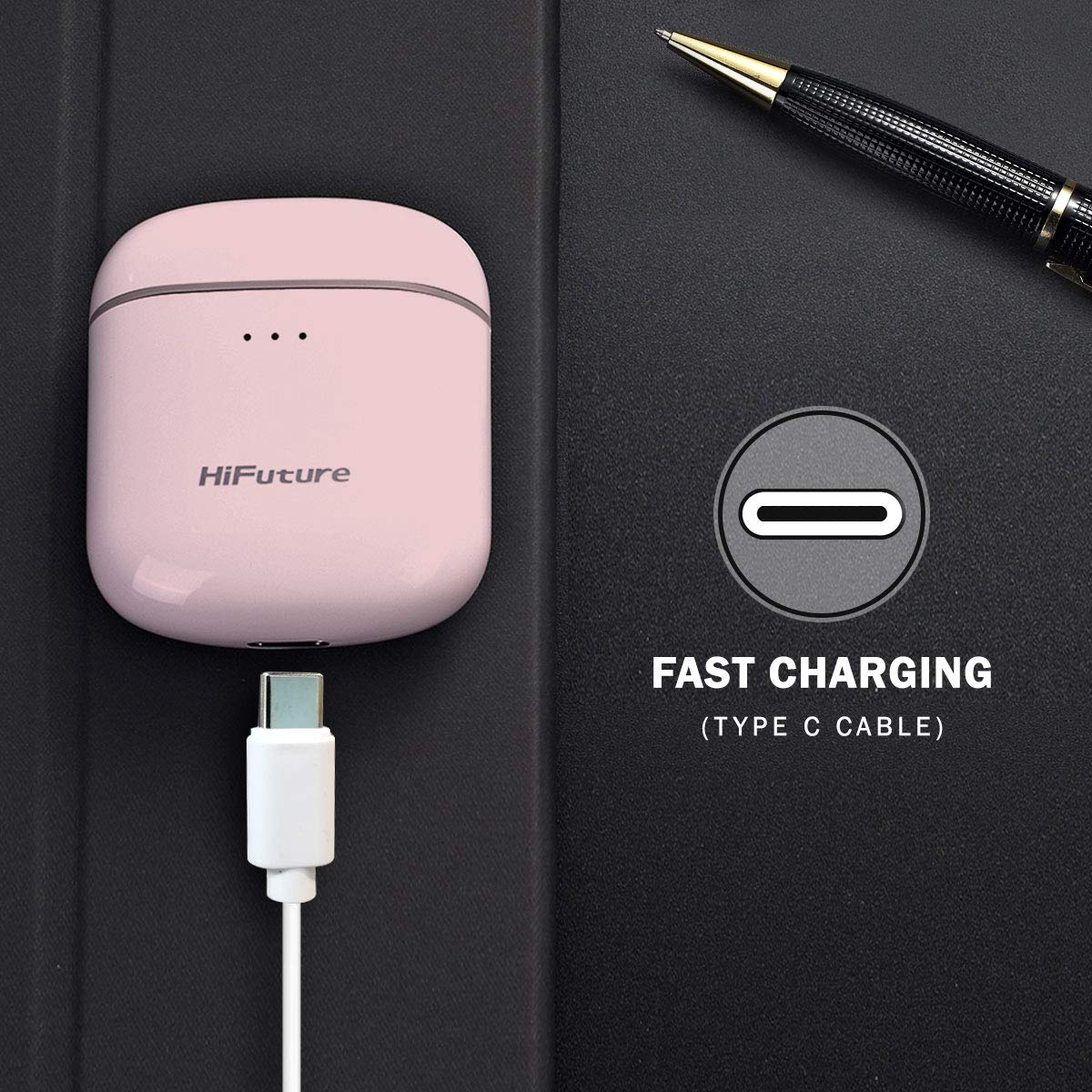
Image: Charging the FlyBuds case via USB Type-C.
Автоматтык жупташтыруу
- Кулакчындардын кубатталганын текшериңиз.
- Заряддоо кутучасын ачыңыз. Кулакчындар автоматтык түрдө күйүп, жупташтыруу режимине өтөт.
- Түзмөгүңүздө (смартфон, планшет, ноутбук) Bluetooth иштетиңиз.
- Издөө "FlyBuds" in the list of available Bluetooth devices and select it to connect.
- Туташкандан кийин аудио сигналын угасыз жана кулакчындар колдонууга даяр болот.
Түзмөктө Bluetooth иштетилген болсо, кулакчындар кутудан чыгарылганда акыркы жупташтырылган түзмөккө автоматтык түрдө кайра туташат.
4. Иштөө нускамалары
Сенсор башкаруу элементтери
The FlyBuds feature intuitive touch controls on each earbud. Refer to the diagram below for specific functions:

Image: Detailed touch command functions for the FlyBuds.
- Бир тийүү: Power ON/OFF, Play/Pause Music, Activate Voice Assistant.
- Эки жолу тийүү: Next Track (Right earbud), Previous Track (Left earbud).
- Тийип кармап туруу: Volume Up (Right earbud), Volume Down (Left earbud).
- Үч жолу таптоо: End Call, Reject Call.
Батареянын иштөө мөөнөтү жана заряддоо
The FlyBuds offer approximately 4 hours of playback on a single charge. The charging case provides multiple additional charges, extending the total listening time to about 20 hours. A quick 15-minute charge can provide up to 2 hours of usage.
5. Техникалык тейлөө жана кам көрүү
Сууга туруктуулук (IPX5)
The FlyBuds are rated IPX5, meaning they are resistant to splashes and sweat. They are suitable for workouts and light rain. However, they are not designed for submersion in water or exposure to heavy rain. Do not wear them while swimming or showering.
Жалпы кам көрүү
- Кулакчындарды жана заряддоо кутусун жумшак, кургак чүпүрөк менен дайыма тазалаңыз.
- Абразивдүү тазалагычтарды же эриткичтерди колдонуудан алыс болуңуз.
- Кулакчындарды коргоо жана кубаттоо үчүн колдонулбаган учурда кубаттоо кутучасында сактаңыз.
- Кулакчындардын жана кутучанын ичиндеги кубаттоочу контакттарды таза жана кургак кармаңыз.
- Ашыкча температурадан жана түздөн-түз күн нурунан сактаныңыз.
6. Кыйынчылыктарды
Жалпы маселелер жана чечимдер
- Кулакчындар жупташкан жок:
Ensure both earbuds are charged. Place them back in the case, close the lid, wait a few seconds, then open the lid and try pairing again. Make sure Bluetooth is enabled on your device and no other devices are currently connected to the earbuds. - Бир гана кулакчын иштейт:
Try resetting the earbuds. Place both earbuds in the charging case, close the lid, and then open it. If the issue persists, try unpairing the earbuds from your device's Bluetooth settings and then re-pairing them. - Кулакчындар кубатталбай жатат:
Заряддоо кабели корпуска да, кубат булагына да туташтырылганын текшериңиз. Кулакчындардагы жана корпустун ичиндеги заряддоо контакттары таза жана таштандыдан таза экенин текшериңиз. - Үн сапатынын начардыгы же байланыш үзүлүшү:
Ensure your device is within the Bluetooth range (typically 10 meters) and there are no significant obstacles between the earbuds and your device. Try moving to an area with less wireless interference.
7. Техникалык шарттар
| Өзгөчөлүк | Спецификация |
|---|---|
| Модель аты | FlyBuds |
| Байланыш технологиясы | Зымсыз (Bluetooth) |
| Зымсыз байланыш технологиясы | Чынында Wireless |
| Башкаруу түрү | Сенсор башкаруу |
| Сууга туруктуулук деңгээли | IPX5 (Суу өткөрбөйт) |
| Элемент Салмагы | 45 грамм (жалпы) |
| Продукциянын өлчөмдөрү | 5.8 x 5.2 x 3 см |
| Батарея түрү | Литий ион |
| Батареянын иштөө мөөнөтү (наушник) | 4 саатка чейин (бир кубаттоо) |
| Combined Playtime (with case) | 20 саатка чейин |
| Тез заряддоо | 15 min charge for 2 hours usage |
8. Кепилдик жана колдоо
The HiFuture FlyBuds come with a 1-year standard brand warranty from the date of purchase. Please retain your proof of purchase for warranty claims.
For technical support, warranty claims, or further assistance, please refer to the contact information provided in your product packaging or visit the official HiFuture webсайт.
Продукт видеолору
Видео: Бүттүview of the HiFuture FlyBuds, highlighting key features and design elements.
Видео: Жарнамалык роликasing the HiFuture FlyBuds in various colors and use cases.


