1. Продукт бүтүп калдыview
The Sigma 18-35mm f/1.8 DC HSM Art Lens for Canon EF is a high-performance lens designed for APS-C format cameras. It features a constant f/1.8 maximum aperture, making it suitable for low-light photography and achieving shallow depth of field. This bundle includes essential accessories to enhance your photography experience.
Негизги өзгөчөлүктөрү:
- Bright f/1.8 constant maximum aperture for stellar low-light shots.
- Part of Sigma's esteemed Art line, ideal for creative applications.
- Wide-to-normal zoom catering to APS-C Canon EF-mount cameras, with a 28.8-56mm equivalent focal length range.
- Employs Five Special Low Dispersion (SLD) elements for reduced chromatic aberrations.
- Four aspherical elements ensuring limited distortion and heightened sharpness.
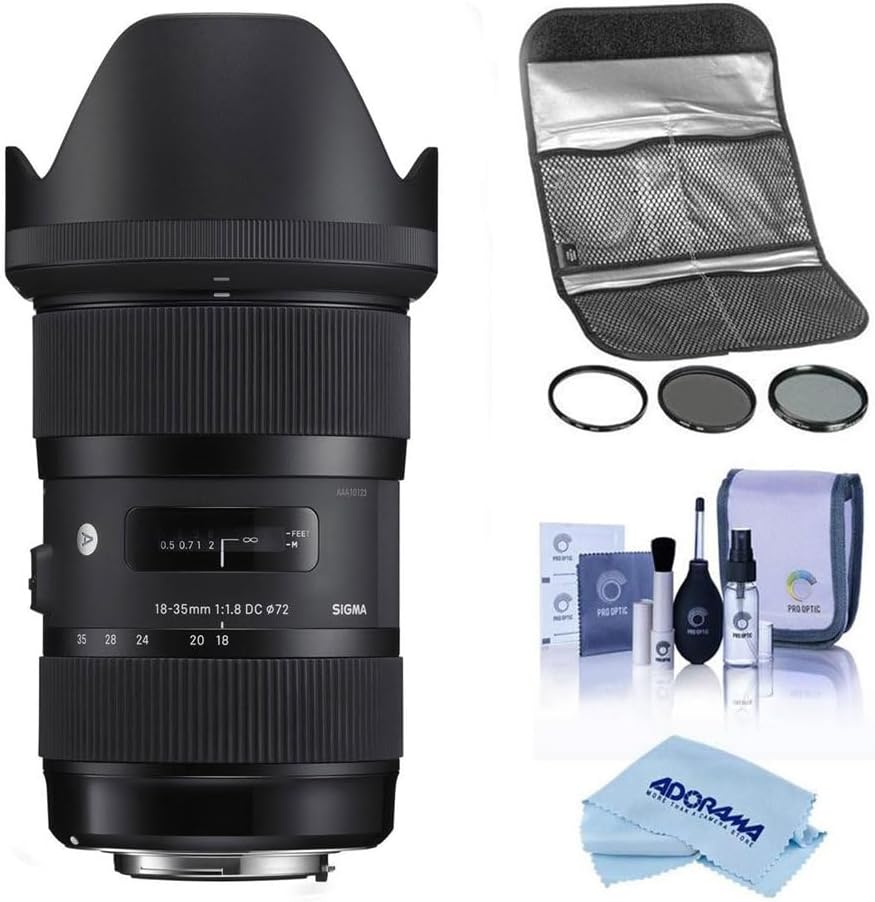
Image 1: The Sigma 18-35mm f/1.8 DC HSM Art Lens bundled with a Hoya 72mm Filter Kit II, a comprehensive cleaning kit, and a microfiber cleaning cloth.
2. Пакеттин мазмуну
Пакетиңизде бардык буюмдар бар экенин текшериңиз:
- Sigma 18-35mm f/1.8 DC HSM Art Lens
- Линза капкагы
- Алдыңкы линзанын капкагы
- Арткы линзанын капкагы
- Hoya 72mm Filter Kit II (UV, CPL, ND filters)
- Lens Filter Pouch
- Pro Optic Cleaning Kit (Lens cleaning fluid, lens brush, air blower, lens tissues)
- Microfiber тазалоочу кездеме
3. Орнотуу
3.1 Объективди бекитүү
- Камераңыз өчүк экенин текшериңиз.
- Remove the rear lens cap from the Sigma lens and the body cap from your Canon EF-mount camera.
- Align the red index mark on the lens barrel with the red index mark on your camera's lens mount.
- Объективди камера орноткучуна кыстарыңыз жана аны чыкылдатканча саат жебеси боюнча айлантыңыз. Линзаны мажбурлабаңыз.
- Attach the lens hood by aligning its mark with the mark on the front of the lens and twisting until it locks.
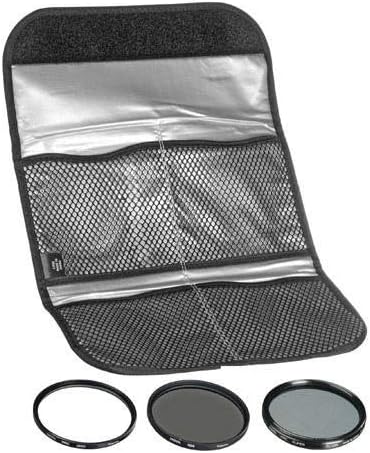
Image 2: The rear of the Sigma 18-35mm lens, showing the Canon EF mount for attachment to the camera body.
3.2 Installing Filters
The Hoya 72mm Filter Kit II includes UV, Circular Polarizer (CPL), and Neutral Density (ND) filters. These can be screwed onto the front of the lens.
- Carefully remove the lens cap.
- Gently screw the desired 72mm filter onto the front thread of the lens until it is secure. Do not overtighten.
- For the CPL filter, rotate the outer ring to adjust the polarization effect.

Image 3: The Hoya 72mm Filter Kit II, including UV, CPL, and ND filters, stored in a protective pouch.
4. Объективди иштетүү
4.1 Focus Modes (AF/MF)
The lens features a switch to select between Autofocus (AF) and Manual Focus (MF).
- Которуштурууну коюңуз AF for automatic focusing. The camera will control the focus.
- Которуштурууну коюңуз MF for manual focusing. Rotate the focus ring on the lens to adjust focus manually.

Image 4: The side of the Sigma 18-35mm lens, highlighting the AF/MF focus mode switch.
4.2 Чоңойтуу
Rotate the zoom ring on the lens to adjust the focal length between 18mm (wide-angle) and 35mm (standard).

Image 5: The Sigma 18-35mm lens, showing the zoom and focus rings.
4.3 Диафрагма
This lens features a constant f/1.8 maximum aperture across its entire zoom range. This wide aperture allows for excellent performance in low-light conditions and provides significant control over depth of field, enabling subjects to stand out against blurred backgrounds.
Эскертүү: This lens does not include built-in image stabilization. For video recording or in very low light conditions, using a tripod is recommended to minimize camera shake.
5. Техникалык тейлөө
5.1 Cleaning the Lens and Accessories
Regular cleaning helps maintain the optical performance and longevity of your lens and filters. Use the included Pro Optic Cleaning Kit and microfiber cloth.
- Use the air blower to remove loose dust and debris from the lens and filter surfaces.
- For stubborn dust or smudges, use the lens brush gently.
- Apply a small amount of lens cleaning fluid to a clean lens tissue or the microfiber cloth, then gently wipe the lens surface in a circular motion. Avoid applying fluid directly to the lens.
- Ensure the lens and filters are dry before reattaching caps or storing.

Image 6: The Pro Optic Cleaning Kit, including lens cleaning fluid, a lens brush, and an air blower.

Image 7: A microfiber cleaning cloth, suitable for delicate lens surfaces.
5.2 Сактоо
- Линза колдонулбай турганда ар дайым алдыңкы жана арткы линзанын капкактарын тагыңыз.
- Линзаны салкын, кургак жерде, түз күндүн нурунан жана экстремалдык температурадан алыс сактаңыз.
- Эгерде көпкө сактасаңыз, көктүн өсүшүнө жол бербөө үчүн кургаткычты же кургаткычты колдонууну карап көрүңүз.
6. Кыйынчылыктарды
Эгерде сиз линзаңыз менен көйгөйлөргө туш болсоңуз, төмөнкү кеңири таралган чечимдерди карап көрүңүз:
- бүдөмүк сүрөттөр:
- Check if the lens is properly attached to the camera.
- Ensure the focus mode is set correctly (AF for autofocus, MF for manual focus).
- Verify that the camera's autofocus points are correctly selected and focusing on your intended subject.
- In low light, use a tripod or increase ISO to avoid camera shake, as this lens does not have image stabilization.
- Линза фокусталбай жатат:
- Confirm the AF/MF switch on the lens is set to AF.
- Линзадагы жана камеранын корпусундагы электр контакттарын таза, кургак чүпүрөк менен сүртүңүз.
- Автофокус системасынын натыйжалуу иштеши үчүн жетиштүү жарык бар экенине ынаныңыз.
- Dust or Spots on Images:
- Clean the front and rear elements of the lens using the provided cleaning kit.
- Check your camera's sensor for dust. Refer to your camera's manual for sensor cleaning procedures or consult a professional.
7. Техникалык шарттар
| Өзгөчөлүк | Деталь |
|---|---|
| Бренд | Сигма |
| Модель номери | 18-35mm F/1.8 |
| Фокустун узундугу | 18-35 миллиметр |
| Максималдуу диафрагма | f/1.8 |
| Линзанын түрү | Стандарттуу, кең бурчтуу |
| Шайкеш орнотуулар | Canon EF |
| Продукциянын өлчөмдөрү | 7.1 x 4.8 x 4.7 дюйм |
| Элемент Салмагы | 3.51 фунт |
| ASIN | B083B6DF9B |
| Дата биринчи жеткиликтүү | 31-декабрь, 2019-жыл |
8. Кепилдик жана колдоо
This Sigma lens is backed by Sigma's full factory warranty and repair services. For specific warranty details and service inquiries, please refer to the official Sigma website or contact an authorized Sigma dealer.
Сатып алууasing from an authorized dealer ensures you receive genuine Sigma products and access to official support.
Video 1: Information regarding purchasing from an authorized Sigma dealer and warranty details.


