1. Киришүү
Thank you for choosing the Oversteel ZAMAK RGB Gaming Headset. This headset is designed to provide a high-quality audio experience for gaming across multiple platforms. It features stereo sound, an ergonomic design for comfort, RGB LED backlighting, and a retractable microphone.
This manual provides essential information for setting up, operating, and maintaining your headset. Please read it carefully before use.
2. Пакеттин мазмуну
Пакетте бардык буюмдар бар экенин текшериңиз:
- Oversteel ZAMAK RGB Gaming Headset
- Jack adapter for multi-platform use
3. Продукт бүтүп калдыview
Familiarize yourself with the components of your Oversteel ZAMAK headset.
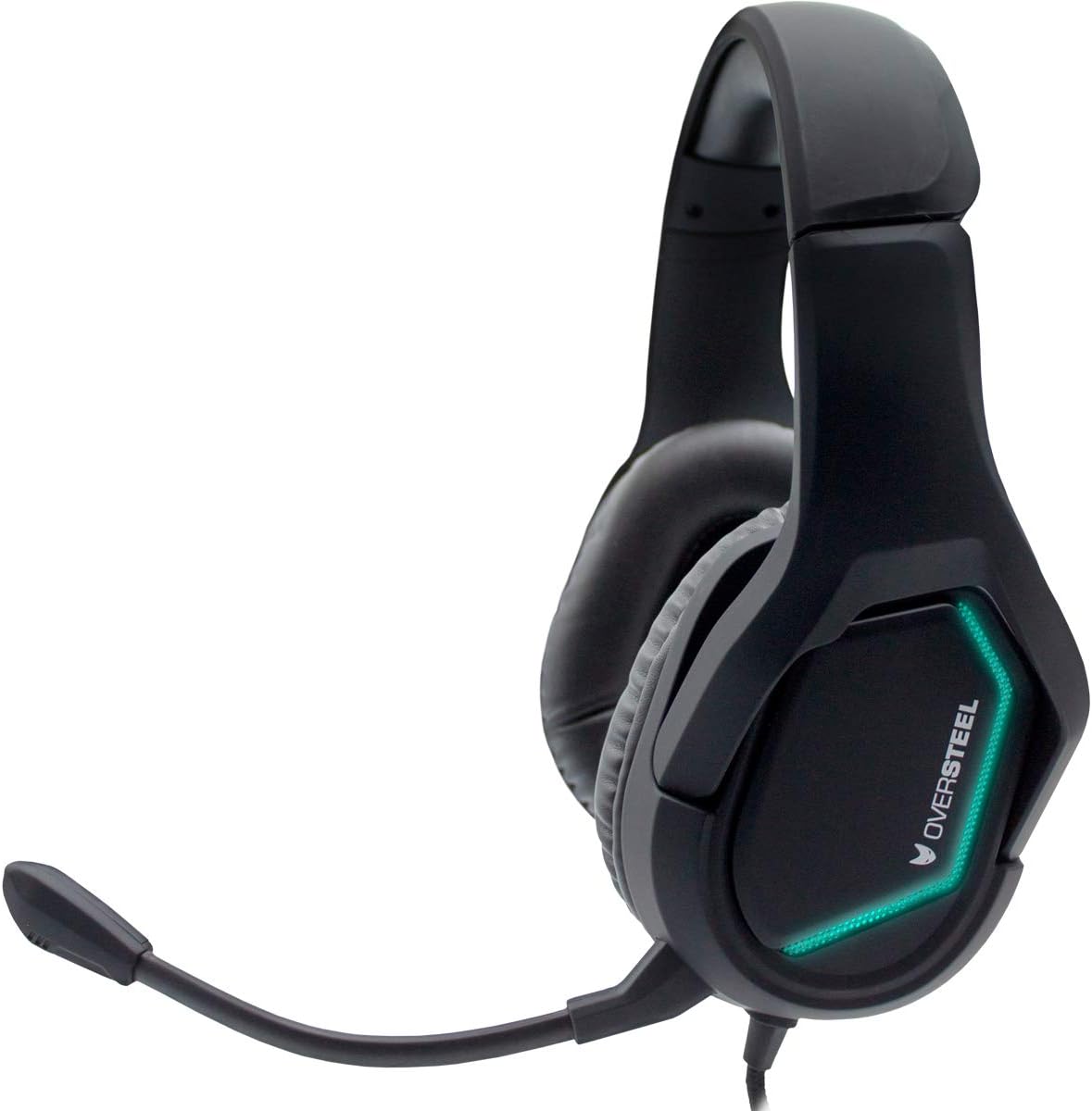
Сүрөт 1: Алдыңкы view of the Oversteel ZAMAK headset, showcasing the green RGB LED lighting on the earcups and the flexible microphone arm.

Сүрөт 2: Каптал view of the Oversteel ZAMAK headset, highlighting the blue RGB LED lighting on the earcups and the comfortable over-ear design.

Сүрөт 3: Жакын пландан view of the headset's earcups, showing the soft faux leather material for enhanced comfort during extended use.

Image 4: Another side view of the Oversteel ZAMAK headset, displaying the purple RGB LED lighting effect.

Сүрөт 5: Жогорку view of the Oversteel ZAMAK headset, illustrating the adjustable headband and overall robust construction.
Негизги компоненттер:
- Жөнгө салынуучу баш боосу: Ар кандай өлчөмдөгү баштарга ыңгайлуу отуруу үчүн.
- Over-ear Earcups: Padded with faux leather for comfort and acoustic isolation.
- Тартылуучу микрофон: Flexible and can be adjusted or retracted when not in use.
- Inline алыстан башкаруу: For volume adjustment and microphone mute (if applicable).
- Зымдуу туташуу: Durable cable for reliable audio transmission.
4. Орнотуу нускамалары
The Oversteel ZAMAK headset is compatible with multiple platforms. Follow these steps to connect your headset:
4.1 Компьютерге/ноутбукка туташуу
- If your PC has separate audio (green) and microphone (pink) jacks, use the included jack adapter to split the single 3.5mm connector.
- Plug the headset's 3.5mm jack into the adapter, then plug the adapter's green connector into your PC's audio output and the pink connector into the microphone input.
- If your PC has a single combined 3.5mm audio jack, plug the headset's 3.5mm jack directly into it.
- Adjust sound settings in your operating system to ensure the headset is selected as the default audio input and output device.
4.2 Connecting to PlayStation 4 / Xbox One / Nintendo Switch / Smartphone
- Plug the headset's 3.5mm jack directly into the controller (PS4/Xbox One), console (Nintendo Switch), or smartphone's 3.5mm audio jack.
- For Xbox One, an Xbox One Stereo Headset Adapter (sold separately) may be required for older controllers without a 3.5mm jack.
- Adjust audio settings within the console or device menu to ensure the headset is recognized and functioning correctly.
5. Иштөө нускамалары
5.1 Үндү башкаруу
The headset features an inline remote control on the cable. Use the volume wheel or slider on this control to adjust the audio output level to your preference.
5.2 Микрофонду колдонуу
- Позициялоо: Adjust the flexible microphone arm so the microphone is positioned near your mouth for optimal voice pickup.
- Үнсүз функция: Use the microphone mute switch on the inline remote control to quickly turn the microphone on or off.
- Баш тартуу: When not in use, the microphone can be retracted or moved out of the way for convenience.
5.3 RGB LED арткы жарыктандыруу
The Oversteel ZAMAK headset features integrated RGB LED backlighting on the earcups. This lighting is typically powered via the USB connection (if available) or the 3.5mm jack, and cycles through various colors automatically. There is no specific control for changing the RGB lighting patterns or colors directly on the headset.
6. Техникалык тейлөө
Тийиштүү кам көрүү гарнитураңыздын иштөө мөөнөтүн узартат.
- Тазалоо: Наушниктерди жана баш боолорду сүртүү үчүн жумшак, кургак чүпүрөктү колдонуңуз. өжөр кир үчүн, бир аз гamp cloth can be used, but ensure no moisture enters the speaker grilles or microphone. Avoid harsh chemicals or abrasive cleaners.
- Сактагыч: Гарнитураны күн нурунан жана экстремалдык температурадан алыс салкын, кургак жерде сактаңыз. Гарнитурага оор нерселерди коюудан алыс болуңуз.
- Кабельге кам көрүү: Do not pull on the cable forcefully. Always grasp the plug when disconnecting. Avoid sharp bends or kinks in the cable.
7. Кыйынчылыктарды
If you encounter issues with your Oversteel ZAMAK headset, refer to the following common problems and solutions:
| Көйгөй | Мүмкүн чечим |
|---|---|
| Гарнитурадан үн жок |
|
| Микрофон иштебей жатат |
|
| RGB жарыктандыруу иштебейт |
|
8. Техникалык шарттар
| Бренд | Ашыкча болот |
| Модель аты | Oversteel ZAMAK |
| Элемент моделинин номери | NAT-OV-ZAMAK |
| Байланыш технологиясы | Зымдуу |
| Наушник уясы | 3.5 мм Джек |
| Шайкеш түзмөктөр | PlayStation 4, PC, Xbox One, Nintendo Switch, Smartphone |
| Кулак жайгаштыруу | Ашыкча кулак |
| Форма фактору | Ашыкча кулак |
| Звукоизоляция | Акустикалык изоляция |
| Материал | Жасалма тери |
| Түс | Кара |
| Элемент Салмагы | 680 грамм |
| Сууга туруктуулук деңгээли | Сууга чыдамдуу |
| Кабель функциясы | Тартылуучу |
| Башкаруу түрү | Volume Control (Inline Remote) |
| Өзгөчөлүктөр | Gaming, RGB LED Backlighting |
| Келип чыккан өлкө | Кытай |
9. Кепилдик жана колдоо
For detailed warranty information, please refer to the documentation included with your product packaging or visit the official Oversteel webсайт. Кепилдик дооматтар үчүн сатып алганыңыздын далилин сактаңыз.
If you require technical support or have questions not covered in this manual, please contact Oversteel customer service through their official channels.


