Introduction
The tonies Creative-Tonie Music Conductor is an interactive audio character designed for children. It allows you to record and play up to 90 minutes of custom audio content, fostering imagination and supporting routines. This hand-painted, magnetic Tonie requires a Toniebox (sold separately) to function.
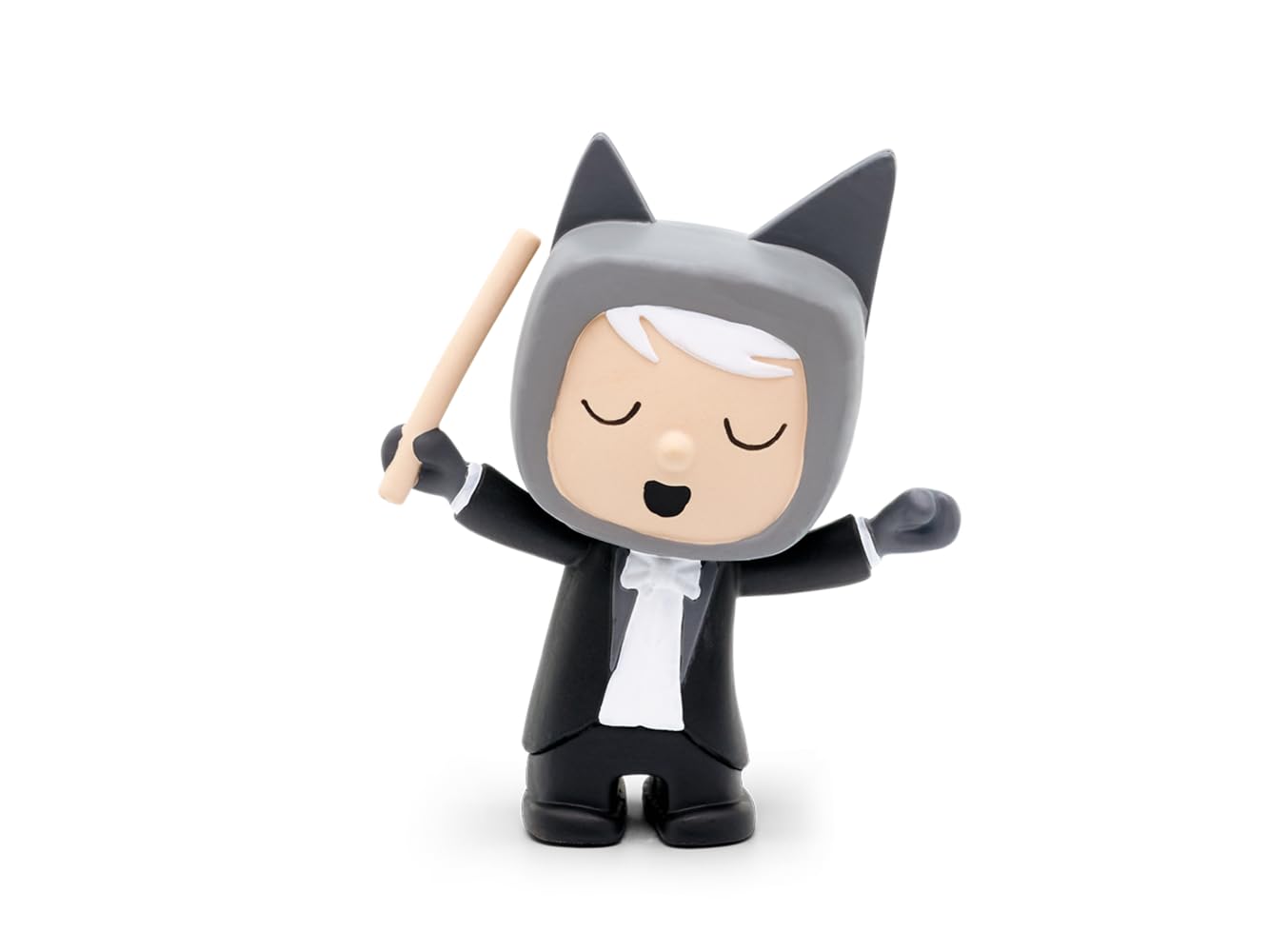
Image: The tonies Creative-Tonie Music Conductor character, a small hand-painted figurine of a conductor with a baton, designed for use with the Toniebox audio system.
Пакеттин мазмуну
- 1 x tonies Creative-Tonie Music Conductor Audio Character
Жайгашуу
- Toniebox Requirement: Ensure you have a Toniebox audio player. The Creative-Tonie functions exclusively with a Toniebox (sold separately).
- Баштапкы орнотуу: Place the Creative-Tonie on your Toniebox. The Toniebox will recognize the new Tonie and begin the synchronization process.
- Tonie-App Connection: Download and install the official Tonie-App on your computer, tablet, or smartphone.
- Каттоо эсебин түзүү/кирүү: Create a Toniecloud account or log in to your existing account via the app or my.tonies.com.
- Assign Content: In the Tonie-App, assign audio content to your Creative-Tonie. You can upload your own recordings, stories, or music, up to 90 minutes.
- Синхрондоштуруу: Place the Creative-Tonie on the Toniebox again to download the assigned content. The Toniebox will indicate when the content is fully synchronized. Ensure your Toniebox is connected to Wi-Fi.
Иштөө нускамалары
- Мазмунду ойнотуу: Place the Creative-Tonie on the Toniebox. The Toniebox will automatically start playing the assigned audio content.
- Pausing/Stopping: Remove the Creative-Tonie from the Toniebox to pause or stop playback.
- Үндү көзөмөлдөө: Adjust the volume directly on the Toniebox by squeezing its ears.
- Тректерди өткөрүп жиберүү: Tap the side of the Toniebox to skip forward or backward through tracks (if multiple tracks are assigned).
- Recording Custom Audio: Use the Tonie-App to record new audio directly or upload existing audio files.
- Updating Content: After assigning new content via the app, place the Creative-Tonie on the Toniebox to update its content. Ensure your Toniebox is connected to Wi-Fi for updates.
Техникалык тейлөө
- Тазалоо: Wipe the Tonie character with a soft, dry cloth. Do not use abrasive cleaners or immerse in water.
- Сактагыч: Store the Tonie in a dry place away from direct sunlight and extreme temperatures.
- Узактыгы: The Tonie is designed to be robust for children's use. Avoid dropping it from significant heights or applying excessive force.
Проблемаларды чечүү
- Tonie not playing content:
- Ensure the Toniebox is turned on and charged.
- Verify the Toniebox is connected to Wi-Fi for initial setup and content updates.
- Check the Tonie-App to confirm content has been assigned to the Creative-Tonie.
- Place the Tonie firmly on the Toniebox.
- Cannot upload or assign content:
- Түзмөгүңүздө туруктуу интернет байланышы бар экенин текшериңиз.
- Log in to the correct Toniecloud account associated with your Toniebox.
- Check the Tonie-App for any error messages or updates.
- Audio quality issues:
- Оригиналдуу аудиону камсыз кылыңыз file quality is good before uploading.
- Check the Toniebox for any physical damage.
Техникалык шарттар
| Өзгөчөлүк | Деталь |
|---|---|
| Модель номери | 10000205 |
| Бренд | тониялар |
| Content Capacity | 90 мүнөткө чейин |
| Материал | Пластик |
| Өлчөмдөрү (L x W x Y) | 11.5 x 3.5 x 20 см |
| Салмагы | 50 г |
| Сунушталган Жаш | 3 жаш жана андан жогору |
| Батареялар талап кылынат | No (Toniebox requires batteries, sold separately) |
| Иштөө режими | Manual |
| Ички/тышкы колдонуу | Indoor |
| Ассамблея талап кылынат | Жок |
Кепилдик жана колдоо
For warranty information and customer support, please visit the official tonies webсайтка же түздөн-түз кардарларды тейлөөгө кайрылыңыз. Кепилдик дооматтар үчүн сатып алганыңыздын далилин сактаңыз.
Официалдуу Webсайт: tonies.com


