1. Киришүү
This manual provides detailed instructions for the setup, operation, and maintenance of your HP S1000 Wireless Mouse. Please read this manual thoroughly before using the product to ensure proper functionality and to maximize your user experience.
The HP S1000 Wireless Mouse is designed for reliable and comfortable use, featuring a 2.4 GHz wireless connection, 1600 DPI optical tracking, and a symmetrical design suitable for both left and right-handed users.
2. Пакеттин мазмуну
Сураныч, продуктуңуздун таңгагында бардык буюмдар бар экенин текшериңиз:
- HP S1000 зымсыз чычкан
- USB Receiver (dongle)
- 1 AA Battery (may be pre-installed or included separately)
- Ыкчам баштоо колдонмосу (бул колдонмо)
3. Орнотуу нускамалары
Follow these steps to set up your HP S1000 Wireless Mouse:
- Батареяны орнотуу:
Locate the battery compartment on the underside of the mouse. Open the cover, insert the provided AA battery, ensuring correct polarity (+/-), and close the cover securely.
- USB кабыл алгычты туташтыруу:
Remove the USB receiver from its storage slot, usually located within the battery compartment. Plug the USB receiver into an available USB port on your computer. Your computer should automatically detect and install the necessary drivers.

Illustration showing the HP S1000 Wireless Mouse's 2.4 GHz wireless connection and the included USB dongle for stable connectivity.
- Чычканды күйгүзүү:
If your mouse has a power switch (usually on the underside), slide it to the 'ON' position. The mouse should now be ready for use.
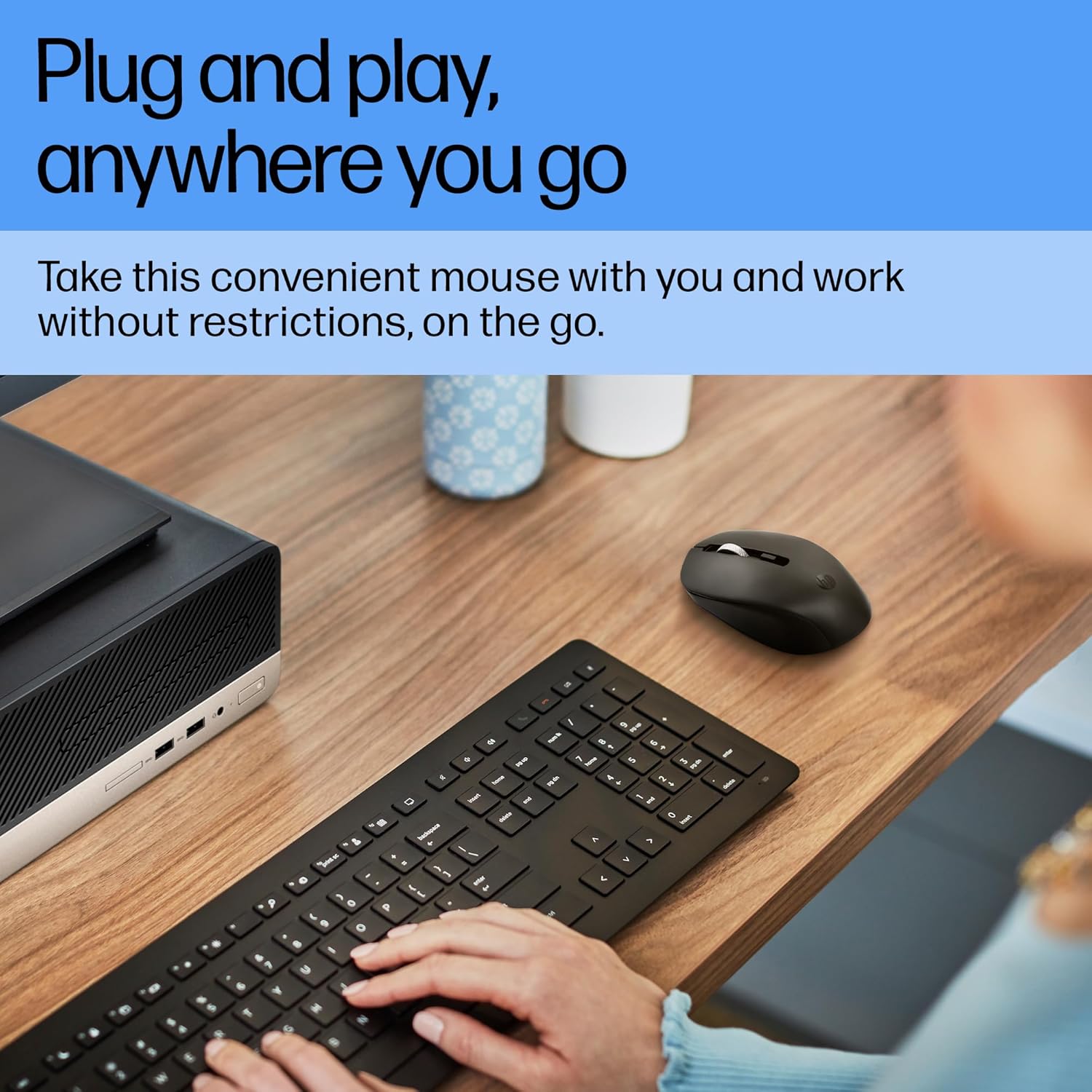
A user operating the HP S1000 Wireless Mouse next to a laptop and keyboard, emphasizing its portability and ease of use.
4. Иштөө нускамалары
The HP S1000 Wireless Mouse offers intuitive control for various tasks:
- Сол чыкылдатуу: Элементтерди тандоо үчүн сол баскычты басыңыз, ачыңыз fileс, же функцияларды иштетиңиз.
- Оң чыкылдатуу: Press the right button to access contextual menus or specific options.
- Жылдыруу дөңгөлөгү: Документтерди карап чыгуу үчүн жылдыруу дөңгөлөгүн өйдө же ылдый жылдырыңыз web барактар. Жылдыруу дөңгөлөк орто баскычты чыкылдатуу функциясын да аткарат.
- DPI жөндөө: The mouse features an optical sensor with up to 1600 DPI for precise tracking. While there isn't a dedicated DPI button, the mouse is optimized for smooth and responsive cursor movement across various surfaces.
- Унчукпай чыкылдатуулар: The mouse is designed with silent click technology, reducing noise during use.
- Симметриялык дизайн: Its symmetrical shape ensures comfortable use for both left-handed and right-handed individuals.
- Cross-OS Compatibility: The mouse is compatible with Windows 7, 8, 10, Mac OS, and Chrome OS.

Detailed diagram of the HP S1000 Wireless Mouse, labeling its key features including silent clicks, 1600 DPI optical sensor, USB dongle, cross-OS compatibility, and symmetrical design.
5. Техникалык тейлөө
Proper care and maintenance will extend the life of your mouse:
- Тазалоо: Чычканды тазалоо үчүн жумшак, кургак чүпүрөктү колдонуңуз. өжөр кир үчүн, бир аз гampчүпүрөктү суу менен. Катуу химиялык заттарды же абразивдүү тазалагычтарды колдонуудан алыс болуңуз.
- Батареяны алмаштыруу: When the mouse performance degrades or it stops responding, replace the AA battery. Ensure to dispose of old batteries responsibly according to local regulations.
- Сактагыч: When not in use for extended periods, turn off the mouse (if it has a power switch) and store the USB receiver in its designated slot to prevent loss.
6. Кыйынчылыктарды
If you encounter issues with your HP S1000 Wireless Mouse, refer to the following common solutions:
- Чычкан жооп бербейт:
- Чычкан күйгүзүлгөнүн текшериңиз.
- AA батарейканы жаңысына алмаштырыңыз.
- USB кабыл алгыч компьютериңиздеги иштеп жаткан USB портуна бекем сайылып турганын текшериңиз.
- USB ресиверди башка USB портуна сайып көрүңүз.
- Move the mouse closer to the USB receiver to rule out interference or range issues.
- Choppy or Inconsistent Movement:
- Чычкандын астындагы оптикалык сенсорду тазалаңыз.
- Чычканды ылайыктуу бетте колдонуп жатканыңызды текшериңиз. Өтө жарык чагылдыруучу же тунук беттерден алыс болуңуз.
- Check for potential wireless interference from other devices.
- USB Receiver Not Detected:
- Компьютериңизди өчүрүп күйгүзүңүз.
- Try the USB receiver in another computer to determine if the issue is with the receiver or the computer's USB ports.
If these steps do not resolve the issue, please contact HP customer support for further assistance.
7. Техникалык шарттар
| Өзгөчөлүк | Спецификация |
|---|---|
| Бренд | HP |
| Модел | S1000 |
| Байланыш технологиясы | 2.4 ГГц зымсыз (USB кабыл алуучу) |
| Кыймылды аныктоо | Оптикалык |
| DPI | 1600 XNUMX DPI чейин |
| Өзгөчөлүктөр | Silent Clicks, Symmetrical Design |
| Power Source | Батарея менен иштейт |
| Батарея түрү | 1 x AA Батарея |
| Батареянын орточо иштөө мөөнөтү | Up to 24 Months (varies with usage) |
| Операциялык системанын шайкештиги | Windows 7, Windows 8, Windows 10, Mac OS, Chrome OS |
| Өлчөмдөрү (LxWxH) | 13.1 x 8.1 x 0.1 см (болжол менен) |
| Элемент Салмагы | 100 г |
| Түс | Кара |
8. Кепилдик жана колдоо
Кепилдик маалыматы:
The HP S1000 Wireless Mouse comes with a 1-year limited warranty from the date of purchase. This warranty covers manufacturing defects under normal use. Please retain your proof of purchase for warranty claims.
Кардарларды колдоо:
For technical assistance, warranty claims, or further inquiries, please visit the official HP support website or contact HP customer service in your region. Refer to the HP webэң заманбап байланыш маалыматы жана колдоо булактары үчүн сайт.