1. Киришүү
This manual provides detailed instructions for the installation, operation, and maintenance of your ANRAN 8-Channel 5MP HD Home Security Camera System. This system is designed to provide reliable surveillance with high-definition video recording, infrared night vision, motion detection, and remote access capabilities. Please read this manual thoroughly before setup to ensure proper functionality and safety.

Image: ANRAN 8-Channel 5MP HD Home Security Camera System components including the DVR, 8 bullet cameras, and a 1TB hard drive.
2. Пакеттин мазмуну
Пакетиңизде бардык буюмдар бар экенин текшериңиз:
- 1 x 8-Channel 5MP HD DVR (Digital Video Recorder)
- 8 x 5MP HD Bullet Cameras
- 1 x 1TB Hard Drive (pre-installed in DVR)
- 8 x BNC Cables (for camera connection)
- 1 х USB чычкан
- 1 x DVR кубат адаптери
- Монтаждоо бурамалар жана аппаратура
- Колдонуучунун Колдонмосу (бул документ)
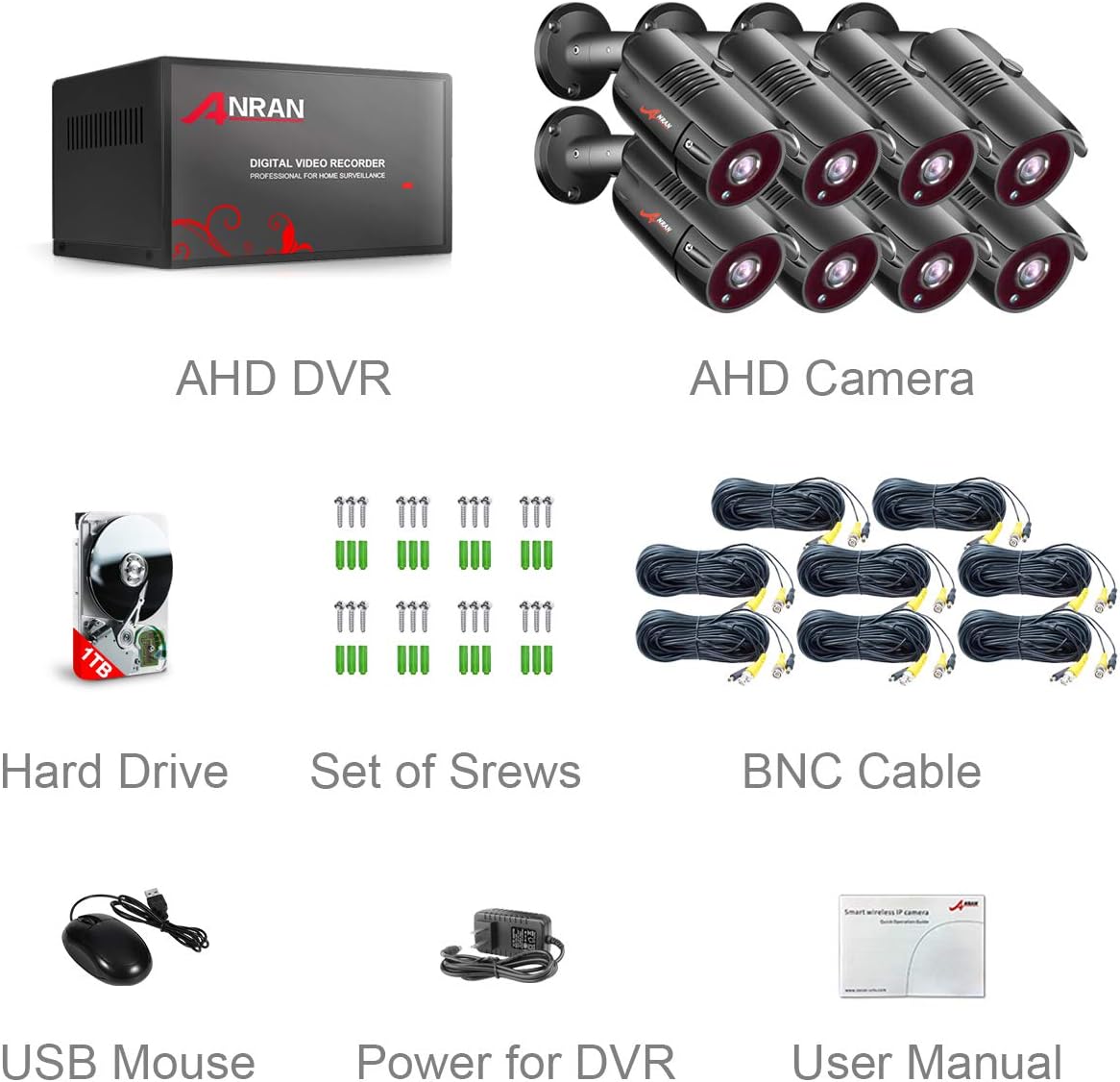
Image: A visual representation of all included components in the ANRAN security camera system package.
3. Системаны орнотуу
3.1 DVR туташуулары
Follow these steps to connect your DVR:
- Connect the DVR power adapter to the DVR's DC12V input and then to a power outlet.
- Connect an HDMI or VGA cable from the DVR's corresponding output port to your monitor or TV.
- Connect the USB mouse to one of the DVR's USB ports.
- Алыстан кирүү үчүн, DVRдин LAN портунан Ethernet кабелин роутериңизге туташтырыңыз.
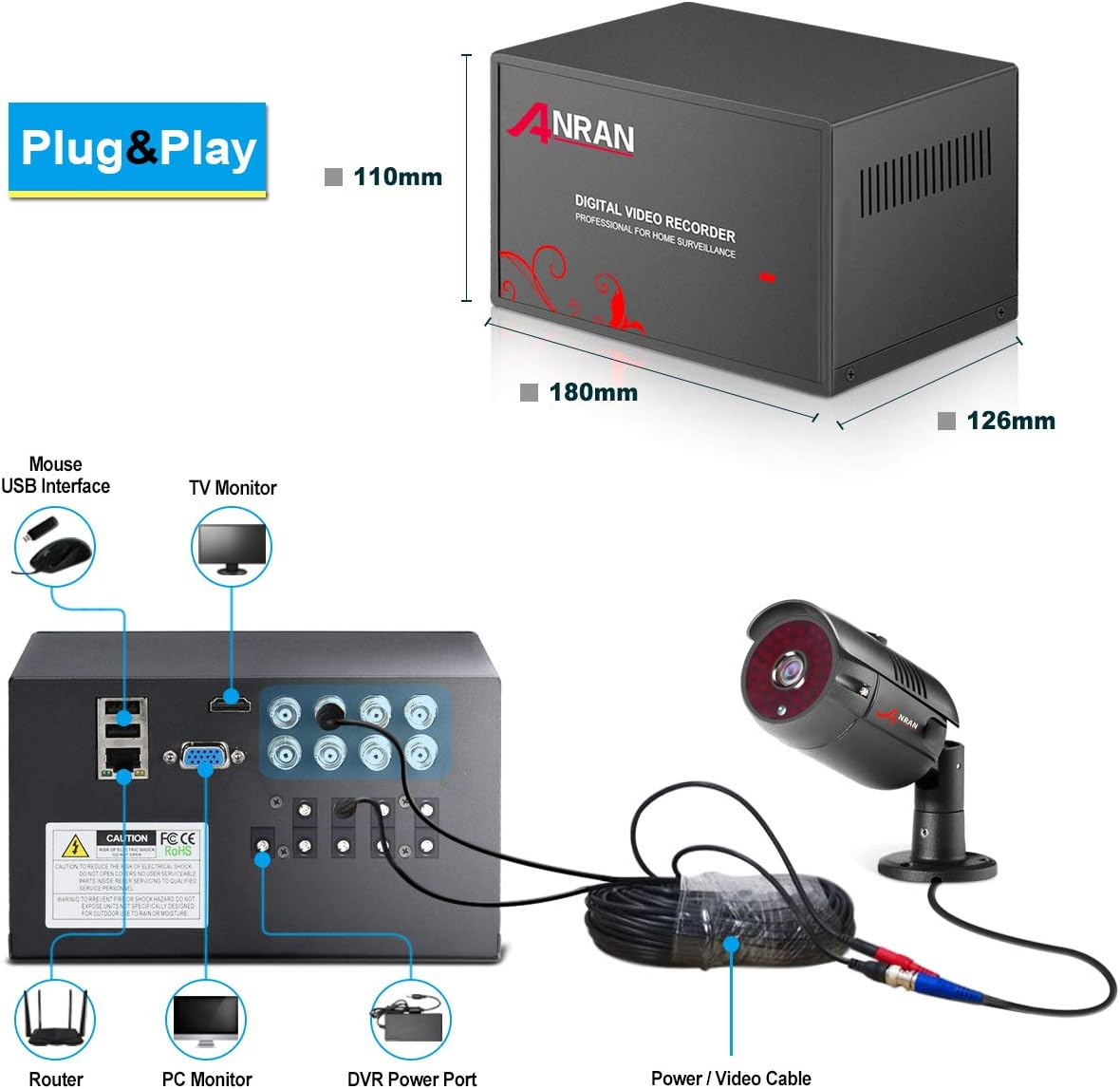
Image: Detailed diagram illustrating the various connection ports on the back of the DVR unit.
3.2 Камераны орнотуу
Each camera features a 3-axis mounting bracket for flexible positioning. Ensure the mounting surface is stable and secure.
- Choose a suitable location for each camera, considering the desired viewing angle and cable length.
- Use the provided screws to securely mount the camera bracket.
- Connect the BNC cable from each camera to the corresponding BNC input on the DVR.
- Connect the camera power cable to the DVR's DC output for cameras.
- Adjust the camera's angle and orientation using the 3-axis bracket. Loosen the hex screws, position the camera, then tighten the screws to secure it.

Сүрөт: Жакын план view of an ANRAN bullet camera highlighting its features and connection points.

Сүрөт: Мисamples of camera mounting positions and the flexibility of the 3-axis bracket.
3.3 Видеону орнотуу
Watch this video for a visual guide on connecting your camera system:
Video: A step-by-step demonstration of setting up the 8-channel wired security camera system, including connecting the DVR to power, a monitor, and the cameras.
4. Системаны иштетүү
4.1 Мобилдик тиркеме аркылуу алыстан кирүү
Access your security system remotely using the Danale mobile application. Ensure your DVR is connected to your router via an Ethernet cable.
- Download the 'Danale' app from your device's app store (available for iOS and Android).
- Open the app and follow the on-screen instructions to add your device. You will typically scan a QR code displayed on your monitor from the DVR's network settings.
- Кошулгандан кийин, сиз төмөнкүлөрдү жасай аласыз view live feeds, playback recordings, and receive alerts directly on your smartphone or tablet.

Image: Multiple devices displaying live camera feeds, illustrating the remote access feature.

Image: Visual steps for configuring mobile remote access, including app download links for Android and iPhone.
Download the Danale app here: Android колдонмосу | iOS колдонмосу
4.2 Түнкү көрүнүш
The ANRAN security cameras are equipped with infrared (IR) LEDs and an IR-CUT filter, allowing them to automatically switch to night vision mode in low-light conditions. This ensures clear surveillance footagтолугу менен караңгыда да.
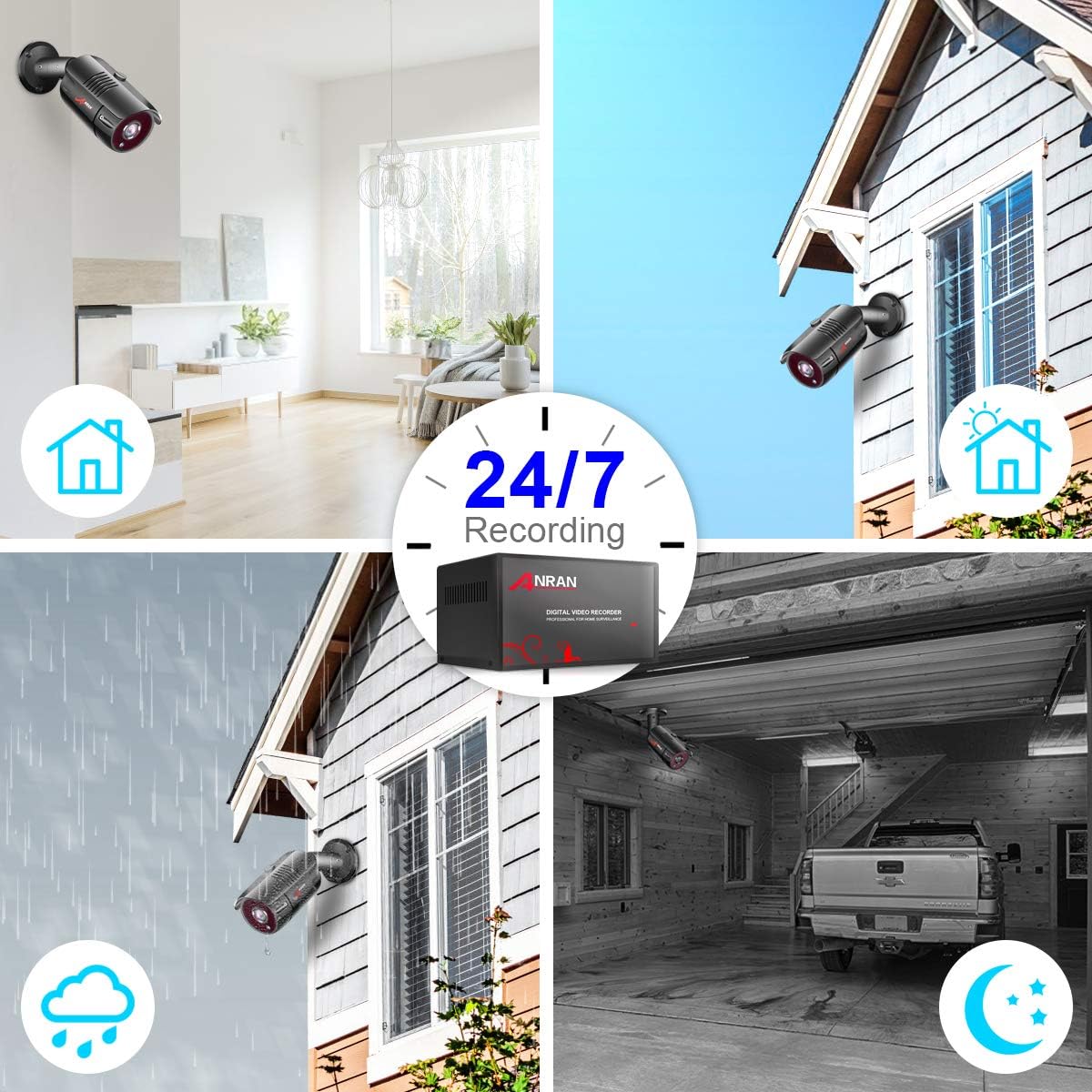
Image: Illustrates 24/7 recording capability and performance in various conditions, including night vision.
4.3 Кыймылды аныктоо жана эскертүүлөр
Configure motion detection zones and sensitivity settings through the DVR interface. When motion is detected, the system can trigger recording and send push notifications to your mobile device via the Danale app.
Video: Demonstrates how the mobile application provides alarm notifications when motion is detected by the AHD home security camera system.
5. Техникалык тейлөө
Regular maintenance ensures optimal performance of your security system:
- Линзаны тазалоо: Камера линзаларын мезгил-мезгили менен жумшак, d чүпүрөк менен тазалап туруңузamp cloth to remove dust and smudges that may affect image clarity.
- Кабелдик текшерүү: Бардык кабелдерди, айрыкча сырткы таасирлерге дуушар болгондорду, эскиргендигин, бузулгандыгын же бош туташууларын текшериңиз.
- Программалык камсыздоо жаңыртуулары: Өндүрүүчүнү текшериңиз website for any available firmware or software updates for your DVR to ensure you have the latest features and security patches.
- Катуу дискти башкаруу: 1 ТБ катуу диск камсыз кылат ampсактоо. Система, адатта, эң эски азык-түлүктүн үстүнөн жазып коётtagДиск толуп калганда. Маанилүү азыктардын камдык көчүрмөсүн үзгүлтүксүз сактап туруңузtagзарыл болсо, тышкы түзмөккө туташтырыңыз.
6. Кыйынчылыктарды
Эгер көйгөйлөргө туш болсоңуз, төмөнкү жалпы чечимдерди караңыз:
- Видео сигнал жок: Ensure all camera BNC and power connections are secure. Check the DVR's video output (HDMI/VGA) connection to the monitor.
- Алыстан кирүү маселелери: Verify the DVR is connected to the internet via Ethernet. Ensure the Danale app is correctly configured and the QR code for the device ID has been scanned. Check your router settings for any firewall restrictions.
- Түнкү көрүү начар: Ensure the camera lens is clean and free from obstructions. Verify that the IR LEDs are functioning (they may emit a faint red glow in the dark).
- Motion Detection False Alarms/Missed Events: Adjust the motion detection sensitivity and detection zones in the DVR settings to minimize false alarms from environmental factors (e.g., moving branches, shadows) or to ensure all desired events are captured.
- Аудио жок: This system does not support audio recording.
- Camera Recording Stops: Check the hard drive status in the DVR settings. If the hard drive is damaged or full, it may affect recording.
7. Техникалык шарттар
| Өзгөчөлүк | Спецификация |
|---|---|
| Бренд | АНРАН |
| Модель номери | K08A2559 |
| Байланыш технологиясы | Зымдуу |
| Каналдардын саны | 8 |
| Эстутум сактоо сыйымдуулугу | 1 ТБ |
| Power Source | Электр зымдары |
| Элементтин өлчөмдөрү (L x W x Y) | 13.25 x 11.75 x 9.25 дюйм |
| Шайкеш түзмөктөр | Cameras, Personal Computers, TV |
| Камеранын башка өзгөчөлүктөрү | Фронт |
| Төмөн жарык технологиясы | Түнкү көрүнүш |
| Frame Rate | 30 FPS |
| Жазуу режими | Кол менен башкаруу, Кыймылды аныктоо |
| Линзанын түрү | Оңдолду |
| Видео киргизүү | HDMI, USB, VGA |
| Элемент Салмагы | 15.52 фунт |
8. Кепилдик жана колдоо
For warranty information, technical support, or any product-related inquiries, please contact ANRAN customer service. Refer to the contact details provided in your product packaging or on the official ANRAN webсайт.


