1. Киришүү
Thank you for choosing the eKids Kids Bluetooth Wireless Headphones. These headphones are designed to provide a safe and enjoyable audio experience for children, featuring volume-limiting technology to protect young ears. They offer versatile connectivity options, comfortable wear, and a durable, foldable design for easy portability.
This manual provides detailed instructions on how to set up, operate, and maintain your headphones, ensuring optimal performance and longevity.
2. Пакеттин мазмуну
- eKids Kids Bluetooth Wireless Headphones
- USB заряддоо кабели
- 3.5 мм аудио кабель
3. Продукт бүтүп калдыview

Сүрөт 1: Алдыңкы view of the eKids Kids Bluetooth Wireless Headphones, showcasing the white design with black ear cushions.

2-сүрөт: Детальдуу view highlighting key features such as the adjustable headband, foldable design for portability, soft ear cushions, charging port, and line-in audio port.

Figure 3: Illustration of the headphone controls including power/pairing/charging LED indicators, USB charging port, AUX jack, microphone, volume up/skip forward, play/pause/power on/off, hang up/answer phone, and volume down/skip back buttons. Also shows product dimensions.
Негизги өзгөчөлүктөрү:
- Bluetooth байланышы: Wirelessly stream high-quality stereo sound from compatible devices.
- Volume Reduced for Child Safety: Incorporates volume-limiting technology to protect young ears.
- Камтылган микрофон: Facilitates clear communication for video calls and online learning.
- Зымдуу опция: Includes a 3.5mm audio cable for listening when Bluetooth is unavailable or the battery is low.
- Батареянын узак иштөө мөөнөтү: Up to 18 hours of continuous Bluetooth playtime.
- Ыңгайлаштырылган тууралоо: Adjustable headband and soft ear cushions for comfortable wear.
- Бүктөлүүчү Дизайн: Ensures easy storage and portability.
4. Баштоо
4.1 Наушниктерди заряддоо
Before first use, fully charge the headphones. Connect the included USB charging cable to the USB charging port on the headphones (refer to Figure 3 for location) and plug the other end into a USB power source (e.g., computer USB port, USB wall adapter). The LED indicator will show charging status.
- Заряддоо убактысы: Толук кубаттоо үчүн болжол менен 2-3 саат.
- LED көрсөткүчү: Red light indicates charging; light turns off when fully charged.
4.2 Күйгүзүү/өчүрүү
- Күйгүзүү үчүн: Press and hold the Power/Play/Pause button (refer to Figure 3) for approximately 3 seconds until the LED indicator flashes.
- Өчүрүү үчүн: Press and hold the Power/Play/Pause button for approximately 3 seconds until the LED indicator turns off.
4.3 Bluetooth жупташтыруу
Кулакчындарды түзмөккө зымсыз туташтыруу үчүн:
- Наушниктердин өчүрүлгөнүн текшериңиз.
- Press and hold the Power/Play/Pause button for approximately 5-7 seconds until the LED indicator flashes red and blue alternately. This indicates pairing mode.
- Түзмөгүңүздө (смартфон, планшет, компьютер) Bluetooth иштетип, жеткиликтүү түзмөктөрдү издеңиз.
- Select "eKids Headphones" from the list of found devices.
- Once paired, the LED indicator on the headphones will flash blue slowly.
4.4 Зымдуу туташуу
You can use the headphones with the included 3.5mm audio cable when Bluetooth is not desired or the battery is depleted.
- Plug one end of the 3.5mm audio cable into the AUX jack on the headphones (refer to Figure 3).
- Plug the other end into the headphone jack of your audio device.
- Наушник автоматтык түрдө зымдуу режимге өтөт.

Figure 4: Illustration demonstrating the flexibility of switching between wired mode (using the 3.5mm audio cable) and wireless Bluetooth mode, highlighting the battery life for wireless use.
5. Наушниктерди иштетүү
5.1 Музыканы ойнотууну башкаруу
Use the control buttons on the headphones (refer to Figure 3) to manage your audio:
- Ойнотуу/тындыруу: Press the Power/Play/Pause button once.
- Көлөмү: Үнүн жогорулатуу баскычын басыңыз.
- Үнүн азайтуу: Үндү азайтуу баскычын басыңыз.
- Алга өткөрүп жиберүү: Үнүн жогорулатуу баскычын басып, кармап туруңуз.
- Артка өткөрүп жиберүү: Үндү азайтуу баскычын басып, кармап туруңуз.
5.2 Телефон чалууларды башкаруу
When connected via Bluetooth, you can manage phone calls:
- Чалууга жооп берүү/аяктоо: Press the Power/Play/Pause button once.
- Чакырууну четке кагуу: Press and hold the Power/Play/Pause button for approximately 2 seconds.
5.3 Volume Limiting Feature
These headphones are designed with a built-in volume limiter to ensure safe listening levels for children. This feature cannot be disabled, providing peace of mind during extended use.
6. Шайкештик
The eKids Kids Bluetooth Wireless Headphones are compatible with a wide range of devices:
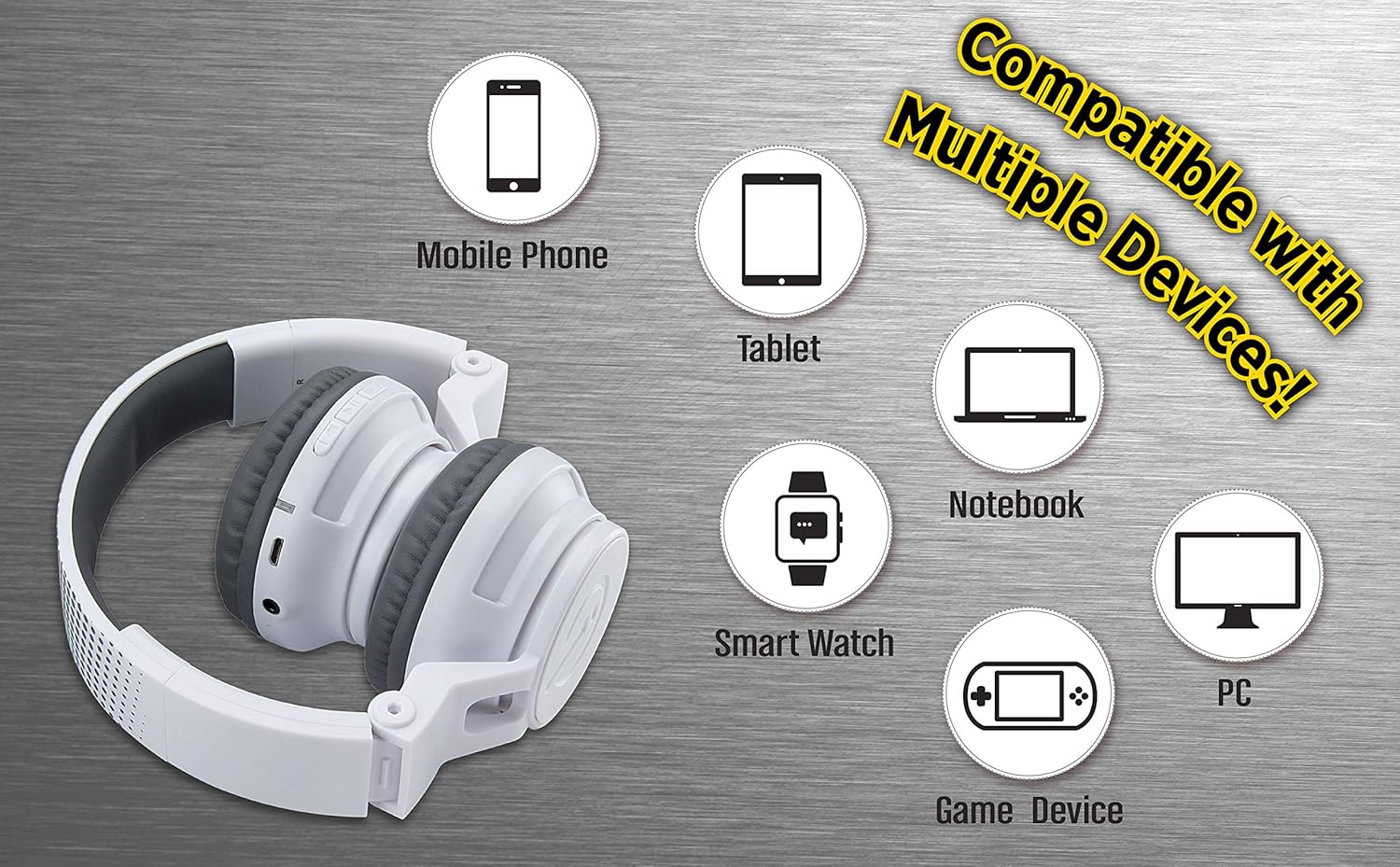
Figure 5: Visual representation of device compatibility, showing the headphones connecting to mobile phones, tablets, notebooks, smartwatches, PCs, and game devices.
- Смартфондор (iOS жана Android)
- Планшеттер
- Computers (PC, Laptops)
- Gaming Devices (with 3.5mm audio jack)
7. Кароо жана тейлөө
- Тазалоо: Кулакчындарды тазалоо үчүн жумшак, кургак чүпүрөктү колдонуңуз. Суюк тазалоочу каражаттарды же аэрозольдорду колдонбоңуз.
- Сактагыч: When not in use, fold the headphones to their compact size and store them in a cool, dry place away from direct sunlight and extreme temperatures.
- Нымдуулуктан качыңыз: These headphones are not water-resistant. Keep them away from water and excessive moisture.
- Этияттык менен мамиле кылуу: Кулакчындарды түшүрүп алуудан же аларга катуу сокку уруудан алыс болуңуз.
8. Кыйынчылыктарды
8.1 Күч жок
- Ensure the headphones are fully charged. Connect to a power source using the USB charging cable.
- Verify the charging cable and power source are working correctly.
8.2 Bluetooth аркылуу жупташтыруу мүмкүн эмес
- Make sure the headphones are in pairing mode (LED flashing red and blue alternately).
- Ensure Bluetooth is enabled on your device and it is within range (typically 10 meters).
- Түзмөгүңүздүн Bluetooth жөндөөлөрүнөн түзмөктү унутуп, кайра жупташтырып көрүңүз.
- Наушникти да, түзмөгүңүздү да өчүрүп күйгүзүңүз.
8.3 No Sound in Wired Mode
- Ensure the 3.5mm audio cable is securely plugged into both the headphones and the audio device.
- Check the volume level on both the headphones and the audio device.
- Test the audio cable with another device if possible to rule out a faulty cable.
8.4 Төмөн Көлөм
- Remember that these headphones have a built-in volume limiter for child safety.
- Наушниктердин жана туташкан түзмөктүн үнүн жогорулатыңыз.
9. Техникалык шарттар
| Модель номери | EK-B50W.EXV0 |
| Байланыш технологиясы | Зымсыз (Bluetooth), Зымдуу (3.5 мм уяча) |
| Зымсыз байланыш технологиясы | Bluetooth |
| Батареянын иштөө мөөнөтү | Up to 18 hours (Bluetooth playtime) |
| Наушник формасы | On Ear |
| Өзгөчөлүктөр | Adjustable Headband, Foldable, Microphone Included, Volume Reduced |
| Шайкеш түзмөктөр | Smartphones, Tablets, Computers, TVs |
| Материал | Пластик |
| Элемент Салмагы | 14.7 унция (0.42 килограмм) |
| Пакеттин өлчөмдөрү | 8.5 x 8.5 x 3.75 дюйм |
| Сууга туруктуулук деңгээли | Сууга чыдамдуу эмес |
| UPC | 092298949741 |
10. Расмий продукт Video
Video: eKids Kids Bluetooth Wireless Headphones. This video provides a visual overview of the headphones' features and functionality, including their design, connectivity options, and child-safe volume limiting.
11. Кепилдик жана колдоо
For warranty information and customer support, please refer to the documentation included with your purchase or visit the official eKids webсайт. Кепилдик дооматтар үчүн сатып алганыңыздын далилин сактаңыз.
Кошумча жардам алуу үчүн, сиз дагы кайрылсаңыз болот Amazon'догу eKids дүкөнү.


