Introduction
This manual provides essential instructions for the installation, operation, and maintenance of your Swann Master-Series 4K HD 8 Camera 8 Channel NVR Security System, model SWNVK-876808-US. This system is designed to provide high-definition surveillance for your property, featuring 4K resolution cameras and an 8-channel Network Video Recorder (NVR) for reliable recording and monitoring.
Please read this manual thoroughly before setting up and using your security system to ensure proper functionality and to maximize its performance and longevity.
Кутуда эмне бар
Carefully unpack all components and verify that you have received all items listed below. If any items are missing or damaged, please contact Swann customer support.
- Swann 8-Channel Network Video Recorder (NVR)
- 8 x 4K HD Security Cameras
- Ethernet Cables (for camera connection)
- Power Adapters (for NVR and cameras)
- USB чычкан
- Монтаждоочу бурамалар жана сайгычтар
- Security Warning Stickers
- HDMI кабели
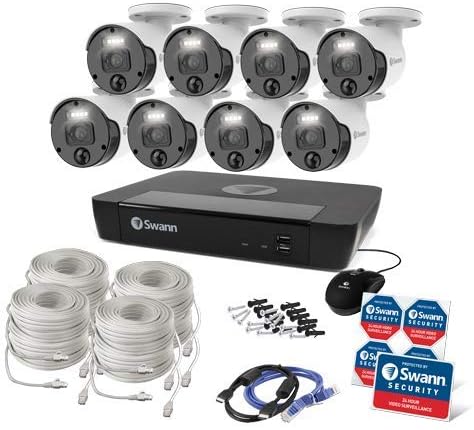
1-сүрөт: Complete contents of the Swann Master-Series 4K HD 8 Camera 8 Channel NVR Security System kit, including the NVR, eight cameras, various cables, a USB mouse, and security stickers.
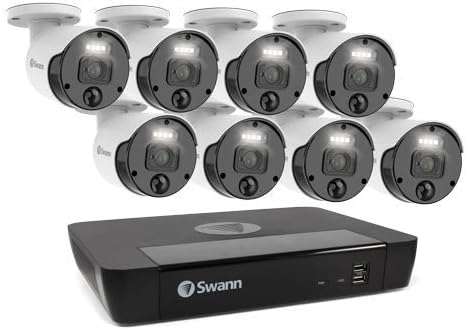
2-сүрөт: The Swann Network Video Recorder (NVR) unit, which serves as the central recording and management hub for the security system.
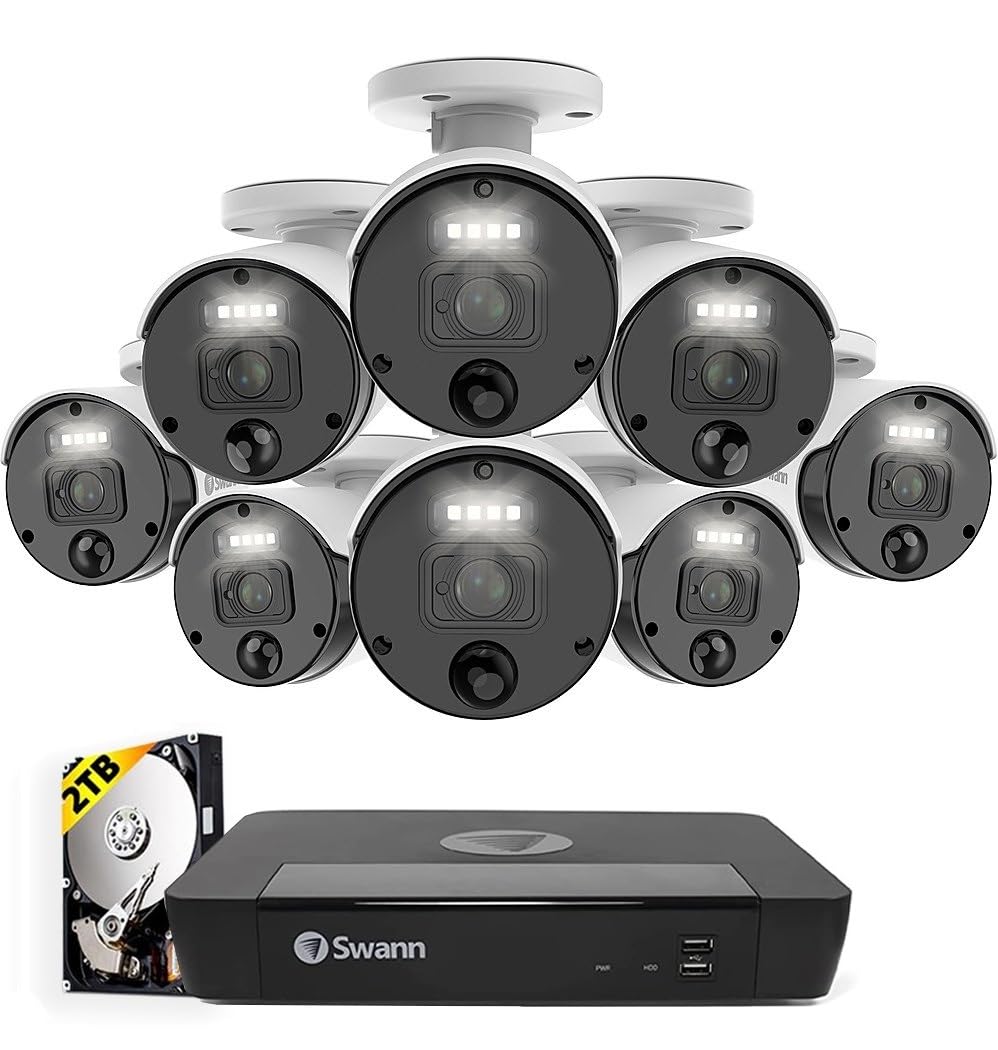
3-сүрөт: The Swann Master-Series NVR unit shown with eight 4K HD security cameras, illustrating the core components of the surveillance system.
Жайгашуу
1. NVR туташуусу
- Мониторго туташуу: NVRдин HDMI чыгаруу портун мониторго же телевизорго туташтыруу үчүн берилген HDMI кабелин колдонуңуз.
- USB чычканды туташтыруу: USB чычканын NVRдеги USB портторунун бирине сайыңыз.
- Тармакка туташуу: Connect an Ethernet cable from the NVR's LAN port to your router or network switch for internet access and remote viewжөндөмдүүлүктөрүн.
- Туташуу кубаты: Plug the NVR's power adapter into the DC IN port and then into a power outlet. The NVR will power on automatically.
2. Камераны орнотуу
- Монтаждоо камералары: Камераларыңыз үчүн ылайыктуу жерлерди тандап, алардын ачык аянты бар экенине ынаныңыз. view and are protected from direct weather exposure. Use the provided screws and plugs to securely mount each camera.
- Камераны NVRге туташтыруу: Connect each camera to an available Ethernet port on the NVR using the provided Ethernet cables. The NVR will automatically detect and power the cameras (Power over Ethernet - PoE).
3. Баштапкы конфигурация
- Биринчи жолу орнотуу устасы: Upon first power-up, the NVR will display a setup wizard on the connected monitor. Follow the on-screen prompts to configure basic settings such as language, date/time, and network settings.
- Администратордун сырсөзүн коюңуз: Create a strong, unique password for the administrator account. This is crucial for system security.
- Катуу дискти инициализациялоо: The wizard may prompt you to initialize the hard drive. Confirm to prepare it for recording.
Системанын иштеши
Live View
Баштапкы орнотуудан кийин, NVR түз эфирди көрсөтөт view монитордогу туташкан бардык камералардан. Сиз бир камералуу камералардын ортосунда которула аласыз view, көп камералуу торчо viewжана ырааттуулук view NVR интерфейсин жана чычканын колдонуу.
Жаздыруу
- Тынымсыз жаздыруу: The system is typically configured for continuous recording by default.
- Кыймылды аныктоо жазуусу: Configure specific cameras to record only when motion is detected within their field of view. Adjust sensitivity and detection zones as needed.
- Пландаштырылган жаздыруу: Set specific times for recording, allowing for customized surveillance schedules.
Ойнотуу
Access the playback menu on the NVR to review foo жазылганtage. You can search by date, time, and event type (e.g., motion detection). Use the timeline and controls to navigate through recordings.
Remote Access (Swann Security App)
Алыскы үчүн viewing and management, download the official Swann Security app on your smartphone or tablet. Follow the in-app instructions to pair your NVR system. This allows you to view түз эфирдеги берүүлөрдү көрүңүз, жаздырууларды ойнотуңуз жана интернет байланышы бар каалаган жерден эскертмелерди алыңыз.
Техникалык тейлөө
- Камераны тазалоо: Камера линзаларын мезгил-мезгили менен жумшак, d чүпүрөк менен тазалап туруңузamp ачык сүрөт сапатын камсыз кылуу үчүн кездеме. Абразивдүү тазалагычтардан алыс болуңуз.
- NVR желдетүү: Ensure the NVR unit has adequate ventilation to prevent overheating. Keep vents clear of obstructions.
- Программалык камсыздоонун жаңыртуулары: Regularly check for and install firmware updates for your NVR and cameras. Updates often include security enhancements and new features. Refer to the Swann support webакыркы микропрограмма үчүн сайт.
- Катуу дискти башкаруу: NVRдин катуу диски эң эски дисктин үстүнө автоматтык түрдө жазылатtage when it becomes full. Ensure your recording settings (e.g., continuous, motion detection) align with your storage needs.
- Сырсөз коопсуздугу: Change your administrator password periodically and use strong, unique passwords to protect your system from unauthorized access.
Проблемаларды чечүү
No Video Display on Monitor
- Check if the NVR is powered on and its power adapter is securely connected.
- NVR менен монитордун ортосундагы HDMI кабелинин туташуусун текшериңиз.
- Ensure the monitor is set to the correct input source (e.g., HDMI 1).
Cameras Not Showing Live View / No Recording
- Check that each camera is securely connected to the NVR's Ethernet port.
- Ensure the Ethernet cables are not damaged.
- Verify that the NVR's hard drive is initialized and has sufficient space.
- Check camera settings within the NVR interface to ensure they are enabled and configured for recording.
Remote Access Issues
- Ensure the NVR is connected to your router and has an active internet connection.
- Verify your smartphone or tablet has an active internet connection.
- Confirm that the NVR is correctly paired with the Swann Security app.
- Check your router's firewall settings; some may block NVR access.
Түнкү көрүнүш иштебейт
- Ensure there are no obstructions directly in front of the camera lens blocking the infrared (IR) LEDs.
- Check camera settings to ensure night vision (IR) is enabled.
- Verify the camera is receiving adequate power.
Техникалык шарттар
| Өзгөчөлүк | Спецификация |
|---|---|
| Бренд | Swann |
| Модель номери | SWNVK-876808-US |
| Байланыш технологиясы | Wired (Ethernet/PoE) |
| Видео тартуунун резолюциясы | 2160p (4K Ultra HD) |
| Өзгөчө өзгөчөлүк | Түнкү көрүнүш |
| Каналдардын саны | 8 |
| Power Source | Электр зымдары |
| NVR өлчөмдөрү (узундугу x туурасы x бийиктиги) | 10 x 2 x 2.7 дюйм |
| Шайкеш түзмөктөр | Swann IP Cameras |
| Төмөн жарык технологиясы | Түнкү көрүнүш |
| Frame Rate | 15, 24, 30 fps (variable by resolution/settings) |
| Жазуу режими | Continuous, Event (Motion Detection), Scheduled |
| Видео киргизүү | Ethernet (for IP Cameras) |
| Элемент Салмагы | 21.2 фунт (жалпы пакет) |
| UPC | 840236127788 |
Note: While the provided data listed 'BNC' for Video Input, this NVR system primarily uses Ethernet for IP cameras. Please refer to the product packaging or Swann's official website for the most accurate and up-to-date specifications.
Кепилдик жана колдоо
Your Swann Master-Series 4K HD 8 Camera 8 Channel NVR Security System is covered by a manufacturer's warranty. For specific warranty terms, duration, and conditions, please refer to the warranty card included with your product or visit the official Swann webсайт.
For technical support, troubleshooting assistance, or to access the latest software and firmware updates, please visit the Swann support portal on their official webсайт. Сиз ошондой эле кардарларды тейлөө үчүн байланыш маалыматын ошол жерден таба аласыз.


