Introduction
Thank you for choosing the Deli M007 Electronic Calculator. This manual provides essential information for the proper setup, operation, and maintenance of your calculator. Please read it thoroughly to ensure optimal performance and longevity of your device.
Продукт бүттүview
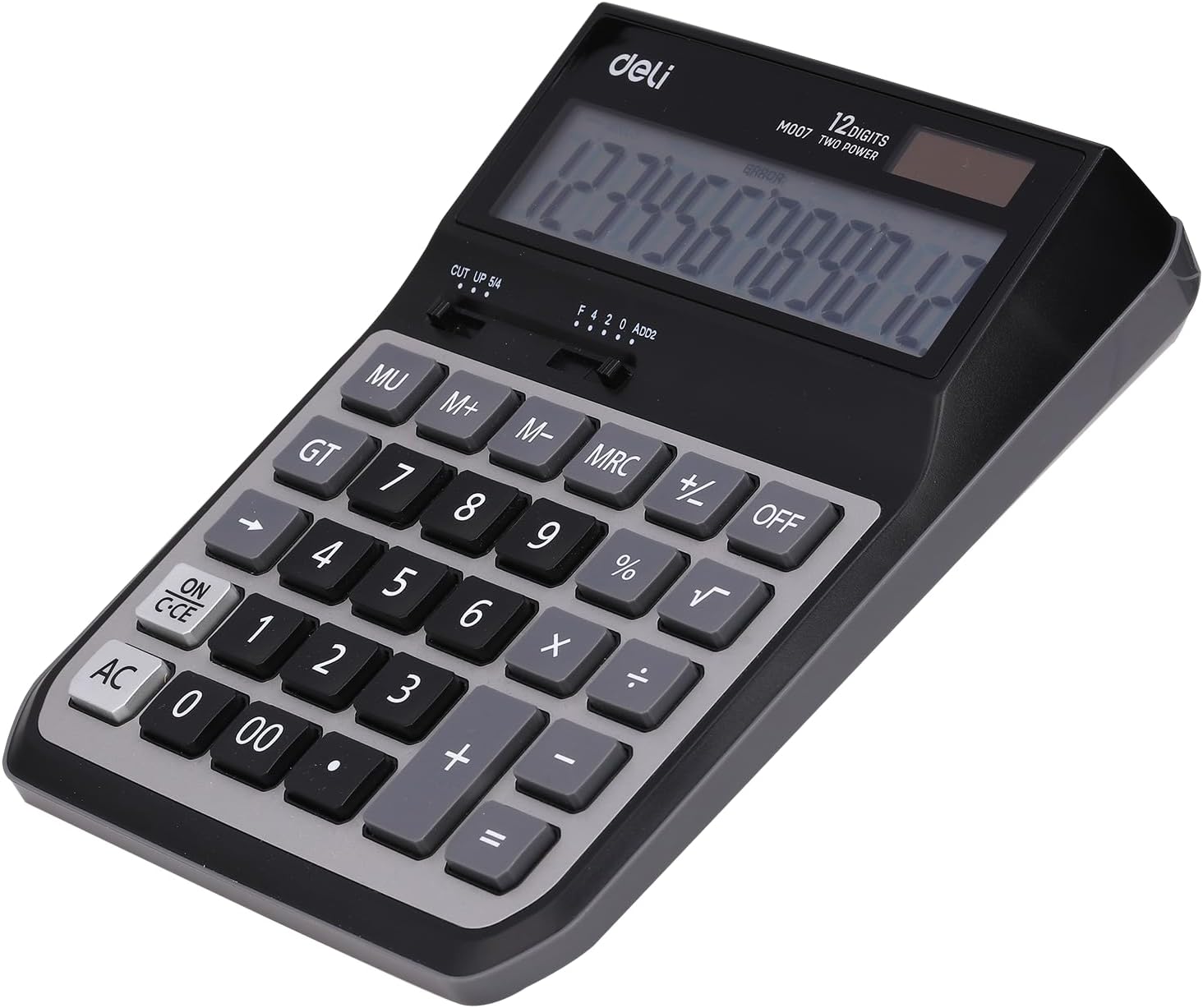
The Deli M007 is a 12-digit basic function electronic calculator designed for everyday use. It features a clear LCD display, dual power source (solar and battery), and essential arithmetic functions, along with memory and percentage эсептөөлөр.

Сүрөт 1: Алдыңкы view of the Deli M007 Calculator, showing the 12-digit display and key layout.
2-сүрөт: Артка view of the Deli M007 Calculator, illustrating the battery compartment and product details.
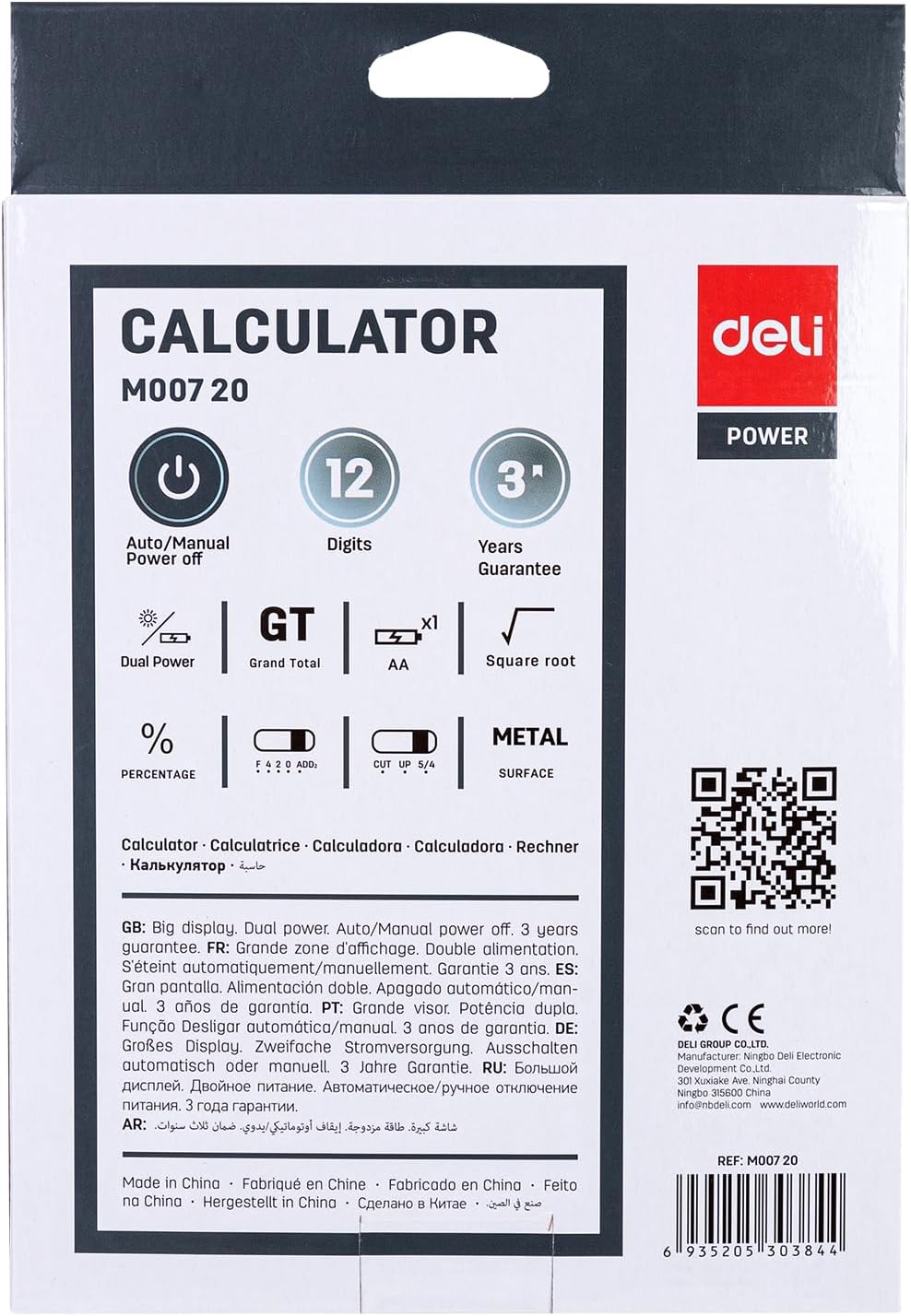
Figure 3: Packaging of the Deli M007 Calculator, detailing key features and specifications.
Жайгашуу
- Пакеттен чыгаруу: Калькуляторду таңгагынан этияттык менен чыгарыңыз.
- Кубат булагы: The Deli M007 operates on dual power (solar and battery). For initial use or in low light conditions, ensure a battery is installed. The battery compartment is located on the back of the calculator (refer to Figure 2). Open the cover, insert the required battery type (usually an AA battery, check compartment for specific type) with correct polarity, and close the cover.
- Баштапкы күйгүзүү: басыңыз ON/C-CE button to turn on the calculator. The display should show '0'.
Иштөө нускамалары
This section outlines the basic operations and functions of your Deli M007 calculator.
Негизги арифметикалык амалдар
- Кошумча (+): Биринчи санды киргизиңиз, басыңыз +, экинчи санды киргизип, анан басыңыз =.
- Кемитүү (-): Биринчи санды киргизиңиз, басыңыз -, экинчи санды киргизип, анан басыңыз =.
- Көбөйтүү (×): Биринчи санды киргизиңиз, басыңыз ×, экинчи санды киргизип, анан басыңыз =.
- Бөлүм (÷): Биринчи санды киргизиңиз, басыңыз ÷, экинчи санды киргизип, анан басыңыз =.
Негизги функциялар
- ON/C-CE: Turns the calculator on. When on, a single press clears the last entry (Clear Entry). A second press clears all calculations (Clear All).
- AC: All Clear. Clears all entries and calculations, resetting the calculator to zero.
- ӨЧҮК: Turns the calculator off. The calculator also features an automatic power-off function to save energy.
- MU (Mark Up): Used for calculating mark-up percentages.
- GT (жалпы жалпы): Recalls the grand total of all calculations performed since the last AC press.
- M+, M-, MRC (Memory Functions):
- M+: Көрсөтүлгөн маанини эс тутумга кошот.
- М-: Көрсөтүлгөн маанини эстутумдан чыгарат.
- MRC: First press recalls the memory content. Second press clears the memory.
- % (Процентtagд): Пайыз үчүн колдонулатtagе эсептөөлөр. Мисалы үчүнample, to calculate 10% of 200, enter 200 × 10 %, then press =.
- √ (Чарчы тамыр): Көрсөтүлгөн сандын квадрат тамырын эсептейт.
- CUT UP 5/4 (Rounding Selector): This slider switch controls the rounding method for decimal places. 'CUT' truncates the number, 'UP' rounds up, and '5/4' rounds to the nearest digit.
- F 4 2 0 ADD2 (Decimal Place Selector / Add Mode): This slider switch sets the number of decimal places (F for floating, 4, 2, 0) or activates 'ADD2' mode, which automatically places two decimal places for currency calculations.
Техникалык тейлөө
- Тазалоо: Калькулятордун бетин тазалоо үчүн жумшак, кургак чүпүрөктү колдонуңуз. Суюк тазалоочу каражаттарды же абразивдүү материалдарды колдонбоңуз, анткени алар дисплейге же компьютерге зыян келтириши мүмкүн.asing.
- Батареяны алмаштыруу: When the display becomes dim or calculations are incorrect, it's time to replace the battery. Refer to the 'Setup' section for instructions on battery installation.
- Сактагыч: Store the calculator in a cool, dry place away from direct sunlight and extreme temperatures. Avoid dropping the calculator or subjecting it to strong impacts.
Проблемаларды чечүү
| Көйгөй | Мүмкүн себеп | Чечим |
|---|---|---|
| Калькулятор күйбөйт. | Low or dead battery; insufficient light for solar power. | Replace the battery. Ensure adequate lighting for solar panel. |
| Дисплейде 'КАТА' көрсөтүлөт. | Calculation overflow; invalid operation (e.g., division by zero). | Басыңыз AC to clear the error and restart the calculation. |
| Туура эмес эсептөө натыйжалары. | Incorrect input; incorrect decimal or rounding settings. | Verify your input. Check the CUT UP 5/4 жана F 4 2 0 ADD2 slider settings. |
Техникалык шарттар
| Өзгөчөлүк | Деталь |
|---|---|
| Бренд | Deli |
| Модель аты | M007 |
| Дисплей түрү | LCD |
| Сандардын саны | 12 Сан |
| Power Source | Dual Power (Solar & Battery) |
| Түс | Боз кара |
| Продукциянын өлчөмдөрү | 15 x 8 x 4 см |
| Элемент Салмагы | 410 грамм |
| Өндүрүүчү бөлүгүнүн номери | 6935205303844 |
Кепилдик жана колдоо
The Deli M007 Electronic Calculator comes with a 3 жылдык кепилдик сатып алынган күндөн тартып, кадимки колдонууда өндүрүштүк кемчиликтерди жабуу. Кепилдик дооматтары үчүн сатып алганыңыздын далилин сактап коюңуз.
For further assistance, technical support, or warranty inquiries, please contact Deli customer service:
- Электрондук почта: info@imddeli.com
- Webсайт: www.deliworld.com
You can also scan the QR code below for more product information:
Scan this QR code for more details.


