1. Киришүү
Thank you for choosing the Technical Pro FS2BT Rechargeable Camping Fan. This multi-purpose device is designed to enhance your outdoor experiences by providing cooling, illumination, and entertainment. It features an 8-inch fan, a 24-LED work lamp, an AM/FM radio, a built-in speaker, and multiple audio input options, all powered by an internal rechargeable battery.
This manual provides essential information for the safe and efficient operation, maintenance, and troubleshooting of your FS2BT unit. Please read it thoroughly before use and retain it for future reference.

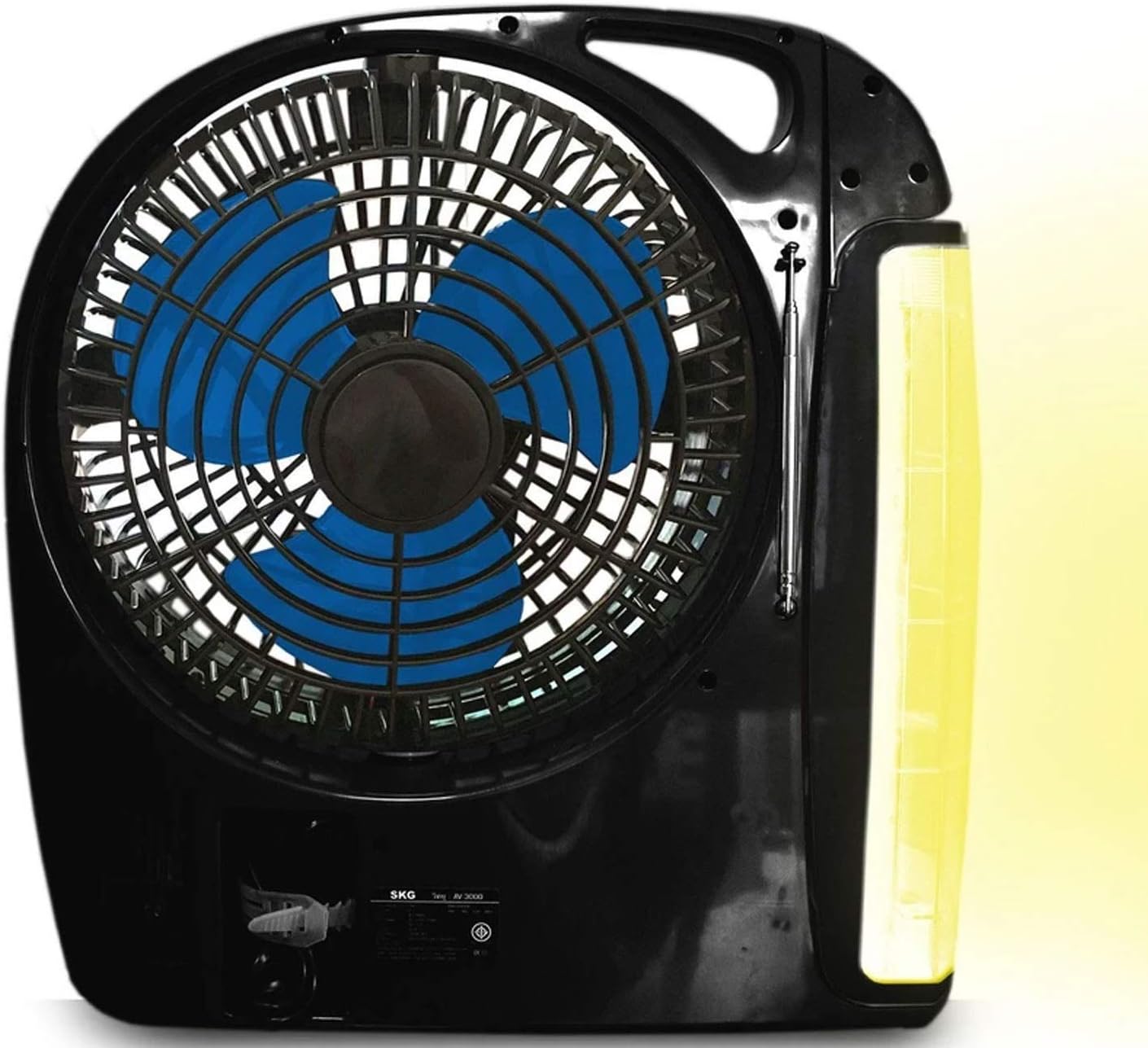
1.1-сүрөт: The Technical Pro FS2BT unit with its fan, LED work lamp, and control panel. The lamp is shown in an extended, rotating position.
2. Коопсуздук нускамалары
Коопсуз иштешин камсыз кылуу жана аппараттын бузулушуна же жаракатка жол бербөө үчүн төмөнкү коопсуздук чараларын сактаңыз:
- Do not expose the unit to rain, moisture, or immerse it in water.
- Аппаратты күн нурунан жана жылуулук булактарынан алыс кармаңыз.
- Do not attempt to disassemble, repair, or modify the unit. Refer all servicing to qualified personnel.
- Ensure proper ventilation when operating the fan. Do not block the fan grille.
- Иштеп жаткан учурда манжаларды жана башка нерселерди желдеткичтин пляждарынан алыс кармаңыз.
- Белгиленген кубаттоо кабелин жана кубат булагын гана колдонуңуз.
- Fully charge the battery before first use and recharge regularly to maintain battery health.
- Агрегатты колдонбогондо салкын, кургак жерде сактаңыз.
- Бул шайман оюнчук эмес. Балдар жетпеген жерде сактаңыз.
3. Орнотуу жана баштапкы заряддоо
Before using your Technical Pro FS2BT for the first time, it is recommended to fully charge the internal battery.
- Пакеттен чыгаруу: Carefully remove the unit from its packaging and inspect for any damage.
- Баштапкы төлөм:
- Locate the retractable power cord on the unit.
- Extend the cord and plug it into a standard AC power outlet.
- The "CHARGE" indicator light (red) will illuminate, indicating that the unit is charging.
- уруксат берүү 8-10 саат for a full charge. The "POWER" indicator light (green) will illuminate when fully charged.
- Жайгашкан жери: Place the unit on a stable, flat surface. Ensure there is adequate space around the fan for optimal airflow.
3.1-сүрөт: Detail of the control panel showing the charging indicators, power switch, and various function buttons.
4. Иштөө нускамалары
4.1. Күйгүзүү / Өчүрүү
Locate the main power switch on the control panel. Slide it to the "AC" position for wall power, or "DC" for battery power. Slide to "OFF" to power down the unit.
4.2. Желдетүүчү операция
- To activate the fan, slide the "FAN" switch to "LOW" or "HIGH" for desired speed.
- To turn off the fan, slide the "FAN" switch to "OFF".
- The fan head can be manually adjusted to direct airflow.
4.3. LED Work Lamp Операция

4.1-сүрөт: The FS2BT unit demonstrating the adjustable LED work lamp in an extended position.
- The 24-LED work lamp can be folded out and rotated to various angles.
- l күйгүзүү үчүнamp, slide the "LAMP" switch to the desired brightness setting (low or high).
- l өчүрүү үчүнamp, slide the "LAMP" switch to "OFF".
- Шашылыш жарыктандыруу: When the unit is plugged into an AC outlet and the power goes out, the lamp will automatically activate (if the lamp switch is in an ON position) to provide emergency lighting.
4.4. Радио операциясы
- Extend the adjustable antenna for improved reception.
- Use the "RADIO" controls (buttons for AM/FM selection, tuning, and volume) on the control panel to select your desired station.
- Санариптик дисплей учурдагы жыштыкты көрсөтөт.
4.5. Audio Playback (Bluetooth, USB, TF Card)
The FS2BT features a built-in speaker and supports various audio input methods:
- Bluetooth: Activate Bluetooth on your mobile device and pair with "FS2BT". Once connected, you can stream audio wirelessly.
- USB Flash Drive: Insert a USB flash drive (up to 16GB) containing .mp3 audio files into the USB port. The unit will automatically detect and play the files.
- TF картасы (Micro SD): Insert a TF card (up to 16GB) containing .mp3 audio files into the TF card slot. The unit will automatically detect and play the files.
- Use the playback controls (play/pause, skip track) on the unit to manage your audio.
5. Техникалык тейлөө
- Тазалоо: Use a soft, dry cloth to clean the exterior of the unit. Do not use abrasive cleaners or solvents. For the fan grille, a soft brush can be used to remove dust.
- Батареяга кам көрүү: To prolong the life of the internal rechargeable battery, avoid completely draining it. Recharge the unit fully after each use and at least once every three months if stored for extended periods.
- Сактагыч: When not in use, store the FS2BT in a cool, dry place, away from direct sunlight and extreme temperatures. Ensure the retractable cord is properly stored in its compartment.
6. Кыйынчылыктарды
| Көйгөй | Мүмкүн себеп | Чечим |
|---|---|---|
| Түзмөк күйбөйт. | Батарея түгөндү; Кубат баскычы ӨЧҮК. | Charge the unit for 8-10 hours. Ensure the power switch is set to "AC" or "DC". |
| Фанат иштебейт. | Fan switch is OFF; Low battery. | Slide the "FAN" switch to "LOW" or "HIGH". Recharge the unit. |
| LED лamp жарыктандыруучу эмес. | Lamp switch is OFF; Low battery. | Slide the "LAMP" switch to a brightness setting. Recharge the unit. |
| Радио кабыл алуу начар. | Антенна узартылган эмес; Алсыз сигнал. | Fully extend the adjustable antenna. Try repositioning the unit. |
| USB/TF card audio not playing. | Туура эмес file format; Card/drive not inserted correctly; Card/drive capacity too large. | камсыз кылуу files are .mp3 format. Reinsert the card/drive. Use a card/drive up to 16GB. |
| Bluetooth туташпай жатат. | Bluetooth not enabled on device; Unit not in pairing mode. | Ensure Bluetooth is active on your device. Check the unit's display for pairing status. |
7. Техникалык шарттар

7.1-сүрөт: Physical dimensions of the Technical Pro FS2BT unit.
| Модель номери | TPFS2BT |
| Өлчөмдөрү (L x W x Y) | 31.75 см x 11.43 см x 33.02 см (12.5" x 4.5" x 13") |
| Салмагы | 2.47 кг (5.45 фунт) |
| Бычактын материалы | Пластик |
| Blades саны | 3 |
| Күйөрмандардын ылдамдыгы | 2 (Төмөн, Жогорку) |
| LED Lamp Лампалар | 24 |
| LED Lamp Жарыктык | 2 орнотуулар |
| Power Source | Rechargeable Lithium Ion Battery, AC Power |
| Батарея камтылган | Ооба (1 литий-ион) |
| Заряддоо убактысы | 8-10 саат |
| Playtime (Fan High) | 3-4 саат |
| Playtime (Light High) | 50 саатка чейин |
| Playtime (Speaker Medium) | 24 саатка чейин |
| Аудио киргизүү | Bluetooth, USB (max 16GB), TF Card (max 16GB) |
| Радио тюнер | Integrated Digital AM/FM |
| Материалдын түрү | Пластик |
8. Кепилдик жана колдоо
Technical Pro products are designed for reliability and performance. For specific warranty information, please refer to the warranty card included with your purchase or visit the official Technical Pro website. If you encounter any issues or require technical assistance, please contact Technical Pro customer support through their official channels.
Please have your model number (FS2BT) and purchase details ready when contacting support.


