1. Киришүү
This manual provides essential information for the proper use and care of your Brinno Empower TLC2020 Time Lapse Camera and ATH1000 Waterproof Case. Please read these instructions carefully before operating the device to ensure optimal performance and longevity.
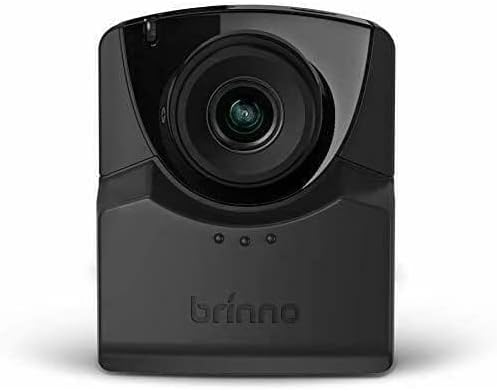
The Brinno TLC2020 is designed for capturing high-quality time-lapse, step video, and stop motion footage, particularly for long-term outdoor projects, thanks to its extended battery life and durable waterproof housing.
2. Продукт бүтүп калдыview
2.1. Пакеттин мазмуну
- Brinno TLC2020 Time Lapse камерасы
- Brinno ATH1000 Waterproof Case
- AA батарейкалар (4x)
- Колдонуучунун Колдонмосу (бул документ)
2.2. Негизги өзгөчөлүктөрү
- Жогорку чечилиштеги тартуу: 1080P HDR video recording.
- Кең талаа View: 118° lens for comprehensive scene capture.
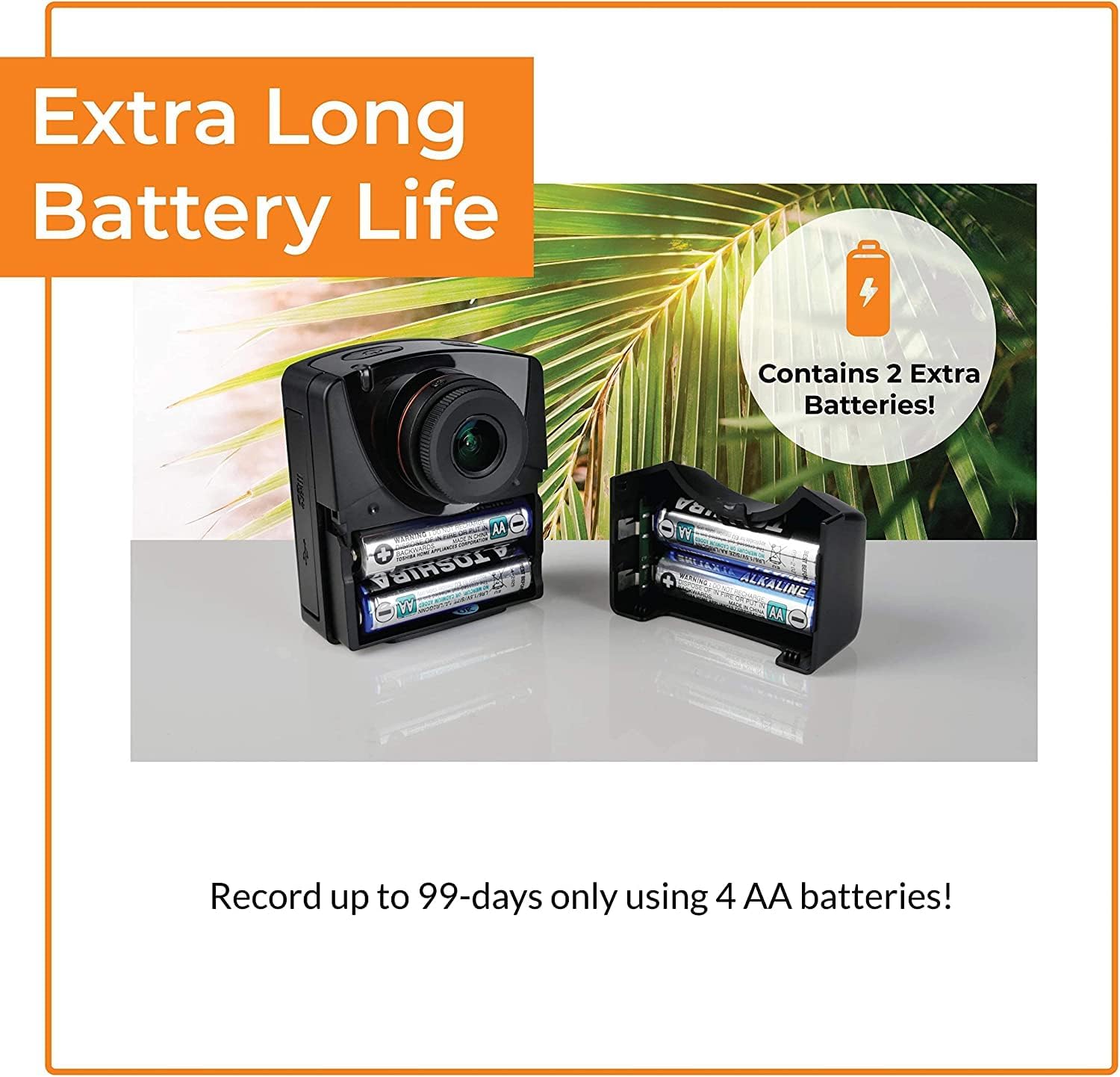
- Узартылган батареянын иштөө мөөнөтү: Up to 99 days of recording with 4 AA batteries (5-minute interval).
- Көп функциялуу тартуу режимдери: Time-lapse, Step Video, and Stop Motion.
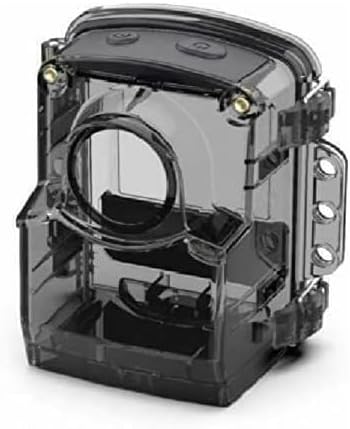
- Туруктуу коргоо: ATH1000 Waterproof Case for outdoor use.
- Ийкемдүү график: Daily timer and scheduling features to conserve battery.
- Сактагыч: 128 ГБ чейинки Micro SD карталарын колдойт.
- Портативдик дизайн: Compact and easy to deploy.
2.3. Camera and Case Components

3. Орнотуу
3.1. Батареяны орнотуу
- Open the battery compartment cover on the side of the TLC2020 camera.
- Төрт (4) AA батарейкасын туура полярдуулукту (+/-) камсыз кылуу менен кыстарыңыз.
- Батарея уясынын капкагын бекем жабыңыз.

3.2. MicroSD картасын орнотуу
- Locate the MicroSD card slot, typically near the battery compartment.
- MicroSD картаны (128 ГБ чейин колдоого алынат) ордуна чыкылдаганча уячага салыңыз.
- Чыгаруу үчүн картаны акырын чыккыча түртүңүз.

3.3. ATH1000 Waterproof Case Assembly
- Open the latches on the ATH1000 waterproof case.
- Carefully place the TLC2020 camera inside the case, ensuring it fits snugly.
- Close the latches firmly to seal the case. Verify the seal is complete before exposing to water.
3.4. Баштапкы күйгүзүү жана орнотуулар
Press the power button to turn on the camera. The 2-inch screen will display the menu. Use the navigation buttons to set the date, time, and desired capture mode. Refer to the on-screen prompts for guidance.
4. Иштөө нускамалары
4.1. Тартуу режимдери
The TLC2020 offers three distinct capture modes:
- Убакыттын өтүшү: Captures a sequence of photos at set intervals, automatically compiling them into a video. Ideal for monitoring construction projects, plant growth, or environmental changes.
- Step Video: Records short video clips at selected intervals. The camera combines these clips into a continuous video, suitable for dynamic storytelling or capturing movement.
- Stop Motion: Allows manual capture of multiple photos, one frame at a time. The camera then combines these into an animated video, perfect for creative projects.


4.2. Flexible Scheduling
Utilize the camera's daily timer and scheduling feature to select specific days and hours for recording. This extends battery life by preventing unnecessary recording during inactive periods.

4.3. Video Output and Sharing
Once recording is complete, the camera automatically processes the footage into an MP4 video file. Бул file is instantly available on the MicroSD card for transfer to a computer or other device for sharing.
5. Техникалык тейлөө
5.1. Батареяга кам көрүү
- Always use fresh, high-quality AA batteries.
- Камера агып кетпеши үчүн узак убакыт бою колдонулбай турган болсо, батареяларды алып салыңыз.
- Monitor battery levels regularly, especially during long-term projects.
5.2. Waterproof Case and Lens Care
- Regularly inspect the ATH1000 case for cracks or damage to maintain its waterproof integrity.
- Clean the case and camera lens with a soft, lint-free cloth. For stubborn dirt, use a mild cleaning solution and ensure no residue remains.
- Avoid abrasive materials that could scratch the lens or case.
5.3. Сактоо
Store the camera and case in a cool, dry place away from direct sunlight and extreme temperatures when not in use.
6. Кыйынчылыктарды
6.1. Камера күйбөй жатат
- Батареялар туура салынганын жана толук заряддалганын текшериңиз.
- Try replacing with new batteries.
- Кубат баскычы бекем басылганын текшериңиз.
6.2. Батареянын иштөө мөөнөтү кыска
- Utilize the flexible scheduling feature to record only during necessary periods.
- Ensure you are using high-quality alkaline or rechargeable AA batteries.
- Өтө суук температура батареянын иштешин төмөндөтүшү мүмкүн.
6.3. Condensation Inside Waterproof Case
- Condensation can occur with significant temperature changes and high humidity.
- Place desiccant packets (silica gel) inside the case with the camera to absorb moisture.
- Ensure the camera and case are completely dry before sealing for outdoor use.
6.4. Жаздыруудагы көйгөйлөр
- Check if the MicroSD card is properly inserted and has sufficient free space.
- Ensure the MicroSD card is formatted correctly (FAT32 or exFAT).
- Verify that the recording schedule and interval settings are configured as desired.
7. Техникалык шарттар
| Өзгөчөлүк | Спецификация |
|---|---|
| Бренд | Brinno |
| Модель номери | TLC2020 |
| Элемент Салмагы | 1.34 фунт |
| Продукциянын өлчөмдөрү | 1.5 x 4.5 x 4.5 дюйм |
| Батареялар | 4 АА батарейка керек |
| Түс | Кара |
| Фото сенсор технологиясы | CMOS |
| Видео тартуунун резолюциясы | 1080p |
| Максималдуу фокус узундугу | 19 миллиметр |
| Максималдуу диафрагма | 2 f |
| Flash эс тутум түрү | Micro SD (128 ГБ чейин) |
| Видео тартуу форматы | MP4 |
| Колдоого алынган аудио формат | AAC |
| Screen Size | 2 дюйм |
| Байланыш технологиясы | USB |
8. Кепилдик жана колдоо
Brinno is committed to providing reliable products. For detailed warranty information, please refer to the official Brinno website or the warranty card included with your purchase. For technical support, product inquiries, or service, please visit the Brinno support page or contact their customer service directly.
You can find more information and support resources on the official Brinno webсайт: www.brinno.com


