Introduction
This manual provides comprehensive instructions for the setup, operation, maintenance, and troubleshooting of your Razer Ornata V2 Gaming Keyboard. Designed for optimal gaming performance, the Razer Ornata V2 combines the best of membrane rubber domes with mechanical switches, offering a unique typing experience.
Кутуда эмне бар
- Razer Ornata V2 Gaming Keyboard
Please ensure all components are present before proceeding with the setup.
Жайгашуу
Follow these steps to set up your Razer Ornata V2 Gaming Keyboard:
- Баскычтопту туташтыруу: Plug the USB-A connector of the Razer Ornata V2 keyboard into an available USB port on your computer.
- Драйверди орнотуу: Your operating system should automatically detect and install the necessary drivers. For advanced customization and features, download and install Razer Synapse 3 from the official Razer webсайт.
- Позициялоо: Place the keyboard on a stable, flat surface. The integrated wrist rest can be magnetically attached to the front of the keyboard for enhanced comfort during extended use.

Image: The Razer Ornata V2 Gaming Keyboard, showcasing its full layout and RGB lighting. This image provides an overview of the product's design and key arrangement.
Иштөө нускамалары
Hybrid Mecha-Membrane Technology
The Razer Ornata V2 features a unique hybrid mecha-membrane technology, combining the soft, cushioned touch of a membrane rubber dome with the crisp, clicky feedback of a mechanical switch. This design ensures both comfort and precise actuation for every keystroke.

Сүрөт: жакын план view of a keycap removed, revealing the Razer Hybrid Mecha-Membrane switch mechanism with its green backlighting. This illustrates the unique design that provides both soft and clicky feedback.
Multi-Function Digital Wheel and Media Keys
The keyboard is equipped with dedicated media keys and a multi-function digital wheel. These controls allow for convenient management of your entertainment, including pausing, playing, skipping tracks, and adjusting volume and brightness, without interrupting your activity.

Image: A detailed shot of the dedicated media keys and the multi-function digital wheel located on the upper right side of the keyboard. The keys are illuminated with purple RGB lighting.
Razer Chroma RGB тарабынан иштейт
Experience immersive lighting with Razer Chroma RGB, offering 16.8 million colors and a suite of dynamic lighting effects. Customize your keyboard's backlighting to match your setup or react to in-game events for enhanced immersion. Configuration is managed through Razer Synapse 3 software.

Image: The Razer Ornata V2 keyboard illuminated with vibrant Razer Chroma RGB lighting, showcasing a spectrum of colors across the keys. The keyboard is viewed from a slight angle, highlighting the lighting effects.
Эргономикалык билек эс алуу
The included plush leatherette ergonomic wrist rest magnetically attaches to the keyboard, providing soft and comfortable support. This reduces pressure on your wrists, allowing for extended periods of use without discomfort.

Image: A close-up of the plush leatherette ergonomic wrist rest, showing its soft texture and the Razer logo embossed on it. The wrist rest is positioned in front of the keyboard.
Толугу менен программаланган ачкычтар
All keys on the Razer Ornata V2 are fully programmable. Utilize Razer Synapse 3 to create custom key bindings, assign macros, and save unique profiles tailored to different games or applications, optimizing your execution and gameplay.

Сүрөт: үстүнкү view of the Razer Ornata V2 keyboard with its RGB lighting active, emphasizing the full layout and the concept of fully programmable keys for custom profileс жана макрос.
Кабель багыттоо параметрлери
The keyboard features integrated cable routing options on the underside, allowing you to neatly manage the USB cable and maintain a clean and organized desk setup.
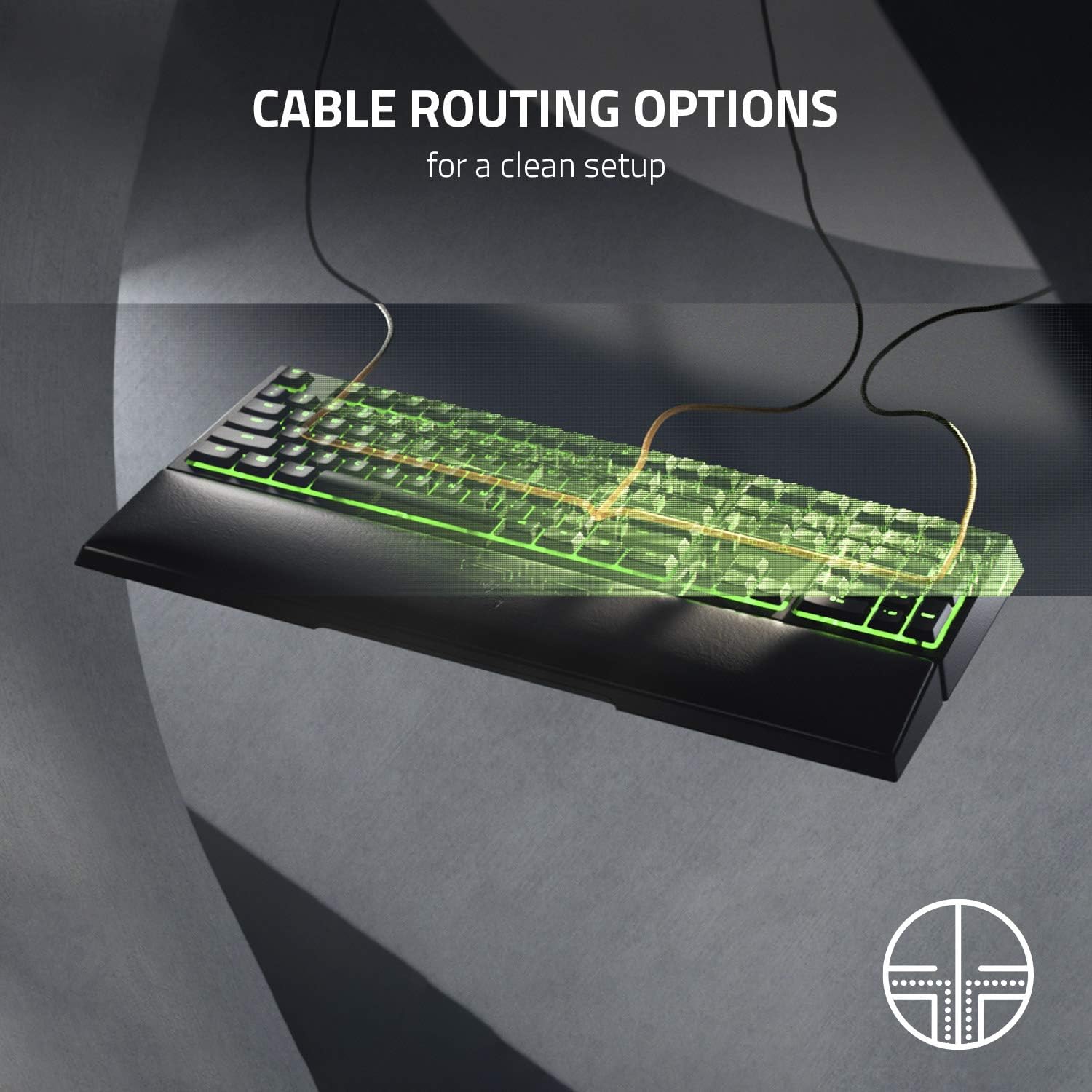
Image: A translucent overlay showing the internal cable routing channels on the underside of the Razer Ornata V2 keyboard, illustrating how the USB cable can be directed for a tidy setup.
For detailed instructions on configuring lighting effects, macros, and profiles, please refer to the Razer Synapse 3 software guide available on the official Razer support webсайт.
Техникалык тейлөө
Proper maintenance ensures the longevity and optimal performance of your Razer Ornata V2 keyboard:
- Баскычтопту тазалоо: Бир аз жумшак, түксүз кездемени колдонуңуз dampачкыч капкактарын жана шассиди сүртүү үчүн суу же жумшак тазалоо эритмеси менен камтылган. Ашыкча нымдуулуктан сактаныңыз.
- Чаңды тазалоо: Баскыч капкактарынын ортосундагы чаңды жана калдыктарды тазалоо үчүн кысылган абаны колдонуңуз.
- Билек таянычына кам көрүү: Wipe the leatherette wrist rest with a damp кездеме. Материалга зыян келтирүүчү катаал химиялык заттардан алыс болуңуз.
- Суюктуктардан алыс болуңуз: Do not spill liquids directly onto the keyboard. In case of accidental spills, immediately unplug the keyboard and allow it to dry completely before reconnecting.
Проблемаларды чечүү
| Көйгөй | Мүмкүн себеп | Чечим |
|---|---|---|
| Баскычтоп жооп бербей жатат | Бош USB туташуу, туура эмес USB порт, драйвер маселеси. |
|
| RGB жарыктандыруу иштебейт | Razer Synapse 3 not running, lighting profile issue, software glitch. |
|
| Ачкычтар катталбайт же эки жолу терилбейт | Dust/debris under keycap, switch malfunction, software issue. |
|
Техникалык шарттар
| Өзгөчөлүк | Деталь |
|---|---|
| Бренд | Razer |
| Модель номери | RZ03-03380500-R3F1 |
| Сериялар | Ornate V2 |
| Түс | Кара |
| Keyboard Description | Оюндар |
| Байланыш технологиясы | USB-A |
| Power Source | USB |
| Колдун багыты | Эки тараптуу |
| Шайкеш түзмөктөр | PC |
| Өзгөчө өзгөчөлүк | Эргономикалык |
| Биринчи жеткиликтүү күн | 6-апрель, 2020-жыл |
Кепилдик жана колдоо
Razer products typically come with a limited manufacturer's warranty. For specific warranty terms and conditions, please refer to the warranty card included with your product or visit the official Razer support webсайты. Колдоо ресурстарын, көп берилүүчү суроолорду жана байланыш маалыматын бул жерден таба аласыз www.razer.com/support.
For software updates and advanced customization, download Razer Synapse 3 from the official Razer webсайт.


