1. Киришүү
This manual provides essential instructions for the safe and efficient operation of your QFX BT-1956 Bluetooth 1956 Pickup Truck Replica Speaker. Please read this manual thoroughly before use and retain it for future reference.
2. Продукт бүтүп калдыview
The QFX BT-1956 is a portable Bluetooth speaker designed in the style of a 1956 pickup truck. It features integrated LED lights, multiple audio input options, and hands-free calling capabilities.
Негизги өзгөчөлүктөрү:
- Bluetooth зымсыз туташуусу
- Dual 3-inch Speakers for clear audio
- Орнотулган микрофону бар колсуз телефон байланышы
- FM радиосунун иштеши
- Түз медиа ойнотуу үчүн USB жана TF карта порттору
- Integrated LED Party Lights
- Заряддалуучу батарея
- True Wireless Stereo (TWS) Pairing for enhanced sound
Компоненттин идентификациясы:
Refer to the images below for a visual guide to the speaker's components and controls.

Сүрөт 2.1: Алдыңкы view of the QFX BT-1956 speaker.

2.2-сүрөт: Каптал view of the QFX BT-1956 speaker.
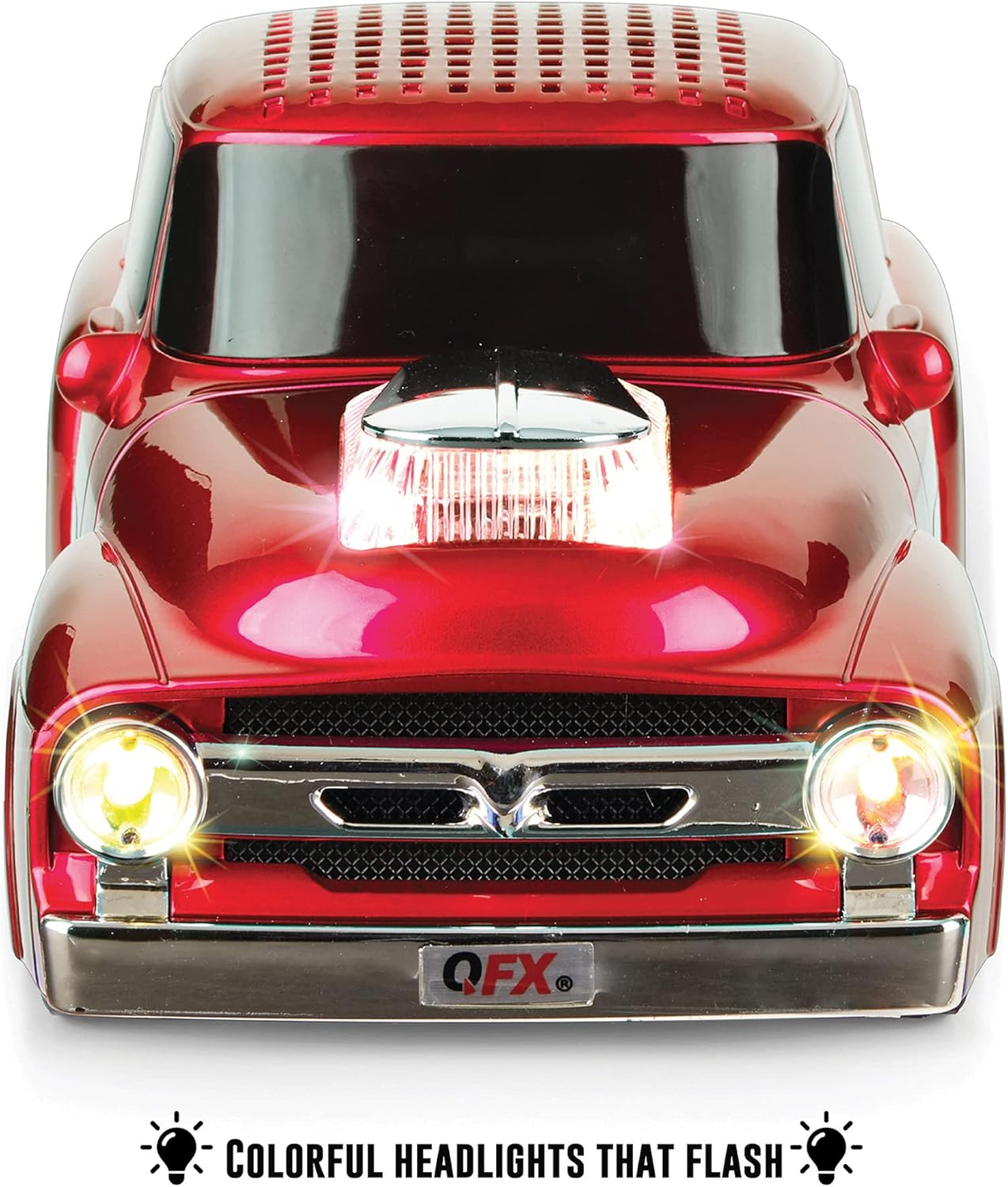
Figure 2.3: Rear panel with controls and ports. This image displays the power button, play/pause, skip track buttons, headphone output, TF card slot, USB port, DC 5V charging port, and line-in port.
3. Орнотуу
3.1 Charging the Speaker:
Before first use, fully charge the speaker. Connect the supplied USB cable to the DC 5V charging port on the rear of the speaker and the other end to a USB power adapter (not included) or a computer USB port. The charging indicator will show the charging status.
3.2 Күйгүзүү/өчүрүү:
басып, кармап туруңуз КҮЧ button located on the rear panel to turn the speaker on or off. A startup sound will indicate the device is active.
4. Иштөө нускамалары
4.1 Bluetooth жупташтыруу:
- Ensure the speaker is powered on and in Bluetooth mode. The display will show "BLUE" and an audible prompt will confirm Bluetooth mode.
- Мобилдик түзмөгүңүздө Bluetooth иштетип, жеткиликтүү түзмөктөрдү издеңиз.
- Түзмөктөр тизмесинен "BT-1956" тандаңыз.
- Once paired, the speaker will confirm with an audible notification.

4.1-сүрөт: Bluetooth аркылуу смартфон менен жупташуу.
4.2 Hands-Free Calling:
When connected via Bluetooth, the built-in microphone allows for hands-free calls. Press the Ойнотуу/Тыныгуу Чалууга жооп берүү же аяктоо үчүн баскыч.
4.3 FM радиосу:
- басыңыз РЕЖИМ button (M/S) to switch to FM Radio mode.
- басып, кармап туруңуз Ойнотуу/Тыныгуу жеткиликтүү FM станцияларын автоматтык түрдө сканерлөө жана сактоо үчүн баскыч.
- колдонуу Мурунку/Кийинки трек баскычтар сакталган станциялардын ортосунда чабыттоо.
4.4 USB/TF Card Playback:
Insert a USB drive or TF card into the corresponding port on the rear panel. The speaker will automatically detect the storage device and begin playing audio fileс. Колдонуу Ойнотуу/Тыныгуу жана Мурунку/Кийинки трек ойнотууну башкаруу үчүн баскычтар.
4.5 LED Party Lights:
The speaker features integrated LED lights. These lights typically activate automatically with audio playback. Specific controls for light modes may be available via the mode button or a dedicated light button if present (refer to Figure 2.3 for button layout).

Figure 4.2: Illuminated LED headlights.
4.6 True Wireless Stereo (TWS) Pairing:
To pair two BT-1956 speakers for stereo sound:
- Эки динамик тең күйүп турганын жана Bluetooth режиминде экенин, бирок азырынча эч бир түзмөккө жупташа электигин текшериңиз.
- Бир динамикте (бул негизги динамик болот), баскычын басып кармап туруңуз РЕЖИМ button (M/S) until you hear a pairing tone.
- The two speakers will connect automatically. Once connected, they will indicate TWS pairing is successful.
- Now, connect your mobile device to the master speaker via Bluetooth as described in section 4.1.

Figure 4.3: TWS pairing for stereo sound.
4.7 Үндү башкаруу:
Үнүн колдонуп, үнүн жөндөңүз Үнүн жогорулатуу (+) жана Үнүн азайтуу (-) buttons on the rear panel, or directly from your connected Bluetooth device.
4.8 Official Product Video:
Video 4.1: This video, provided by QFX USA, demonstrates the features and operation of the QFX BT-1956 Hot Rod Replica Bluetooth Speaker, including its design, sound, and connectivity options.
5. Техникалык тейлөө
- Динамикти суудан, нымдан жана экстремалдык температурадан алыс кармаңыз.
- Динамикти жумшак, кургак чүпүрөк менен тазалаңыз. Абразивдүү тазалагычтарды же эриткичтерди колдонбоңуз.
- Спикерди түшүрүүдөн же катуу таасирлерге дуушар кылуудан качыңыз.
- Узак мөөнөткө колдонулбаганда, динамикти салкын, кургак жерде сактаңыз жана батареянын ден соолугун сактоо үчүн аны мезгил-мезгили менен заряддап туруңуз.
6. Кыйынчылыктарды
| Көйгөй | Мүмкүн себеп | Чечим |
|---|---|---|
| Динамик күйбөйт. | Батарея аз. | Берилген USB кабелин колдонуп динамикти заряддаңыз. |
| Bluetooth аркылуу жупташтыруу мүмкүн эмес. | Динамик жупташтыруу режиминде эмес же түзмөктөн өтө алыс. | Ensure speaker is in Bluetooth mode and within 10 meters of your device. Restart both devices and try again. |
| Үн жок. | Volume too low, or incorrect mode selected. | Increase volume on both speaker and connected device. Ensure correct input mode (Bluetooth, FM, USB, TF) is selected. |
| FM радиосун кабыл алуу начар. | Алсыз сигнал. | Динамикти сигнал жакшыраак кабыл алынган жерге жылдырыңыз. |
7. Техникалык шарттар

Сүрөт 7.1: Продукциянын өлчөмдөрү.
- Модел: BT-1956
- Бренд: QFX
- Байланыш технологиясы: Bluetooth, USB
- Зымсыз байланыш технологиясы: Bluetooth
- Bluetooth диапазону: 10 метр
- Динамик өлчөмү: 3 Inches (Woofer/Subwoofer Diameter)
- Динамиктин максималдуу чыгаруу күчү: 3 Ватт
- Аудио чыгаруу режими: Стерео
- Кубат булагы: Батарея менен иштейт (1 литий-иондук батарейка камтылган)
- Батарея сыйымдуулугу: 2200 мАч
- Киргизүү көлөмүtage: 5 вольт
- Продукциянын өлчөмдөрү: 9.45"D x 4.17"W x 3.54"H
- Элемент Салмагы: 1.28 унция
- Материал: Металл
- Камтылган компоненттер: Speaker, USB cable, User Manual
8. Кепилдик жана колдоо
The QFX BT-1956 speaker comes with a limited warranty. For specific details regarding warranty coverage, please refer to the documentation included with your purchase.
For any questions, problems, or issues, please contact QFX directly at support@qfxusa.com.


