1. Киришүү
This manual provides essential instructions for the safe assembly, operation, and maintenance of your Snapper XD 82V MAX Step Sense Cordless Electric 19-Inch Lawn Mower. Please read this manual thoroughly before using the product and retain it for future reference. Proper use and maintenance will ensure optimal performance and extend the life of your lawn mower.

Figure 1: Snapper XD 82V MAX Step Sense Cordless Electric 19-Inch Lawn Mower Kit.
2. Коопсуздук маалыматы
Өрт, электр тогуна урунуу жана жеке жаракат алуу коркунучун азайтуу үчүн ар дайым негизги коопсуздук чараларын сактаңыз. Бул көрсөтмөлөрдү аткарбоо олуттуу жаракат алууга же өлүмгө алып келиши мүмкүн.
Жалпы коопсуздук эрежелери:
- Read all instructions carefully before operating the mower.
- Тиешелүү жеке коргонуу шаймандарын (ЖКК), анын ичинде көздү коргоону, угууну коргоону жана бекем бут кийимдерди кийиңиз.
- Балдарды жана жанындагы адамдарды операция аймагынан алыс кармаңыз.
- Чөп чапкычты нымдуу же жамгырлуу аба ырайында иштетпеңиз.
- Чөп чабыла турган жерди текшерип, бычак ыргытып жибериши мүмкүн болгон нерселерди алып салыңыз.
- Never operate the mower with damaged guards or without safety devices in place.
- Disconnect the battery before cleaning, servicing, or when the mower is unattended.
Батареянын коопсуздугу:
- Use only Snapper XD 82V MAX batteries and chargers specified for this product.
- Батареяларды сууга же экстремалдык температурага калтырбаңыз.
- Батареянын терминалдарын кыска туташтырбаңыз.
- Батареяларды салкын, кургак жерде сактаңыз.
3. Пакеттин мазмуну
Пакетте бардык буюмдар бар экенин текшериңиз:
- Snapper XD 82V MAX 19-Inch Lawn Mower
- (2) Briggs & Stratton 82V Lithium-Ion 2.0 Batteries
- (1) Rapid Charger
- Чөп чогултуу баштыгы
- Капталдан чыгаруучу чучук
- Мульчалоочу сайгыч
- Пайдалануучунун колдонмосу (бул документ)
4. Орнотуу
4.1 Иштетүү тутуму
Unfold the handle and secure it in the operating position using the quick-release levers. Ensure all cables are routed correctly and not pinched.
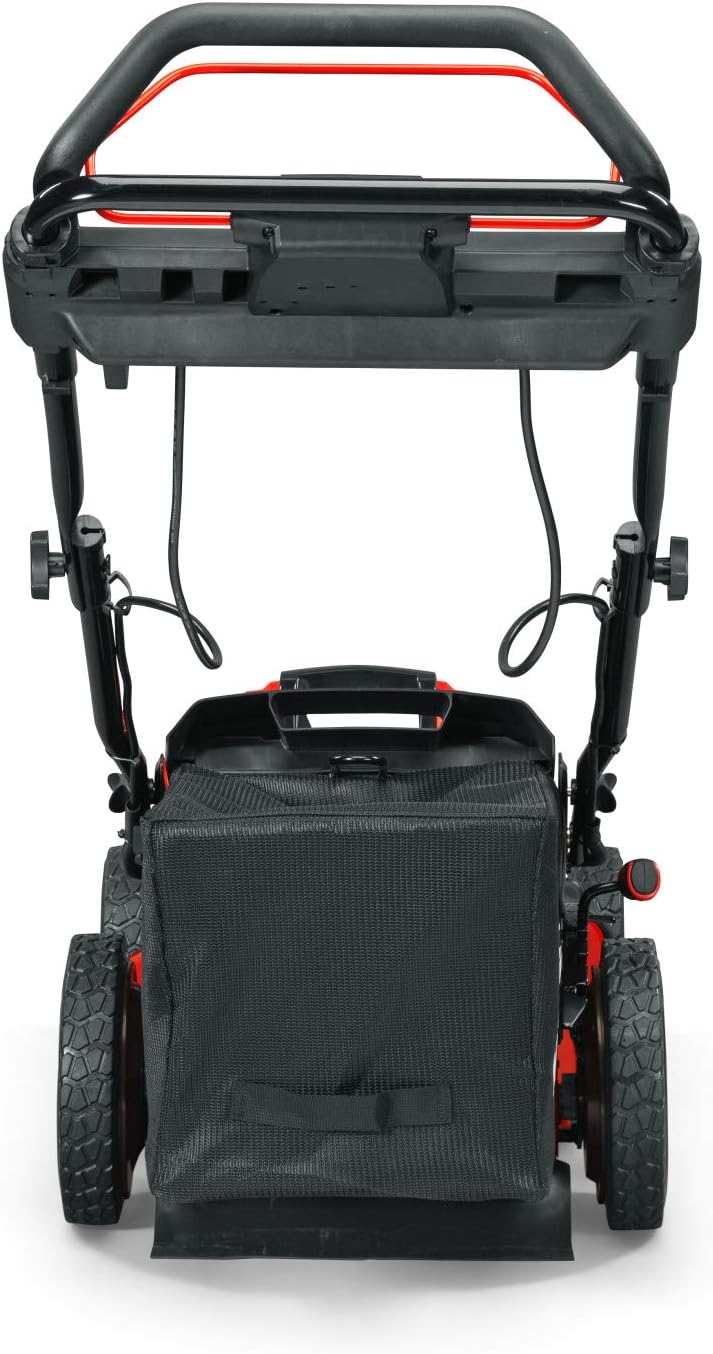
2-сүрөт: Арткы view of the mower, showing the handle and grass bag.
4.2 Батареяны заряддоо жана орнотуу
- Insert the 82V MAX battery into the rapid charger. The charger indicator lights will show the charging status.
- Биринчи колдонуудан мурун батареянын толук заряддалышына уруксат бериңиз.
- Once charged, slide the battery into the battery compartment on the mower until it clicks into place. Ensure it is securely seated.
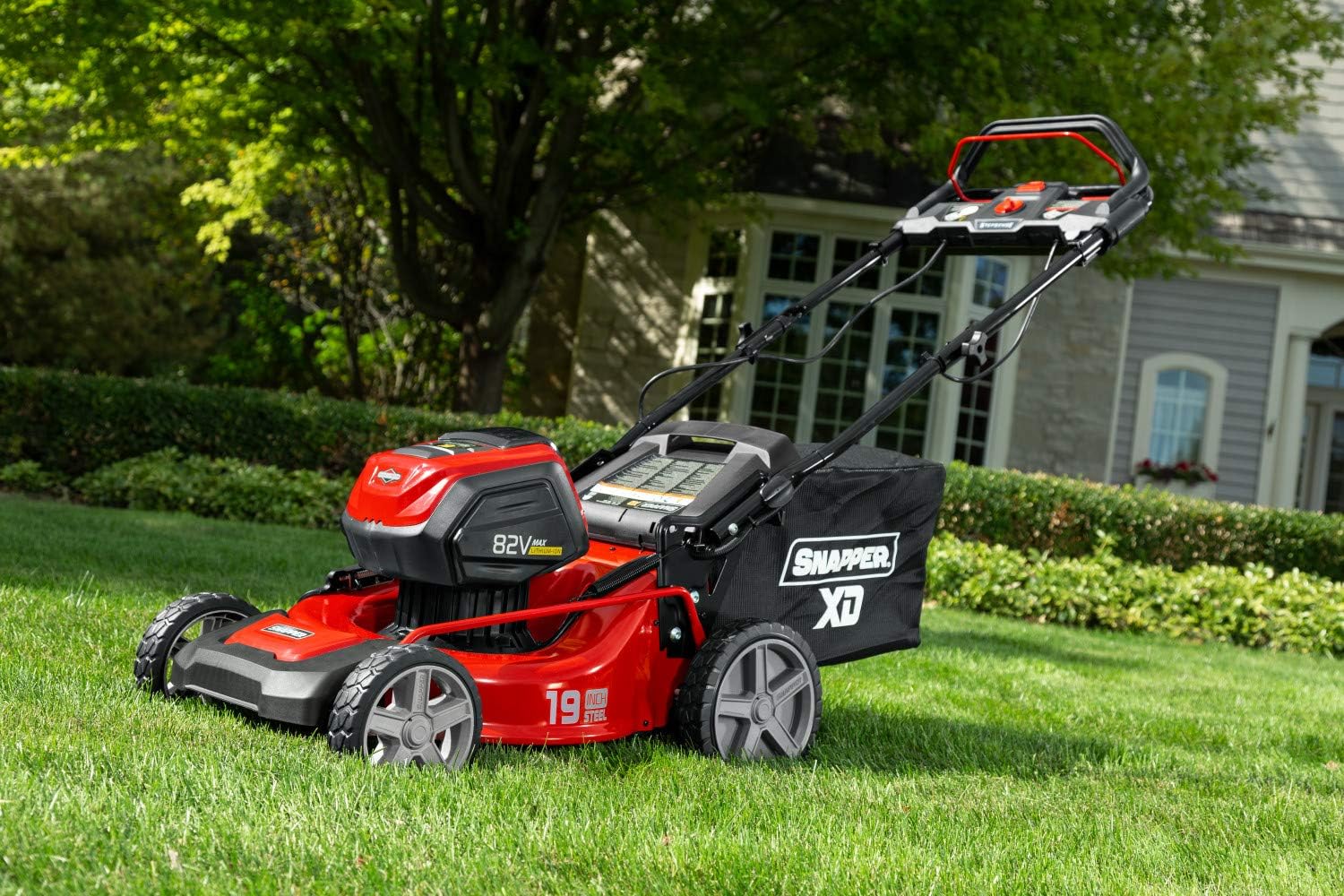
3-сүрөт: Каптал view of the mower, illustrating the battery compartment location.
5. Иштөө нускамалары
5.1 Чөп чапкычты иштетүү
- Ensure the battery is fully inserted and the safety key (if applicable) is in place.
- Баштоо баскычын басып, кармап туруңуз.
- While holding the start button, pull the bail lever towards the handle. The mower will start.
- Release the start button once the mower is running.
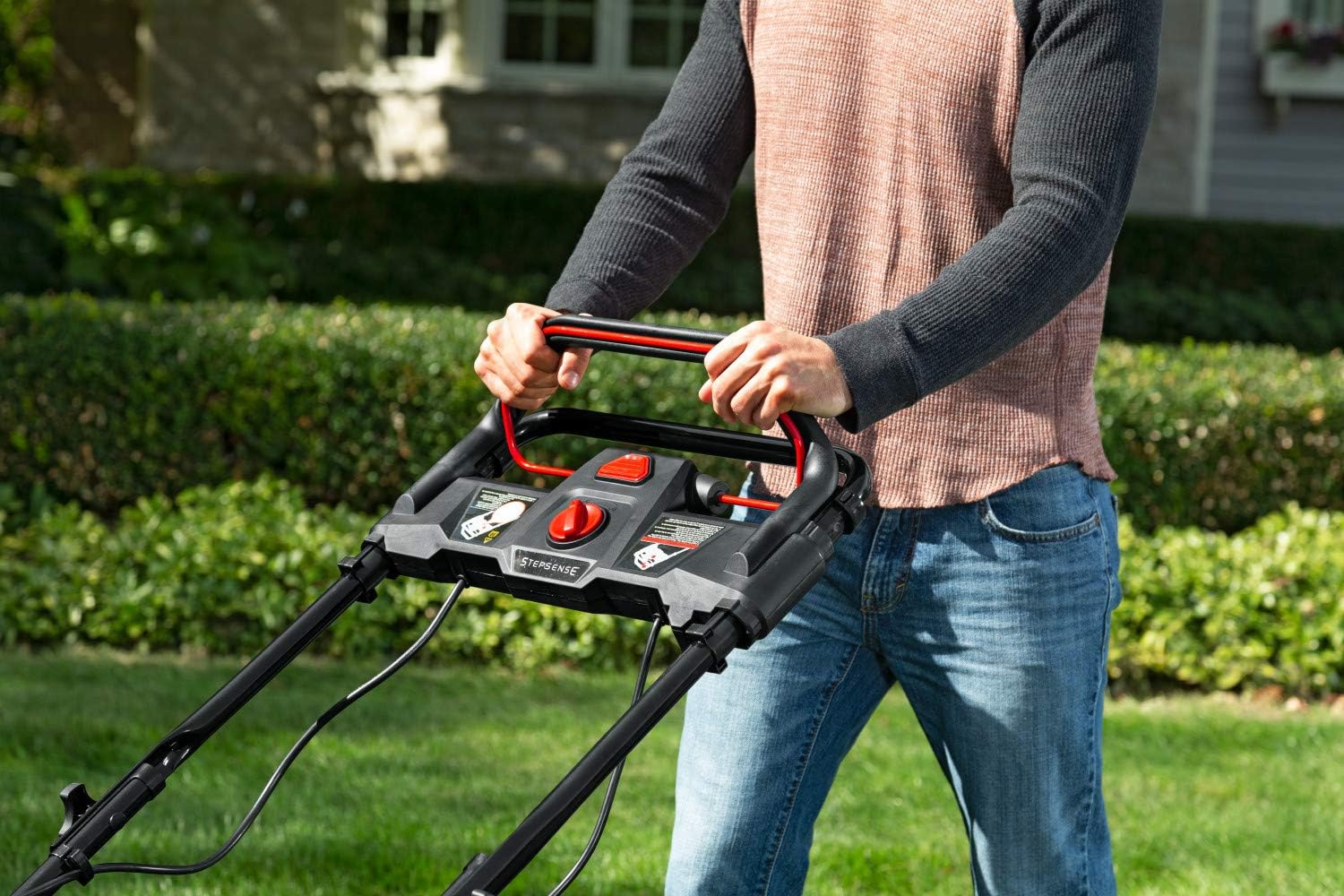
Figure 4: Handle controls for starting and operating the mower.
5.2 Кесүү бийиктигин тууралоо
The mower features a single-lever height adjustment. Move the lever to select one of the 7 available cutting heights, ranging from 1 inch to 7 inches, to suit your lawn's needs.
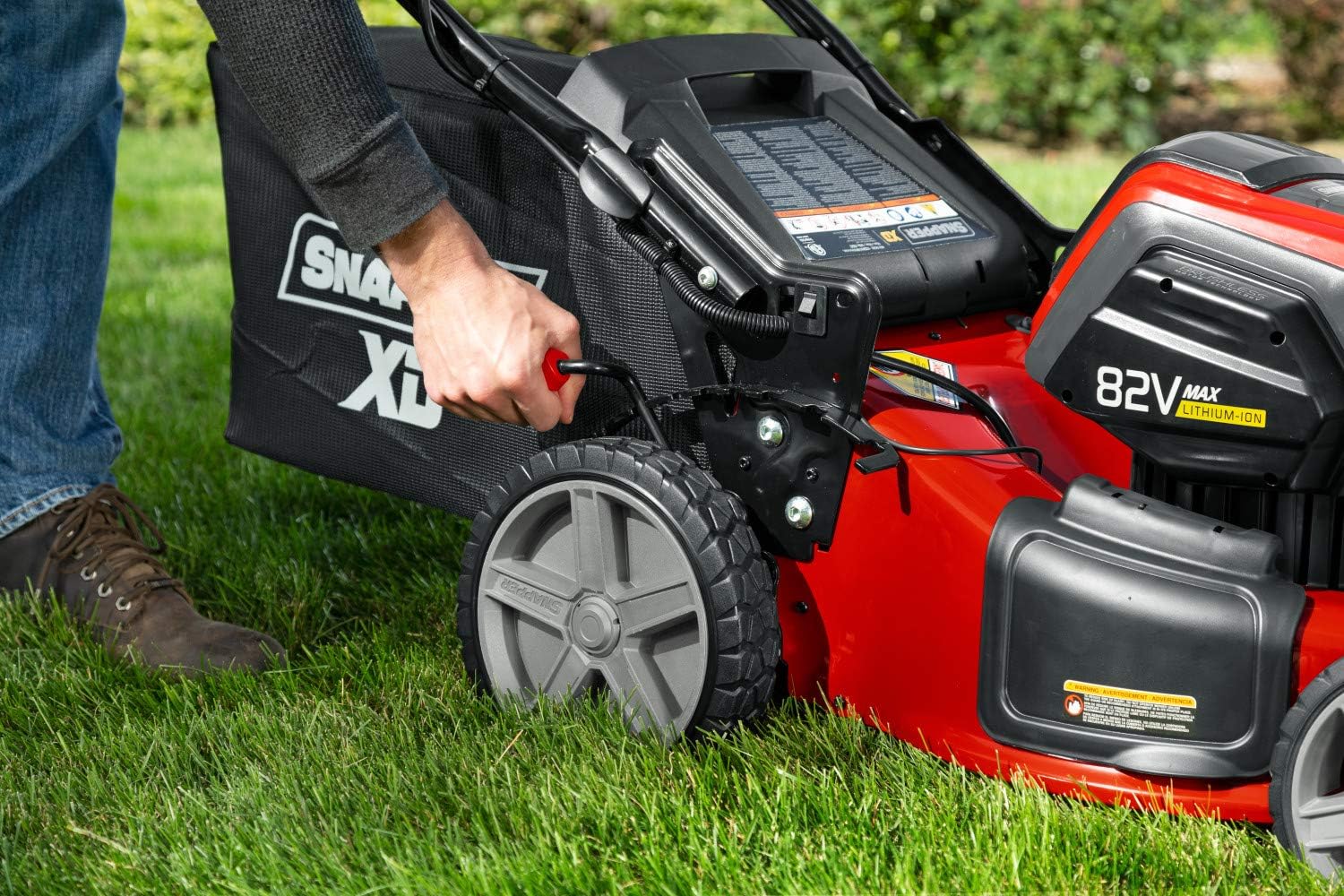
Сүрөт 5: Бир рычаг менен кесүү бийиктигин тууралоо.
5.3 Step Sense Technology
The Step Sense feature automatically adjusts the mower's speed to match your walking pace, providing a comfortable and efficient mowing experience. Simply engage the self-propel lever, and the mower will adapt to your speed.
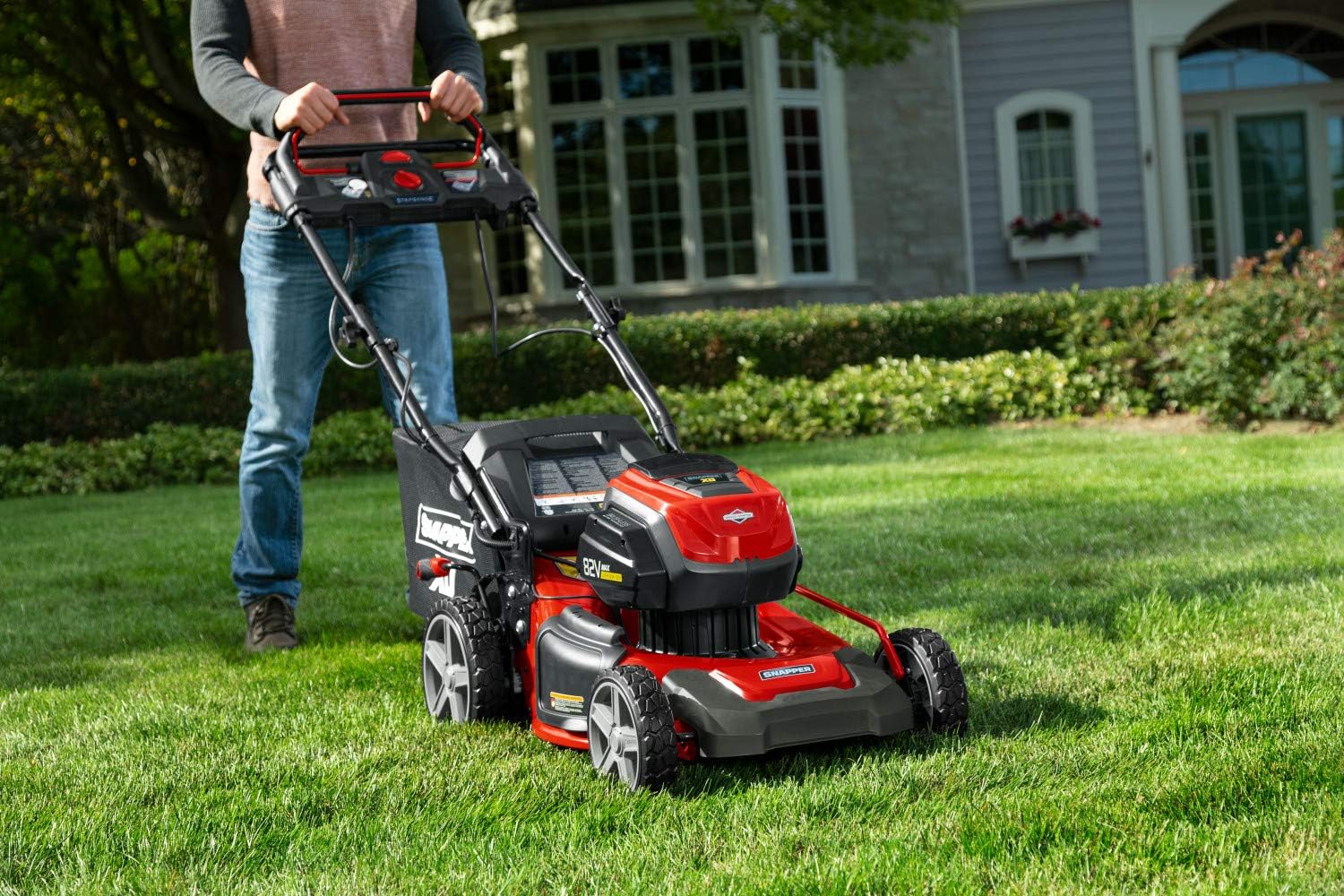
Figure 6: Operating the mower with Step Sense technology.
5.4 Mowing Modes: Mulching, Bagging, and Side Discharge
Your Snapper XD mower offers three cutting options:
- Мульчирование: Install the mulching plug to finely cut grass clippings and return them to the lawn as natural fertilizer.
- Каптоо: Чөптөрдү чогултуу үчүн чөп чогултуучу баштыкты бекитиңиз.
- Капталдан разряд: Install the side discharge chute to eject clippings from the side of the mower.
6. Техникалык тейлөө
Regular maintenance ensures the longevity and safe operation of your mower. Always disconnect the battery before performing any maintenance.
6.1 Тазалоо
- Ар бир колдонгондон кийин, чөптүн топтолуп калышына жол бербөө үчүн, чөп чапкычтын астыңкы бетин тазалаңыз.
- Жарнама менен сыртын сүртүңүзamp cloth. Do not use a pressure washer or hose directly on electrical components.
6.2 Бычакка кам көрүү
- Inspect the blade regularly for sharpness and damage. A dull or damaged blade can affect cutting performance and mower efficiency.
- Replace the blade if it is bent, cracked, or excessively worn. Refer to the specifications for the correct replacement blade model.
6.3 Сактоо
- Store the mower in a dry, protected area away from direct sunlight and moisture.
- Remove the battery from the mower before storing for extended periods.
- Store batteries in a cool, dry place, partially charged.
7. Кыйынчылыктарды
| Көйгөй | Мүмкүн себеп | Чечим |
|---|---|---|
| Чапкыч иштебейт. | Battery not charged or improperly installed. Safety key not inserted. Bail lever not engaged. | Charge battery. Ensure battery is fully seated. Insert safety key. Engage bail lever fully. |
| Чөп чапкыч иштеп жатканда токтоп калат. | Батарея түгөндү. Ашыкча жүктөөлөрдөн коргоо иштетилген (мисалы, өтө калың чөп). | Replace with a charged battery. Reduce mowing speed or raise cutting height. |
| Тегиз эмес кесүү. | Dull or damaged blade. Uneven cutting height adjustment. | Inspect and replace blade if necessary. Ensure cutting height is set evenly on all wheels. |
8. Техникалык шарттар
- Бренд: Snapper
- Модел: 1688050
- Кубат булагы: 82V MAX батарея менен иштейт
- Кесүү туурасы: 19 дюйм
- Кесүү бийиктигин тууралоо: 7 позиция (1тен 7 дюймга чейин)
- Палубанын материалы: Эритме болот
- Иштөө режими: Automatic (Step Sense)
- Элемент Салмагы: 84.8 фунт
- Продукциянын өлчөмдөрү: 33.07 x 21.85 x 17.12 дюйм
- UPC: 047282760079
9. Кепилдик жана колдоо
For warranty information, service, or technical support, please refer to the warranty card included with your product or visit the official Snapper webсайт. Сатып алуу квитанциясын кепилдик дооматтары үчүн сатып алуунун далили катары сактаңыз.
Онлайн колдоо: Visit the Snapper Store on Amazon


