1. Киришүү
This manual provides detailed instructions for the safe and effective use of your Elecom LBT-TWS05BK True Wireless Bluetooth Earphones. Please read this manual thoroughly before using the product and retain it for future reference.
The Elecom LBT-TWS05BK earphones are designed for stable connectivity, superior comfort, and high usability, delivering rich audio performance. They feature an ergonomic design, advanced communication technology, and convenient smart features.
2. Коопсуздук маалыматы
Коопсуз иштөөнү камсыз кылуу жана зыян келтирбөө үчүн төмөнкү сактык чараларын сактаңыз:
- Кулакчындарды же кубаттоочу кутучаны өтө жогорку температурага, нымдуулукка же суюктуктарга тийгизбеңиз.
- Аппаратты түшүрүүдөн же катуу таасирлерден сактаныңыз.
- Буюмду ажыратууга же өзгөртүүгө аракет кылбаңыз. Бул кепилдикти жокко чыгарат.
- Балдар жана үй жаныбарлары жетпеген жерде сактаңыз.
- Угуу жөндөмүнө зыян келтирбөө үчүн орточо үн деңгээлинде угуңуз.
- Be aware of your surroundings when using the earphones, especially in traffic or dangerous situations.
3. Пакеттин мазмуну
Продукцияңыздын таңгагында бардык элементтер бар экенин текшериңиз:
- Elecom LBT-TWS05BK True Wireless Bluetooth Earphones (Left and Right)
- Заряддоо кутусу
- USB Charging Cable (Type-A to Type-C)
- Ear Caps (XS, S, M, L sizes; M size pre-installed)
- Instruction Manual
4. Продукт бүтүп калдыview
Familiarize yourself with the components of your Elecom LBT-TWS05BK earphones.

Сүрөт: Жакын план view of the Elecom LBT-TWS05BK true wireless earbuds, showcasing their sleek black design and the ELECOM branding.

Image: The Elecom LBT-TWS05BK earbuds placed inside their compact charging case, ready for storage or charging.
The earphones feature a compact design with a 6.0mm diameter external magnetic dynamic driver for clear sound. The charging case is designed for single-handed operation with a push-button lid.
5. Орнотуу
5.1. Наушникти жана капты заряддоо
- Connect the supplied USB Type-A to Type-C cable to the charging case's USB Type-C port and a USB power source.
- The LED indicators on the charging case will show the charging status. Four LEDs indicate a full charge.
- Кулакчындарды заряддоо кутусуна салыңыз. Алар автоматтык түрдө кубаттай башташат.
- A 15-minute charge provides approximately 1 hour of music playback. A full charge of the earphones allows for about 5 hours of continuous music playback or 4.5 hours of talk time. The charging case can recharge the earphones up to 2.5 times, providing a total of about 17.5 hours of use.
5.2. Баштапкы жупташтыруу
The Elecom LBT-TWS05BK supports auto-pairing and Google Fast Pair for compatible Android devices.

Image: An illustration demonstrating the Google Fast Pair feature, where simply opening the charging case near a compatible smartphone prompts a pairing notification. Also shows the one-push open mechanism of the case.
- Смартфонуңуздун Bluetooth иштетилгенин текшериңиз.
- Заряддоо кутучасын ачыңыз. Кулакчындар автоматтык түрдө жупташтыруу режимине өтөт.
- For Android devices with Google Fast Pair, a notification will appear on your screen. Tap to connect.
- For other devices, go to your device's Bluetooth settings and select "LBT-TWS05BK" from the list of available devices.
- Once paired, the earphones will automatically connect to the last paired device when removed from the case.
5.3. Кулакчындарды орнотуу
The earphones feature an ergonomic design for optimal fit and stability.
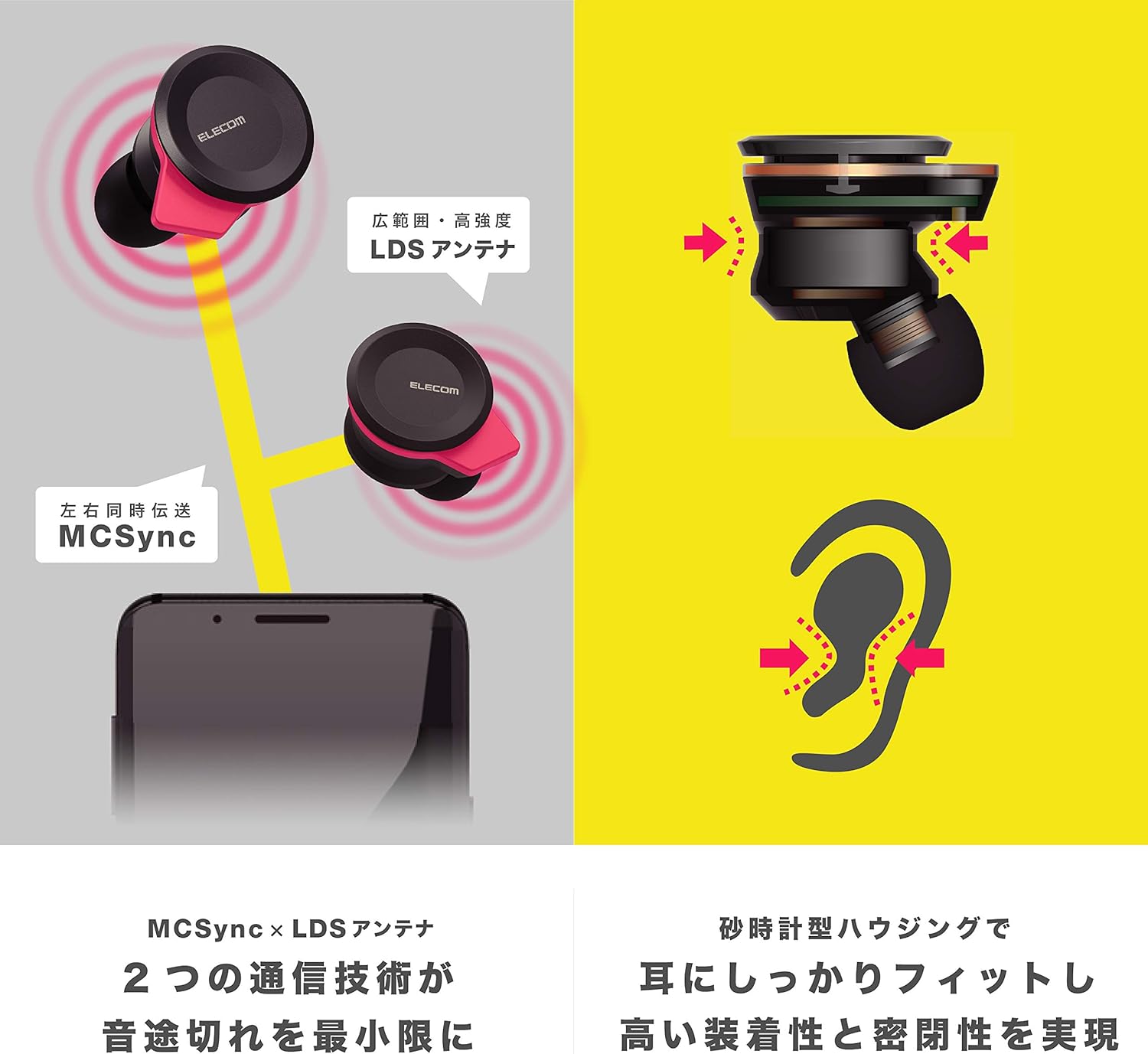
Image: An illustration showing the ergonomic hourglass shape of the earbud designed to fit securely in the ear, alongside a diagram explaining the MCSync and LDS antenna technologies for stable communication.
- Select the ear caps that provide the best seal and comfort from the four included sizes (XS, S, M, L). The M size is pre-installed.
- Наушникти кулак каналыңызга акырын киргизиңиз.
- Adjust the earbud so that the hourglass shape is firmly seated between your ear tragus and anti-tragus for a stable fit.
6. Иштөө нускамалары
The Elecom LBT-TWS05BK earphones offer various functions for audio playback, calls, and smart assistant interaction.
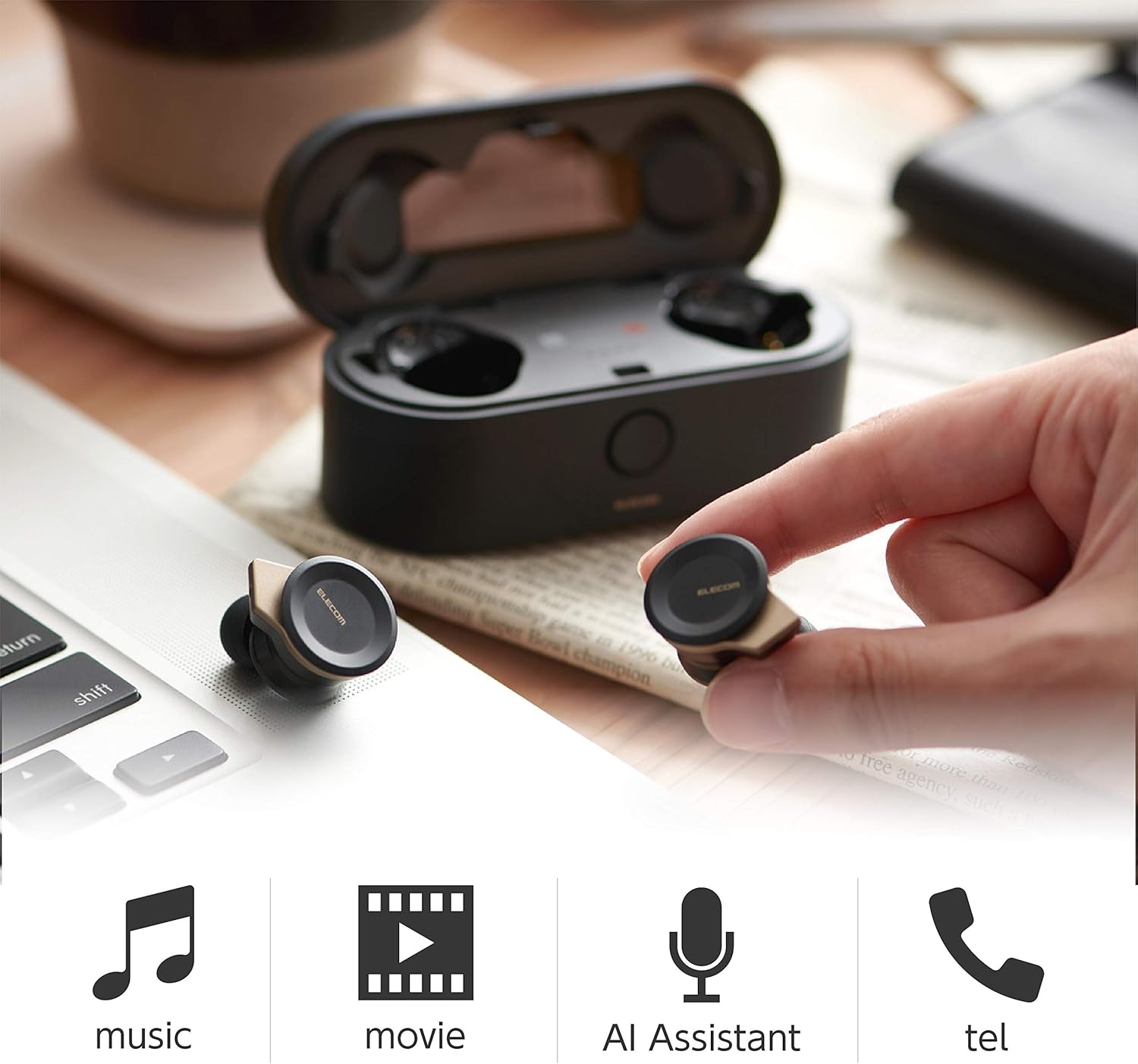
Image: The Elecom LBT-TWS05BK earbuds displayed with icons representing their versatile uses: music playback, movie watching, AI assistant activation, and phone calls.
6.1. Күйгүзүү/өчүрүү
- Күйгүзүү: Remove the earphones from the charging case. They will power on automatically.
- Өчүрүү: Кулакчындарды кайра заряддоо кутусуна салыңыз. Алар автоматтык түрдө өчүрүлөт.
6.2. Музыканы ойнотуу
Use the buttons on the earphones to control music playback (specific button functions may vary, refer to quick start guide for exact mapping):
- Ойнотуу/тындыруу: Кулакчынга бир жолу басыңыз.
- Кийинки трек: Оң кулакчынды эки жолу басыңыз.
- Мурунку трек: Сол кулакчынды эки жолу басыңыз.
- Үндү көзөмөлдөө: Adjust via your connected device or voice assistant.
6.3. Чалууларды башкаруу
The right earbud supports calls and voice AI functions.
- Чалууга жооп берүү/аяктоо: Single press on the right earbud.
- Чакырууну четке кагуу: Оң кулакчынды 2 секунд басып туруңуз.
6.4. Voice AI Activation
Compatible with voice AI assistants like Siri and Google Assistant.
- Activate Voice AI: Triple press on the right earbud.
6.5. External Sound Capture Function
This function allows you to hear surrounding sounds while wearing the earphones.
- Жандыруу/өчүрүү: Сол кулакчынды 2 секунд басып туруңуз.
7. Техникалык тейлөө
Proper maintenance ensures the longevity and performance of your earphones.
- Тазалоо: Наушниктерди жана кубаттоочу кутуну тазалоо үчүн жумшак, кургак чүпүрөктү колдонуңуз. Абразивдүү тазалагычтарды же эриткичтерди колдонбоңуз.
- Кулак капкактары: Remove and clean ear caps regularly with water and mild soap. Ensure they are completely dry before reattaching.
- Сактагыч: Колдонбогондо, наушниктерди чаңдан жана бузулуудан коргоо үчүн заряддоо кутучасында сактаңыз.
- Батареяга кам көрүү: Батареяны бат-баттан толук кубаттап калуудан алыс болуңуз. Батареянын ден соолугун сактоо үчүн үзгүлтүксүз заряддаңыз.
8. Кыйынчылыктарды
If you encounter issues with your Elecom LBT-TWS05BK earphones, refer to the following common solutions:
- Үн/Туташуу маселеси жок:
- Ensure earphones are charged and powered on.
- Түзмөгүңүздө Bluetooth иштетилгенин текшериңиз.
- Кулакчындарды түзмөгүңүз менен кайра жупташтырып көрүңүз.
- Ensure earphones are within the 10m transmission distance.
- Наушник заряддалбай жатат:
- Заряддоо кабели корпуска да, кубат булагына да туташтырылганын текшериңиз.
- Check if the charging case has sufficient battery.
- Ensure the earphones are correctly seated in the charging case.
- Үн сапаты начар:
- Ensure ear caps provide a good seal in your ear.
- Кулакчын түтүктөрүндөгү калдыктарды тазалаңыз.
- Сигнал күчүн жакшыртуу үчүн туташкан түзмөгүңүзгө жакындаңыз.
- Voice AI/Calls Not Working on Left Earbud:
- Note that calls and voice AI functions are only compatible with the right earbud.
9. Техникалык шарттар
| Өзгөчөлүк | Спецификация |
|---|---|
| Модель номери | LBT-TWS05BK |
| Байланыш ыкмасы | Bluetooth Standard Version 5.0 |
| Чыгуу | Bluetooth кубаттуулугу классы 1 |
| Максималдуу берүү аралык | Болжол менен. 10м |
| Frequency Band | 2.4 ГГц |
| Модуляция ыкмасы | FHSS (Жыштыктагы секирүү спектри) |
| Bluetooth Pro колдоого алынатfiles | A2DP, AVRCP, HFP, HSP |
| A2DP Compatible Codec | SBC, AAC |
| A2DP Compatible Content Protection | SCMS-T |
| Maximum Registration Capacity | 8 түзмөк |
| Multipoint (Simultaneous Standby) | Шайкеш эмес |
| Айдоочу түрү | 6.0mm diameter external magnetic dynamic driver (ETEMDriver) |
| Коммуникация технологиясы | MCSync (MultiCast Synchronization), LDS Antenna |
| Микрофон | High-quality MEMS microphone with HDVoice |
| Үзгүлтүксүз сүйлөшүү убактысы | Болжол менен 4.5 саат |
| Continuous Music Playback Time | Болжол менен 5 саат |
| Total Playback Time (with charging case) | Болжол менен 17.5 саат |
| Заряддоо порту | USB Type-C |
| Fast Charge | 15 min charge for 1 hour playback |
| Салмагы | 61 Grams (total package weight) |
| Материал | Пластик |
| Сууга туруктуулук деңгээли | Сууга чыдамдуу |
| Шайкеш түзмөктөр | Smartphones, Tablets, iOS Devices, Android Devices |
10. Кепилдик жана колдоо
For warranty information and customer support, please refer to the official ELECOM webсайтына кириңиз же жергиликтүү сатуучуңузга кайрылыңыз. Кепилдик талаптары үчүн сатып алганыңызды тастыктаган документти сактап коюңуз.


