Introduction
This manual provides detailed instructions for the setup, operation, maintenance, and troubleshooting of your Texas Instruments PS-6800 Personal Organiser. Please read this manual thoroughly to ensure proper use and to maximize the functionality of your device.

Figure 1: Front of the product packaging, displaying the "PS-6800 Personal Organiser" with "NEW!" label and "128KB" memory.
Жайгашуу
1. Батареяны орнотуу
The PS-6800 requires batteries for operation. Locate the battery compartment on the back of the device. Insert the required batteries, ensuring correct polarity as indicated inside the compartment. Close the battery cover securely.
2. Баштапкы күйгүзүү жана орнотуулар
басыңыз ON button to power on the device. Upon first use or after battery replacement, you may be prompted to set the date and time. Use the keypad to enter the current date and time, then confirm your selections.
3. Connectivity (Optional)
The PS-6800 is compatible with the optional PS-6155 Connectivity Kit (Docking Station and Windows software). This kit allows for data transfer and synchronization with a personal computer. Refer to the PS-6155 kit's manual for detailed setup instructions.

Figure 2: Ичинде view of the product packaging, showing the PS-6800 device alongside a computer screen demonstrating its connectivity features and data management.
Иштөө нускамалары
1. Keypad Layout and Navigation
The PS-6800 features a QWERTY keyboard for easy data entry. Use the arrow keys to navigate through menus and entries on the display. The ENTER key confirms selections, and the ESC key typically cancels an action or returns to the previous screen.
2. Негизги функциялар
- Дарек китеби: Store and retrieve contact information, including names, phone numbers, and addresses.
- Эскертүүлөр: Create and manage text notes for reminders, ideas, or general information.
- Calendar/Appointments: Schedule and view appointments, meetings, and important dates.
- Secret Data Area: A secure section for storing confidential personal and work-related information, protected by a password.
3. Data Entry and Search
To enter data, select the desired application (e.g., Address Book), then type using the QWERTY keypad. Use the electronic search functions to quickly locate specific information within your stored data.
Техникалык тейлөө
1. Тазалоо
To clean the device, gently wipe the exterior with a soft, dry cloth. Do not use liquid cleaners or abrasive materials, as they may damage the display or casing.
2. Батареяны алмаштыруу
When the battery low indicator appears, replace the batteries promptly to avoid data loss. Follow the battery installation steps outlined in the Setup section.
3. Маалыматтын резервдик көчүрмөсү
Regularly back up important data, especially if you utilize the PS-6155 Connectivity Kit. This helps prevent data loss in case of battery depletion or device malfunction.
Проблемаларды чечүү
Түзмөк күйбөйт
- Check if the batteries are correctly installed and fully charged. Replace if necessary.
- камсыз кылуу ON button is pressed firmly.
Маселелерди көрсөтүү
- If the screen is blank or unreadable, adjust the contrast settings if available.
- Ensure sufficient battery power.
Маалымат жоготуу
- Data loss can occur if batteries are completely depleted for an extended period. Always replace batteries promptly.
- Regularly back up your data using the PS-6155 Connectivity Kit if available.
Device is Unresponsive
- Try removing and reinserting the batteries to perform a soft reset.
- Эгер көйгөй чечилбесе, кардарларды колдоо менен байланышыңыз.
Техникалык шарттар
| Модел | PS-6800 |
| Эс | 128 KB |
| Дисплей | 24 белгиден x 6 сап |
| Баскычтоп | QWERTY |
| Байланыш | Compatible with PS-6155 Connectivity Kit (Docking Station and Windows software) |
| Өзгөчөлүктөрү | Address Book, Notes, Calendar, Secret Data Area, Electronic Search Functions, Multi-language support |
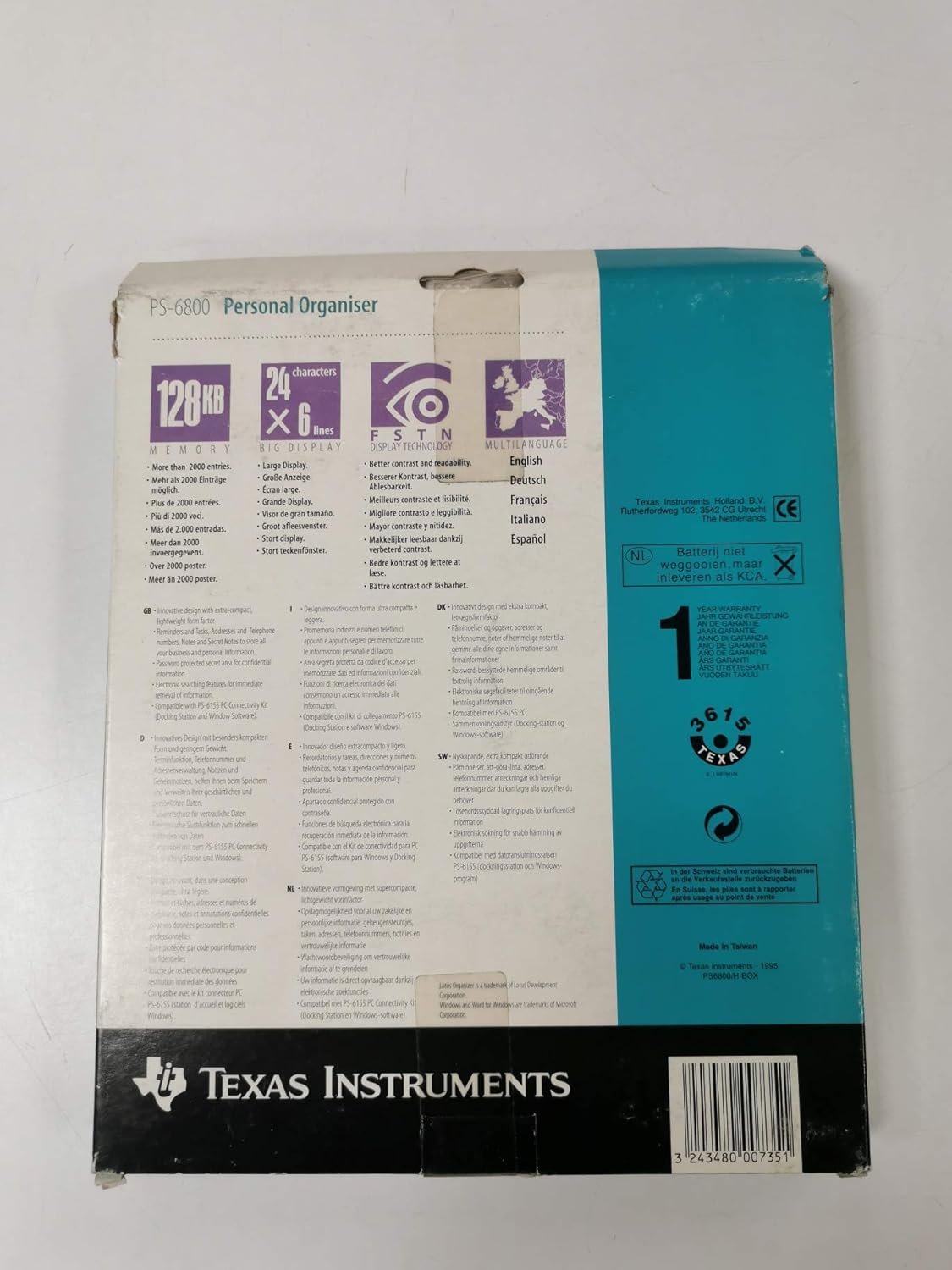
3-сүрөт: Арткы view of the product packaging, highlighting key features such as 128KB memory, 24x6 character display, FTD (Fast Text Display) technology, and multi-language support. It also shows the manufacturer's details and a barcode.

Figure 4: Close-up of the text on the back of the product packaging, detailing features like compact design, address book, phone numbers, secret data area, electronic search functions, and compatibility with the PS-6155 Connectivity Kit.
Кепилдик
This product is covered by a limited warranty provided by Texas Instruments. For specific warranty terms and conditions, please refer to the warranty card included with your product or visit the official Texas Instruments webсайт.
Колдоо
For further assistance, technical support, or to inquire about replacement parts, please visit the official Texas Instruments support website or contact their customer service department. Keep your product model number (PS-6800) and any relevant purchase information ready when seeking support.


