DC мунарасынын желдеткичинин колдонуучу колдонмосун түзүү/муздатуу
Model: 901ac5f5-3fab-4ab6-92cb-7ef7d8ca7a54
1. Киришүү
Thank you for choosing the CREATE/COOL DC Tower Fan. This bladeless tower fan is designed to provide efficient and quiet air circulation with its advanced DC motor and 9-speed settings. Featuring a sleek design, remote control, and 90-degree oscillation, it offers optimal comfort for any room.
Please read this manual thoroughly before operating the device to ensure safe and proper use. Keep this manual for future reference.
2. Коопсуздук нускамалары
- Тазалоодон же оңдоодон мурун желдеткичти розеткадан сууруп алыңыз.
- Желдеткичти шнур же сайгыч бузулган менен иштетпеңиз. Эгерде шнур же сайгыч бузулуп калса, квалификациялуу тейлөө кызматкерлерине кайрылыңыз.
- Желдеткичти суунун жанына же өтө нымдуу чөйрөгө койбоңуз.
- Keep fingers, hair, and loose clothing away from the fan's openings during operation.
- Оңдоп кетпеш үчүн желдеткич туруктуу, жалпак бетке коюлганын текшериңиз.
- Бул шайман физикалык, сезүү же акыл-эс жөндөмү начар же тажрыйбасы жана билими жок адамдар (анын ичинде балдар) үчүн, эгерде алардын коопсуздугуна жооптуу адам тарабынан көзөмөлсүз же шайманды колдонуу боюнча көрсөтмө болбосо, колдонууга арналбайт.
- Балдар шайман менен ойнобошу үчүн аларды көзөмөлгө алуу керек.
- Вентилятордун тешиктерине эч кандай буюмдарды салбаңыз.
- Иштеп жатканда желдеткичти жаппаңыз.
3. Пакеттин мазмуну
Пакетте бардык буюмдар бар экенин текшериңиз:
- CREATE/COOL DC Tower Fan Unit
- Алыстан башкаруу
- Кубат кабели (интегралдык)
- Колдонуучунун Колдонмосу (бул документ)
4. Орнотуу
- Желдеткичти таңгактан чыгаруу: Carefully remove the tower fan and all accessories from the packaging.
- Жайгашкан жери: Place the fan on a firm, level surface. Ensure there is adequate space around the fan for proper air circulation and oscillation.
- Туташуу кубаты: Insert the power plug into a standard electrical outlet. Ensure the voltage matches the fan's requirements (230V).
- Алыстан башкаруунун батареясы: The remote control may require batteries (not included). Open the battery compartment and insert the correct type and number of batteries, observing polarity.
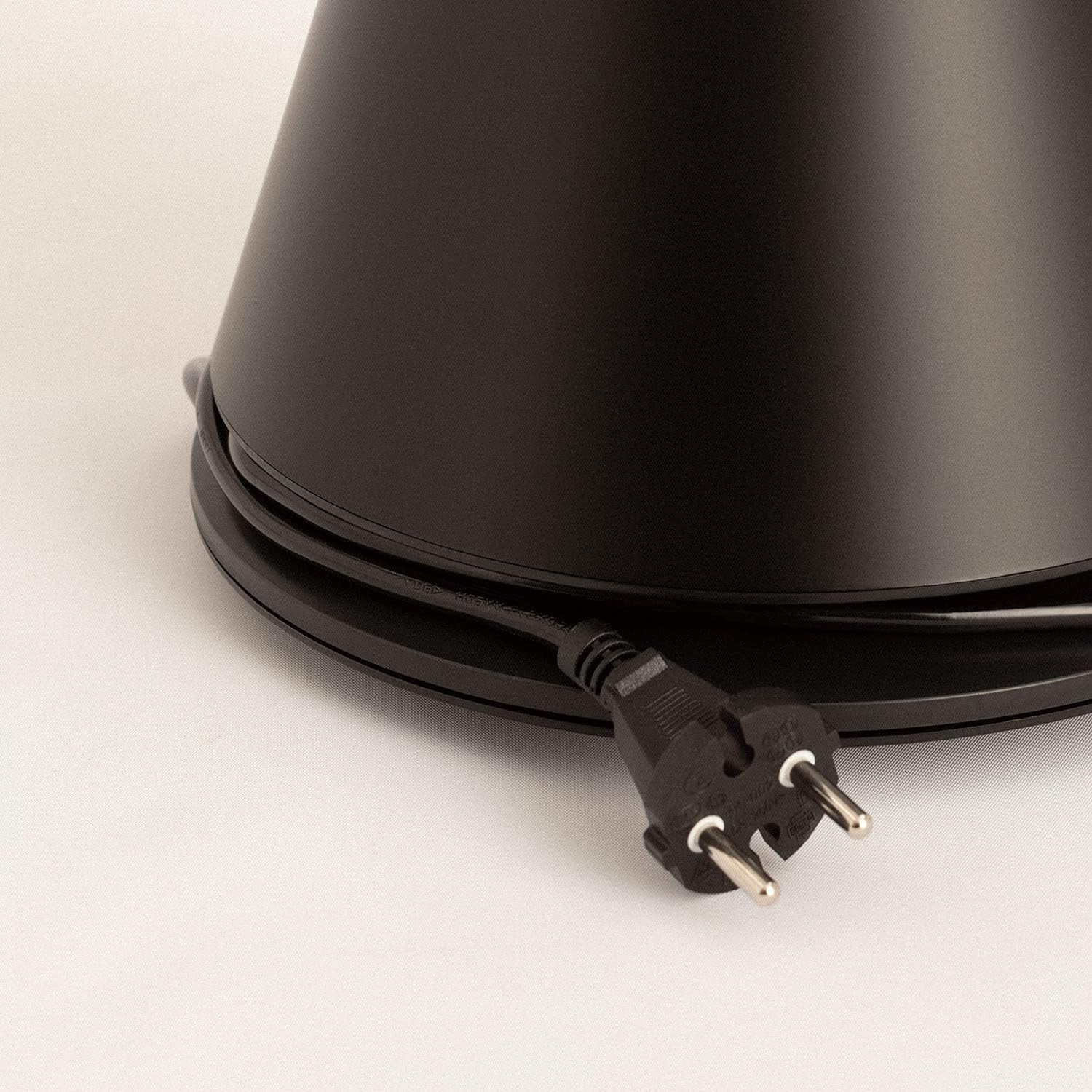
Image: Power cord connected to the fan base.
This image shows the integrated power cord and plug, ready for connection to a wall outlet. The cord is neatly wrapped around the base for storage.
5. Иштөө нускамалары
Control Panel (Digital Display Touch-System)
The fan features a digital display touch-system on its top, which also serves as the integrated remote control storage. Touch the icons to control the fan.
Алыстан башкаруу
The magnetic remote control can be stored conveniently on top of the fan. It provides full functionality for operating the fan from a distance.

Image: Remote control for the tower fan.
This image displays the compact remote control with clearly labeled buttons for power, speed adjustment, mode selection, and oscillation control.
Функциялары:
- Күйгүзүү/өчүрүү: Кубат баскычын басыңыз (⏻) желдеткичти күйгүзүү же өчүрүү үчүн.
- Ылдамдыкты жөндөө: The fan has 9 speed levels. Use the '+' and '-' buttons to increase or decrease the fan speed.
- Шамал режимдери: Select between 2 wind modes (e.g., Normal, Sleep, Natural - specific modes may vary). Press the mode button to cycle through available modes.
- Термелүү: Термелүү баскычын басыңыз (↻) to activate or deactivate the 90-degree oscillation feature, which distributes air evenly across the room.
- Таймер: Set the fan to automatically turn off after a specified period. Refer to the display for timer settings (e.g., 1-12 hours).

Image: Tower fan placed in a bedroom.
This image shows the sleek black tower fan positioned in a modern bedroom, demonstrating its compact footprint and aesthetic integration into a living space.
6. Техникалык тейлөө
Үзгүлтүксүз тазалоо желдеткичтин иштешин сактап, анын иштөө мөөнөтүн узартууга жардам берет.
- Тышкы тазалоо: Желдеткичтин сырткы беттерин жумшак, г менен сүртүңүзamp кездеме. Абразивдүү тазалагычтарды же эриткичтерди колдонбоңуз.
- Чаңды тазалоо: Use a vacuum cleaner with a brush attachment or compressed air to remove dust from the air intake and outlet grilles.
- Сактагыч: Эгерде желдеткичти узак убакытка сактап койсоңуз, аны розеткадан сууруп, жакшылап тазалап, салкын, кургак жерде, мүмкүн болсо, баштапкы таңгагында сактаңыз.
- Желдеткичти сууга же башка суюктукка батырбаңыз.
7. Кыйынчылыктарды
| Көйгөй | Мүмкүн себеп | Чечим |
|---|---|---|
| Желдеткич күйбөйт. | Розеткага сайылган эмес; Розетка иштебейт; Кубат баскычы басылган эмес. | Вентилятор иштеп жаткан розеткага бекем сайылганын текшериңиз. Кубат баскычын басыңыз. |
| Алсыз аба агымы. | Low speed setting; Air inlets/outlets blocked by dust. | Increase the fan speed. Clean the air inlets and outlets. |
| Желдетүүчү ызы-чуу. | Fan not on a level surface; Internal obstruction; High speed setting. | Place the fan on a flat, stable surface. Check for any obstructions. Reduce fan speed. |
| Пульт иштебей жатат. | Батареялар түгөнгөн же туура эмес салынган; Пульт менен желдеткичтин ортосундагы тоскоолдук. | Replace batteries, ensuring correct polarity. Remove any obstructions. Ensure remote is pointed at the fan. |
8. Техникалык шарттар
| Өзгөчөлүк | Деталь |
|---|---|
| Бренд | ТҮЗҮҮ |
| Модель номери | 901ac5f5-3fab-4ab6-92cb-7ef7d8ca7a54 |
| Продукциянын өлчөмдөрү | 102 x 23 x 102 см (болжол менен 23D x 23W x 102H см) |
| Салмагы | 2.6 килограмм |
| Түс | Кара |
| Power Source | Электр зымдары |
| Тtage | 230 вольт |
| Ватtage | 26 Ватт |
| Ызы-чуу деңгээли | 2 dB (Note: This value seems unusually low based on customer reviews, typical fan noise is higher. Please refer to actual product performance.) |
| Ылдамдыктын саны | 9 |
| Өзгөчөлүктөр | Oscillating, Lightweight, DC Motor, Timer, Remote Control |
9. Кепилдик жана колдоо
CREATE products are manufactured to the highest quality standards. For information regarding warranty coverage, please refer to the warranty card included with your purchase or visit the official CREATE webсайт.
For technical support, troubleshooting assistance, or spare parts, please contact CREATE customer service. Contact details can typically be found on the product packaging or the official brand webсайт.
Webсайт: CREATE Official Store


