1. Киришүү
Welcome to the AWOW Mini PC AK41 user manual. This guide provides essential information for setting up, operating, maintaining, and troubleshooting your new mini desktop computer. The AWOW Mini PC AK41 is a compact yet powerful device, featuring an Intel J4125 processor, 8GB LPDDR4 RAM, and a 128GB M.2 SSD, designed for business, home, and office use. It supports 4K triple display output, dual-band WiFi, and various connectivity options.
2. Кутуда эмне бар
Төмөндө тизмеленген нерселердин баары пакетиңизге камтылганын текшериңиз:
- AWOW Mini PC AK41
- Кубаттагыч
- HDMI кабели
- Колдонуучунун Колдонмосу (бул документ)
- SSD M.2_SATA_2280 (pre-installed)
- 2.5-inch SATA HDD (for expansion, not always included)
- 512GB Micro SD Card (for expansion, not always included)
3. Продукт бүтүп калдыview
The AWOW Mini PC AK41 is designed for efficiency and versatility. Below are key visual components and their descriptions.

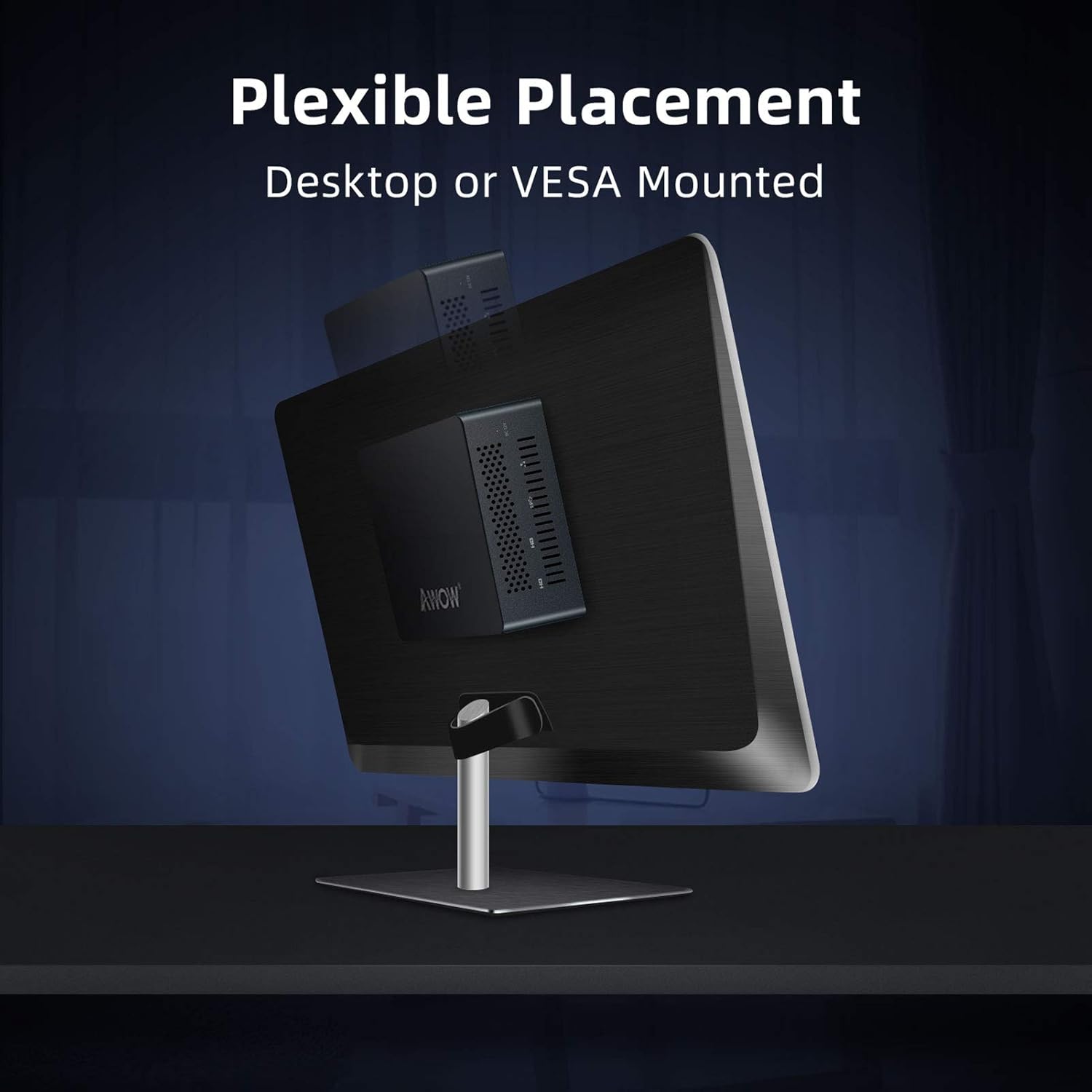

4. Орнотуу колдонмосу
Follow these steps to set up your AWOW Mini PC AK41:
- Кубатка туташуу: Plug the power charger into the DC-in port on the Mini PC, then connect it to a power outlet.
- Дисплейге туташуу: Use the provided HDMI cable to connect the Mini PC to your monitor or TV. The device supports up to three displays via dual HDMI 2.0 ports and one full-function Type-C port.
- Перифериялык түзүлүштөрдү туташтыруу: Баскычтопуңузду, чычканыңызды жана башка USB түзмөктөрүн жеткиликтүү USB 3.0 же USB 2.0 портторуна туташтырыңыз.
- Тармак туташуусу: For wired internet, connect an Ethernet cable to the Gigabit Ethernet port. For wireless internet, the device supports 2.4G/5.8G Dual Band WiFi 802.11a/b/g/n/ac.
- Күйгүзүү: Press the power button on the front of the Mini PC. The power indicator light will illuminate.
- Баштапкы орнотуу: Windows 11 Pro баштапкы орнотуусун бүтүрүү үчүн экрандагы нускамаларды аткарыңыз, анын ичинде тил, аймак жана колдонуучу каттоо эсебин түзүү.
5. Иштөө нускамалары
Once set up, your AWOW Mini PC AK41 is ready for use.
- Күйгүзүү/өчүрүү: Press the power button to turn the device on. To shut down, click the Start button in Windows, then select Power > Shut down.
- Кайра баштоо: Системаны кайра жүктөө үчүн, "Баштоо" баскычын чыкылдатып, андан кийин "Кубат" > "Кайра жүктөө" тандаңыз.
- Уйку режими: To put the device into sleep mode, click the Start button, then select Power > Sleep.
- Байланыш: Utilize the dual-band WiFi for wireless internet access or the Gigabit Ethernet port for a stable wired connection. Bluetooth 4.2 allows for wireless peripheral connections.
- Multi-Display: Connect up to three 4K@60Hz displays simultaneously using the two HDMI 2.0 ports and the full-function Type-C port for enhanced productivity.
- Сактагычты кеңейтүү: The Mini PC comes with a 128GB M.2 NVMe SSD. You can expand storage by adding a 2.5-inch SATA HDD/SSD or a Micro SD Card (not included).
6. Техникалык тейлөө
Үзгүлтүксүз техникалык тейлөө сиздин мини-компьютериңиздин узак мөөнөттүү иштешин жана оптималдуу иштешин камсыз кылууга жардам берет.
- Тазалоо: Regularly clean the exterior of the Mini PC with a soft, dry cloth. Use compressed air to clear dust from ventilation grilles to prevent overheating. Ensure the device is powered off and unplugged before cleaning.
- Программалык камсыздоо жаңыртуулары: Keep your Windows 11 Pro operating system and drivers updated. Go to Windows Settings > Update & Security > Windows Update to check for and install updates.
- Сактагычты башкаруу: Periodically check your storage usage. Delete unnecessary files, uninstall unused programs, or utilize external storage solutions to free up space on your SSD.
- Вентиляция: Ensure the Mini PC is placed in a well-ventilated area, away from direct sunlight or heat sources, to allow for proper airflow and prevent overheating.
7. Кыйынчылыктарды
This section addresses common issues you might encounter with your AWOW Mini PC AK41.
| Көйгөй | Мүмкүн себеп | Чечим |
|---|---|---|
| Монитордо дисплей жок | Loose cable connection, incorrect input source, monitor off. | Check HDMI/Type-C cable connections. Ensure monitor is on and set to the correct input source. Try a different cable or port. |
| Мини-компьютер күйбөйт | Кубат адаптери туташкан эмес, розеткада көйгөй бар. | Verify the power adapter is securely connected to the Mini PC and a working power outlet. Try a different outlet. |
| Жай аткаруу | Өтө көп тиркемелер иштеп жатат, сактагыч орду аз, драйверлер эскирип калган. | Керексиз тиркемелерди жабыңыз. Дисктеги орунду бошотуңуз. Windows жана драйверлерди жаңыртыңыз. |
| Wi-Fi туташуу маселелери | Router issue, incorrect Wi-Fi password, driver problem. | Restart your router. Re-enter Wi-Fi password. Update Wi-Fi drivers. |
| Cannot wake from sleep mode | System configuration, power settings. | Press the power button briefly. If unresponsive, unplug the power cable, wait a few seconds, then plug it back in and power on. Adjust power settings in Windows to prevent deep sleep issues. |
| Second monitor not detected | Cable issue, display settings, driver issue. | Check the cable connection. Go to Windows Display Settings and click 'Detect'. Update graphics drivers. Try a different port or cable. |
8. Техникалык шарттар
Detailed technical specifications for the AWOW Mini PC AK41:
| Өзгөчөлүк | Деталь |
|---|---|
| Процессор | Intel Celeron J4125 (Quad Core, 2.0 GHz base, up to 2.7 GHz burst) |
| RAM | 8 ГБ LPDDR4 |
| Сактагыч | 128 GB M.2 SSD (NVMe PCIe Gen2) |
| Графика | Intel UHD Graphics 600 |
| Операция системасы | Windows 11 Pro |
| Video Output | 2x HDMI 2.0, 1x Full Function Type-C (supports 4K@60Hz triple display) |
| USB порттору | 2x USB 3.0, 2x USB 2.0 |
| Network | Gigabit Ethernet, 2.4G/5.8G Dual Band WiFi 802.11a/b/g/n/ac |
| Bluetooth | BT 4.2 |
| Аудио | 1x 3.5mm earphone jack |
| Өлчөмдөрү (LxWxH) | 4.92 x 4.41 x 1.69 дюйм |
| Салмагы | 1.55 фунт |
9. Кепилдик жана колдоо
For warranty information, technical support, or service inquiries, please refer to the warranty card included with your product or visit the official AWOW webсайты. Кардарларды колдоо боюнча байланыш маалыматы, адатта, өндүрүүчүнүн сайтында жеткиликтүү. webсайтында же продуктунун таңгагында.


