1. Киришүү
The i-Star Portable DAB/DAB+/FM Radio offers a versatile listening experience with clear digital and analog radio reception. Designed for portability, it features a built-in rechargeable battery and a compact design, making it suitable for use at home or on the go. This manual provides essential information for setting up, operating, and maintaining your radio.

1-сүрөт: Фронт view of the i-Star Portable DAB/DAB+/FM Radio, highlighting its compact design and user interface.
2. Орнотуу
2.1 Таңгактан чыгаруу жана баштапкы төлөм
- Радиону жана бардык аксессуарларды таңгактан этияттык менен алып салыңыз.
- Connect the supplied USB charging cable to the radio's Micro USB port and to a compatible USB power adapter (not included) or a computer's USB port.
- Allow the radio to charge fully before first use. The charging indicator will typically change or turn off when charging is complete. A full charge provides up to 4 hours of playback.
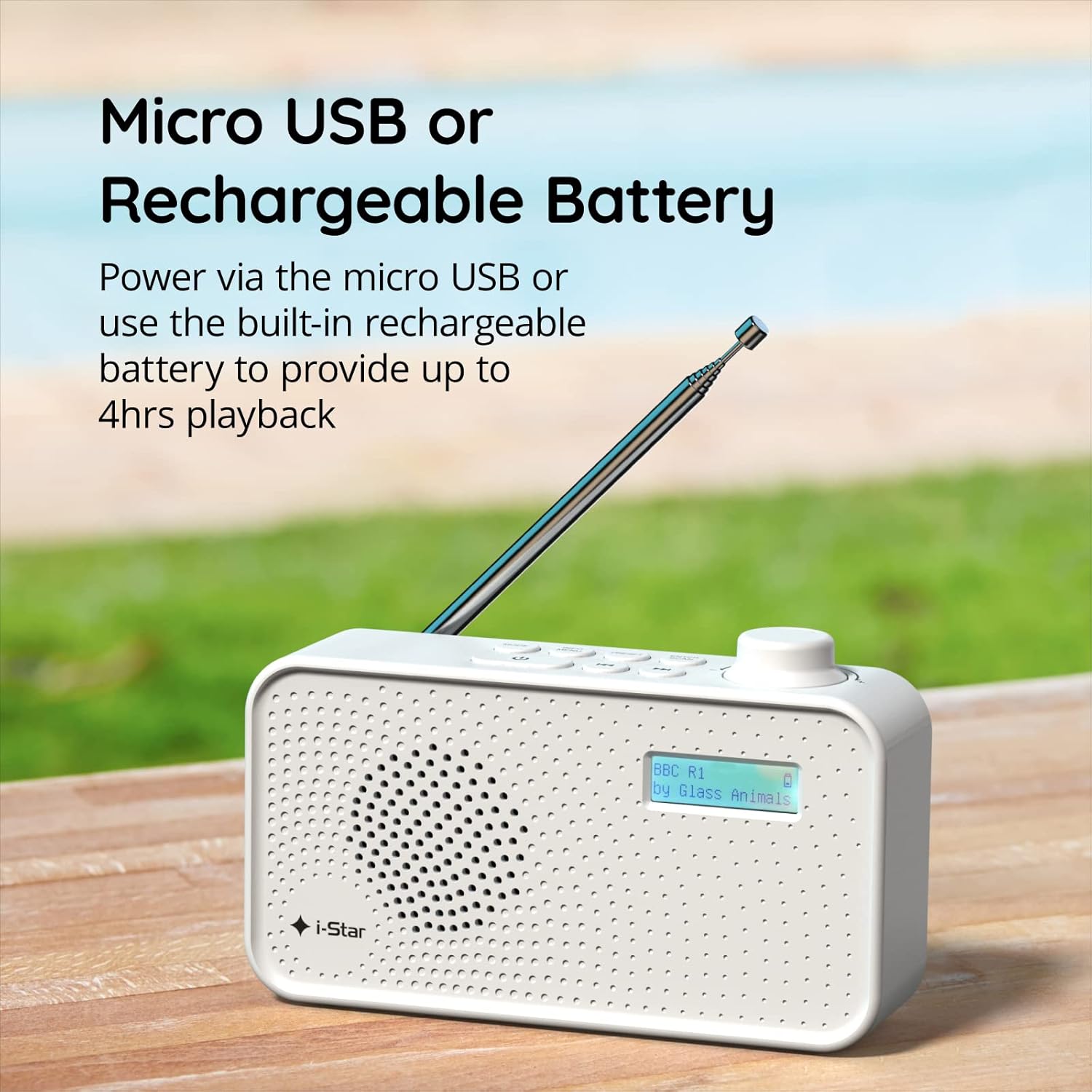
2-сүрөт: The radio powered via Micro USB or its built-in rechargeable battery.
2.2 First Power On and Automatic Scan
- Оптималдуу кабыл алуу үчүн телескопиялык антеннаны толугу менен узартыңыз.
- басып, кармап туруңуз ЖАНЫМДА БОЛ радиону күйгүзүү үчүн баскыч.
- Upon first power-on, the radio will automatically perform a scan for available DAB/DAB+ stations. This process may take a few minutes.
- Скандоо аяктагандан кийин, радио биринчи жеткиликтүү станцияга туураланат.
3. Иштөө нускамалары
3.1 Switching Between DAB/DAB+ and FM Modes
- басыңыз РЕЖИМ button repeatedly to switch between DAB/DAB+ and FM radio modes. The current mode will be displayed on the LCD screen.

3-сүрөт: The radio supports DAB, DAB+, and FM for a wide range of listening options.
3.2 Тюнинг станциялары
- DAB/DAB+ Mode: колдонуу АЛДЫН АЛА or КОНУН buttons (left/right arrows) to navigate through the list of available stations. Press ENTER/SCAN бекет тандоо.
- FM режими: басыңыз ENTER/SCAN button to automatically scan for the next available FM station. Alternatively, use the КОНУН buttons for manual fine-tuning.
3.3 Алдын ала орнотууларды сактоо жана кайра чакырып алуу
- Каалаган станцияңызга которуңуз.
- басып, кармап туруңуз АЛДЫН АЛА button until 'Preset Store' appears on the display.
- колдонуу КОНУН алдын ала коюлган санды (1-60) тандоо үчүн баскычтар.
- Басыңыз ENTER/SCAN станцияны ырастоо жана сактоо үчүн.
- To recall a saved station, briefly press the АЛДЫН АЛА баскычын басып, андан кийин КОНУН баскычтарын басып, керектүү алдын ала коюлган номерди тандап, басыңыз ENTER/SCAN.
3.4 Үндү башкаруу
- айлантыңыз VOLUME knob (located on the right side) clockwise to increase volume and counter-clockwise to decrease volume.
3.5 Уйку таймеринин функциясы
- Уйку таймерин иштетүү үчүн, баскычын басыңыз INFO / MENU button repeatedly until 'Sleep' appears.
- колдонуу КОНУН баскычтарын басып, каалаган уйку узактыгын тандаңыз (мисалы, 15, 30, 45, 60, 90 мүнөт).
- Басыңыз ENTER/SCAN ырастоо үчүн басыңыз. Радио белгиленген убакыттан кийин автоматтык түрдө өчөт.

4-сүрөт: The sleep timer feature allows the radio to automatically switch off after a set period.
3.6 Headphone Listening
- Connect standard 3.5mm headphones (not included) to the headphone jack located on the side of the radio for private listening. The internal speaker will be muted automatically.

5-сүрөт: Connect headphones for personal listening without disturbing others.
4. Техникалык тейлөө
4.1 Жалпы кам көрүү
- Keep the radio away from direct sunlight, heat sources, and moisture.
- Радиону жерге түшүрүүдөн же катуу таасирлерден сактаныңыз.
- Do not attempt to disassemble the radio; this will void the warranty.
4.2 Тазалоо
- Радионун сыртын жумшак, кургак чүпүрөк менен сүртүңүз.
- Абразивдүү тазалагычтарды, момдорду же эриткичтерди колдонбоңуз, анткени алар финишке зыян келтириши мүмкүн.
5. Кыйынчылыктарды
- Кубат жок: Ensure the radio is charged or connected to a power source via the USB cable. Check if the STANDBY button has been pressed.
- Үн жок: Check the volume level. Ensure headphones are not connected if you intend to use the speaker.
- Poor Reception (DAB/DAB+ or FM): Fully extend the telescopic antenna. Try repositioning the radio. Perform a full scan for DAB/DAB+ stations. In FM mode, try manual tuning.
- Radio Freezes/Unresponsive: Turn the radio off and on again. If the issue persists, allow the battery to fully discharge and then recharge it.
6. Техникалык шарттар
| Өзгөчөлүк | Спецификация |
|---|---|
| Бренд | Мен ЖЫЛДЫЗ |
| Модель номери | 90059PI |
| Түс | Ак |
| Радио топтору колдоого алынат | DAB, DAB+, FM |
| Тюнинг технологиясы | Digital (DAB/DAB+), Analog (FM) |
| Байланыш | USB (кубаттоо үчүн), 3.5 мм кулакчын уячасы |
| Power Source | Rechargeable Lithium-ion Battery (1200 mAh), USB Power |
| Батареянын иштөө мөөнөтү | 4 саатка чейин (бир кубаттоодо) |
| Өзгөчөлүктөр | Portable, Sleep Timer, 60 Station Presets |
| Камтылган компоненттер | USB заряддоо кабели, Колдонуучунун колдонмосу |
| Элемент Салмагы | 440 грамм |
7. Кепилдик жана колдоо
This product is covered by a standard manufacturer's warranty. Please refer to the warranty card included in your packaging for specific terms and conditions. For technical support, troubleshooting assistance, or warranty claims, please contact your retailer or the i-Star customer service department. Contact details can typically be found on the product packaging or the official i-Star webсайт.


