Introduction
Сатып алганыңыз үчүн рахматasing the Walfront Digital Meat Thermometer TS-TP40. This advanced cooking thermometer is designed to help you achieve perfect cooking results every time, whether you're grilling, baking, or roasting. Featuring a large LCD display, four color-coded probes, and a wireless range of up to 100m, it provides precise temperature monitoring for multiple food items simultaneously. This manual provides detailed instructions for setup, operation, maintenance, and troubleshooting to ensure optimal performance and longevity of your device.
Пакеттин мазмуну
Бардык компоненттердин бар экенин текшерүү үчүн кутудан чыгарганда таңгактын мазмунун текшериңиз:
- 1 x Main Machine (Receiver)
- 1 x Auxiliary Machine (Transmitter)
- 4 x Temperature Probes (color-coded)
- 2 x Probe Clips
- 1 x User Manual

Image: All components of the Walfront Digital Meat Thermometer TS-TP40, including the main receiver unit, the auxiliary transmitter unit, four distinct color-coded temperature probes, and two metal probe clips.
Техникалык шарттар
| Бренд | Walfront |
| Модель аты | TS-TP40 |
| Элемент моделинин номери | TS-TP40-B |
| Температураны аныктоо диапазону | -20℃ден 300℃ге чейин (-4℉ден 572℉ге чейин) |
| Зымсыз аралык | 100 м / 328.1 фут чейин |
| Дисплей түрү | LCD |
| Power Supply (Main Machine) | 2 x AAA батарейкасы (кошулбаган) |
| Power Supply (Auxiliary Machine) | 2 x AAA батарейкасы (кошулбаган) |
| Main Machine Size | Болжол менен 124 x 71 x 25 мм / 4.9 x 2.8 x 1 дюйм |
| Auxiliary Machine Size | Болжол менен 90 x 72 x 25 мм / 3.5 x 2.8 x 1 дюйм |
| Зонд узундугу | Approx. 62mm / 2.4in |
| Total Line Length (with Probe) | Approx. 1170mm / 46.1in |
| Салмагы | Болжол менен 382г / 13.5 унция |
| Материал | ABS + Дат баспас болот |

Image: Detailed dimensions of both the main receiver unit and the auxiliary transmitter unit of the thermometer, showing height, width, and thickness.
Жайгашуу
1. Батареяны орнотуу
Both the Main Machine (receiver) and Auxiliary Machine (transmitter) require 2 x AAA batteries each. Batteries are not included.
- Locate the battery compartment on the back of both units.
- Батареянын капкагын ачыңыз.
- Insert 2 x AAA batteries into each unit, ensuring correct polarity (+/-).
- Батареянын капкагын бекем жабыңыз.

Сүрөт: арткы view of both the main and auxiliary thermometer units, highlighting the battery compartments and integrated kickstands for tabletop use.
2. Зонд байланышы
Connect the temperature probes to the Auxiliary Machine (transmitter).
- The Auxiliary Machine has four ports for the probes.
- Insert each probe's jack firmly into an available port. The probes are color-coded for easy identification.
3. Баштапкы күйгүзүү
басыңыз LIGHT/O button on the Auxiliary Machine to power it on. The Main Machine will automatically connect to the Auxiliary Machine.
Иштөө нускамалары
1. Temperature Unit Switching (℃/℉)
To switch between Celsius (℃) and Fahrenheit (℉) temperature units:
- On the Main Machine, press the ℃/℉ баскычы.
- The display will toggle between the two units.

Image: The main display unit showing the temperature readings, demonstrating the ability to switch between Celsius and Fahrenheit units.
2. Setting Target Temperature and Food Type
The thermometer allows you to set specific target temperatures and select pre-programmed food types for each probe.
- басыңыз ЭТ button to cycle through different meat types (e.g., Beef, Poultry, Fish).
- басыңыз TASTE/O button to select the desired doneness level (e.g., Well, Medium, Rare).
- Alternatively, you can manually set a target temperature using the РЕЖИМ button to select a probe, then use the SEC/▼ жана MIN/▲ buttons to adjust the target temperature.
3. Using the Timer/Countdown Function
The device includes a timer function for convenience.
- басыңыз РЕЖИМ button until the timer icon appears on the display.
- колдонуу SEC/▼ жана MIN/▲ каалаган артка эсептөө убактысын коюу үчүн баскычтар.
- Басыңыз START/STOP to begin or pause the countdown.
- Басыңыз CLEAR таймерди баштапкы абалга келтирүү үчүн.

Image: The main display unit illustrating the timing and countdown features, showing how to set and monitor cooking durations.
4. Арткы жарыктын иштеши
The LCD display features a backlight for improved visibility in low-light conditions.
- басыңыз LIGHT/O button on the Main Machine to activate the blue backlight.
- The backlight will turn orange when the target temperature is reached or an alarm condition is met.

Image: The main display unit demonstrating the two backlight colors: a normal blue backlight for general viewing and an orange backlight that illuminates when an alarm condition (e.g., target temperature reached) is triggered.
5. Жайгаштыруу параметрлери
Both units are designed for versatile placement.
- Магниттик арткы: The units have magnets on the back, allowing them to be attached to metallic surfaces like refrigerators or oven doors.
- Интегралдык стенд: A foldable bracket on the back allows the units to stand upright on a countertop or table.
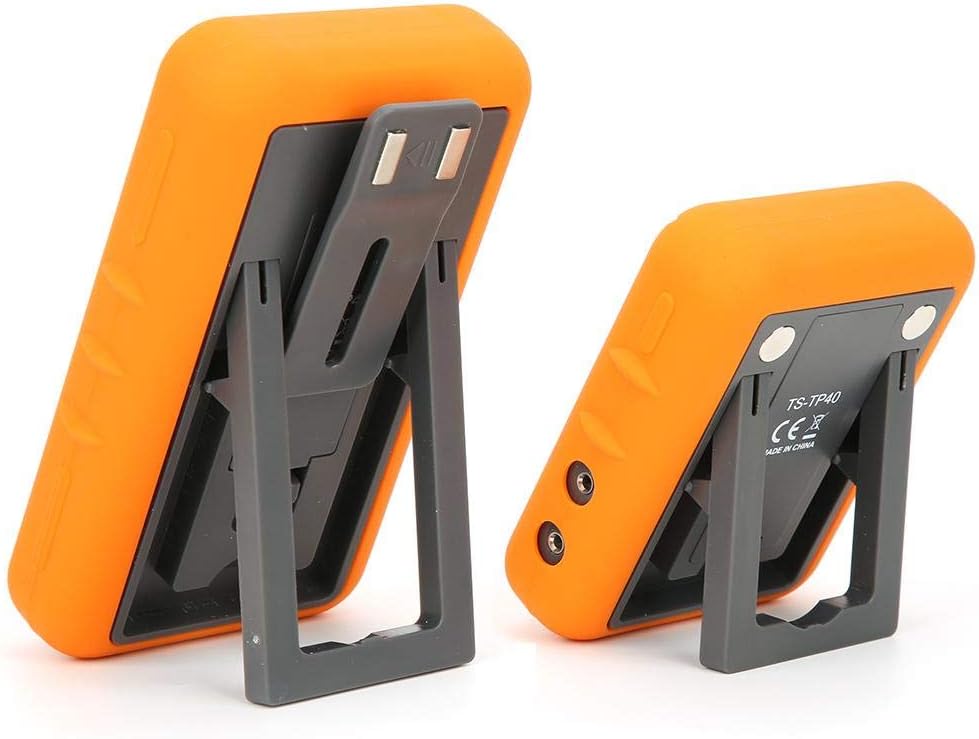
Image: The main and auxiliary thermometer units shown with their integrated kickstands extended, demonstrating their ability to stand independently on a flat surface.
Техникалык тейлөө
Тазалоо
- Wipe the thermometer units with a damp cloth. Do not immerse the units in water.
- The probes can be cleaned with warm soapy water. Ensure the probe connectors are dry before re-inserting them into the unit.
- Do not use abrasive cleaners or scouring pads, as this may damage the surface.
Сактагыч
- Store the thermometer and probes in a clean, dry place when not in use.
- Агып кетпеш үчүн аппарат узак убакыт бою колдонулбаса, батареяларды алып салыңыз.
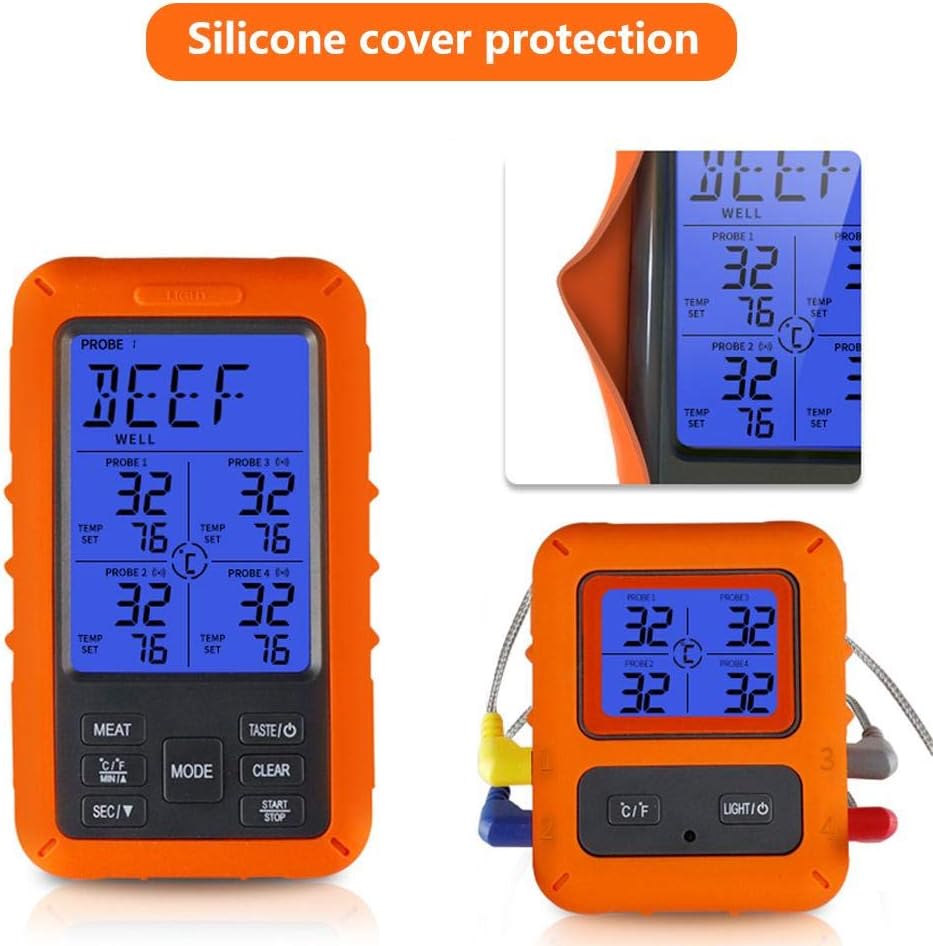
Image: The main display unit encased in its protective silicone cover, highlighting the durable design that aids in maintenance and longevity.
Проблемаларды чечүү
| Көйгөй | Мүмкүн себеп | Чечим |
|---|---|---|
| No display/Unit won't turn on. | Батареялар өлүп калган же туура эмес салынган. | Туура полярдуулукту камсыз кылуу менен батарейкаларды жаңысына алмаштырыңыз. |
| Температураны туура эмес көрсөткүчтөр. | Probe not fully inserted; probe damaged; probe tip not in the center of the thickest part of the meat. | Ensure probe is fully inserted. Check probe for visible damage. Re-insert probe into the correct part of the food. |
| No connection between Main and Auxiliary Unit. | Units are out of range; interference; low batteries. | Move units closer together. Avoid placing near strong electromagnetic sources. Replace batteries in both units. |
| Сигнал угулбай жатат. | Volume too low or muted; target temperature not set. | Check device settings for alarm volume. Ensure a target temperature is set for the active probe. |
Кепилдик жана колдоо
Walfront products are manufactured to high-quality standards. For warranty information or technical support, please refer to the contact details provided with your purchase or visit the official Walfront webсайт. Кепилдик дооматтары үчүн сатып алганыңыздын далилин сактап коюңуз.
For further assistance, you may contact Walfront customer service through their official channels.


