Mercusys AC650 High Gain Wireless Dual Band USB Adapter
Модели: MU6H
Introduction
This user manual provides comprehensive instructions for the installation, operation, and maintenance of your Mercusys AC650 High Gain Wireless Dual Band USB Adapter. Please read this manual thoroughly before using the device to ensure proper functionality and safety.
The Mercusys AC650 is designed to provide high-speed Wi-Fi connectivity for your desktop or laptop computer, supporting both 2.4 GHz and 5 GHz bands for flexible and reliable wireless performance.
Коопсуздук маалыматы
- Аппаратты сууга же ашыкча нымдуулукка дуушар кылбаңыз.
- Аппаратты өз алдынча бөлүүгө же оңдоого аракет кылбаңыз. Бардык тейлөөлөрдү квалификациялуу кызматкерлерге тапшырыңыз.
- Аппаратты жылуулук булактарынан жана түз күн нурунан алыс кармаңыз.
- Шайкеш келген USB порттору менен гана колдонуңуз.
- Аппаратты жоопкерчиликтүү түрдө жергиликтүү эрежелерге ылайык таштаңыз.
Пакеттин мазмуну
Пакетиңизде бардык буюмдар бар экенин текшериңиз:
- Mercusys AC650 High Gain Wireless Dual Band USB Adapter (MU6H)
- Quick Installation Guide (typically included in packaging)

Image: The retail packaging for the Mercusys AC650 USB Adapter, showing the adapter and its key features.
Жайгашуу
Системалык талаптар
- An available USB port (USB 2.0 or higher recommended).
- Operating System: Windows 11/10/8.1/8/7/XP.

Image: Visual representation of the Mercusys AC650 USB Adapter's compatibility with various Windows operating systems, including Windows 10, 8.1, 8, 7, and XP.
Орнотуу кадамдары
- Адаптерди салыңыз: Carefully insert the Mercusys AC650 USB Adapter into an available USB port on your computer.
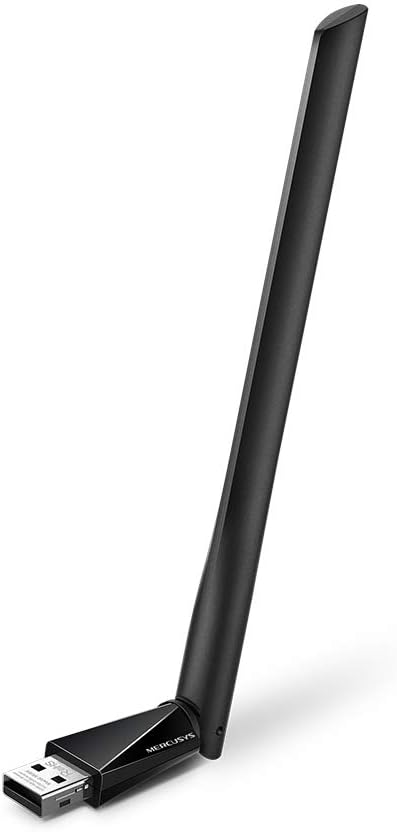
Image: The Mercusys AC650 USB Adapter shown from an angled perspective, highlighting its USB connector and the main body with the antenna.
- Драйверди орнотуу: The adapter features an in-built virtual CD with a driver installer.
- On most Windows systems, a new drive will appear in "This PC" or "My Computer". Open this drive.
- Locate and run the setup file (e.g., "Setup.exe" or "Autorun.exe").
- Драйверди орнотууну аяктоо үчүн экрандагы нускамаларды аткарыңыз.
- If the virtual CD does not auto-run, you may need to manually browse to the virtual drive and launch the installer.
Эскертүү: An internet connection is typically not required for the initial driver installation as the driver is embedded.
- Adjust Antenna: Once installed, you can adjust the high-gain antenna for optimal signal reception. The antenna is designed to be flexible.

Image: The Mercusys AC650 USB Adapter shown with its antenna folded down, illustrating its compact form factor when not in use or for storage.
Адаптерди иштетүү
After successful driver installation, your computer should recognize the Mercusys AC650 as a wireless network adapter.
Wi-Fi тармагына туташууда
- Click on the Wi-Fi icon in your system tray (usually in the bottom-right corner of your screen).
- Жеткиликтүү зымсыз тармактардын тизмеси пайда болот.
- Каалаган тармакты (SSID) тандап, "Туташуу" баскычын чыкылдатыңыз.
- Эгер суралса, тармактын коопсуздук ачкычын (сырсөз) киргизип, "Кийинки" же "OK" баскычын басыңыз.
- Эми сиздин компьютериңиз Wi-Fi тармагына туташып турушу керек.
Dual Band Functionality (2.4 GHz and 5 GHz)
The AC650 adapter supports both 2.4 GHz and 5 GHz Wi-Fi bands. The 2.4 GHz band offers wider coverage, while the 5 GHz band provides faster speeds and less interference, ideal for streaming and gaming.
- Your adapter will automatically detect and connect to networks on either band.
- If your router broadcasts separate SSIDs for 2.4 GHz and 5 GHz (e.g., "MyWiFi_2.4G" and "MyWiFi_5G"), you can manually choose which band to connect to.
- For optimal performance, connect to the 5 GHz network if available and within range.
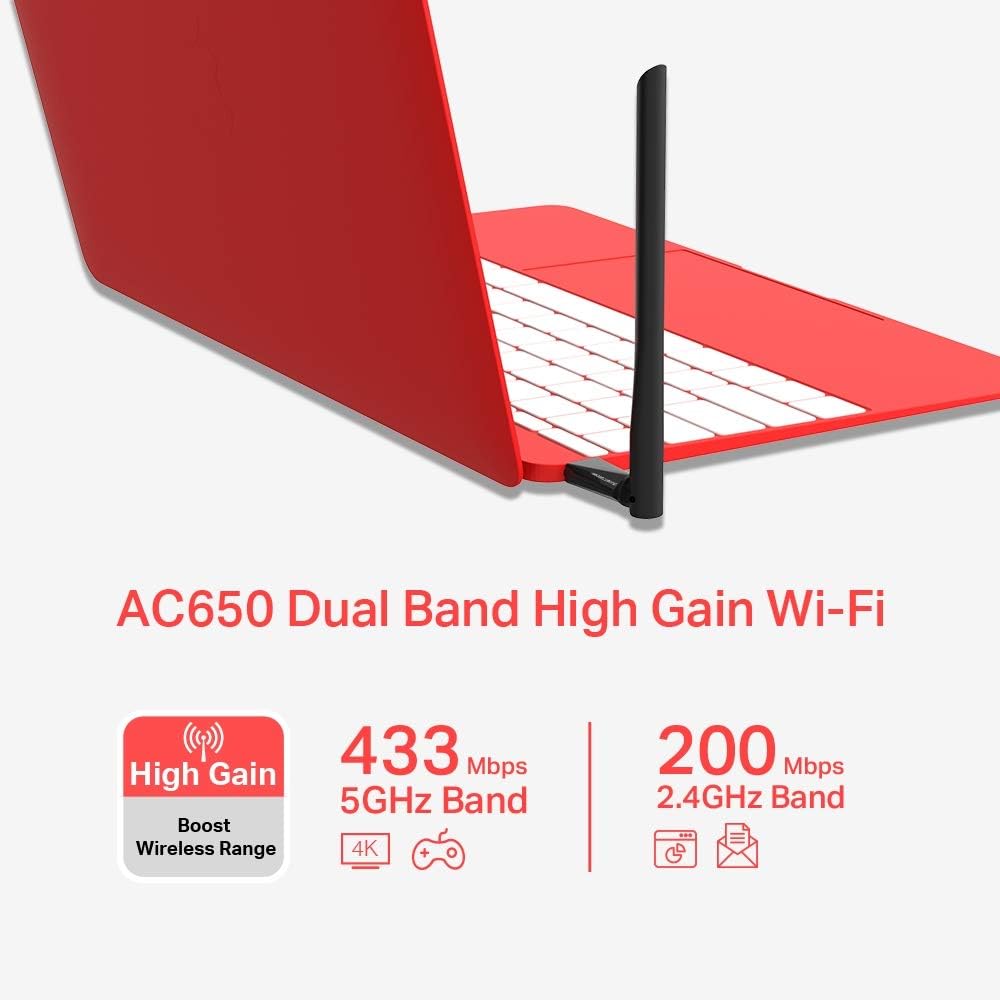
Image: An infographic detailing the Mercusys AC650's dual-band capabilities, showing 433 Mbps for 5GHz band and 200 Mbps for 2.4GHz band, along with its high-gain antenna feature.
Техникалык тейлөө
- Адаптерди таза жана чаңдан алыс кармаңыз. Тазалоо үчүн жумшак, кургак чүпүрөктү колдонуңуз.
- Avoid bending or twisting the antenna excessively.
- Адаптерди колдонбогондо салкын, кургак жерде сактаңыз.
- Ensure your operating system and adapter drivers are up to date for best performance and security.
Проблемаларды чечүү
| Көйгөй | Мүмкүн чечим |
|---|---|
| Компьютер адаптерди аныктай алган жок. |
|
| Wi-Fi тармагына туташпай жатат. |
|
| Slow Wi-Fi speed or frequent disconnections. |
|
Техникалык шарттар
| Өзгөчөлүк | Деталь |
|---|---|
| Модел | MU6H |
| Зымсыз түрү | 802.11ac |
| Маалыматтарды өткөрүү ылдамдыгы | 650 Мбит/сек чейин (5 ГГцде 433 Мбит/сек, 2.4 ГГцде 200 Мбит/сек) |
| Жыштык тилкелери | 2.4 ГГц жана 5 ГГц (кош диапазондуу) |
| Антенна түрү | High Gain, 5 dBi |
| Интерфейс | USB |
| Шайкеш түзмөктөр | Иш такта, ноутбук |
| Операциялык системалар | Windows 11/10/8.1/8/7/XP |
| Өлчөмдөрү (LxWxH) | 0.67 x 2.28 x 6.81 дюйм (болжол менен) |
| Салмагы | 0.705 унция (болжол менен) |
| Түс | Кара |
Кепилдик жана колдоо
The Mercusys AC650 High Gain Wireless Dual Band USB Adapter comes with a three-year warranty against factory defects. Please retain your proof of purchase for warranty claims.
For technical support, driver updates, or further assistance, please visit the official Mercusys website or contact their customer support. Refer to the product packaging or Mercusys' official webэң акыркы колдоо байланыш маалыматы үчүн сайт.
Официалдуу Webсайт: www.mercusys.com


