1. Киришүү
This manual provides detailed instructions for the proper use and maintenance of your SelfieShow L03 Cell Phone Selfie Stick Tripod. This versatile device functions as both an extendable selfie stick and a stable tripod, complete with a detachable wireless remote control. Please read this manual thoroughly before operating the product to ensure optimal performance and longevity.
2. Пакеттин мазмуну
Пакетиңизде бардык буюмдар бар экенин текшериңиз:
- SelfieShow L03 Selfie Stick Tripod
- Detachable Wireless Remote Control (with 1 C battery included)
- Колдонуучунун Колдонмосу (бул документ)
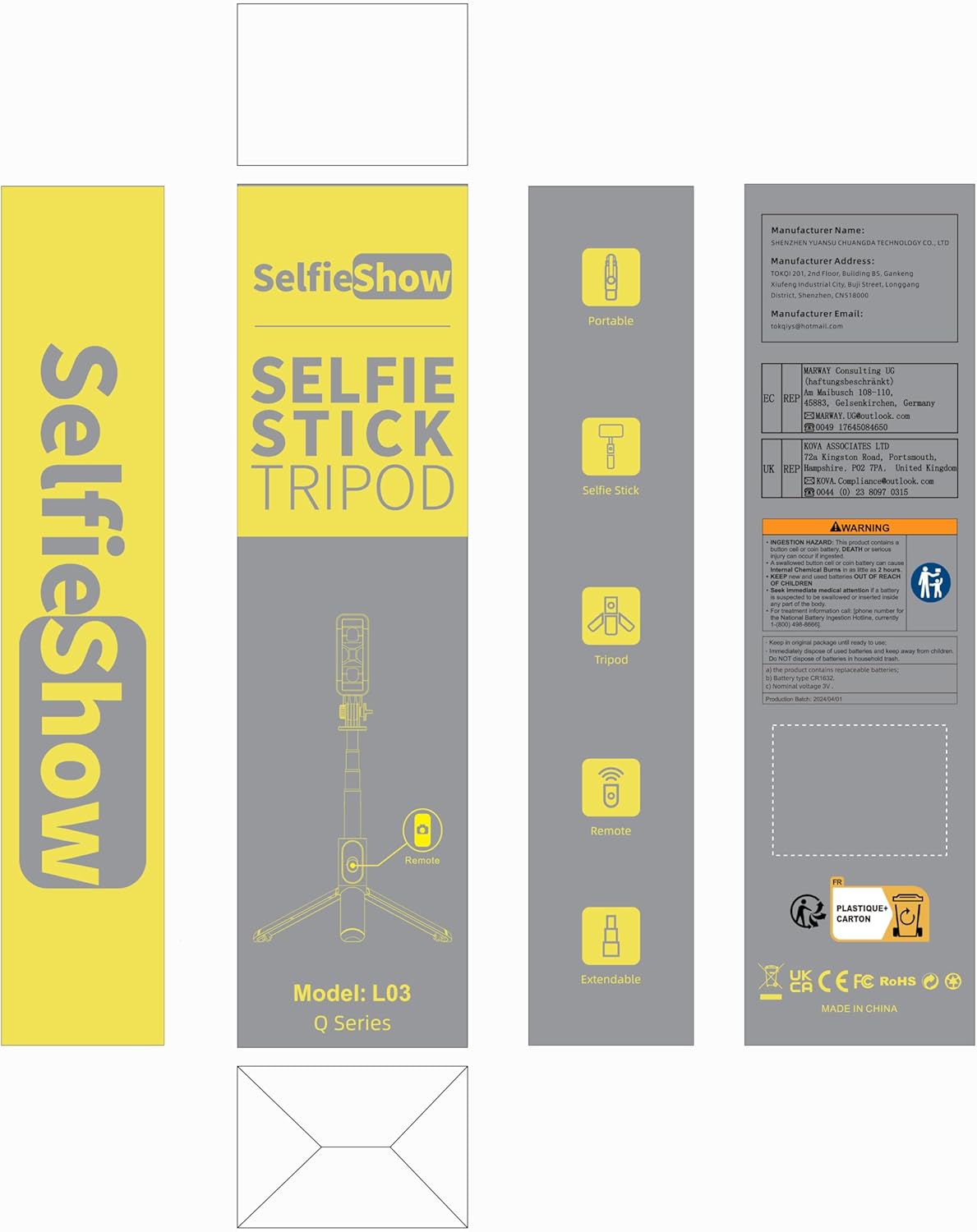
Image: Product packaging for the SelfieShow L03, showing the selfie stick, remote, and tripod components.
3. Продукт бүтүп калдыview
Familiarize yourself with the main components of your SelfieShow L03 device:

Image: Diagram illustrating the key components of the SelfieShow L03, including the detachable phone mount, aluminum alloy rod, stable tripod, detachable remote control, and anti-slip pads.
- Detachable Phone Mount: Securely holds your smartphone. Features anti-slip pads for grip.
- Aluminum Alloy Rod: Extendable and retractable for selfie stick functionality.
- штатив негизи: Foldable legs provide a stable stand for tabletop or ground use. Includes anti-slip pads.
- Detachable Wireless Remote Control: For remote photo and video capture. Stores conveniently in the handle.
- Айлануучу кулпу: Allows for 360° rotation and 270° adjustment of the phone mount.
4. Орнотуу нускамалары
4.1. Телефонуңузду туташтыруу
- Gently pull the top section of the phone mount upwards to expand it.
- Place your smartphone into the mount, ensuring it is securely held by the anti-slip pads. The mount supports phones with a width between 6.5cm and 9.5cm.
- The phone mount can also be detached and used as a separate phone stand. To detach, slide the phone mount upwards from the selfie stick.

Image: Step-by-step guide on detaching the phone mount and using it as a standalone phone stand.
4.2. Pairing the Wireless Remote Control
- Remove the wireless remote control from its slot in the selfie stick handle.
- Алыстан башкаруу пультундагы баскычты индикатор жарыгы күйүп-өчө баштаганга чейин басып туруңуз, бул анын жупташуу режиминде экенин билдирет.
- Смартфонуңуздан Bluetooth жөндөөлөрүнө өтүңүз.
- Издөө available devices and select "SelfieShow" (or similar name like "Liangdianpai") to connect. The indicator light on the remote will stop flashing once successfully paired.
- The remote is compatible with Android 4.4+ and iOS 5.1+ devices.

Image: Visual guide for pairing the wireless remote control with a smartphone via Bluetooth.
5. Иштөө нускамалары
5.1. Селфи таякчасы режими
- Ensure your phone is securely mounted.
- Extend the aluminum alloy rod to your desired length. The stick can extend up to 34.4 inches (87.5 cm).
- Use the paired wireless remote control to capture photos or start/stop video recording.
5.2. Штатив режими
- From the folded position, gently unfold the three legs at the bottom of the handle to form a stable tripod base.
- Place the tripod on a flat, stable surface. For maximum stability, keep the extension rod as short as possible.
- Adjust the height by extending the aluminum rod.
- Use the wireless remote for hands-free operation.
5.3. Adjusting Angle and Rotation
- The phone mount allows for 360° rotation. Loosen the rotary lock knob, adjust the phone to horizontal or vertical orientation, and then tighten the knob to secure.
- The phone mount also offers 270° adjustment for tilting the phone up or down. Loosen the rotary lock, set the desired angle, and tighten the knob.
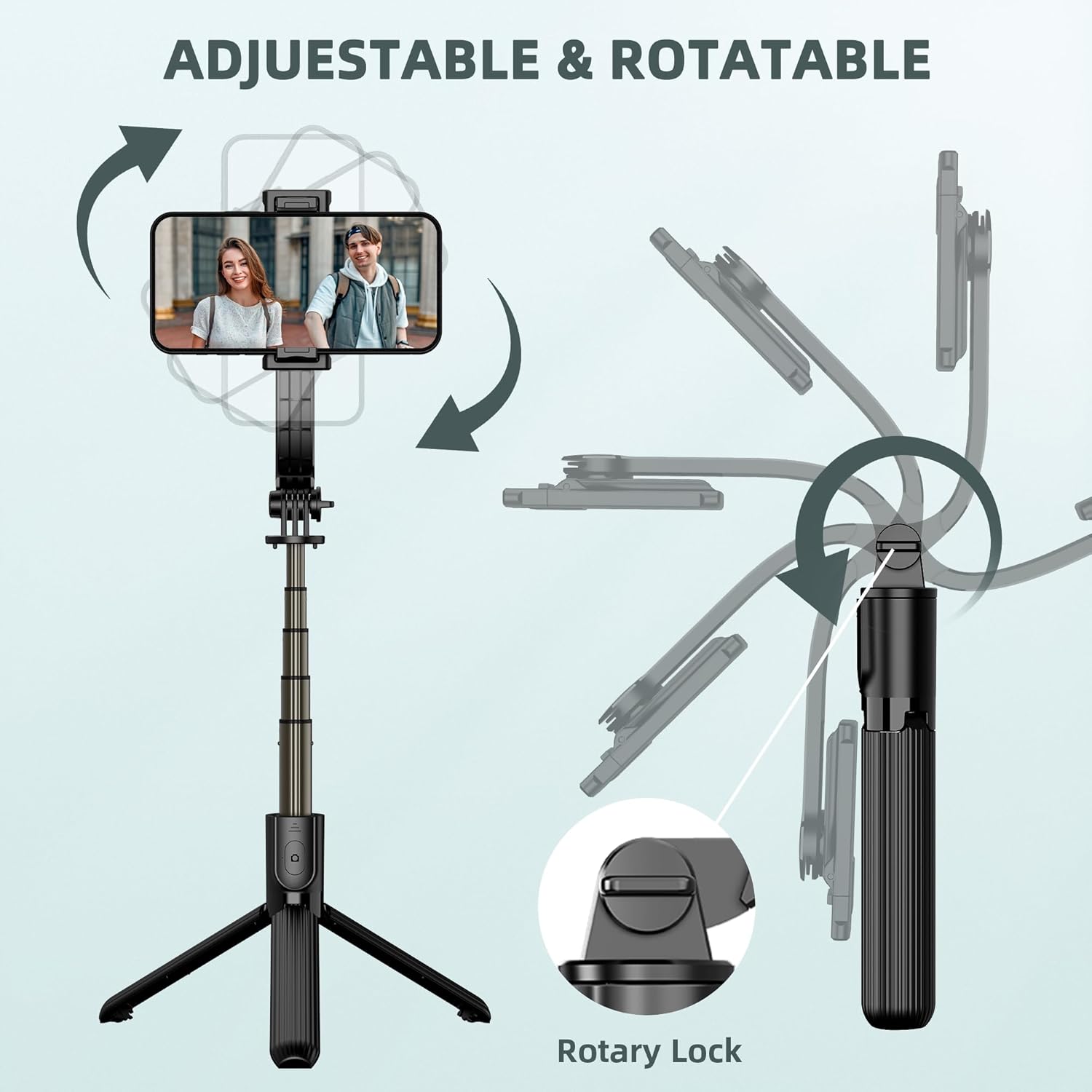
Image: Illustration demonstrating the 360° rotation and 270° tilt adjustment capabilities of the phone mount, secured by a rotary lock.
6. Техникалык тейлөө
- Тазалоо: Түзмөктү жумшак, кургак чүпүрөк менен сүртүңүз. Катуу химиялык заттарды же абразивдүү материалдарды колдонуудан алыс болуңуз.
- Сактагыч: When not in use, fold the selfie stick tripod to its compact size (7.4 inches / 19 cm) and store it in a cool, dry place away from direct sunlight.
- Батареяны алмаштыруу: The remote control uses a replaceable C battery. If the remote's performance degrades, replace the battery.
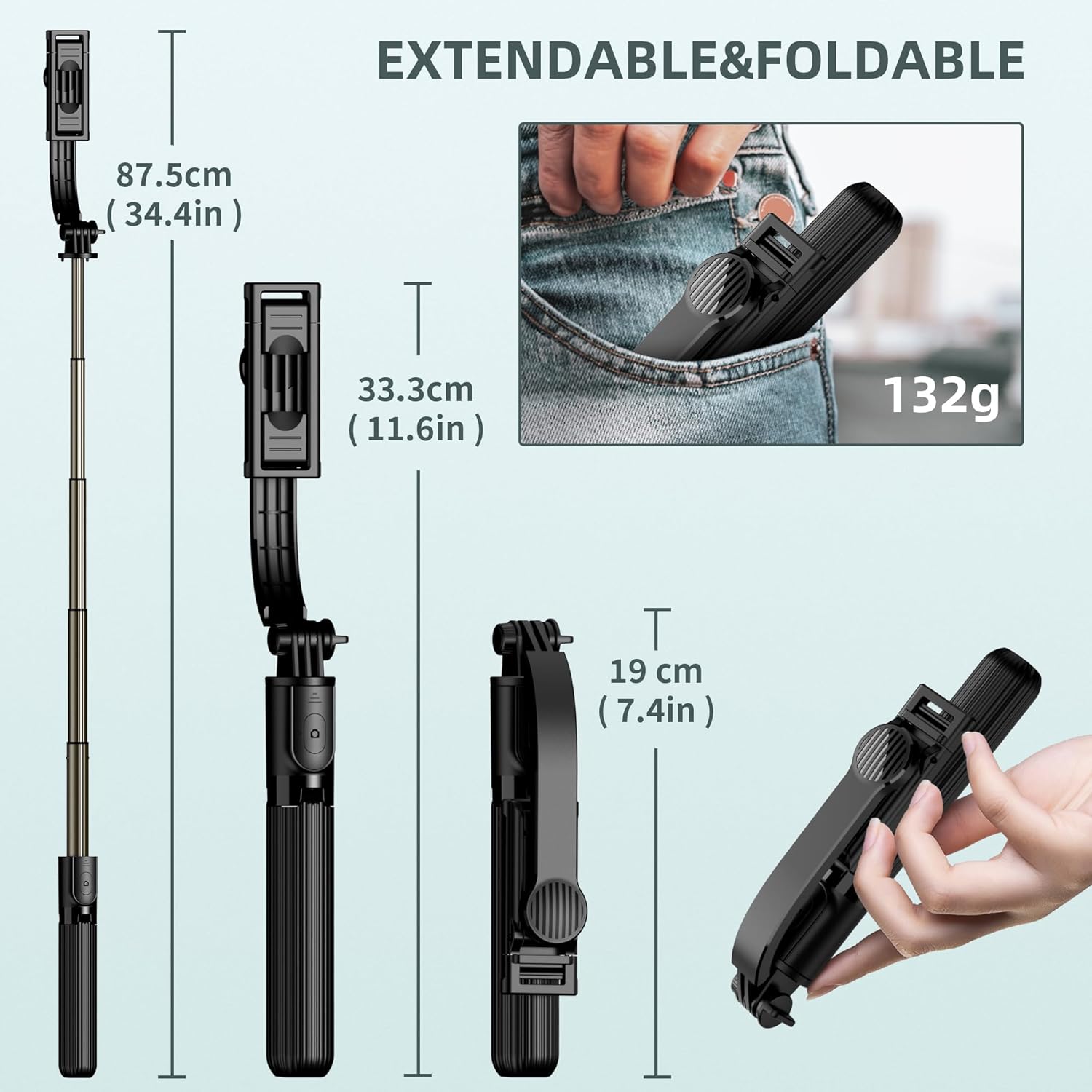
Image: Dimensions of the SelfieShow L03 when extended (34.4 inches) and folded (7.4 inches), highlighting its portability.
7. Кыйынчылыктарды
- Алыстан башкаруу жупташкан жок:
- Ensure the remote control battery is not depleted. Replace if necessary.
- Make sure Bluetooth is enabled on your smartphone.
- Try unpairing and re-pairing the remote control in your phone's Bluetooth settings. - Штативдин туруксуздугу:
- Ensure the tripod legs are fully extended and locked into position.
- Use the tripod on a flat, level surface.
- For increased stability, keep the extension rod at a shorter length. - Phone Not Fitting in Holder:
- Verify your phone's width is within the supported range of 6.5cm to 9.5cm (2.5 to 3.7 inches). - GoPro Compatibility:
- The selfie stick includes an adapter for GoPro cameras. Note that the wireless remote control is designed for smartphones and may not sync with GoPro devices for remote capture.

Image: Diagram showing the phone holder's width compatibility (6.5-9.5cm) and the inclusion of a GoPro adapter for mounting action cameras.
8. Техникалык шарттар
| Өзгөчөлүк | Спецификация |
|---|---|
| Модель номери | L03 |
| Продукциянын өлчөмдөрү | 1.85 x 1.3 x 7.48 дюйм (бүктөлгөн) |
| Элемент Салмагы | 5.6 унция (0.35 фунт) |
| Материал | Алюминий |
| Максималдуу бийиктик | 860 Миллиметр (34.4 дюйм) |
| Минималдуу бийиктик | 190 Миллиметр (7.4 дюйм) |
| Салмагы Limit | 158 грамм |
| Туура келген телефондун кеңдиги | 6.5 см - 9.5 см (2.5 - 3.7 дюйм) |
| Алыстан башкаруунун батареясы | 1 C батарейка (кошулган) |
| Алыстан башкаруу диапазону | 10 метрге чейин |
| Шайкеш түзмөктөр | Most smartphones (iPhone 15/14/13/12/11 series, Samsung Galaxy S/Note series, Google Pixel, OnePlus, etc.) and GoPro cameras. |
9. Кепилдик жана колдоо
The SelfieShow L03 Cell Phone Selfie Stick Tripod comes with a one-year warranty. If you encounter any issues or require assistance with your product, please refer to the contact information provided with your purchase or visit the official SelfieShow brand store for support.
Кошумча жардам алуу үчүн, сураныч, баш багыңыз SelfieShow Store on Amazon.


