Introduction
This manual provides detailed instructions for the HyperGear Sport True Wireless Earbuds, designed for an active lifestyle. Learn how to set up, operate, and maintain your earbuds for optimal performance and longevity.
Продукт бүттүview
The HyperGear Sport True Wireless Earbuds offer immersive HD stereo sound, quick-pair technology, and a noise-cancelling microphone for clear calls. Their ergonomic secure-fit ear hooks ensure stability during intense workouts, and the sweatproof design provides durability for active use.

Image: HyperGear Sport True Wireless Earbuds shown with their retail packaging, highlighting the secure-fit design.

Image: Close-up of a HyperGear earbud with callouts for HD Stereo Sound, Quick-Pair Technology, Crystal Clear Conversations, Control at Your Fingertips, and Superior Battery Life.
Кутуда эмне бар
Your HyperGear Sport True Wireless Earbuds package includes:
- HyperGear Sport True Wireless Earbuds
- Заряддоо кутусу
- Заряддоо кабели
- User Manual
- S | M | L Ear Gels
- Travel Pouch & Carabiner

Image: The earbuds connected to a charging cable, alongside a travel pouch, carabiner, and different sized ear gels, illustrating the included accessories.
Жайгашуу
Кулакчындарды заряддоо
Before first use, fully charge your earbuds. Connect the charging cable to the earbuds and a power source. A full charge takes approximately 2 hours. A quick 10-minute charge provides an extra hour of playtime.
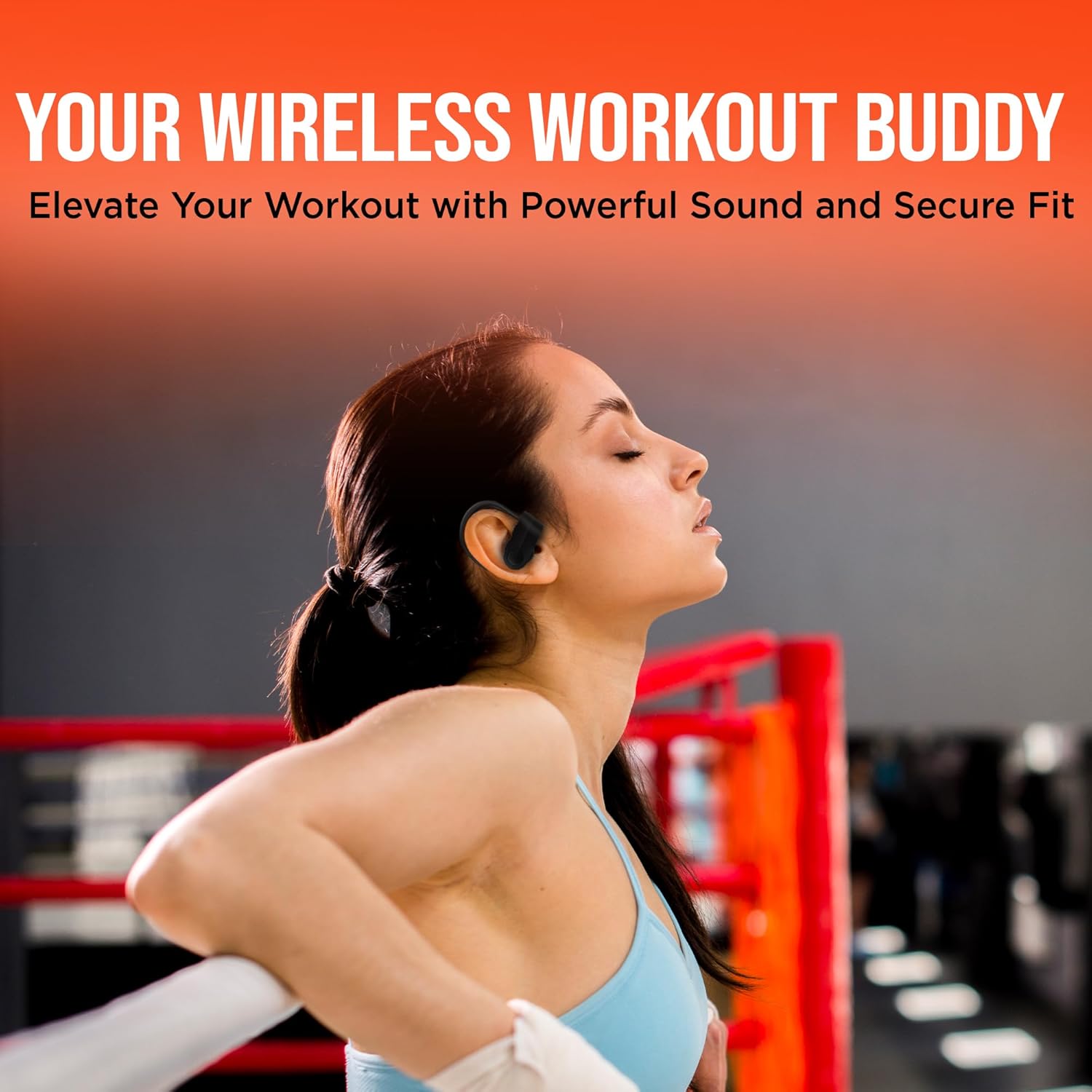
Image: The HyperGear Sport True Wireless Earbuds connected via their charging cable, indicating the charging process.
Аспабыңыз менен жупташуу
- Кулакчындар кубатталганын жана күйүп турганын текшериңиз.
- Аспабыңызда Bluetooth'ду жандырыңыз (смартфон, планшет ж.б.).
- Издөө "HyperGear Sport X2" or similar in your device's Bluetooth settings.
- Жупташтыруу үчүн кулакчындарды тандаңыз. Үн менен билдирүү ийгиликтүү туташууну ырастайт.
The quick-pair technology ensures a stable connection up to 33 feet.

Image: A smartphone screen displaying Bluetooth settings, showing the HyperGear Sport X2 earbuds as connected, illustrating the pairing process.
Иштөө нускамалары
Күйгүзүү/өчүрүү
Press and hold the On/Off button on the earbud for approximately 3 seconds to power on or off.
Музыканы ойнотуу
- Ойнотуу/тындыруу: Көп функциялуу баскычты бир жолу басуу.
- Кийинки трек: Оң кулакчындагы көп функциялуу баскычты эки жолу басыңыз.
- Мурунку трек: Сол кулакчындагы көп функциялуу баскычты эки жолу басыңыз.
- Көлөмү: '+' баскычын басыңыз.
- Үнүн азайтуу: '-' баскычын басыңыз.
Чалууларды башкаруу
- Чалууга жооп берүү/аяктоо: Көп функциялуу баскычты бир жолу басуу.
- Чакырууну четке кагуу: Көп функциялуу баскычты 2 секунд басып туруңуз.
The built-in noise-cancelling microphone ensures clear conversations.
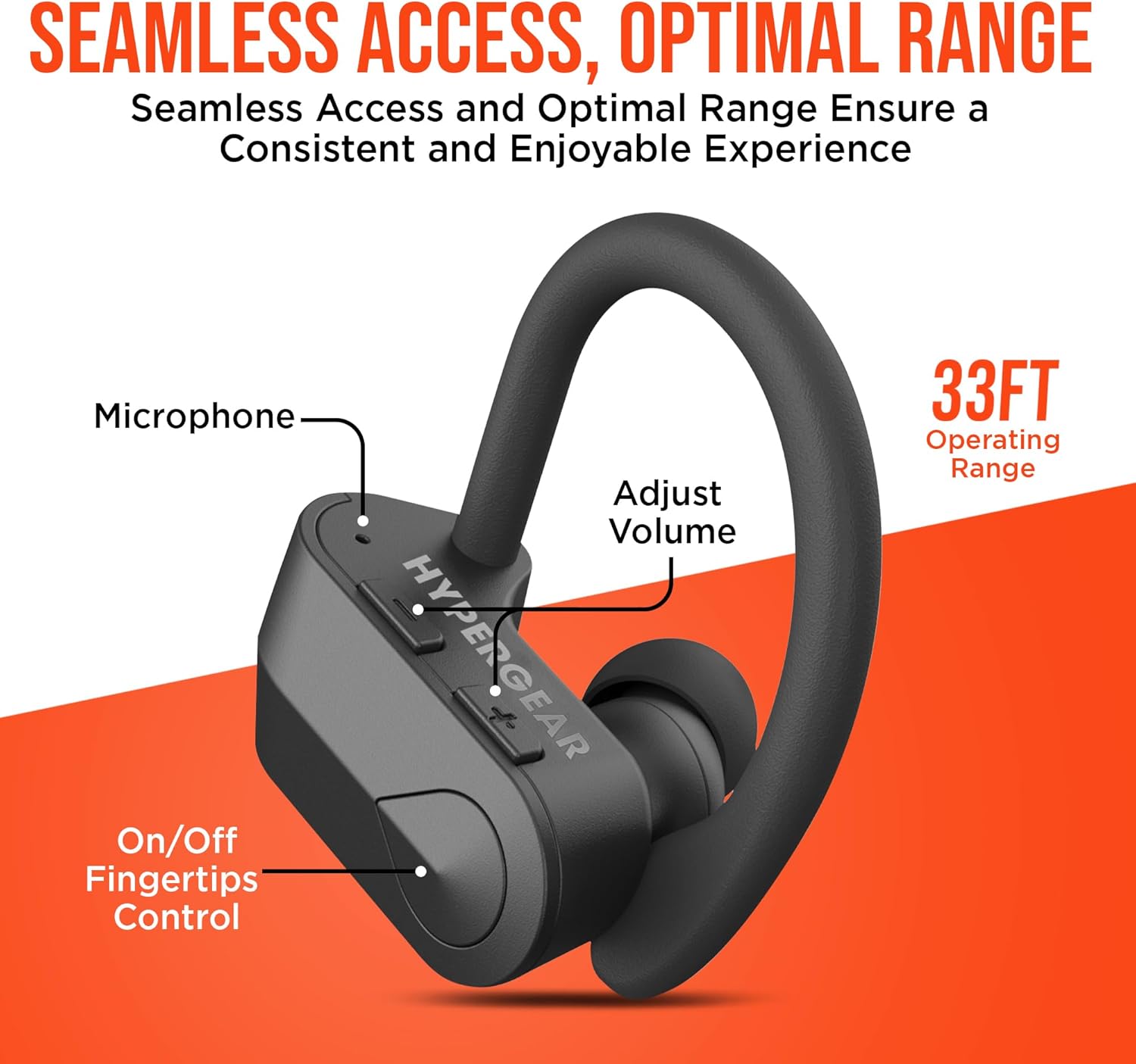
Сүрөт: деталдуу view of the earbud showing the microphone, volume adjustment buttons, and on/off fingertip control, along with an operating range of 33 feet.
Техникалык тейлөө
- Кулакчындарды жумшак, кургак чүпүрөк менен дайыма тазалаңыз.
- Абразивдүү тазалагычтарды же эриткичтерди колдонуудан алыс болуңуз.
- Кулакчындарды коргоо жана кубаттоо үчүн колдонулбаган учурда кубаттоо кутучасында сактаңыз.
- Ашыкча температурадан жана нымдуулуктан алыс болуңуз.
- The earbuds are sweatproof and water-resistant, but not fully waterproof. Do not submerge them in water.
Проблемаларды чечүү
| Көйгөй | Чечим |
|---|---|
| Кулакчындар күйбөй жатат. | Ensure earbuds are fully charged. Press and hold the power button for 3-5 seconds. |
| Түзмөк менен жупташтыруу мүмкүн эмес. | Make sure Bluetooth is enabled on your device and the earbuds are in pairing mode. Move closer to the device (within 33 ft). Forget the device in Bluetooth settings and re-pair. |
| Үн бурмаланган же үзүлүп калган. | Check the distance between earbuds and device. Ensure no obstacles are blocking the signal. Recharge earbuds if battery is low. |
| Микрофон иштебей жатат. | Ensure the earbuds are properly connected. Check device's audio input settings. |
Техникалык шарттар
- Байланыш технологиясы: Bluetooth
- Зымсыз байланыш технологиясы: Bluetooth
- Bluetooth версиясы: 5.0
- Bluetooth диапазону: 33 Фут
- Батареянын иштөө мөөнөтү: Up to 4 Hours playtime
- Заряддоо убактысы: 2 Hours (10 min quick charge for 1 hour playtime)
- Башкаруу түрү: Media Control (Touch/Button)
- Ызы-чууну көзөмөлдөө: Active Noise Cancellation (for mic)
- Сууга туруктуулук деңгээли: Сууга чыдамдуу (терге чыдамдуу)
- Жыштык диапазону: 20 Гц - 20 000 Гц
- Элемент Салмагы: 4.6 унция
- Продукциянын өлчөмдөрү: 2.36 x 1.18 x 1.18 дюйм
- Модель номери: 14294
Кепилдик жана колдоо
HyperGear products are designed for quality and performance. For warranty information or technical support, please visit the official HyperGear website or contact their customer service. Details can typically be found on the product packaging or the brand's official online store.
Онлайн колдоо: Visit the HyperGear Store on Amazon


