Introduction
Thank you for choosing the Haylou Solar LS05 Smartwatch. This manual provides essential information for setting up, operating, maintaining, and troubleshooting your device. Please read it carefully to ensure proper use and to maximize the benefits of your smartwatch. The Haylou Solar LS05 is designed to enhance your daily life with features like fitness tracking, heart rate monitoring, and smart notifications, compatible with both Android and iOS devices.
Кутуда эмне бар
- Haylou Solar LS05 Smartwatch (with black rubber strap)
- Заряддоо кабели
- User Manual
Жайгашуу
1. Акылдуу саатты заряддоо
Before first use, fully charge your Haylou Solar LS05. Connect the charging cable to the charging contacts on the back of the watch and to a USB power source. The watch display will show the charging status.
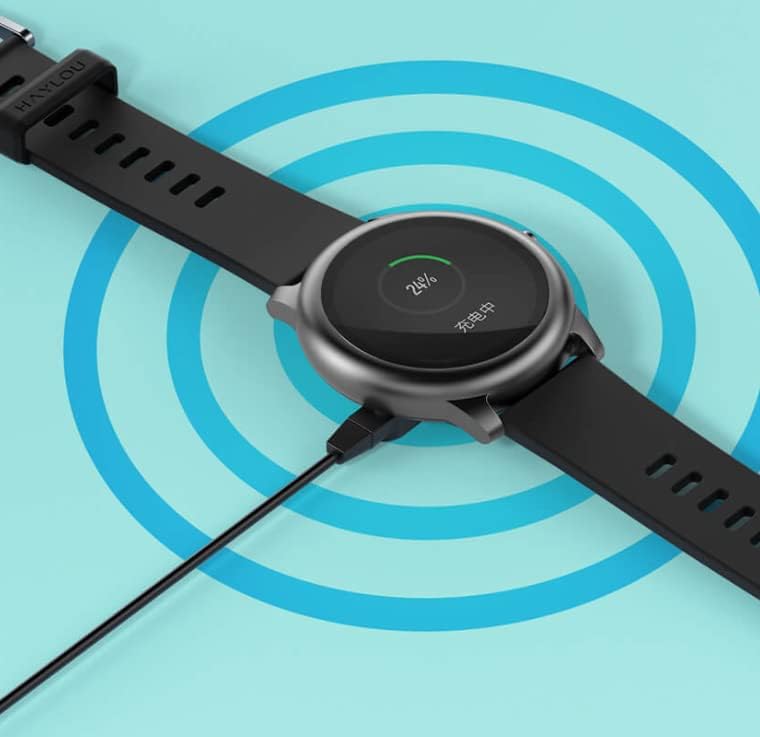
Image: The Haylou Solar LS05 Smartwatch connected to its charging cable, displaying a 24% charge level.
2. Күйгүзүү
Press and hold the side button for a few seconds until the Haylou logo appears on the screen.
3. Installing the Haylou Fit App
Download the official Haylou Fit app from your smartphone's app store (Google Play Store for Android or Apple App Store for iOS). Издөө "Haylou Fit".
4. Смартфонуңуз менен жупташуу
- Смартфонуңузда Bluetooth иштетилгенин текшериңиз.
- Open the Haylou Fit app and follow the on-screen instructions to create an account or log in.
- In the app, select "Add Device" and choose the Haylou Solar LS05 from the list of available devices.
- Смартфонуңузда да, акылдуу саатыңызда да жупташтыруу өтүнүчүн ырастаңыз.
Once paired, your smartwatch will synchronize data with the app and receive notifications.
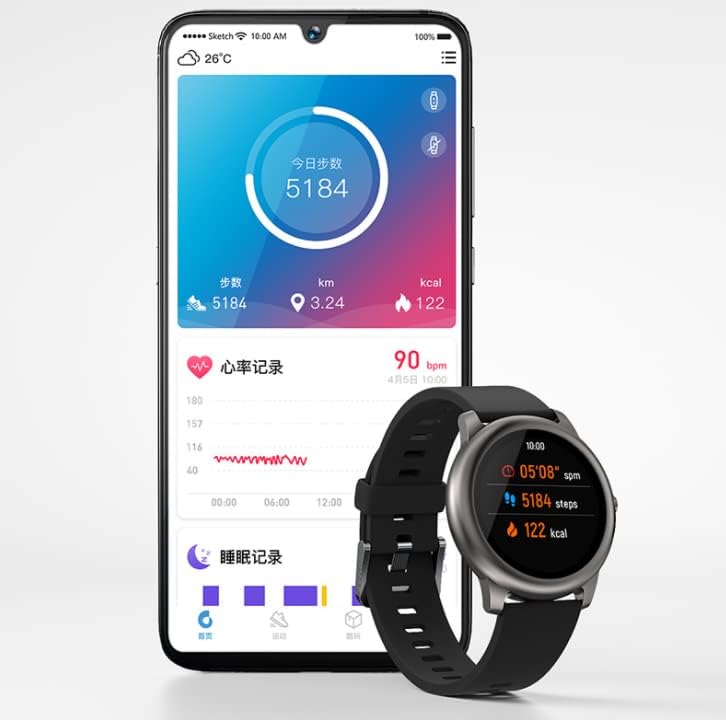
Image: The Haylou Solar LS05 Smartwatch displaying steps and calories, alongside a smartphone showing the Haylou Fit app interface with daily activity and sleep records.
Иштөө нускамалары
Негизги навигация
- Сенсордук экран: Менюлар жана функциялар аркылуу өтүү үчүн өйдө, ылдый, солго же оңго сүрүңүз. Тандоо үчүн таптаңыз.
- Каптал баскычы: Press to return to the home screen or wake the device. Press and hold to power off or restart.
Негизги өзгөчөлүктөрү
- Активдүүлүккө көз салуу: Күн бою баскан кадамдарды, аралыкты жана күйгөн калорияларды көзөмөлдөйт.
- Жүрөктүн кагышын көзөмөлдөө: Continuously tracks your heart rate. Access detailed data in the Haylou Fit app.
- Уйкунун мониторинги: Уйку режимиңизди, анын ичинде терең уйку, жеңил уйку жана ойгонуу убакыттарын көзөмөлдөйт.
- Спорт режимдери: Машыгуунун белгилүү бир маалыматтарын көзөмөлдөө үчүн ар кандай спорт режимдеринен (мисалы, чуркоо, велосипед тебүү) тандаңыз.
- Акылдуу эскертмелер: Чалууларды, билдирүүлөрдү жана колдонмо эскертмелерин түздөн-түз билегиңизге алыңыз.
- Музыкалык башкаруу: Смартфонуңузда музыканы ойнотууну түз сааттан башкарыңыз.
- Аба ырайы: View current weather conditions and forecasts for the coming days.
- Дем алуу тренинги: Эс алууга жардам берүү үчүн дем алуу көнүгүүлөрүн жасаңыз.
- Таймер жана секундомер: Essential tools for timing activities.
- Телефонду табуу: Жупташкан смартфонуңузду табуу үчүн саатыңызды колдонуңуз.
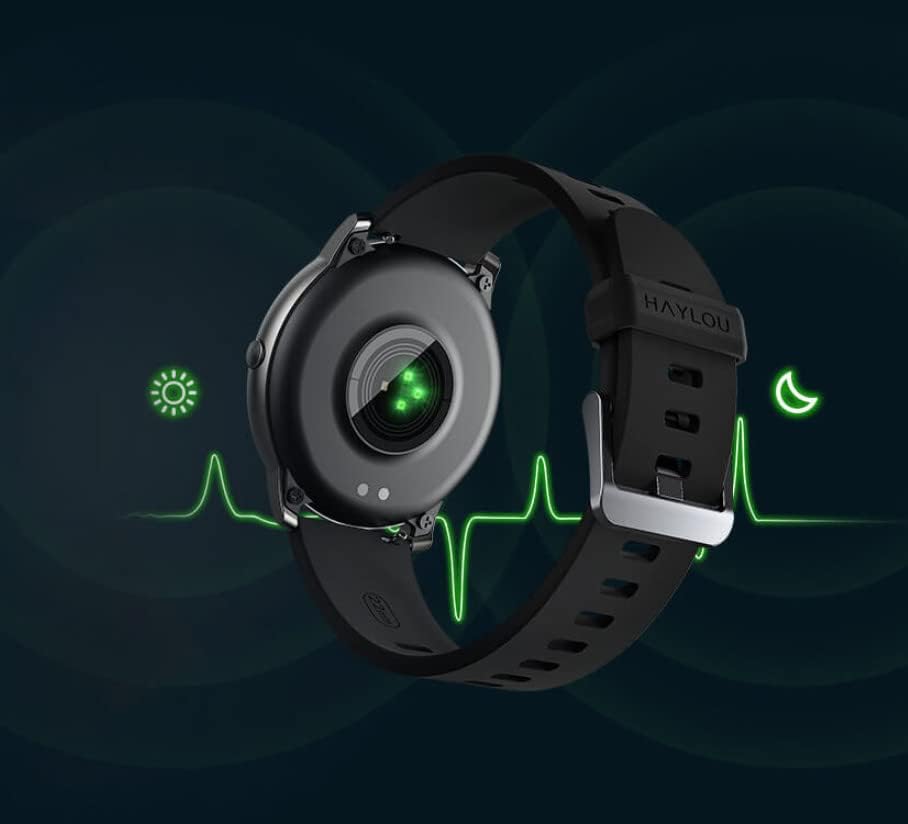
Image: The back of the Haylou Solar LS05 Smartwatch, highlighting the optical heart rate sensor with a green light, indicating active monitoring.
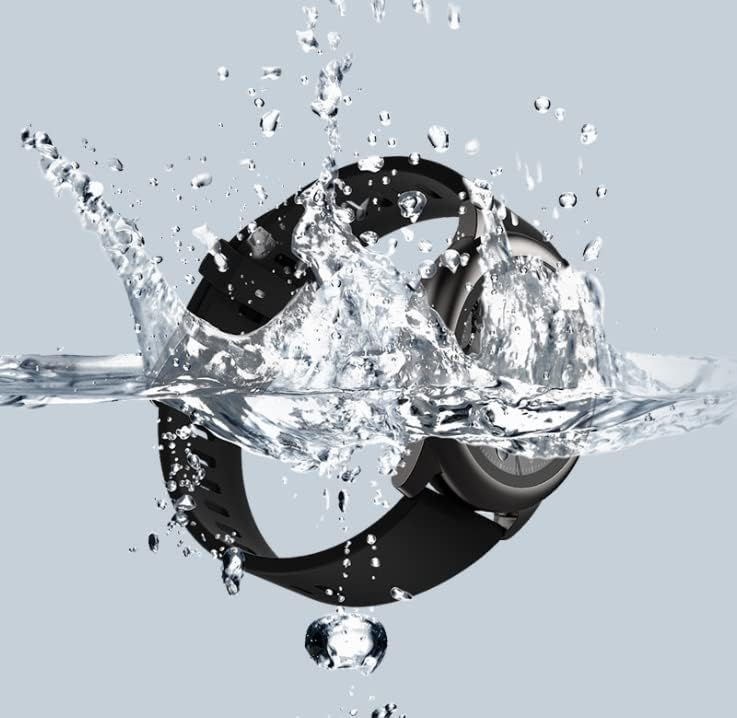
Image: A collage of Haylou Solar LS05 watch faces demonstrating various functions: 'Take a break' for breathing training, 'Find phone' for locating a device, 'Timer and stopwatch', 'Music Control', and 'Weather Forecast'.

Image: The Haylou Solar LS05 Smartwatch worn on a wrist, displaying the current time (00:15:18), heart rate (90 bpm), steps (3.24k), and distance, indicating active use during an activity.
Техникалык тейлөө
Тазалоо
Regularly clean your smartwatch and strap to prevent skin irritation and maintain device functionality. Use a soft, damp экранды жана боону сүртүүчү кездеме. Катуу химиялык заттардан же абразивдүү материалдардан алыс болуңуз.
Суу каршылык
The Haylou Solar LS05 is water-resistant. It can withstand splashes, rain, and brief immersion. However, it is not suitable for hot showers, saunas, or diving. Avoid prolonged exposure to water and ensure the watch is dry before charging.

Image: The Haylou Solar LS05 Smartwatch partially submerged in water, with water splashing around it, illustrating its water-resistant capabilities.
Заряддоо практикалары
Use only the provided charging cable. Do not charge the watch in wet conditions. Avoid exposing the watch to extreme temperatures during charging.
Проблемаларды чечүү
- Күйгүзүлбөй турган саат: Ensure the watch is fully charged. Press and hold the side button for at least 10 seconds to force a restart.
- Смартфон менен жупташуу мүмкүн эмес: Make sure Bluetooth is enabled on your phone and the watch is within range. Restart both devices and try pairing again through the Haylou Fit app.
- Inaccurate heart rate/activity data: Саат өтө тар же өтө бош эмес, билегиңизге бекем тагылганын текшериңиз. Сааттын артындагы сенсорду тазалаңыз.
- Эскертмелер көрүнбөй жатат: Check notification settings in the Haylou Fit app and your phone's system settings to ensure permissions are granted for the app to display notifications.
- Батарейканын кыска мөөнөтү: Reduce screen brightness, disable continuous heart rate monitoring if not needed, and limit background app refresh.
Техникалык шарттар
| Өзгөчөлүк | Деталь |
|---|---|
| Модель аты | LS05 |
| Бренд | haylou |
| Операция системасы | Wear OS |
| Өлчөмдөр | 7 x 1 x 6 см |
| Салмагы | 57 грамм |
| Батарея | 1 Литий Полимер (кошулган) |
| Байланыш | Bluetooth |
| GPS | Жок |
| Өзгөчөлүктөр | Жүрөктүн кагышын көзөмөлдөөчү |
| Дисплей түрү | Сенсордук экран |
| Screen Size | 1.28 дюйм |
| Резолюция | 240 x 240 |
| Түс | Кара |
| Боо материалы | Каучук |
| Сактоо сыйымдуулугу | 512 MB |
Кепилдик жана колдоо
For warranty information, please refer to the documentation provided at the time of purchase or contact your retailer. Specific warranty terms may vary by region and seller.
For technical support, software updates, and frequently asked questions, please refer to the official Haylou website or the Haylou Fit application. The app often provides troubleshooting tips and direct support options.


