1. Киришүү
The Walfront Y102 USB IP67 Endoscope is a versatile inspection camera designed for various applications, including industrial, automotive, and household inspections. Featuring a 5.5mm lens with 6 adjustable LED lights and a 5-meter cable, it provides clear visuals in dark or hard-to-reach areas. Its 3-in-1 USB design ensures wide compatibility with Android devices and computers.
Негизги өзгөчөлүктөр төмөнкүлөрдү камтыйт:
- Convenient and Practical: 6 adjustable LED lights for improved visibility in dark environments.
- Премиум сапаты: Узак мөөнөттүү пайдалануу үчүн бекем курулуш.
- Кеңири колдонуу: Compatible with Android devices and computers via its 3-in-1 USB connection.
- Great Performance: 2.0MP CMOS HD camera for enhanced image resolution and clarity.
- Өнүм жөнүндө кыскача: 5.5mm diameter lens, IP67 waterproof rating, and 5-meter USB cable.
2. Продукциянын компоненттери
The Y102 Endoscope package includes the main endoscope unit with its integrated cable and USB connector, along with several useful accessories.

Figure 2.1: The Walfront Y102 USB Endoscope, showing the camera head, control unit, coiled 5-meter cable, and the 3-in-1 USB connector (USB-A, Micro USB, USB-C).

Figure 2.2: The endoscope unit displayed with its standard accessories: a side mirror for angled viewing, a hook for retrieving objects, and a magnet for metallic items.
The control unit, located on the cable, features a button for capturing images and a rotary dial for adjusting the brightness of the LED lights.

Figure 2.3: Detail of the control unit, highlighting the capture button and the integrated wheel for adjusting the intensity of the LED illumination.
3. Орнотуу нускамалары
To begin using your Walfront Y102 Endoscope, follow these steps to connect it to your device:
- Колдонмону орнотуу: For Android devices, download and install a compatible endoscope application from your device's app store. Popular choices include "USB Camera", "OTG View", or "AN98". For Windows PCs, you may need to install a specific driver or use a webcam колдонмо.
- Connect Endoscope: Plug the appropriate USB connector (USB-A, Micro USB, or USB-C) into your Android smartphone, tablet, or computer's USB port. Ensure your device supports OTG (On-The-Go) functionality for Android.
- Колдонмону ишке киргизүү: Open the installed endoscope application. The application should automatically detect the endoscope and display the live video feed.

Figure 3.1: Illustration of the endoscope connected to a smartphone (left) and a laptop (right), demonstrating its multi-device compatibility.
4. Иштөө нускамалары
Once connected and the application is running, you can begin using your endoscope for inspection:
- Insert Endoscope: Carefully insert the camera head into the area you wish to inspect. The flexible cable allows for navigation through tight spaces.
- LED жарыктарын тууралоо: Use the rotary dial on the control unit to adjust the brightness of the 6 LED lights. Increase brightness in dark environments for clearer images.
- Сүрөттөрдү/Видеолорду тартуу: Use the button on the control unit to take still photographs. Most applications also offer a record button within the software interface to capture video footage.
- Кошумча аксессуарларды колдонуңуз: Attach the side mirror for viewing at a 90-degree angle, the hook for retrieving small objects, or the magnet for picking up metallic items.

Figure 4.1: The endoscope camera head with its 6 adjustable LED lights providing illumination for inspection.
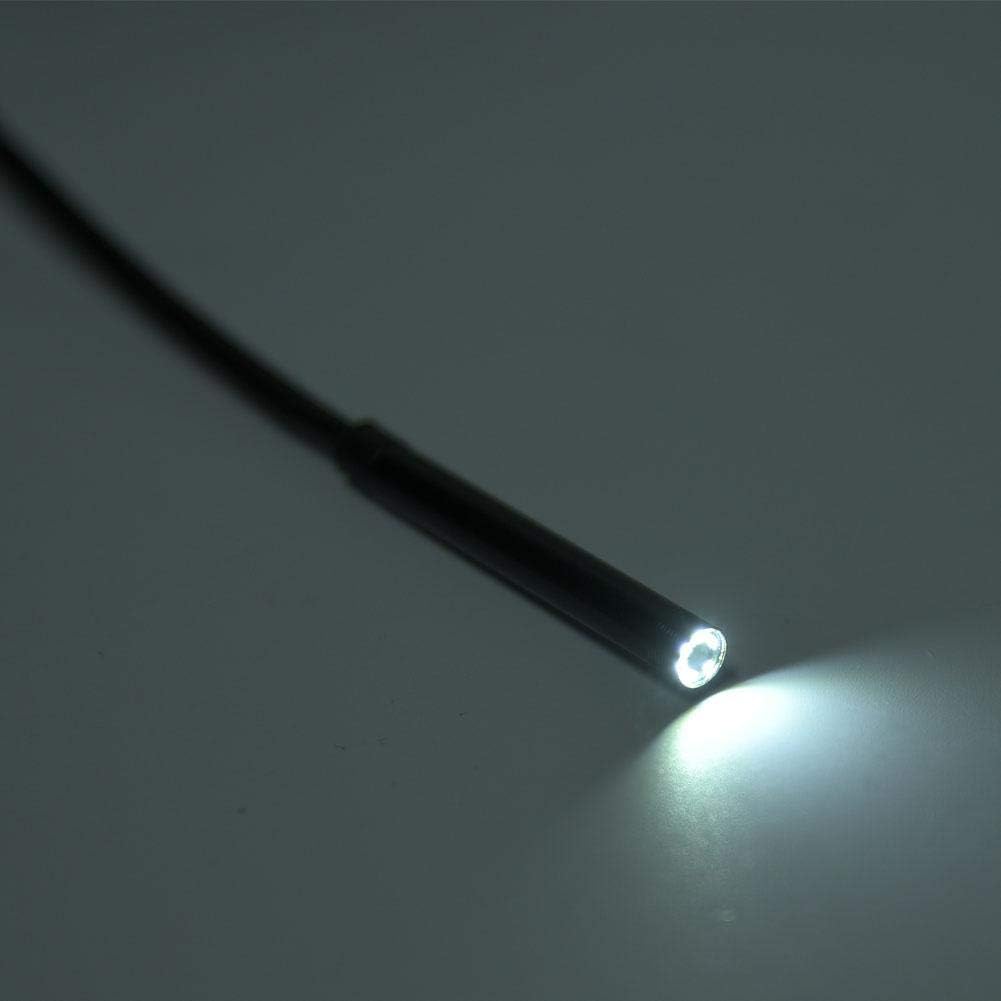
Figure 4.2: Practical applications of the endoscope, including inspecting internal wall structures and accessing areas behind appliances.
5. Техникалык тейлөө
Proper maintenance ensures the longevity and optimal performance of your endoscope:
- Тазалоо: After each use, especially in dirty or wet environments, gently wipe the camera lens and cable with a soft, damp cloth. The IP67 rating indicates resistance to dust and water immersion up to 1 meter for 30 minutes, but it is not designed for prolonged underwater use or harsh chemicals.
- Кургатуу: Ensure the endoscope and its connectors are completely dry before storing.
- Сактагыч: Эндоскопту салкын, кургак жерде, күндүн түз тийген нурларынан жана өтө жогорку температурадан алыс сактаңыз. Ийилип же бузулуп калбашы үчүн кабелди бош ороп коюңуз.
- Ийилгенден качыңыз: Do not excessively bend or crimp the cable, as this can damage internal wiring.
6. Кыйынчылыктарды
If you encounter issues with your Walfront Y102 Endoscope, refer to the following common problems and solutions:
| Көйгөй | Мүмкүн себеп | Чечим |
|---|---|---|
| No image displayed / Device not recognized. |
|
|
| Сүрөт бүдөмүк же караңгы. |
|
|
| Колдонмо бузулат же катып калат. |
|
|
7. Техникалык шарттар
| Өзгөчөлүк | Деталь |
|---|---|
| Модел | Y102 |
| Линзанын диаметри | 5.5мм |
| Камеранын чечилиши | 2.0MP CMOS HD (Video Capture Resolution: 480p) |
| LED жарыктары | 6 жөнгө салынуучу LED |
| Кабелдин узундугу | 5 метр |
| Суу өткөрбөйт рейтинги | IP67 |
| Байланыш | 3-in-1 USB (USB-A, Micro USB, USB-C) |
| Шайкештик | Android (OTG support required), Windows PC |
| Макро фокустоо диапазону | 5 cm - ∞ |
| Продукциянын өлчөмдөрү | 4.72 x 4.72 x 1.38 дюйм |
| Элемент Салмагы | 0.704 унция |
| Түс | Кара |
| Өндүрүүчү | Walfront |
8. Кепилдик жана колдоо
For information regarding warranty coverage and terms for your Walfront Y102 Endoscope, please refer to the documentation provided at the time of purchase or contact the seller directly. Support inquiries, technical assistance, or questions about product functionality should also be directed to the point of purchase or the manufacturer's official support channels.


