1. Киришүү
This manual provides essential instructions for the safe and efficient use of your LIFX Color Smart LED Bulb. The LIFX Color bulb offers a wide spectrum of colors and white tones, controllable via Wi-Fi without the need for a separate hub. It is designed to enhance your lighting experience with smart features and energy efficiency.

Image: The LIFX Color Smart LED Bulb alongside its product packaging, highlighting its features.
Негизги өзгөчөлүктөрү:
- Billions of Colors: Access a vast range of colors and a wide cool-to-warm white spectrum (1500K to 9000K).
- 800 люмен жарыктыгы: камсыз кылат ampар кандай орнотуулар үчүн жарыктандыруу.
- E26 Edison Screw Base: Standard fitting for easy installation.
- Wi-Fi туташуусу: Connects directly to your 2.4GHz Wi-Fi network, no hub required.
- Үн менен башкаруу: Compatible with Alexa, Apple HomeKit/Siri, and Hey Google.
- График жана көрүнүштөр: Customize lighting schedules and create personalized scenes.
2. Коопсуздук маалыматы
Жаракат алуунун же продуктунун бузулушунун алдын алуу үчүн, сураныч, ушул коопсуздук көрсөтмөлөрүн окуп чыгып, аткарыңыз.
- Үй ичинде гана колдонуу: Бул лампа кургак жерлерде имараттын ичинде колдонуу үчүн иштелип чыккан.
- Туура орнотуу: Лампаны орнотуудан же алып салуудан мурун электр энергиясы өчүрүлгөнүн текшериңиз.
- Тtage Шайкештик: Use only within the specified voltage range (AC 100-240V, 50/60 Hz).
- Жабык арматуралардан качыңыз: Do not use in fully enclosed luminaires as this may reduce bulb life.
- Диммер которгучтары: Do not use with standard dimmer switches. Dimming is controlled via the app or voice assistants.
- Жоюу: Электрондук таштандыларды жергиликтүү эрежелерге ылайык жоопкерчилик менен жок кылыңыз.
3. Пакеттин мазмуну
Your LIFX Color Smart LED Bulb package should contain the following:
- 1 x LIFX Color Smart LED Bulb (E26 Edison Screw)
4. Орнотуу колдонмосу
4.1 Физикалык орнотуу
- Ensure the power to the light fixture is turned off at the switch.
- Carefully screw the LIFX Color Smart LED Bulb into a standard E26 Edison screw socket. Do not overtighten.
- Turn the power back on at the switch. The bulb should illuminate with a default white light.

Image: A visual guide showing the three simple steps for setting up the LIFX bulb: screwing it into a lamp, downloading the app, and enjoying the light.
4.2 Колдонмону жүктөп алуу жана Wi-Fi туташуусу
- Download the official LIFX app from the Apple App Store or Google Play Store.
- Open the LIFX app and create an account or log in.
- Follow the in-app instructions to add your new LIFX bulb. This typically involves scanning a QR code on the bulb or its packaging and connecting to your home's 2.4GHz Wi-Fi network.
- Ensure your mobile device is connected to the 2.4GHz Wi-Fi network during the setup process.
4.3 Үн жардамчысын интеграциялоо
The LIFX Color bulb is compatible with popular voice assistants. Follow the instructions within your preferred voice assistant's app to link your LIFX account.
- Amazon Alexa: Enable the LIFX skill in the Alexa app and discover devices.
- Apple HomeKit/Siri: Use the Home app on your iOS device to add the accessory.
- Hey Google: Link your LIFX account in the Google Home app.

Image: A collage of logos indicating compatibility with various smart home platforms and voice assistants.
5. Иштөө нускамалары
5.1 Controlling Color and Brightness
Use the LIFX app to adjust the bulb's color and brightness. The app features a color wheel and sliders for precise control.
- Open the LIFX app and select your bulb.
- Drag your finger across the color wheel to choose a desired color.
- Adjust the brightness slider to set the light intensity from 1% to 100%.
- For white light, select from the warm to cool white spectrum options.

Image: A smartphone displaying the LIFX app interface, featuring a color wheel for selecting light colors and adjusting brightness.
5.2 Үн менен башкаруу
Once integrated with a voice assistant, you can control your LIFX bulb using simple voice commands.
- – Alexa, бөлмөнүн жарыгын күйгүз.
- "Hey Google, set the kitchen light to blue."
- "Siri, dim the bedroom light to 50%."
- "Alexa, set the kitchen to 'Frozen'."

Image: A person in a kitchen interacting with a voice assistant to control the lighting, demonstrating hands-free operation.
5.3 Scheduling and Scenes
Automate your lighting to fit your daily routine or create custom ambiances.
- Графиктер: In the LIFX app, set specific times for your lights to turn on/off, change color, or adjust brightness. For example, schedule lights to gradually brighten in the morning for a gentle wake-up or dim in the evening for winding down.
- Сахналар: Create and save custom lighting configurations (e.g., "Movie Night," "Relax," "Party"). Activate these scenes with a single tap in the app or via voice command.
- Коопсуздук: Use scheduling to make it appear as if someone is home when you are away.

Сүрөт: сырткы көрүнүш view of a house at dusk, illustrating how scheduled lighting can provide added security by making it appear occupied.

Image: A person waking up in bed as a smart light gradually brightens, demonstrating the use of light as an alarm clock replacement.
6. Техникалык тейлөө
The LIFX Color Smart LED Bulb requires minimal maintenance.
- Тазалоо: Тазалоодон мурун лампочка муздак жана электр кубаты өчүрүлгөн экенин текшериңиз. Жумшак, кургак чүпүрөк менен сүртүңүз. Суюк тазалоочу каражаттарды же абразивдүү материалдарды колдонбоңуз.
- Сактагыч: If storing the bulb, keep it in its original packaging or a protective container in a cool, dry place.
7. Кыйынчылыктарды
If you encounter issues with your LIFX Color Smart LED Bulb, refer to the following common solutions:
| Көйгөй | Мүмкүн чечим |
|---|---|
| Bulb not connecting to Wi-Fi/App |
|
| Bulb is unresponsive or offline |
|
| Үн буйруктары иштебейт |
|
8. Техникалык шарттар
Detailed technical specifications for the LIFX Color Smart LED Bulb (Model: L3A19LC08E26US):
| Өзгөчөлүк | Деталь |
|---|---|
| Модель аты | LIFX Color - 800 Lumens |
| Модель номери | L3A19LC08E26US |
| Жарык түрү | LED |
| Лампанын формасынын өлчөмү | A19 |
| Лампанын базасы | E26 |
| Жарыктык | 800 Lumens |
| Ватtage Колдонуу | 9.0W at full brightness |
| Кызытма эквиваленти | 60 Вт |
| Тtage Диапазон | AC 100-240V 50/60 Гц |
| Түс температурасы | 1500 миңден 9000 миңге чейин |
| Түстөрдү көрсөтүү индекси (CRI) | 80 |
| Beam Angle | 235° |
| Караңгылык | Software dimming 1% - 100% |
| Wi-Fi | 2.4GHz (WPA, WPA2 Security) |
| Өлчөмдөрү (W x Y) | 2.36 in x 4.13 in (60mm x 105mm) |
| Материал | Алюминий, Пластик |
| Орточо жашоо | 25 000 саат (болжол менен 22.8 жыл) |
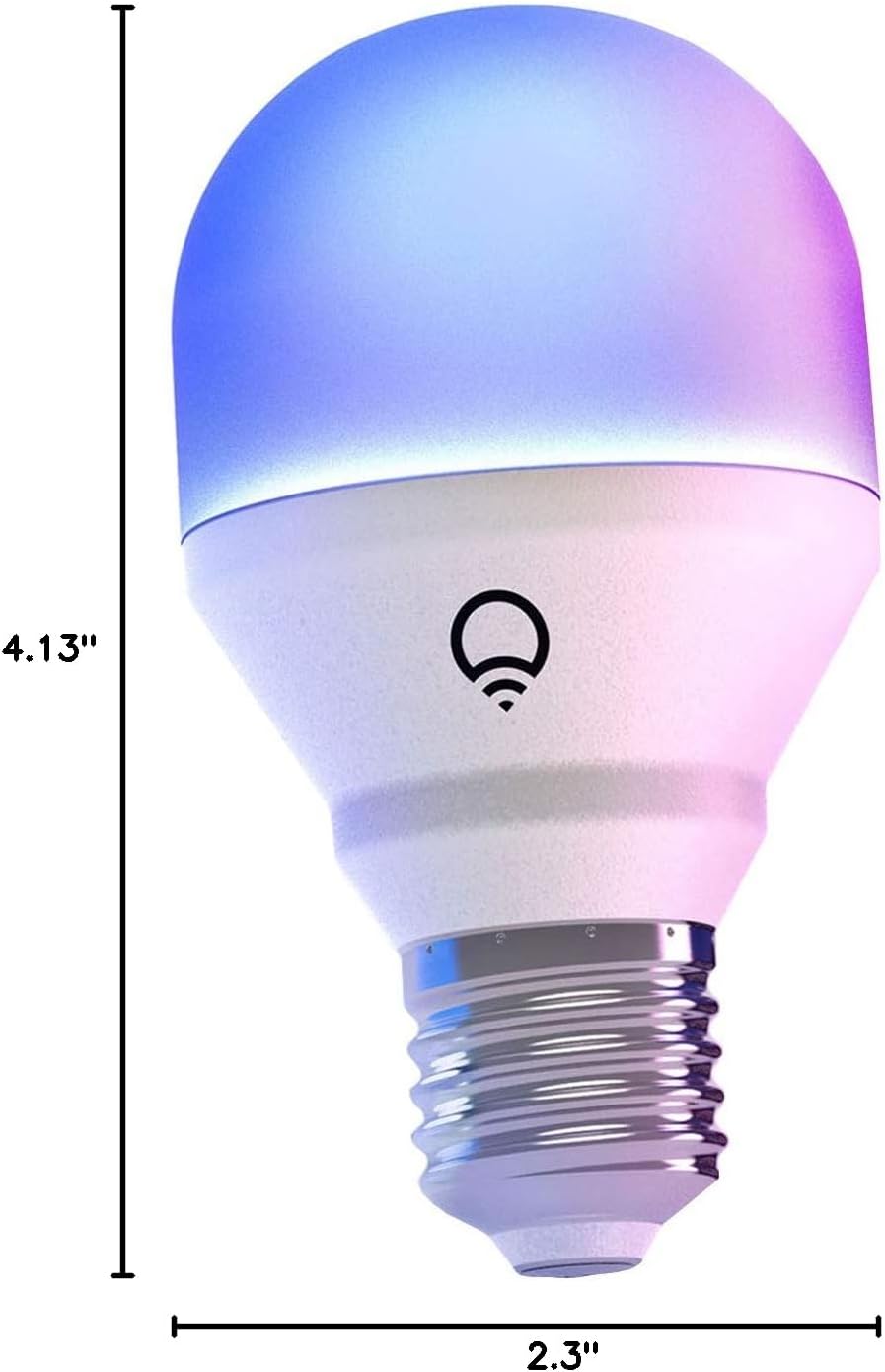
Image: A diagram illustrating the physical dimensions of the LIFX Color Smart LED Bulb.
9. Кепилдик маалыматы
The LIFX Color Smart LED Bulb comes with a 2 жылдык кепилдик. Please retain your proof of purchase for warranty claims. For specific terms and conditions, refer to the official LIFX webсайтка же кардарларды колдоо менен байланышыңыз.
10. Колдоо
Кошумча жардам, техникалык колдоо же үчүн view frequently asked questions, please visit the official LIFX support website. You can typically find contact information for customer service on their webсайт да.
Онлайн ресурстар:
- LIFX Official Webсайт: www.lifx.com
- Support Section: Refer to the support or FAQ section on the official website for troubleshooting guides and contact options.


