1. Киришүү
This manual provides detailed instructions for the installation, operation, and maintenance of your Imou A1 Indoor IP Security Camera. The Imou A1 is a spherical indoor security camera designed for reliable surveillance, offering 1080p video resolution and Wi-Fi connectivity. Please read this manual thoroughly before using the product to ensure proper setup and functionality.

Сүрөт 1: Алдыңкы view of the Imou A1 Indoor IP Security Camera.
2. Пакеттин мазмуну
Пакетте бардык компоненттер бар экенин текшериңиз:
- Imou A1 Camera Unit
- Кубаттуу адаптер
- Монтаждоо плитасы
- Монтаждоо бурамалар жана дубал сайгычтар
- Quick Start Guide
3. Камера бүткөнview
Камеранын компоненттери менен таанышып алыңыз.

Figure 2: Imou A1 camera with key features highlighted (e.g., lens, microphone, speaker, status LED, power port, reset button, microSD card slot).
- Объектив: Видеону тартып алат.
- Статус LED: Indicates camera status (e.g., solid green for connected, flashing red for network error).
- Микрофон: Аудио киргизүү үчүн.
- Баяндамачы: эки тараптуу аудио байланыш үчүн.
- Электр порту: Кубат адаптерине туташат.
- Калыбына келтирүү баскычы: Press and hold for 10 seconds to factory reset the camera.
- MicroSD картасынын уячасы: Жергиликтүү видео сактоо үчүн (карта кошулган эмес).
4. Орнотуу
4.1 Download the Imou Life App
The Imou Life app is required to set up and manage your camera.
- Scan the QR code below or search for "Imou Life" in the App Store (iOS) or Google Play Store (Android).
- Колдонмону жүктөп алып, орнотуңуз.
- Каттоо эсебин түзүңүз же сизде мурунтан эле бар болсо кириңиз.
(QR code image placeholder for app download)
4.2 Камераны күйгүзүү
Connect the power adapter to the camera's power port and plug it into a wall outlet. The camera will power on, and the status LED will flash green.
4.3 Adding the Camera to the Imou Life App
- Open the Imou Life app.
- Жаңы түзмөк кошуу үчүн жогорку оң бурчтагы "+" сөлөкөтүн таптаңыз.
- Камераңыздын ылдый жагында жайгашкан QR кодун сканерлеңиз.
- Follow the on-screen instructions to connect the camera to your Wi-Fi network. Ensure your phone is connected to a 2.4GHz Wi-Fi network during setup.
- Once connected, the status LED will turn solid green.
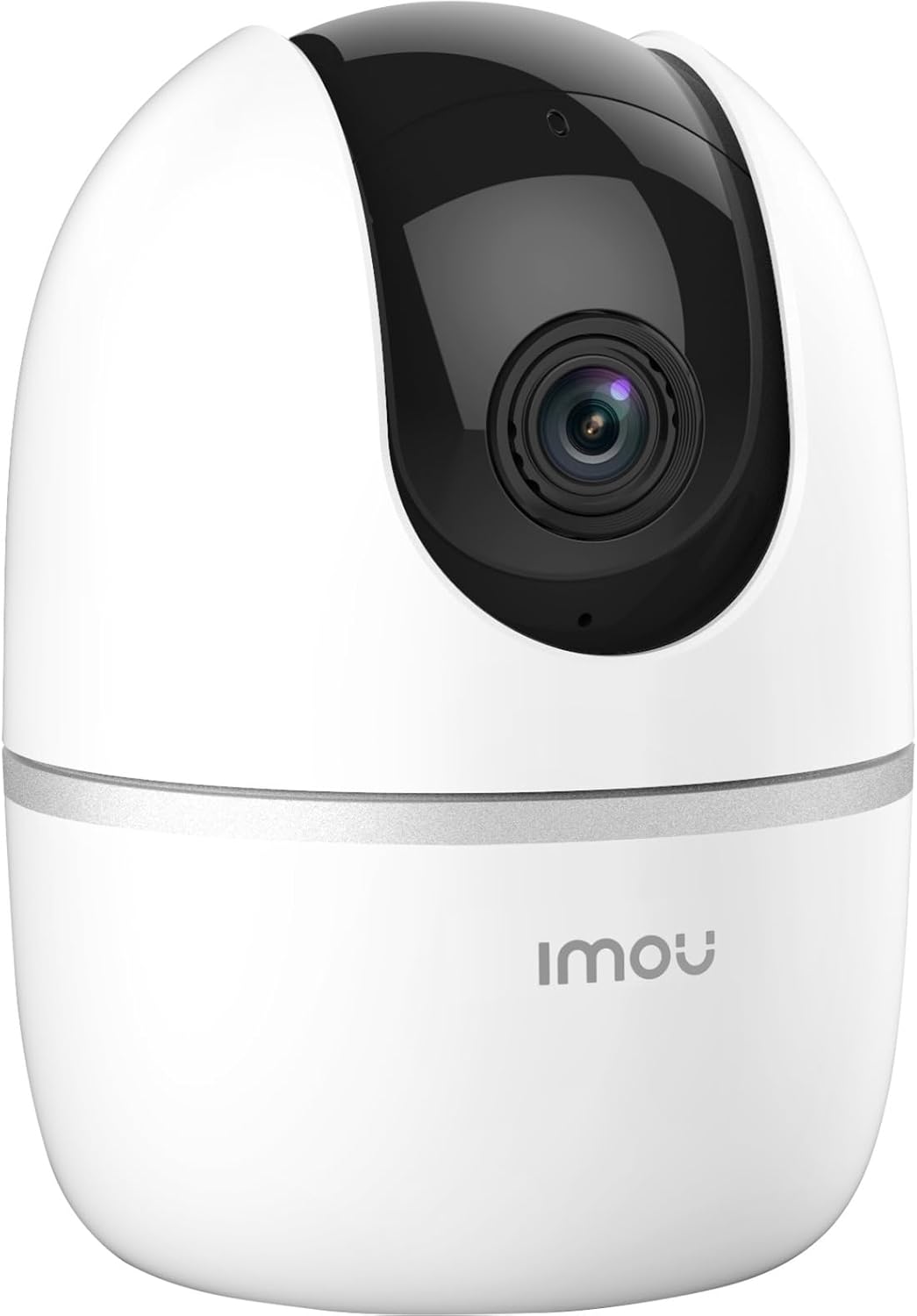
Figure 3: Bottom of the Imou A1 camera, where the QR code for app pairing is located.
4.4 Камераны орнотуу (кошумча)
The camera can be placed on a flat surface or mounted to a wall or ceiling.
- Монтаждоо үчүн ылайыктуу жерди тандаңыз.
- Secure the mounting plate to the desired surface using the provided screws.
- Attach the camera to the mounting plate by twisting it until it locks into place.

4-сүрөт: Мисample of the Imou A1 camera mounted on a ceiling.
5. Камераны иштетүү
Once set up, you can access and control your camera through the Imou Life app.
5.1 Live View
Open the Imou Life app and select your camera to view the live feed. You can pan and tilt the camera remotely using the controls in the app.
5.2 Эки тараптуу аудио
Түз эфирде микрофон сүрөтчөсүн басыңыз view to speak through the camera's speaker. Tap again to end.
5.3 Жазуу жана ойнотуу
The camera supports continuous recording or event-triggered recording to a microSD card (if installed) or to the Imou Cloud (subscription may be required). Access recorded footage via the playback feature in the app.
5.4 Кыймылды аныктоо жана эскертүүлөр
Enable motion detection in the app settings to receive instant alerts on your smartphone when movement is detected. You can customize detection zones and sensitivity.
6. Техникалык тейлөө
6.1 Тазалоо
Камера линзасын жана корпусун жумшак, кургак чүпүрөк менен акырын сүртүңүз. Катуу химиялык заттарды же абразивдүү тазалоочу каражаттарды колдонуудан алыс болуңуз.
6.2 Микропрограмма жаңыртуулары
Regularly check for firmware updates through the Imou Life app to ensure optimal performance and access to new features.
7. Кыйынчылыктарды
| Көйгөй | Мүмкүн чечим |
|---|---|
| Камера Wi-Fi'га туташа албай жатат. |
|
| Видеонун сапаты начар. |
|
| Кыймылды аныктоо боюнча эскертүүлөр жок. |
|
| Камера оффлайн режиминде. |
|
8. Техникалык шарттар
| Өзгөчөлүк | Деталь |
|---|---|
| Модель номери | IPC-A22EP-V2-IMOU |
| Video Resolution | 1080p (1920 x 1080 пиксел) |
| Зымсыз технология | Wi-Fi (2.4 ГГц) |
| Күч | 3.5 Ватт |
| Өлчөмдөрү (L x W x Y) | 7.74 x 7.74 x 10.61 см |
| Салмагы | 238 грамм |
| Өзгөчөлүктөр | Түнкү көрүү, эки тараптуу аудио, кыймылды аныктоо |
| Сактагыч параметрлери | MicroSD Card (up to 256GB, not included), Cloud Storage |
| Монтаж түрү | Wall/Ceiling/Tabletop |
9. Кепилдик маалыматы
The Imou A1 camera comes with a 2 жылдык өндүрүүчүнүн кепилдиги. Please retain your proof of purchase for warranty claims. For detailed terms and conditions, refer to the official Imou webсайтка же кардарларды колдоо менен байланышыңыз.
Spare parts availability: 1 Year.
10. Кардарларды колдоо кызматы
If you encounter any issues not covered in this manual or require further assistance, please contact Imou customer support.
- Visit the official Imou webКөп берилүүчү суроолор жана колдоо булактары үчүн сайт.
- Contact technical support via the Imou Life app or the website's contact page.


