1. Киришүү
This manual provides instructions for the installation, operation, and maintenance of your meross Smart LED Light Bulb, Model MSL120. This smart bulb offers multicolor lighting, dimming capabilities, and compatibility with various smart home platforms including Apple HomeKit, Siri, Alexa, Google Home, and SmartThings. It operates on a 2.4GHz Wi-Fi network and does not require a separate hub.
2. Коопсуздук маалыматы
Жаракат алуунун же зыяндын алдын алуу үчүн бардык коопсуздук көрсөтмөлөрүн окуп чыгып, аткарыңыз.
- Үй ичинде гана колдонуу: Бул аппарат кургак жерлерде имараттын ичинде колдонуу үчүн иштелип чыккан.
- Электр коопсуздугу: Ensure the power is turned off at the switch before installing or removing the bulb.
- Шайкештик: Use only in light fixtures rated for E26 base bulbs and within the specified voltage диапазону (120 Вольт).
- Жылуулук: Smart bulbs can generate heat. Ensure adequate ventilation around the bulb. Do not install in fully enclosed fixtures that restrict airflow.
- Тазалоо: Clean the bulb with a soft, dry cloth. Do not use liquid cleaners.
3. Пакеттин мазмуну
The meross Smart LED Light Bulb package typically includes:
- meross Smart LED Light Bulb (MSL120) - 2 units
- User Manual
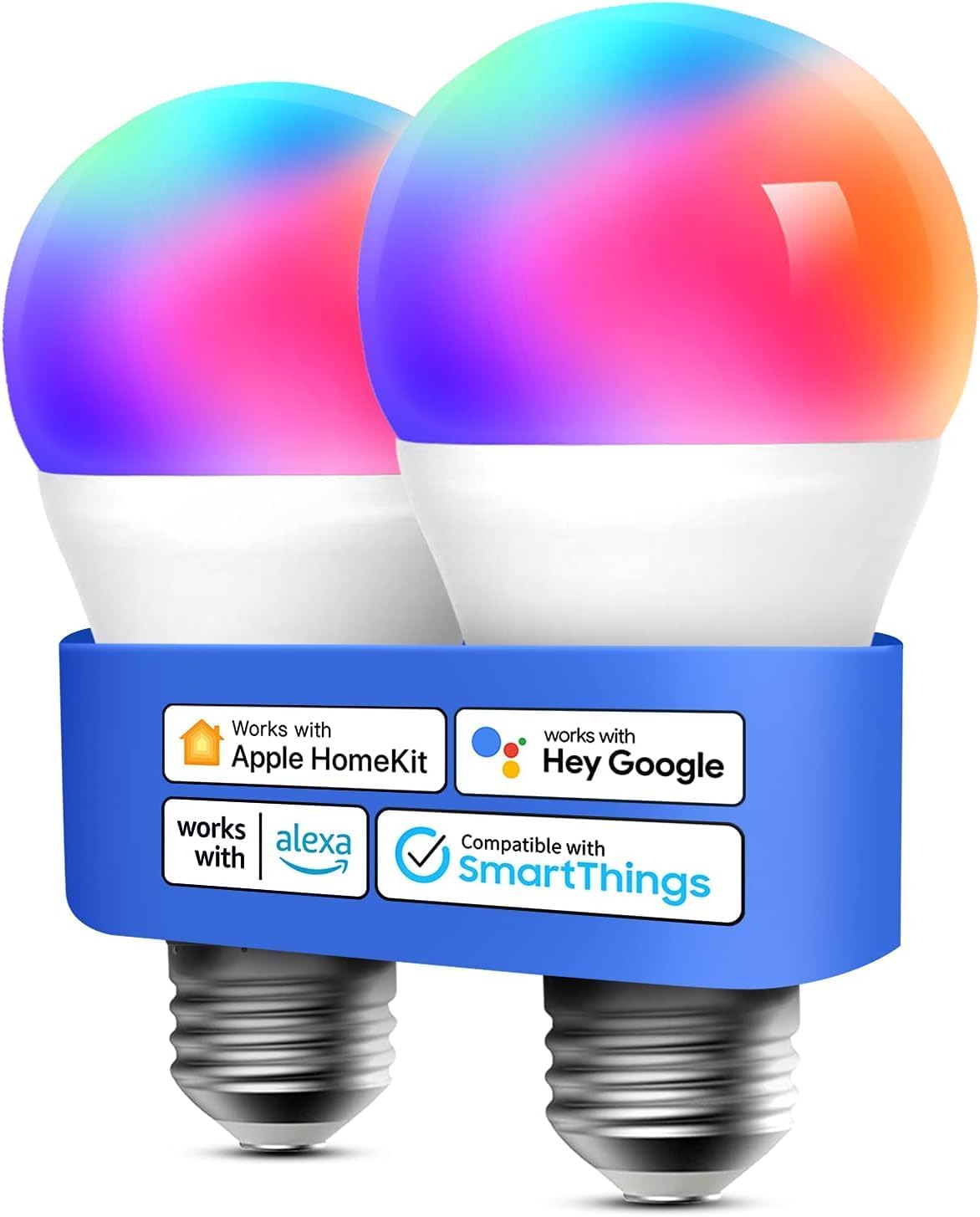
Image: Two meross Smart LED Light Bulbs, highlighting their E26 base and compatibility with major smart home platforms.
4. Продукт бүтүп калдыview
The meross MSL120 is a versatile smart LED bulb designed to enhance your home lighting experience. Key features include:
- Лампочканын түрү: E26 base, A-shape.
- Жарык чыгаруу: 810 Lumens, equivalent to a 60W incandescent bulb.
- Энергияны керектөө: 9 ватт.
- Түс температурасы: Adjustable white light from 2700K (warm white) to 6500K (cool white).
- Түс параметрлери: Full RGBWW spectrum with 16 million colors.
- алсыздатуу: 1% to 100% dimmable range.
- Байланыш: Wi-Fi (2.4GHz only), no hub required.
- Smart Home интеграциясы: Compatible with Apple HomeKit, Siri, Alexa, Google Assistant, and SmartThings.
- Материал: Aluminum and Plastic construction.

Image: Internal diagram illustrating the separated antenna design for enhanced Wi-Fi connection stability.
5. Орнотуу нускамалары
Follow these steps to set up your meross Smart LED Light Bulb:
- Лампаны орнотуу: Screw the meross smart bulb into a standard E26 light socket. Ensure the power to the fixture is off before installation.
- Күйгүзүү: Turn on the light switch to power the bulb. The bulb should blink, indicating it is in pairing mode. If it does not blink, turn the light off and on three times to reset it.
- Download Meross App: Download the Meross app from the Apple App Store or Google Play Store. Create a new account or log in to an existing one.
- Түзмөк кошуу: In the Meross app, tap the '+' icon to add a new device. Select the Smart Light Bulb from the list.
- Wi-Fi'га туташуу: Follow the in-app instructions to connect the bulb to your 2.4GHz Wi-Fi network. Ensure your phone is also connected to the same 2.4GHz network during setup.
- HomeKit Integration (Optional): For Apple HomeKit users, scan the QR code located on the bulb or its packaging when prompted by the Meross app or Apple Home app.
- Other Smart Assistants (Optional): Link your Meross account to Alexa, Google Assistant, or SmartThings through their respective apps to enable voice control and advanced features.

Image: A visual representation of the meross smart bulb connecting to a home Wi-Fi network.
6. Иштөө нускамалары
Once set up, you can control your meross Smart LED Light Bulb using the Meross app, Apple Home app, or voice commands.
6.1. Үн менен башкаруу
Use your preferred voice assistant to control the bulb hands-free.
- Сири: "Hey Siri, turn on the bedroom light." / "Hey Siri, set the living room light to green."
- Alexa: "Alexa, turn off the kitchen light." / "Alexa, dim the light to 50%."
- Google Жардамчысы: "Hey Google, change the room light to purple." / "Hey Google, make the light warmer."

Сүрөт: Мисample of voice control in action, showing commands like "Hey Siri, turn on the room light."
6.2. Колдонмонун алыстан башкаруусу
Control your bulbs from anywhere using the Meross app or Apple Home app.
- Күйгүзүү/өчүрүү: Жеке лампалар же топтор үчүн кубаттуулукту өчүрүңүз.
- Жарыктыкты жөндөө: Жарыктыкты 1%дан 100%ке чейин тууралаңыз.
- Түс тандоо: Choose from 16 million colors or adjust white temperature between 2700K and 6500K.
- Сахна түзүү: Create custom scenes for different moods or activities.

Image: Remote control via the Meross app, showing a user managing lights in different rooms of a house.

Image: Smartphone app interface demonstrating the selection of 16 million colors and brightness adjustment for the smart bulb.

Image: Visual comparison of adjustable color temperatures from 2700K to 6500K.

Image: Comparison highlighting the RGBWW capabilities of meross bulbs for true color temperature and vibrant RGB colors.
6.3. Schedules and Timers
Automate your lighting with custom schedules and timers.
- Set specific times for bulbs to turn on or off.
- Utilize sunrise/sunset modes to adjust lighting automatically with natural light cycles.
- Schedules can operate even if internet connectivity is temporarily lost.

Сүрөт: Мисamples of scene and schedule settings, including sunrise and sunset automation.
6.4. Жергиликтүү көзөмөл
The meross smart bulbs feature superfast local control, ensuring minimal delay in response when you are within your home network, even if internet access is interrupted.

Image: Comparison illustrating the speed of meross local control versus other smart bulb systems.
7. Техникалык тейлөө
To ensure optimal performance and longevity of your meross Smart LED Light Bulb:
- Тазалоо: Disconnect power before cleaning. Wipe the bulb with a soft, dry cloth. Do not use abrasive cleaners or solvents.
- Программалык камсыздоонун жаңыртуулары: Regularly check the Meross app for available firmware updates to ensure your bulb has the latest features and security enhancements.
- Сактагыч: Эгерде лампаны сактап жатсаңыз, аны салкын, кургак жерде, күндүн түз нурунан жана өтө жогорку температурадан алыс сактаңыз.
8. Кыйынчылыктарды
If you encounter issues with your meross Smart LED Light Bulb, refer to the following common problems and solutions:
8.1. Bulb Not Connecting or Frequently Offline
- Wi-Fi тармагы: Ensure your Wi-Fi network is 2.4GHz. Meross bulbs do not support 5GHz Wi-Fi.
- Сигнал күчү: Check the Wi-Fi signal strength at the bulb's location. Move the bulb closer to your router or consider a Wi-Fi extender if the signal is weak.
- Маршрутизатор орнотуулары: Ensure your router is not blocking new device connections. Temporarily disable any MAC filtering or firewall settings if necessary during setup.
- Лампаны баштапкы абалга келтирүү: Turn the light switch off and on three times in quick succession. The bulb should blink, indicating it's in pairing mode. Attempt to re-add it through the Meross app.
- Маршрутизаторду кайра жүктөө: Reboot your Wi-Fi router and try connecting the bulb again.
8.2. Difficulty with HomeKit Integration
- QR коду: Ensure you are scanning the correct HomeKit QR code, usually found on the bulb itself or its packaging.
- Тармак маселелери: Verify your iOS device is connected to the same 2.4GHz Wi-Fi network as the bulb during setup.
- Кайра баштоо: Restart your iOS device and attempt the HomeKit pairing process again.
- Meross App First: Sometimes, completing the setup in the Meross app first can resolve HomeKit integration issues.
8.3. Scenes or Automations Not Working Correctly
- Колдонмо синхрондоштуруу: Ensure the Meross app and any integrated smart home apps (HomeKit, Alexa, Google Home) are synchronized and updated.
- Re-program Scene: Delete and re-create the problematic scene or automation.
- Интернет байланышы: While schedules can work offline, some complex automations or cloud-based scenes may require an active internet connection.
9. Техникалык шарттар
| Бренд | мурастар |
| Модель номери | MSL120 |
| Жарык түрү | LED |
| Лампанын базасы | E26 |
| Ватtage | 9 Ватт |
| Кызытма эквиваленти | 60 Ватт |
| Жарыктык | 810 Lumens |
| Түс температурасы | 2700K-6500K |
| Ачык түс | Көп түстүү (RGBWW) |
| Dimmable | Ооба (1%-100%) |
| Тtage | 120 вольт |
| Байланыш | Wi-Fi (2.4 ГГц) |
| Шайкештик | Apple HomeKit, Siri, Alexa, Google Home, SmartThings |
| Ички/тышкы колдонуу | Indoor |
| Материал | Алюминий, Пластик |
| Продукциянын өлчөмдөрү | 2.4"W x 4.5"H |
| Элемент Салмагы | 3.84 унция |
10. Кепилдик жана колдоо
For warranty information and technical support, please refer to the official meross website or contact meross customer service directly. Details are typically available on the product packaging or within the Meross app.
Өндүрүүчү: Meross
Сатуучу: Meross Simple Life-US


