1. Киришүү
Thank you for choosing the ANCEL AD530 Vehicle OBD2 Scanner. This manual provides detailed instructions on how to set up, operate, and maintain your device, ensuring you can effectively diagnose and monitor your vehicle's performance. The ANCEL AD530 comes with a durable protective case for convenient storage and transport.
2. Продукт бүтүп калдыview
2.1 Негизги өзгөчөлүктөрү
- Supports Full OBD service modes: Turns off Malfunction Indicator Light (MIL), reads/erases fault codes, resets monitors, graphs live data stream, views freeze frame data, performs advanced On-Board monitoring tests, and retrieves Vehicle Identification Number (VIN).
- Wide Vehicle Compatibility: Works on most vehicles sold in the USA (1996 or newer), EU (2000 or newer), and Asia (2005 or newer).
- Protocol Support: Compatible with ALL OBDII protocols including ISO9141, KWP2000, J1850 PWM, J1850 VPW, and CAN (Controller Area Network).
- Multi-language Support: Supports 16 different languages for user convenience.
- Enhanced Diagnostic Speed: Features an STM-32 processor for a 50% boost in diagnostic speed.
- Graphical Data Display: Provides graphical voltage data for real-time battery health monitoring.
- Adjustable Display: Switchable day/night modes ensure clear visibility in any lighting condition on the 2.8-inch screen.
2.2 Пакеттин мазмуну
- 1x ANCEL AD530 OBD2 Scanner
- 1x ANCEL EVA Protective Case
- 1x Колдонуучунун колдонмосу
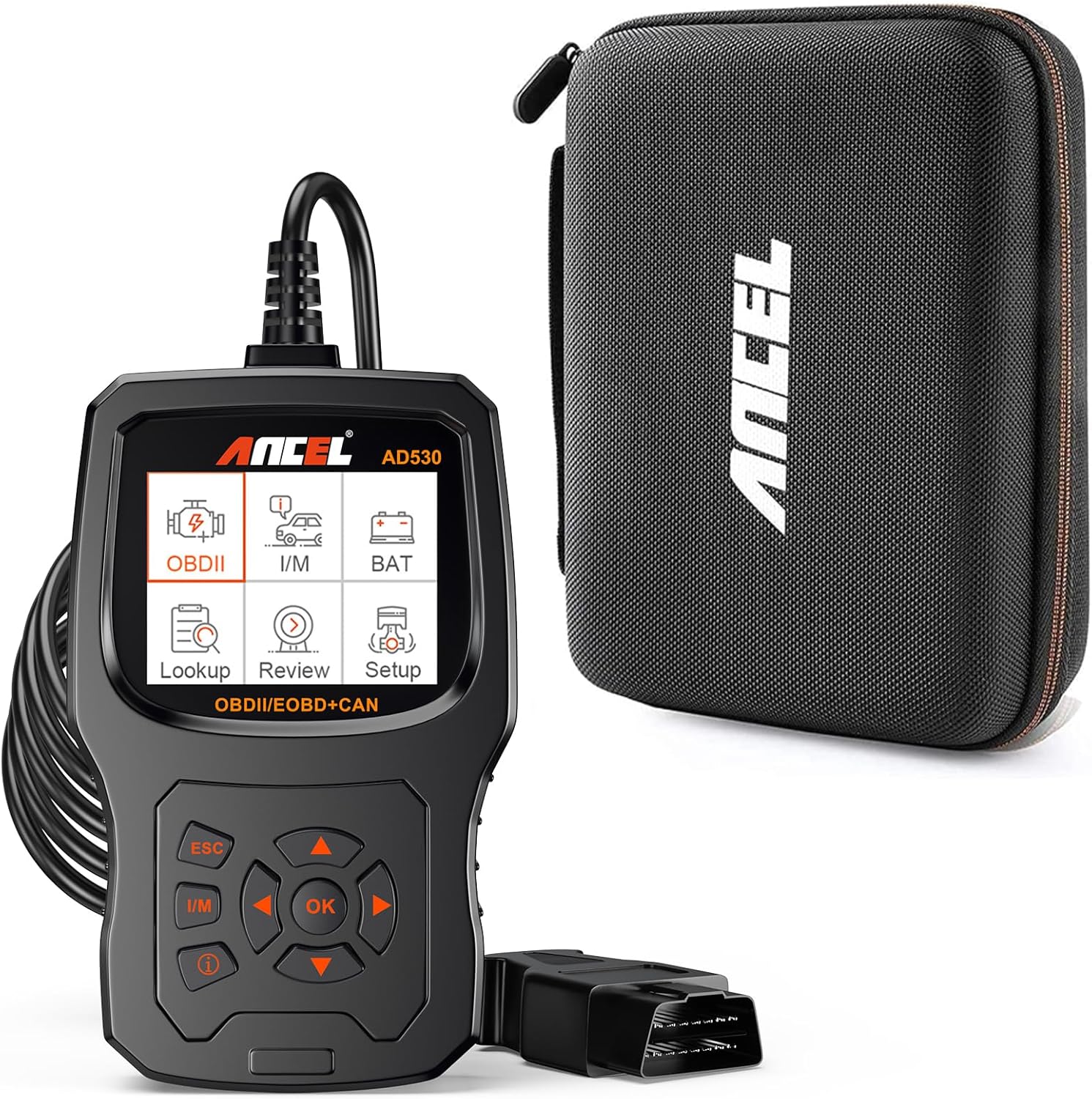
Image: ANCEL AD530 OBD2 Scanner and its dedicated protective case.

Image: The ANCEL protective case, designed for secure storage of the scanner.
3. Орнотуу
3.1 Унаага туташуу
- Locate the vehicle's 16-pin Data Link Connector (DLC). This is usually found under the dashboard on the driver's side.
- Унаанын от алдыруу системасы "OFF" абалында экенин текшериңиз.
- Firmly plug the ANCEL AD530's OBDII cable into the vehicle's DLC.
- Turn the vehicle's ignition to the ON position (engine can be off or running, depending on the test). The scanner will power on automatically.
3.2 Баштапкы орнотуу
Биринчи жолу колдонгондо же баштапкы абалга келтиргенден кийин, сиз негизги жөндөөлөрдү конфигурациялашыңыз керек болушу мүмкүн:
- Тил тандоо: Navigate to the 'Setup' menu and select your preferred language from the 16 available options.
- Ченөө бирдиги: Choose between Metric or Imperial units for data display.
4. Иштөө нускамалары
The ANCEL AD530 features an intuitive interface with a 2.8-inch display and easy-to-use navigation buttons.
4.1 Багыттоо баскычтары
- OK/Киргизүү баскычы: Тандоону ырастайт же менюга кирет.
- ESC баскычы: Мурунку экранга кайтып келет же операцияны жокко чыгарат.
- I/M баскычы: Quickly accesses I/M Readiness status.
- Багыттоочу баскычтар (Өйдө/Төмөн/Сол/Оң): Менюлар жана параметрлер боюнча чабыттайт.
4.2 Диагностикалык функциялар
The AD530 supports comprehensive OBDII diagnostic functions:
- Окуу коддору: Унаанын компьютеринен диагностикалык ката коддорун (DTC) чыгарат.
- Коддорду тазалоо: Clears DTCs from the vehicle's computer and turns off the Malfunction Indicator Light (MIL).
- Live Data Stream: Displays real-time data parameters from the vehicle's sensors in text and graphical formats. This includes graphical voltage data for battery health monitoring.
- Кадр дайындарын тоңдуруп коюу: Shows a snapshot of vehicle operating conditions at the moment a fault code was set.
- I/M даярдыгы: Checks the status of emission-related monitors to determine if they have run and completed their diagnostic testing.
- Борттогу мониторинг сыноосу: Үзгүлтүксүз көзөмөлгө алынбаган эмиссияга байланыштуу электр өткөргүч компоненттери жана системалары үчүн сыноо натыйжаларын чыгарат.
- O2 сенсор тести: Унаанын борттук компьютеринен эң акыркы аяктаган сыноолор үчүн O2 сенсорунун мониторунун сыноо натыйжаларын чыгарат.
- EVAP системасы сыноо: Initiates a test of the vehicle's Evaporative Emission System.
- Унаа жөнүндө маалымат (VIN): Унаанын идентификациялык номерин, калибрлөөнүн идентификаторун жана калибрлөөнү текшерүү номерин алат.
- DTC издөө: Provides detailed definitions for generic and manufacturer-specific diagnostic trouble codes.

Image: The ANCEL AD530 displaying live data stream in a graphical format.

Сүрөт: бүттүview of the diagnostic menu and vehicle information display on the AD530.

Image: Visual representation of the various OBD-II service modes supported by the AD530.

Image: Demonstrates the unique 'i' button for checking enhanced error code definitions.
5. Техникалык тейлөө
5.1 Аппаратты тазалоо
To maintain the scanner's performance and appearance, clean it regularly with a soft, damp кездеме. Абразивдүү тазалоочу каражаттарды же эриткичтерди колдонбоңуз, анткени алар түзмөккө зыян келтириши мүмкүн.
5.2 Сактоо
When not in use, store the ANCEL AD530 in its provided EVA protective case. This case is designed to keep the scanner and its accessories safe from bumps, scratches, and dust, ensuring its longevity and readiness for future use. Store the device in a dry environment, away from extreme temperatures.
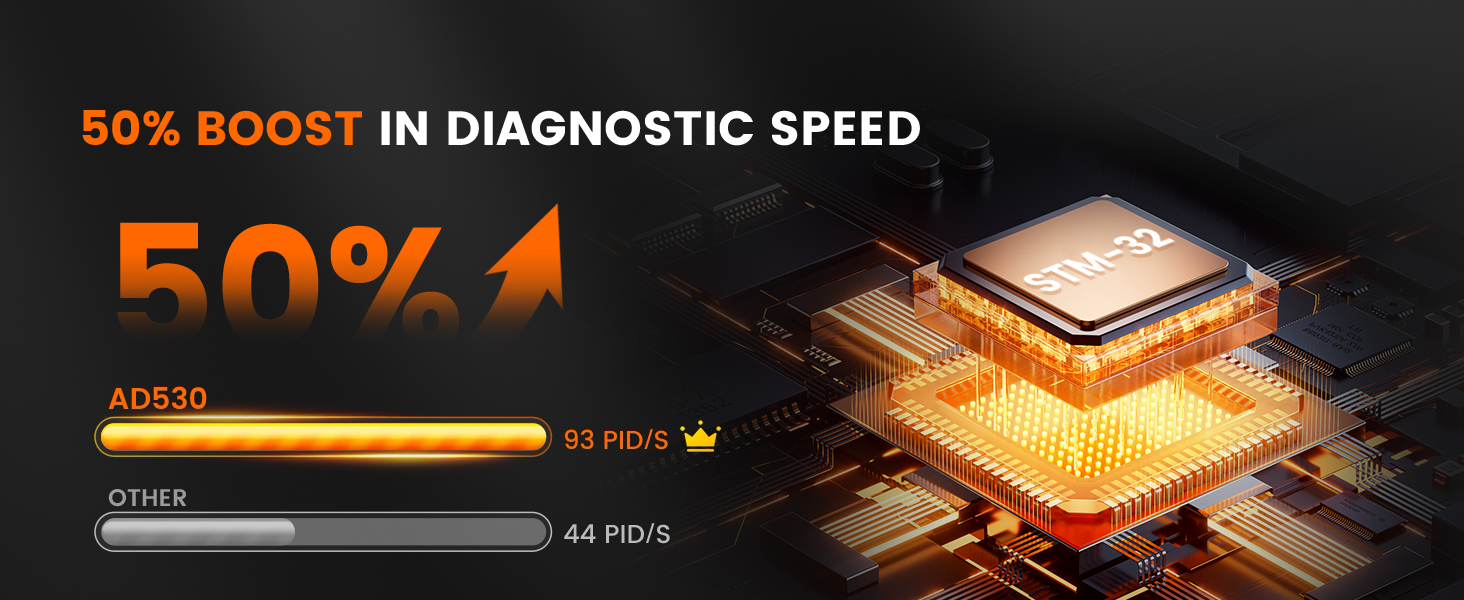
Image: Illustrates the ease of storage and the protective qualities of the included case.
6. Кыйынчылыктарды
If you encounter issues with your ANCEL AD530, please refer to the following common troubleshooting tips:
- Кубат жок: Ensure the OBDII cable is securely connected to the vehicle's DLC and the ignition is in the ON position. Check the vehicle's fuse for the OBDII port if the issue persists.
- Байланыш катасы: Verify that the vehicle supports the OBDII protocol. Ensure the cable connection is stable. Try connecting to a different OBDII-compliant vehicle to rule out a vehicle-specific issue.
- Scanner Freezes: If the scanner freezes, disconnect it from the vehicle, wait a few seconds, and then reconnect. If the issue persists, try updating the scanner's firmware (if updates are available from ANCEL's official webсайт).
- Тазаланбай турган коддор: After clearing codes, some vehicles may require a drive cycle for monitors to reset. Ensure the ignition is on and the engine is off when attempting to clear codes.
For more complex issues or technical support, please contact ANCEL customer service.
7. Техникалык шарттар
| Өзгөчөлүк | Description |
|---|---|
| Модел | AD530 |
| Дисплей | 2.8-inch Color Display (Switchable Day/Night Modes) |
| Процессор | STM-32 (50% diagnostic speed boost) |
| Колдоого алынган протоколдор | ISO9141, KWP2000, J1850 PWM, J1850 VPW, CAN |
| Vehicle Compatibility (USA) | 1996 жана андан кийинки |
| Vehicle Compatibility (EU) | 2000 жана андан кийинки |
| Vehicle Compatibility (Asia) | 2005 жана андан кийинки |
| Колдоого алынган тилдер | 16 тил |
| Operating Voltage | 9-18V DC (via OBDII port) |
| Иштөө температурасы | 0°Cден 60°Cге чейин (32°F—140°F) |
| Сактоо температурасы | -20°Cден 70°Cге чейин (-4°Fтен 158°Fге чейин) |

Image: Illustrates the wide compatibility of the ANCEL AD530 with various OBD-II compliant vehicles.

Image: Shows the graphical display of voltage data for real-time battery health monitoring.
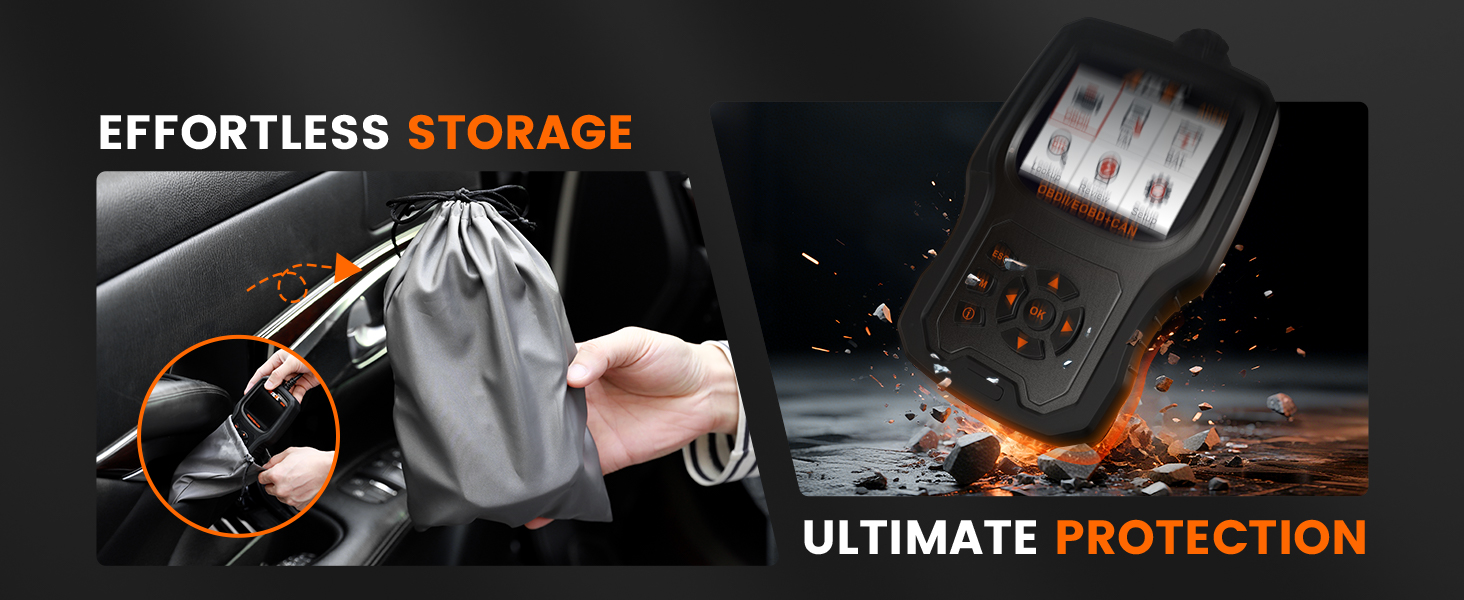
Image: Highlights the 50% boost in diagnostic speed provided by the STM-32 processor.
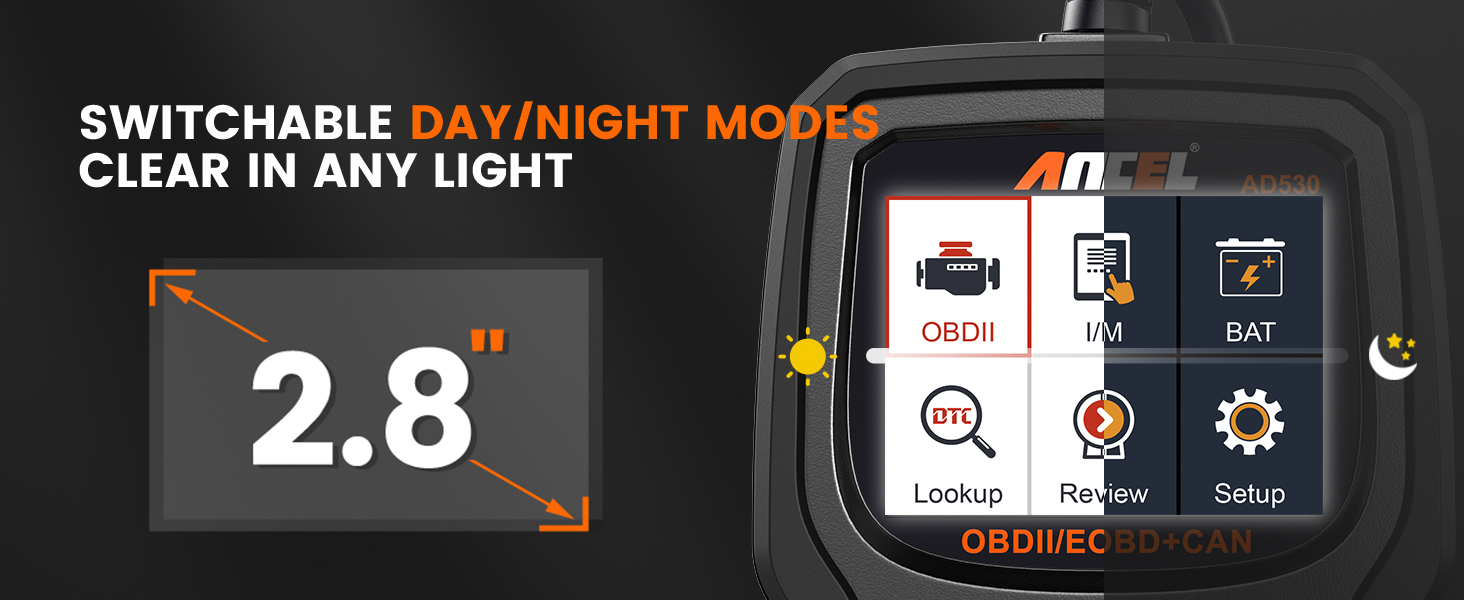
Image: Demonstrates the switchable day/night modes for clear display visibility.
8. Кепилдик жана колдоо
The ANCEL AD530 OBD2 Scanner is backed by a manufacturer's warranty. Please refer to the warranty card included in your package or visit the official ANCEL webдеталдуу кепилдик шарттары жана шарттары үчүн сайт.
For technical assistance, product inquiries, or warranty claims, please contact ANCEL customer support through their official website or the contact information provided in your product documentation. Our support team is available to assist you with any questions or issues you may encounter.