CHEREEKI Digital Alarm Clock User Manual
Модель: 8808
Introduction
Сатып алганыңыз үчүн рахматasing the CHEREEKI Digital Alarm Clock. This manual provides detailed instructions on how to set up, operate, and maintain your new alarm clock. Please read this manual carefully before use to ensure optimal performance and longevity of the product.

Сүрөт: алдыңкы view of the CHEREEKI Digital Alarm Clock displaying time and temperature.
Пакеттин мазмуну
Сураныч, кутудан чыкканда пакеттин мазмунун текшериңиз:
- 1 x LED Digital Alarm Clock
- 1 x USB Cable (adapter not included)
- 1 x User Manual
Note: The alarm clock contains a built-in Lithium-polymer battery.
Жайгашуу
Аппаратты кубаттандыруу
The CHEREEKI Digital Alarm Clock offers two power modes:
- USB кубаты (үзгүлтүксүз көрсөтүү үчүн сунушталат):
Connect the alarm clock to a USB port or a 5V/1A or 5V/2A adapter using the provided USB cable. In this mode, the LED display will remain continuously on.

Image: Illustrations demonstrating connection to a USB port and a 5V/1A or 5V/2A adapter for continuous power.
- Built-in Battery Power:
When fully charged, the alarm clock can operate on its internal battery. In this mode, the LED display will automatically turn off after 6 seconds to conserve power. The display can be reactivated by sound (above 90 dB) or by pressing any button.

Image: Visual representation of the intelligent voice control function, where the display turns off after 6 seconds in battery mode and can be awakened by sound.
Баштапкы орнотуу
Upon first use or after a reset, you may need to set the time and other preferences.

Сүрөт: деталдуу view of the alarm clock's top and bottom panels, highlighting buttons for time setting, alarm setting, volume, and switches for alarms.
Иштөө нускамалары
Убакытты коюу
- Кадимки убакытты көрсөтүү режиминде басыңыз "TIME SET" button located on the bottom of the clock.
- колдонуу "UP" жана "DOWN" саатты тууралоо үчүн баскычтар.
- Басыңыз "TIME SET" again to move to minute adjustment, then use "UP" жана "DOWN".
- Басыңыз "TIME SET" ырастоо жана чыгуу үчүн дагы бир жолу.
- The clock supports both 12-hour (with AM/PM indicator) and 24-hour formats. To switch, press the "UP" button during time setting.

Image: Illustration of the alarm clock displaying time in both 12-hour and 24-hour formats.
Ойготкучтарды коюу (1-ойготкуч жана 2-ойготкуч)
Саат эки көз карандысыз ойготкуч менен жабдылган.
- To set Alarm 1: Press the "ALARM SET" button once. The Alarm 1 icon will flash.
- Колдонуу "UP" жана "DOWN" саатты коюу үчүн, андан кийин басыңыз "ALARM SET" мүнөткө жылдыруу.
- Repeat for minutes, then press "ALARM SET" ырастоо үчүн.
- To set Alarm 2: Press the "ALARM SET" button twice. The Alarm 2 icon will flash. Follow the same steps as Alarm 1.
- To activate/deactivate an alarm: In normal time display mode, press the "Alarm 1 Switch" or "Alarm 2 Switch" on the bottom of the clock. The corresponding alarm icon will appear/disappear on the display.

Image: A visual demonstrating the dual alarm functionality with different wake-up times and the snooze feature.
Тындырма функциясы
- Ойготкуч чыкканда чоң баскычты басыңыз "SNOOZE / LIGHT" button on top of the clock to activate the 5-minute snooze function.
- Ойготкуч 5 мүнөттөн кийин кайра чыгат.
- To turn off the alarm completely, press any other button on the clock.

Image: A user enjoying extra sleep thanks to the 5-minute snooze feature.
Жарыктыкты жөндөө
The clock offers both automatic and manual brightness control:
- Automatic Brightness (when USB powered): The display brightness adjusts automatically based on the time of day:
- 7:00 AM - 7:00 PM: High brightness
- 7:00 PM - 12:00 AM: Medium brightness
- 12:00 AM - 7:00 AM: Low brightness
- Manual Brightness: каалаган режимде, басыңыз "SNOOZE / LIGHT" button on top of the clock to cycle through 4 levels of brightness (25%, 50%, 75%, 100%).
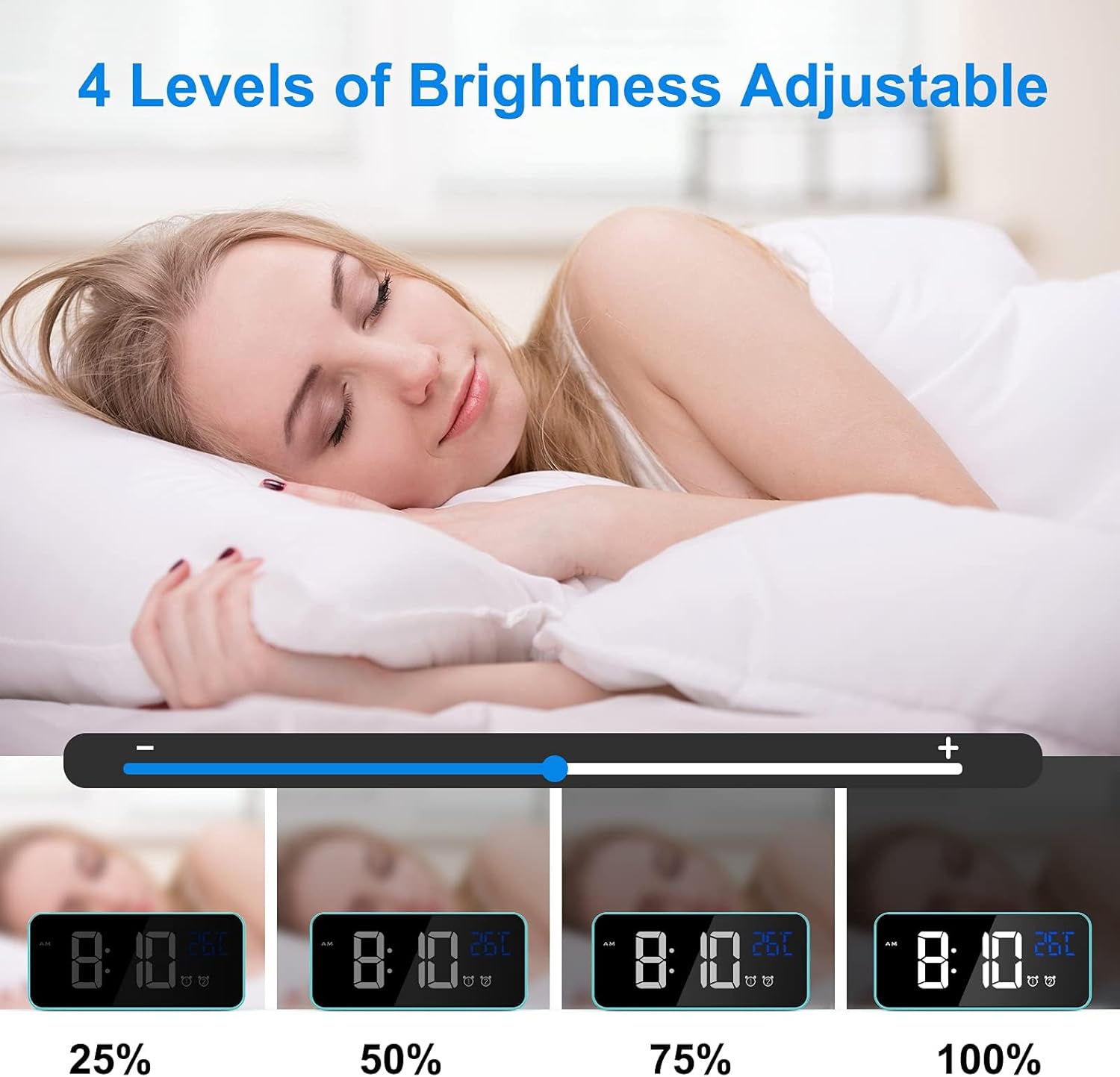
Image: Visual representation of the four adjustable brightness levels of the LED display.
Көлөмү жана Рингтондор
The alarm clock features 3 volume levels and 10 different ringtones.
- To adjust volume: During alarm setting, or when an alarm is sounding, press the "Volume" button on the bottom of the clock to cycle through the 3 volume levels.
- To change ringtone: During alarm setting, press the "UP" or "DOWN" buttons when the ringtone selection is active (after setting time and minutes for the alarm).

Image: A user waking up to one of the 10 natural sounds, with an illustration of the four selectable volume levels.
Температура дисплей
- The clock displays the ambient temperature in Celsius (°C) by default.
- Цельсий (°C) жана Фаренгейт (°F) ортосунда которулуу үчүн, баскычын басыңыз "DOWN" button in normal time display mode.

Image: Illustration of the temperature display switching between Celsius and Fahrenheit.
Over Over Featuresview
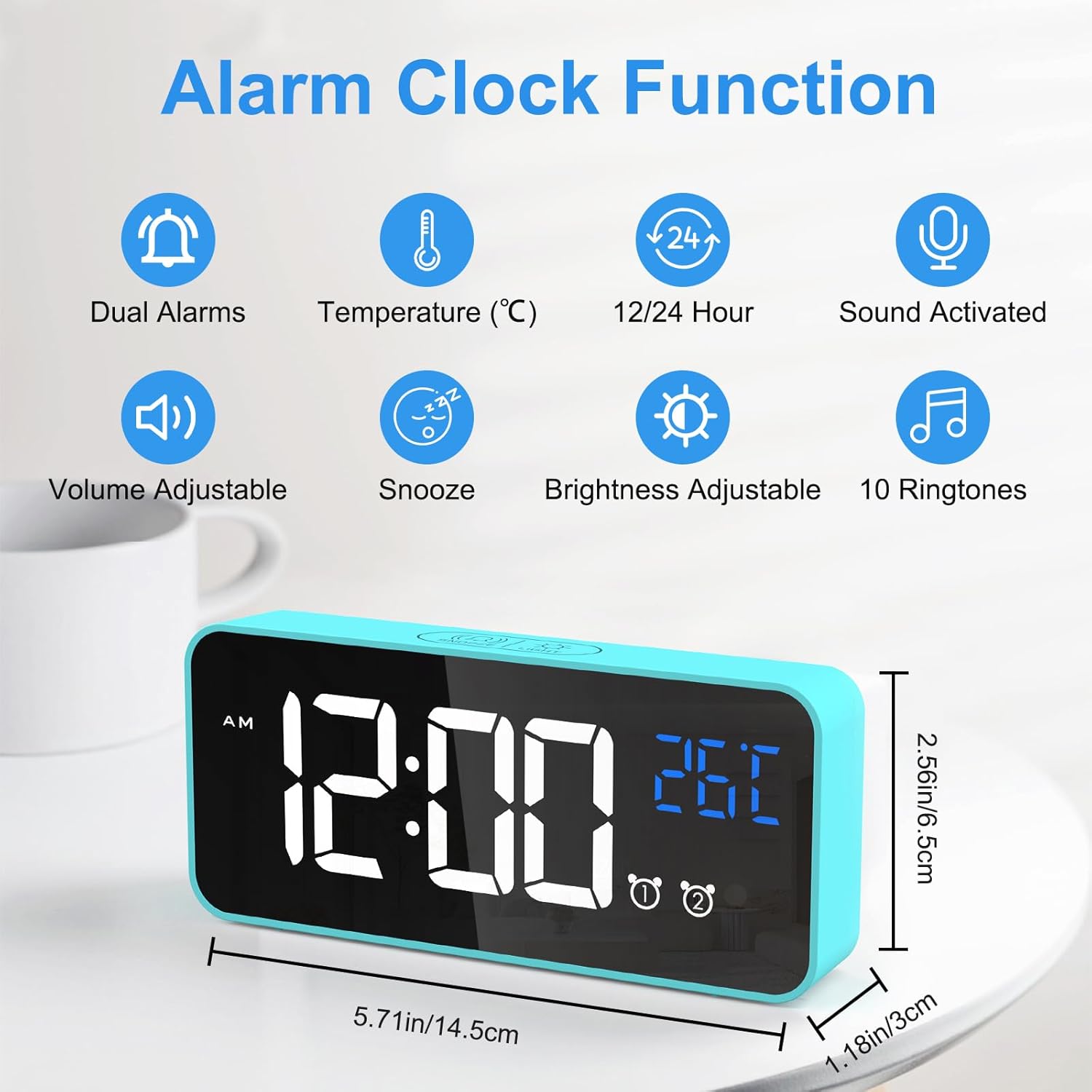
Image: An infographic highlighting the key functions of the alarm clock, including dual alarms, temperature display, 12/24 hour format, sound activation, volume adjustment, snooze, brightness adjustment, and 10 ringtones.
- Кош кубат режимдери: Operates via USB for continuous display or built-in battery for portable use with voice activation.
- Жөнгө салынуучу жарыктык: 4 manual levels and automatic adjustment when USB powered.
- Dual Alarms with Snooze: Set two independent alarms with a convenient 5-minute snooze function.
- Ыңгайлаштырылган үн: Choose from 3 volume levels and 10 unique ringtones.
- Үн жандыруу: In battery mode, the display activates for 6 seconds when sound exceeds 90 dB.
- Температура дисплейи: Айлана-чөйрөнүн температурасын Цельсий же Фаренгейтте көрсөтөт.
- Эстутум функциясы: Settings are retained even if power is lost or the clock is turned off and on again.

Image: A visual explanation of the memory function, showing that settings are retained even after power loss or restart.
Техникалык тейлөө
- Тазалоо: Ойготкуч сааттын бетин тазалоо үчүн жумшак, кургак чүпүрөктү колдонуңуз. Абразивдүү тазалоочу каражаттарды же эриткичтерди колдонбоңуз.
- Курчап турган чөйрө: Keep the alarm clock away from heat sources, direct sunlight, and high humidity environments.
- Сактагыч: If the alarm clock will not be used for an extended period, turn off the power switch to preserve battery life.
Проблемаларды чечүү
| Көйгөй | Мүмкүн себеп | Чечим |
|---|---|---|
| Display is blank or scrambled. | Low battery, power issue, or internal error. | Connect to USB power. If the issue persists, use a pin to press the "КАЙРА ОРНОТУУ" button on the bottom of the clock. |
| Display turns off after 6 seconds. | Clock is operating on battery power. | This is normal behavior to conserve battery. Connect to USB power for a continuously lit display. |
| Ойготкуч угулбайт. | Ойготкуч иштетилген эмес же үн өтө төмөн. | Ensure the alarm switch (Alarm 1 or Alarm 2) is in the "ON" position. Check and adjust the alarm volume. |
| Time/settings are lost after power off. | This should not happen due to memory function. | Ensure the internal battery is charged. If the issue persists, perform a reset. |
Техникалык шарттар
| Өзгөчөлүк | Деталь |
|---|---|
| Бренд | ЧЕРЕКИ |
| Модель номери | 8808 |
| Түс | Көк |
| Өлчөмдөрү (L x W x Y) | 14.5 x 6.5 x 3 см (5.71 x 2.56 x 1.18 дюйм) |
| Салмагы | 158 грамм (0.35 фунт) |
| Материал | Пластик |
| Дисплей түрү | Digital LED |
| Power Source | USB Cable / Built-in Lithium-polymer Battery |
| Өзгөчөлүктөр | Temperature Display, Snooze Function, Dual Alarms, Voice Activation, Adjustable Brightness, 10 Ringtones |
Кепилдик жана колдоо
CHEREEKI is committed to providing high-quality products and excellent customer service. If you have any questions or encounter issues with your alarm clock, please do not hesitate to contact our customer support team. We are dedicated to providing attentive after-sales service.
For support, please refer to the contact information provided with your purchase or visit the official CHEREEKI webсайт.


