1. Киришүү
The Apple 2020 iPad Pro 12.9-inch Wi-Fi 128GB is a powerful and versatile tablet designed for a wide range of tasks, from creative work and gaming to productivity and entertainment. Featuring an immersive edge-to-edge Liquid Retina display, an A12Z Bionic chip, and advanced camera systems, this device offers a premium user experience.
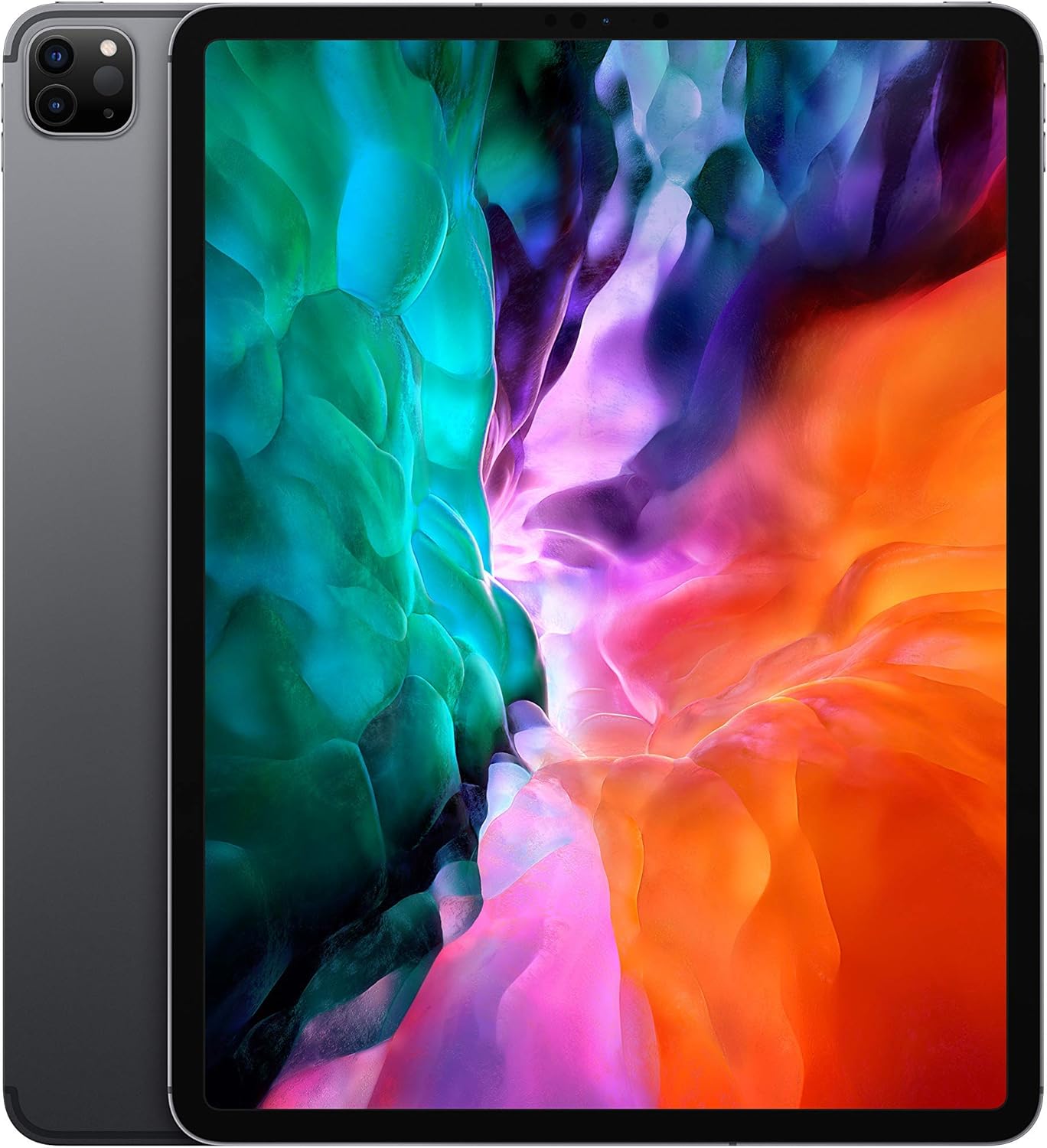
Сүрөт: алдыңкы view of the Apple 2020 iPad Pro 12.9-inch in Space Gray, showcasing its edge-to-edge Liquid Retina display.
2. Орнотуу
2.1 Initial Power On and Activation
- iPad'ди заряддоо: Connect the provided USB charging cable to the iPad and a power adapter. Plug the adapter into a wall outlet. Allow the device to charge for at least 30 minutes before initial setup.
- Күйгүзүү: Apple логотиби пайда болгонго чейин Жогорку баскычты басып, кармап туруңуз.
- Экрандагы нускамаларды аткарыңыз: The iPad will guide you through the initial setup process, including language selection, region, and connecting to a Wi-Fi network.
- Set Up Face ID: Follow the prompts to configure Face ID for secure authentication.
- Restore or Set Up as New: You can choose to restore from an iCloud or computer backup, or set up the iPad as a new device.
2.2 Wi-Fiга туташуу
- барыңыз Орнотуулар > Wi-Fi.
- Тизмеден каалаган Wi-Fi тармагын тандаңыз.
- Суралган учурда тармактын сырсөзүн киргизип, таптаңыз Кошулуу.
3. Operating Your iPad Pro
3.1 Navigating iPadOS
The iPad Pro runs on iPadOS, offering a user-friendly interface with intuitive gestures. Swipe up from the bottom to go to the Home screen, swipe down from the top-right for Control Center, and swipe down from the top-center for Notifications.
3.2 Дисплейдин өзгөчөлүктөрү
Your iPad Pro features a 12.9-inch edge-to-edge Liquid Retina display with ProMotion technology for adaptive refresh rates up to 120Hz, True Tone for ambient light color adjustment, and P3 wide color for vibrant visuals.

Image: A visual summary of key iPad Pro features, including the A12Z Bionic chip, Face ID, 10-hour battery life, 4-speaker audio, and Apple Pencil compatibility.
3.3 Performance and Security
Powered by the A12Z Bionic chip with Neural Engine, the iPad Pro delivers fast and efficient performance for demanding applications and multitasking. Face ID provides secure and convenient authentication for unlocking your device and making purchases.

Сүрөт: деталдуу view of the advanced dual camera system and LiDAR scanner located on the rear of the iPad Pro.
3.4 Камера тутуму
The device includes a 12MP Wide camera, a 10MP Ultra Wide camera, and a LiDAR Scanner for advanced photography and augmented reality (AR) experiences. The 7MP TrueDepth front camera supports Face ID and high-quality video calls.
3.5 Аксессуарлар
The iPad Pro is compatible with the Apple Pencil (2nd generation) for drawing, note-taking, and marking up documents, and the Magic Keyboard with a trackpad for a laptop-like typing experience.

Image: The Apple iPad Pro connected to a Magic Keyboard, with an Apple Pencil positioned in front, illustrating its versatility as a productivity tool.
4. Техникалык тейлөө
4.1 Cleaning Your iPad Pro
- Экранды жана сыртты тазалоо үчүн жумшак, түксүз чүпүрөктү колдонуңуз.
- Avoid using abrasive materials, aerosols, or harsh cleaning solutions.
- өжөр тактар үчүн, бир аз гampчүпүрөктү суу менен.
4.2 Программалык камсыздоо жаңыртуулары
Regularly check for and install iPadOS updates to ensure optimal performance, security, and access to new features. Go to Орнотуулар > Генерал > Программалык камсыздоону жаңыртуу.
4.3 Батареяга кам көрүү
Батареянын иштөө мөөнөтүн узартуу үчүн, iPad'ыңызды өтө жогорку температурага дуушар кылбаңыз. Узак мөөнөттүү сактоо үчүн, батареяны болжол менен 50% га чейин кубаттап, түзмөктү өчүрүңүз.
5. Кыйынчылыктарды
5.1 Түзмөк жооп бербей жатат
If your iPad Pro is unresponsive, try a force restart:
- Press and quickly release the Volume Up button.
- Press and quickly release the Volume Down button.
- Apple логотиби пайда болгонго чейин Жогорку баскычты басып, кармап туруңуз.
5.2 Wi-Fi туташуу маселелери
- Wi-Fi күйгүзүлгөнүн текшериңиз Орнотуулар.
- Wi-Fi роутериңизди өчүрүп күйгүзүңүз.
- Тармакты унут (Орнотуулар > Wi-Fi > tap the "i" next to the network > Бул тармакты унут) and reconnect.
5.3 Колдонмонун бузулушу же катып калуусу
- Колдонмону жаап, кайра ачыңыз.
- App Store дүкөнүнөн колдонмо жаңыртууларын текшериңиз.
- iPad'иңизди өчүрүп күйгүзүңүз.
6. Техникалык шарттар
| Өзгөчөлүк | Деталь |
|---|---|
| Бренд | Apple |
| Модель аты | 12.9-inch iPad Pro Wi-Fi 128GB - Space Gray |
| Туруктуу экран дисплей өлчөмү | 12.9 дюйм |
| Screen Resolution | 2732x2048 |
| Max Screen Resolution | 2736 x 2048 пиксел |
| Процессор | 2.49 GHz (A12Z Bionic chip) |
| RAM | 6 ГБ |
| Катуу дисктин/флеш эс тутумдун өлчөмү | 128 ГБ |
| Операция системасы | iPadOS |
| Арткы Webcam Resolution | 12 MP (Wide), 10 MP (Ultra Wide) |
| Алдыңкы камера | 7MP TrueDepth |
| Зымсыз түрү | 2.4 GHz Radio Frequency, 5 GHz Radio Frequency, 802.11a/b/g/n/ac, 802.11ax, Bluetooth |
| Батареянын орточо иштөө мөөнөтү | 10 саат |
| Элемент Салмагы | 10.4 унция |
| Продукциянын өлчөмдөрү | 12 x 10 x 10 дюйм |
| Түс | Space Gray |
7. Кепилдик жана колдоо
This Apple 2020 iPad Pro is offered as an Amazon Renewed product. It comes with a 90-day return policy from the buybox winner, Tech Exchangee. For specific warranty details beyond this period, please refer to Apple's official warranty information or contact Apple Support directly.
Кутуда эмне бар:
- Apple iPad Pro
- USB заряддоо кабели


