1. Продукт бүтүп калдыview
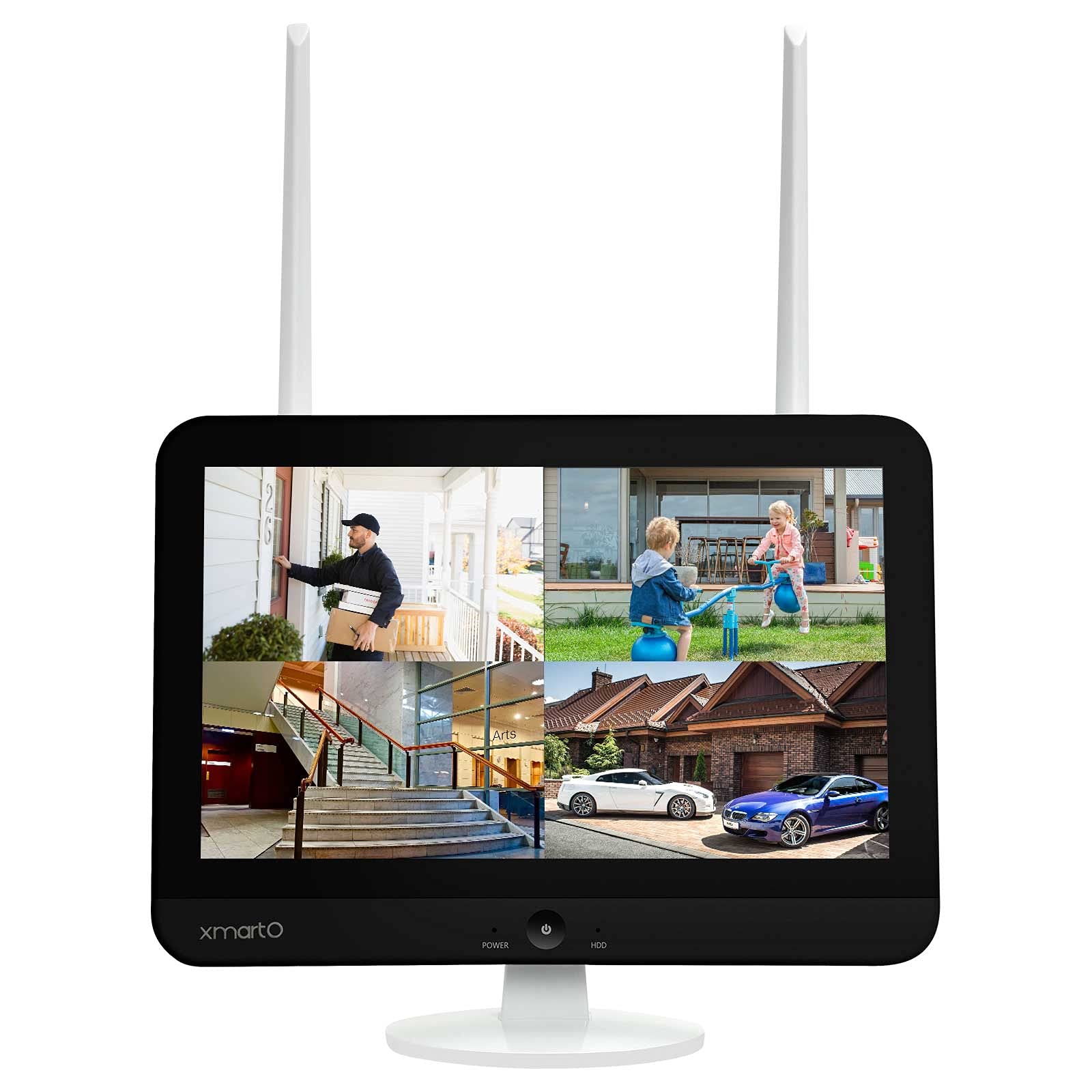
The xmartO WNS28 is an 8-channel WiFi Security NVR/DVR system featuring an integrated 12.1-inch 1080p Full HD screen. This system supports up to 8 xmartO WiFi security cameras, including 5MP, 3MP, 2MP (1080p), 1.3MP (960p), and 1MP (720p) resolutions. It is designed for convenient home surveillance with easy remote viewing capabilities and support for SATA HDDs.
The NVR incorporates dual WiFi modules: one dedicated for camera connections to maintain a clear home WiFi network, and another for connecting the system to the internet via WiFi, eliminating the need for a wired connection to your router. It also features G3 AUTO Dream Liner Wi-Fi relay technology, which automatically uses a closer camera as a WiFi repeater to extend the range to the NVR for cameras with weaker signals.
The system offers dual recording modes, capturing 24/7 footage and simultaneous motion events. During playback, events are highlighted for quick review. The companion mobile application provides a daily message list with snapshots and video clips of detected events.
2. Пакеттин мазмуну
Төмөндө тизмеленген нерселердин баары пакетиңизге камтылганын текшериңиз:
- xmartO WNS28 NVR with 12.1" HD Screen
- NVR үчүн кубаттуу адаптер
- USB чычкан
- HDMI кабели
- Ethernet кабели
- Монтаждоо бурамалар жана анкерлер
- User Manual
- Security Cameras (quantity as per purchased kit, e.g., 4 cameras)
- Power Adapters for Cameras (one per camera)

3. Негизги өзгөчөлүктөрү
- Integrated 12.1" 1080p Full HD Screen: Provides a convenient and flexible display for your surveillance system.
- Dual WiFi Modules: One WiFi module is dedicated to camera connections, preventing interference with your home network. The second module connects the NVR to the internet wirelessly.
- G3 AUTO Dream Liner Wi-Fi Relay Technology: Automatically extends WiFi range by using closer cameras as repeaters for cameras with weak signals, requiring no manual configuration.
- Dual Records Mode: Records 24/7 and simultaneously captures motion events, highlighting them for easy review ойнотуу учурунда.
- Easy Mobile Live View & Ойнотуу: Free mobile app and cloud technology allow for remote viewing and playback of recorded videos on your smartphone or tablet.
- Кыймылды аныктоо: The system detects motion and sends instant messages with snapshots and video clips to the mobile app.
- Кеңейтүүчү сактагыч: Supports up to 6TB SATA hard drive for extensive video storage.


Видео 3.5: Бүттүview of the xmartO WiFi Camera System, demonstrating its features and capabilities.
4. Орнотуу колдонмосу
4.1 NVR баштапкы орнотуусу
- Туташуу кубаты: Plug the NVR power adapter into the NVR's 12V DC input and then into a power outlet.
- Чычканды туташтыруу: USB чычканын NVRдин USB портторунун бирине сайыңыз.
- Күйгүзүү: Press the power button on the front of the NVR. The system will boot up and display the xmartO logo and 'NVR Network Video Recorder'.
- Тил тандоо: Use the mouse to select your preferred language (e.g., English) from the on-screen menu and click 'Next step'.
- Тармак конфигурациясы: Follow the on-screen prompts to configure network settings. The NVR's dual WiFi will automatically attempt to connect to your home network.
4.2 Камераны жупташтыруу
The xmartO NVR system features AUTO-PAIR technology, meaning cameras should automatically connect to the NVR once powered on. If a camera does not connect automatically or if you are adding a new camera, follow these steps:
- Ensure Empty Channel: In the NVR's main menu, navigate to 'Device Manage'. Check for an empty channel. If all channels are occupied, you may need to delete an existing channel to free one up for the new camera.
- Access 'Add by WiFi': Right-click on the NVR screen to open the main menu. Select 'Add by WiFi'. The NVR will begin searching for available cameras.
- Power Camera: Plug the camera's power adapter into the camera and then into a power outlet. Wait approximately 10 seconds for the camera to initialize.
- Reset Camera (if needed): If the camera does not appear in the 'Add by WiFi' list after a minute, locate the reset button on the camera (refer to the camera's specific manual for location) and press and hold it for 10 seconds. Release the button and wait for the camera to restart and attempt to pair.
- Байланышты текшерүү: Once the camera is successfully paired, its live view will appear on the NVR screen.


Video 4.4: A demonstration on how to wirelessly pair a new camera to an xmartO NVR system.
5. Иштөө нускамалары
5.1 Live View жана Ойнотуу
- NVR Screen: The integrated 12.1-inch screen displays live feeds from all connected cameras. Use the USB mouse to navigate the NVR interface, select specific camera views, or access playback options.
- Мобилдик колдонмо: Download the free 'WallPixel' app from the App Store or Google Play. Scan the QR code provided on the NVR screen to add your device. Once connected, you can view түз эфирдеги берүүлөр, жаздырылган тамак-ашты ойнотууtage, and receive alerts from anywhere.
- Тышкы монитор: Connect the NVR to an external TV or monitor via the HDMI output for a larger display.
5.2 Жазуу режимдери
- 24/7 үзгүлтүксүз жаздыруу: The system records continuously to the installed SATA hard drive.
- Кыймыл менен иштетилген жаздыруу: Records only when motion is detected, saving storage space and making event review натыйжалуураак.
- Пландаштырылган жаздыруу: Configure specific times for recording based on your needs.
5.3 Кыймылды аныктоо жана эскертүүлөр
The system's advanced motion detection capabilities allow you to receive instant alerts:
- Колдонмо эскертмелери: Receive push notifications on your mobile device when motion is detected.
- Электрондук почта эскертүүлөрү: Configure email alerts to be sent with snapshots of detected events.
- Үн сигналдары: The NVR can be configured to sound an alarm when motion is detected.

6. Техникалык тейлөө
- Тазалоо: Regularly clean the camera lenses and NVR screen with a soft, dry cloth to ensure clear image quality. Avoid abrasive cleaners.
- Программалык камсыздоо жаңыртуулары: Periodically check the xmartO website or mobile app for firmware updates to ensure optimal performance and security.
- Катуу дискти башкаруу: The NVR supports loop recording, automatically overwriting the oldest footage when the hard drive is full. Back up important footagд үзгүлтүксүз.
- Антеннаны жайгаштыруу: Ensure NVR and camera antennas are positioned for optimal signal reception.
7. Кыйынчылыктарды
- No Camera Feed:
- Ensure the camera is powered on and within range of the NVR's WiFi.
- Check if the camera is properly paired to an NVR channel (refer to Section 4.2).
- Verify power connections for both the camera and NVR.
- Видеонун сапаты начар:
- Камера линзаларын тазалаңыз.
- Check WiFi signal strength between the camera and NVR. Relocate cameras or NVR if necessary to improve signal.
- Оптималдуу сүрөт тартуу үчүн, айрыкча түнкүсүн жетиштүү жарыкты камсыз кылыңыз.
- Колдонмо аркылуу алыстан жетүү мүмкүн эмес:
- NVR интернетке туташкандыгын текшериңиз.
- Verify your mobile device has an active internet connection.
- Confirm the 'WallPixel' app is correctly configured and the device is added.
- NVR жаздырылбай жатат:
- Check if a SATA hard drive is installed and properly formatted.
- Verify recording schedules and settings in the NVR menu.
- Ensure the hard drive is not full (though loop recording should manage this).
8. Техникалык шарттар
| Өзгөчөлүк | Спецификация |
|---|---|
| Модель номери | WNS28 |
| Бренд | xmartO |
| Экранды көрсөтүү | 12.1" 1080p Full HD |
| Колдоого алынган камералар | Up to 8 xmartO WiFi security cameras (5MP, 3MP, 2MP, 1.3MP, 1MP) |
| WiFi туташуусу | Dual WiFi modules (one for cameras, one for internet) |
| WiFi Range Extension | G3 AUTO Dream Liner Wi-Fi relay technology |
| Жазуу режимдери | 24/7 Continuous, Motion-Activated, Scheduled |
| Сактоо сыйымдуулугу | Supports up to 6 TB SATA HDD |
| Remote Access | Free 'WallPixel' mobile app (iOS/Android) |
| Output Ports | HDMI, USB, Ethernet |
| Энергияны керектөө | 24 ватт |
| Өлчөмдөр | 11.9 x 11.9 x 11 дюйм |
| Салмагы | 3.99 фунт |
9. Кепилдик жана колдоо
The xmartO WNS28 NVR/DVR system typically comes with a 1-year warranty. Please refer to the warranty card included in your package or visit the official xmartO webдеталдуу кепилдик шарттары жана шарттары үчүн сайт.
For product support, including FAQs, how-to videos, and manuals, please visit the xmartO webсайт же кардарларды колдоо менен байланышуу:
- Webсайт: www.xmarto.com
- Электрондук почта: support@xmarto.com


