1. Киришүү
This manual provides detailed instructions for the installation, operation, and maintenance of your Imou IPC-G22P 2MP WiFi IP Bullet Camera. This device is designed for reliable surveillance, offering 2-megapixel live monitoring, efficient H.265 video compression, and robust IP67 weather resistance for various environmental conditions.

Image 1.1: The Imou IPC-G22P Bullet Camera, showcasing its weather-resistant design suitable for outdoor use.

Image 1.2: The Imou IPC-G22P camera is suitable for diverse installation environments, including residential and commercial outdoor settings.
2. Коопсуздук маалыматы
Аппаратка зыян келтирбөө же өзүңүзгө зыян келтирбөө үчүн бардык коопсуздук нускамаларын кылдаттык менен окуп чыгып, аткарыңыз. Бул колдонмону келечекте маалымат алуу үчүн сактаңыз.
- Электр камсыздоо: Use only the power adapter provided with the camera. Ensure the power source meets the camera's voltagд талаптар.
- Орнотуу: Install the camera securely on a stable surface. Avoid placing it in areas with extreme temperatures, high humidity, or direct exposure to corrosive substances.
- Суу таасири: While the camera is IP67 rated for weather resistance, avoid submerging it in water or exposing it to high-pressure water jets.
- Тазалоо: Тазалоодон мурун электр кубатынан ажыратыңыз. Жумшак, кургак чүпүрөктү колдонуңуз. Суюк же аэрозольдук тазалагычтарды колдонбоңуз.
- Тейлөө: Камераны өз алдынча бөлүүгө же оңдоого аракет кылбаңыз. Бардык тейлөөлөрдү квалификациялуу кызматкерлерге тапшырыңыз.
3. Орнотуу
3.1 Физикалык орнотуу
Mount the camera in your desired location using the provided mounting hardware. Ensure the camera has a clear field of view and is within range of your Wi-Fi network or close to an Ethernet port for wired connection.
3.2 Кубат туташтыруу
Connect the power adapter to the camera's power input and then plug it into a standard electrical outlet. The camera will power on automatically.
3.3 Тармактык туташуу
The Imou IPC-G22P supports both Wi-Fi and wired LAN connectivity, offering flexibility for installation.

Image 3.1: The camera supports both wireless (2.4GHz Wi-Fi) and wired (LAN) network connections for flexible installation and stable data transmission.
- Wi-Fi туташуусу: For wireless setup, ensure your Wi-Fi network is 2.4GHz. The camera features an upgraded 4.5dBi antenna for stronger and more stable signal reception.
- LAN туташуу: For a more stable and reliable connection, connect an Ethernet cable from your router to the camera's LAN port.
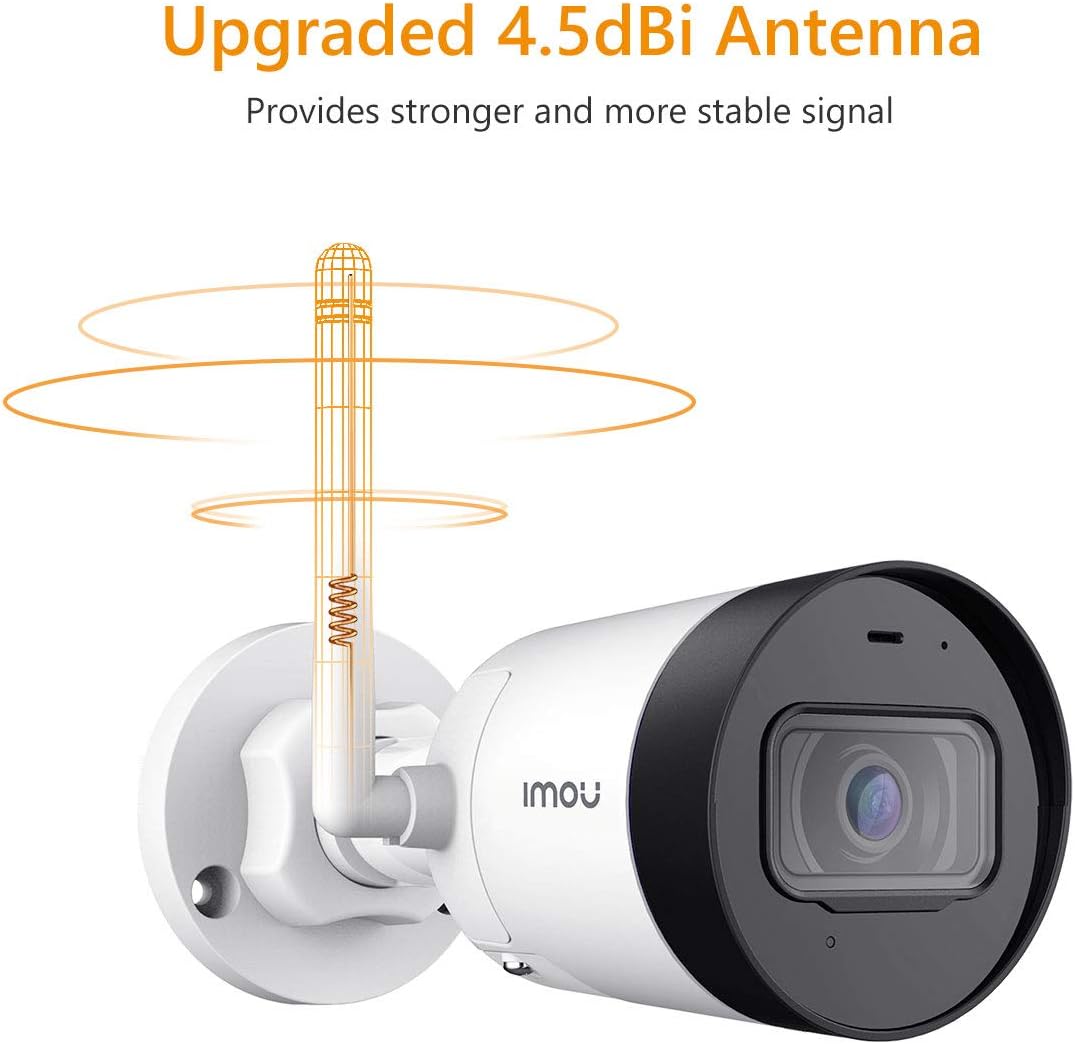
Image 3.2: The camera's 4.5dBi antenna enhances Wi-Fi signal strength and stability.
3.4 Колдонмону орнотуу жана түзмөктү жупташтыруу
- жүктөп алыңыз Imou Life смартфонуңуздун колдонмолор дүкөнүнөн колдонмо (Android жана iOS үчүн жеткиликтүү).
- Каттоо эсебин түзүңүз же сизде мурунтан эле бар болсо кириңиз.
- Follow the in-app instructions to add your new camera. This typically involves scanning a QR code on the camera or manually entering its serial number.
- Complete the network configuration within the app.
4. Иштөө нускамалары
4.1 Live View жана Жаздыруу
Once connected, you can access the live video feed from your camera via the Imou Life app. The camera provides 2-megapixel resolution and utilizes H.265 compression to optimize bandwidth and storage usage while maintaining video quality.
4.2 Кыймылды аныктоо жана эскертүүлөр
The camera is equipped with motion detection capabilities. When movement is detected, the camera can send instant alerts to your smartphone, allowing you to monitor activity in real-time.

Image 4.1: The Imou camera provides instant alerts to your smartphone upon detecting movement, enhancing security monitoring.
4.3 Аудио мониторинг
The built-in microphone allows you to listen to audio from the camera's vicinity through the Imou Life app.

Image 4.2: The camera includes a built-in microphone for audio monitoring of the surveillance area.
4.4 Түнкү көрүнүш
The camera features integrated night vision functionality, providing clear video monitoring even in low-light or complete darkness conditions.
4.5 Сактагычты башкаруу
The Imou IPC-G22P offers multiple options for video storage:
- Micro SD картасы: Supports local storage on a Micro SD card, up to 128GB.
- Imou Cloud: Cloud storage service for secure, remote access to your recordings.
- NVR (Тармактык видео жазгыч): Compatible with NVR systems for continuous recording and centralized management.

Image 4.3: The camera provides flexible storage solutions including Micro SD card, Imou Cloud, and NVR compatibility.
5. Техникалык тейлөө
5.1 Тазалоо
To maintain optimal performance, periodically clean the camera lens and housing. Use a soft, lint-free cloth. For stubborn dirt, slightly dampкездемени суу менен сүртүңүз. Абразивдүү тазалоочу каражаттардан же эриткичтерден алыс болуңуз.
5.2 Микропрограмма жаңыртуулары
Regularly check for and install firmware updates via the Imou Life app. Firmware updates often include performance improvements, new features, and security enhancements.
5.3 Аба ырайына туруктуулук
The Imou IPC-G22P is IP67 certified, meaning it is protected against dust ingress and can withstand immersion in water up to 1 meter for 30 minutes. This rating ensures reliable operation in various outdoor weather conditions, including rain and snow.
6. Кыйынчылыктарды
- Кубат жок:
Ensure the power adapter is securely connected to both the camera and a working electrical outlet. Verify the outlet is supplying power. - No Network Connection / Frequent Disconnections:
Check your Wi-Fi signal strength at the camera's location. If using Wi-Fi, ensure the camera is within range of your 2.4GHz router. If using LAN, verify the Ethernet cable is properly connected and functional. Restart your router and the camera. - Imou Life App Issues (Slow Loading, Playback Delays):
Ensure your smartphone has a stable internet connection. Close and reopen the app. Clear the app's cache or reinstall it if issues persist. Network congestion can also affect app performance. - Сүрөттүн сапаты маселелери:
Камера линзасын тазалаңыз. Камеранын линзасынын айланасында эч кандай тоскоолдуктар жок экенин текшериңиз. view. Check network bandwidth, as low bandwidth can affect streaming quality. - Camera Heats Up During Use:
It is normal for electronic devices to generate some heat during operation. If the camera becomes excessively hot to the touch or exhibits abnormal behavior, disconnect power and contact support. - Туруктуу линза Viewбурч:
The Imou IPC-G22P features a fixed lens. The viewing angle cannot be adjusted remotely. Ensure the camera is physically mounted at the desired angle during installation.
7. Техникалык шарттар
| Өзгөчөлүк | Спецификация |
|---|---|
| Модель аты | Imou IPC G22PIMOU (Bullet Lite) |
| Өндүрүүчүнүн номери | IPC-G22P |
| Резолюция | 2 мегапиксел |
| Байланыш технологиясы | Wireless (Wi-Fi), Wired (LAN) |
| Wi-Fi жыштыгы | 2.4 ГГц |
| Ички/тышкы колдонуу | Outdoor (IP67 certified) |
| Өзгөчөлүктөр | Night Vision, Motion Detection, Built-in Microphone |
| Шайкеш түзмөктөр | Смартфон, Планшет |
| Power Source | Электр зымдары |
| Продукциянын өлчөмдөрү | 8.5 x 7 x 16.5 см |
| Элемент Салмагы | 260 г |
| Батареялар талап кылынат | 1 AA batteries (for remote, not camera operation) |
| Өндүрүүчү | Imou |
8. Кепилдик жана колдоо
For warranty information and technical support, please refer to the official Imou webсайтына кириңиз же жергиликтүү сатуучуңузга кайрылыңыз. Сатып алуунун далили катары сатып алуу дүмүрчөгүңүздү сактап коюңуз.
For further assistance, you may visit the Imou support page or contact their customer service directly.


