1. Киришүү
Thank you for choosing the Eonon GA2185 Android 10.0 Double Din Car Stereo. This advanced car multimedia system features a 10.1-inch IPS display, Octa Core processor, 4GB RAM, and 64GB ROM, providing a powerful and versatile in-car entertainment and navigation experience. This manual provides detailed instructions for installation, operation, and maintenance to ensure optimal performance and user satisfaction.
2. Коопсуздук маалыматы
Please read all safety warnings and instructions carefully before installing and operating the device. Failure to follow these instructions may result in injury or damage to the unit or vehicle.
- Кесиптик орнотуу сунушталат: Унаа аудио системаларынын татаалдыгына байланыштуу, профессионалдуу орнотуу сунушталат.
- Электр камсыздоо: Ensure the unit is connected to a 12V DC power supply with negative grounding.
- Зымдар: Do not modify or cut any wires. Incorrect wiring can cause damage or fire.
- Айдоо коопсуздугу: Агрегатты айдоодон алаксыта тургандай иштетпеңиз. Ар дайым жол коопсуздугун биринчи орунга коюу.
- Температура: Аппаратты экстремалдык температурага же түз күн нуруна узак убакытка калтыруудан сактаңыз.
3. Кутуда эмне бар?
Кутудан чыгарууда бардык компоненттер бар экенин текшериңиз:

Сүрөт: бүттүview of the Eonon GA2185 package contents, including the main unit, GPS antenna, power cable, audio/AUX harnesses, external microphone, USB adapter cables, Wi-Fi antenna, fuse, disassembly tool, screws, and user manual.
- Eonon GA2185 Head Unit
- GPS антеннасы
- Электр кабели
- Audio Output Harness
- AUX Input Harness
- Тышкы микрофон
- USB адаптер кабели (x2)
- Wi-Fi антеннасы
- 15А Флайзер
- Демонтаждоо куралы
- Бурамалар (x4)
- User Manual
Note: Double Din installation kits may need to be purchased separately depending on your vehicle model.
4. Продукт бүтүп калдыview
4.1 Алдыңкы панел жана дисплей

Image: The Eonon GA2185 head unit, showcasing its 10.1-inch IPS touchscreen display with a clean Android interface and various application icons.
The GA2185 features a large 10.1-inch IPS touchscreen with a resolution of 1024 x 600 pixels, offering clear visuals and wide viewing angles. The screen is designed for optimal visibility and responsiveness.

Image: Illustration demonstrating the adjustable viewing angles of the Eonon GA2185 display, allowing for tilt adjustments of up to 18 degrees horizontally and 15 degrees vertically for optimal viewing.
4.2 Арткы байланыштар

Image: A comprehensive diagram of the rear panel of the Eonon GA2185, detailing all input and output ports with corresponding numbered labels for easy identification during installation.
- Wi-Fi антеннасы
- ISO порту
- Арткы камера киргизүү
- Жарыктандыруу
- АЧКЫЧ 1 (Рулду башкаруу 1)
- Brake Shift Ctrl
- GND (жер)
- АЧКЫЧ 2 (Рулду башкаруу 2)
- Reverse Ctrl
- AMP Ctrl
- Алдыңкы аудио чыгышы L
- Алдыңкы аудио чыгышы R
- Арткы аудио чыгышы L
- Арткы аудио чыгышы R
- Сабвуфердин чыгышы
- Видео чыгаруу 1
- Видео чыгаруу 2
- USB Input (x2)
- Тышкы микрофон
- Видео киргизүү
- Жок
- AUX Audio R Input
- AUX Audio L Input
- GPS антеннасы
4.3 Негизги компоненттер

Сүрөт: ички view highlighting the key specifications of the Eonon GA2185: Android 10.0 operating system, PX5 Octa-core ARM Cortex-A53 MPcore processor up to 1.3GHz, 4GB RAM, and 64GB ROM.
- Операция системасы: Android 10.0
- Процессор: PX5 Octa-core ARM Cortex-A53 MPcore processor (up to 1.3GHz)
- Эстутум: 4 ГБ RAM + 64 ГБ ROM
- Дисплей: 10.1-inch IPS Touchscreen, 1024 x 600 Resolution, 178° Viewбурчтар
- Аудио: Built-in DSP (Digital Sound Field Processing) with 16-band graphic equalizer
- Байланыш: Wi-Fi, Bluetooth, USB, HDMI
5. Орнотуу боюнча колдонмо
This section provides general guidelines for installing the Eonon GA2185. Specific vehicle models may require additional adapters or modifications. It is recommended to consult a professional installer if you are unsure about any steps.
5.1 Орнотууга чейинки текшерүүлөр
- Кандайдыр бир электр иштерин баштоодон мурун унаанын терс батарея терминалын ажыратыңыз.
- Ensure you have the correct double din installation kit for your vehicle.
- Familiarize yourself with your vehicle's existing wiring harness.
5.2 Зымдарды туташтыруу
Refer to the rear connection diagram in Section 4.2 for port identification. Connect the provided power cable, audio harnesses, and other accessories according to the diagram and your vehicle's wiring.
- Күч: Негизги электр өткөргүчтү унааңыздын кубат булагына туташтырыңыз (туруктуу 12V, кошумча 12V жана жер).
- Баяндамачылар: Connect the speaker wires from the ISO port to your vehicle's speaker wiring.
- GPS антеннасы: GPS антеннасын ачык жерге орнотуңуз view асмандын (мисалы, башкаруу панели, алдыңкы айнектин астында).
- Wi-Fi антеннасы: Connect the Wi-Fi antenna to the designated port.
- Тышкы микрофон: Чалуу сапатын жакшыртуу үчүн тышкы микрофонду туташтырыңыз.
- Арткы камера: If installing a rear camera, connect its video output to the "Rear Camera Input" and its power to the reverse light circuit.
- Руль башкаруусу: Connect KEY1 and KEY2 wires to your vehicle's steering wheel control wires, if applicable.
5.3 Screen Disassembly Steps (if needed)
The screen can be detached from the main unit for easier installation or maintenance. Follow these steps:

Image: A visual guide detailing the five steps to safely disassemble the screen from the Eonon GA2185 head unit, involving pulling clips, removing screws, and unplugging cables.
- Pull the two clips (A&B) on the back of the screen to both sides.
- Remove the screen from the main unit.
- Remove the cable fixing clip after removing the screws that fix it.
- Клиптерди борборду көздөй басып, кабелди сууруп алыңыз.
- Демонтаждоо аяктады.
6. Баштапкы орнотуу
After successful installation, reconnect the vehicle's negative battery terminal and power on the unit.
6.1 First Boot and Language Selection
Upon first boot, the system may guide you through initial setup steps, including language selection. Follow the on-screen prompts.
6.2 Тармак конфигурациясы (Wi-Fi)
Онлайн функцияларга кирүү үчүн, түзмөктү Wi-Fi тармагына туташтырыңыз:
- барыңыз Орнотуулар > Тармак жана Интернет > Wi-Fi.
- Wi-Fi күйгүзүңүз жана тизмеден каалаган тармакты тандаңыз.
- Суралган болсо, сырсөздү киргизип, туташыңыз.
6.3 Bluetooth жупташтыруу
Pair your mobile device for hands-free calling and audio streaming:
- барыңыз Орнотуулар > Туташкан түзмөктөр > Bluetooth.
- Башкы блокто да, мобилдик түзмөгүңүздө да Bluetooth иштетилгенин текшериңиз.
- Издөө available devices on your mobile phone and select "Eonon GA2185" (or similar name).
- Жупташтыруу кодун эки түзмөктө тең ырастаңыз.
6.4 Connecting Optional Accessories

Image: A visual guide demonstrating the connection of an A0585 USB dongle to the Eonon GA2185 for enabling Android Auto functionality, with a smartphone connected to the dongle.
The GA2185 supports various optional accessories to enhance its functionality:
- Android Auto: To use Android Auto, you may need to purchase the Eonon A0585 USB dongle separately (ASIN: B08ZSKQBSH). Connect your Android phone to the dongle via USB.
- Камдык камера: Ensure the backup camera is properly wired and configured in the system settings for automatic display when reversing.
- OBD2 Dongle: Connect an OBD2 Bluetooth dongle (e.g., V0056) to your vehicle's OBD port and pair it via Bluetooth to access vehicle diagnostics.
7. Иштөө нускамалары
7.1 Колдонуучу интерфейсинин навигациясы
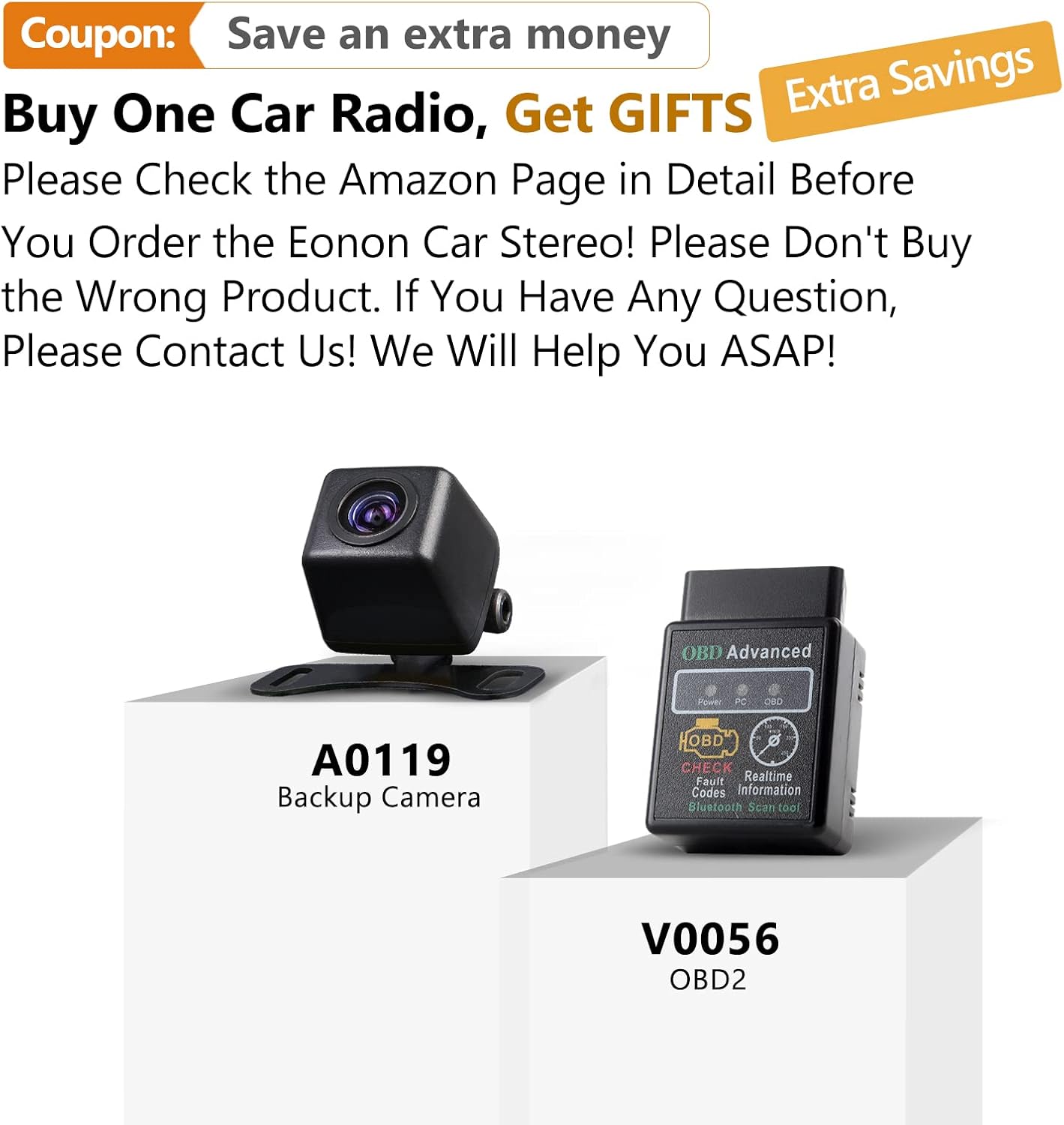
Image: The main user interface of the Eonon GA2185, displaying a grid of application icons for easy access to functions such as clock, file manager, email, Spotify, Google Play Store, Google Maps, and Netflix.
The unit operates on an Android platform, providing a familiar and intuitive interface. Swipe left/right to navigate between home screens, tap icons to open applications, and use the navigation bar at the bottom for quick access to home, back, and recent apps.
7.2 Audio Settings and DSP

Image: The audio settings interface of the Eonon GA2185, featuring a 16-band graphic equalizer for precise sound tuning and options to choose the optimal sound field, including driver, co-driver, rear, and center positions.
The built-in DSP (Digital Sound Field Processing) allows for extensive audio customization:
- Мадам: Access the 16-band graphic equalizer to adjust frequency levels for different music genres or personal preference.
- Үн талаасы: s үнүн оптималдаштырууtage by selecting driver, co-driver, rear, or center positions to focus the audio.
- Bass Boost/Filter: Adjust bass levels and apply filters for enhanced low-frequency response.
7.3 GPS навигациясы
The unit comes with pre-installed GPS navigation capabilities for North America. Ensure the GPS antenna is properly connected and positioned.
- ачыңыз Карталар application (e.g., Google Maps).
- Enter your destination and follow the voice-guided directions.
- The system supports offline maps if downloaded previously.
7.4 Apple CarPlay жана Android Auto
The unit supports both Apple CarPlay (built-in) and Android Auto (requires A0585 dongle).
- Apple CarPlay: Connect your iPhone via USB to activate CarPlay.
- Android Auto: Connect your Android phone to the A0585 dongle (if purchased) via USB to activate Android Auto.
- These features allow seamless integration of your smartphone's apps, navigation, and communication features onto the car stereo display.
7.5 Медиа ойнотуу
Аудио жана видеону ойнотуу fileар кандай булактардан алынган:
- USB: Connect USB drives to the USB input ports.
- Bluetooth Audio: Stream music from your paired mobile device.
- Радио: Access FM/AM radio with RDS support and save predefined stations.
- Онлайн агым: Use Wi-Fi to access streaming apps like Spotify, YouTube, Netflix, etc.
7.6 Рулду башкаруу
If properly wired, you can configure the unit to respond to your vehicle's steering wheel controls for functions like volume, track change, and mode selection. Refer to the system settings for mapping these controls.
8. Техникалык тейлөө
Proper maintenance ensures the longevity and performance of your Eonon GA2185.
- Экранды тазалоо: Сенсордук экранды акырын сүртүү үчүн жумшак, мамыксыз чүпүрөктү колдонуңуз. Өжөр тактар үчүн,ampкездемени суу же экранга тийбей турган тазалоочу каражат менен бир аз сүртүңүз. Катуу химиялык заттардан же абразивдүү материалдардан алыс болуңуз.
- Программалык камсыздоо жаңыртуулары: Periodically check for system software updates via Wi-Fi in the settings menu to ensure optimal performance and access to new features.
- Вентиляция: Ашыкча ысып кетүүнүн алдын алуу үчүн аппараттын желдетүү тешиктери жабылбагандыгын текшериңиз.
9. Кыйынчылыктарды
Бул бөлүмдө сиз кездешиши мүмкүн болгон кеңири таралган көйгөйлөр каралат. Эгерде көйгөй чечилбесе, кардарларды колдоо кызматына кайрылыңыз.
| Көйгөй | Мүмкүн себеп | Чечим |
|---|---|---|
| Түзмөк күйбөйт. | туура эмес зымдар; күйгөн сактагыч; Бошоң электр байланышы. | Check all power connections; Inspect and replace fuse if necessary; Ensure proper grounding. |
| Үн жок. | Үн өтө төмөн; Үнсүз кылуу иштетилди; туура эмес динамик зымдары; Ampкөтөргүч маселеси. | Increase volume; Check mute setting; Verify speaker connections; Check external ampэгерде колдонулса, көтөргүч. |
| GPS сигналы жоголду же так эмес. | GPS antenna improperly placed or disconnected; Obstruction. | GPS антеннасынын асман ачык экенин текшериңиз view; Check antenna connection. |
| Bluetooth байланышы туруксуз. | Interference; Device out of range; Software glitch. | Move device closer; Restart both devices; Re-pair the device. |
| Сенсордук экран жооп бербейт. | Система катып калды; Экранда кир бар. | Restart the unit (press reset button if available); Clean the screen. |
| Apple CarPlay/Android Auto not working. | Incorrect USB cable; Phone not compatible; Dongle issue (for Android Auto). | Use original or certified USB cable; Check phone compatibility; Ensure Android Auto dongle is correctly connected and functioning. |
10. Техникалык шарттар
| Өзгөчөлүк | Спецификация |
|---|---|
| Модель номери | Standard Android 10.0-GA2185US |
| Операция системасы | Android 10.0 |
| Процессор | Octa Core (PX5 ARM Cortex-A53, up to 1.3GHz) |
| RAM | 4 ГБ |
| ROM | 64 ГБ |
| Дисплей өлчөмү | 10.1 дюйм |
| Резолюция | 1024 x 600 |
| Дисплей түрү | IPS сенсордук экраны |
| Аудио чыгаруу режими | Stereo, Built-in DSP |
| Байланыш | Bluetooth, Wi-Fi, USB, HDMI |
| GPS картасынын түрү | Түндүк Америка |
| Өзгөчөлүктөр | Apple CarPlay integration, DSP audio processing, Customizable display, Radio with RDS, Predefined stations |
| Электр камсыздоо | 12V DC (терс негиз) |
| Өлчөмдөрү (посылка) | 34.29 x 29.21 x 19.51 см |
| Салмагы (посылка) | 3.01 кг |
11. Кепилдик жана колдоо
Eonon is committed to providing high-quality products and customer satisfaction.
11.1 Кепилдик маалыматы
Please refer to your purchase documentation or the Eonon official webкепилдиктин белгилүү бир шарттары жана эрежелери үчүн сайтты караңыз. Адатта, өнүмдөр өндүрүштүк кемчиликтерди камтыган чектелген кепилдик менен келет.
11.2 Кардарларды колдоо

Image: Visual representation of Eonon's commitment to professional after-sales support, featuring icons for service, customer support, and email contact.
For technical assistance, troubleshooting, or warranty claims, please contact Eonon customer support through the following channels:
- Eonon Official Webсайт: Visit the support section for FAQs, drivers, and contact forms.
- Amazon сатуучуларды колдоо: If purchased through Amazon, you can contact the seller directly via your order history for assistance.
- Электрондук почта колдоо: Refer to the Eonon webрасмий колдоо электрондук почта дареги үчүн сайт.
When contacting support, please have your product model number (GA2185) and purchase details readily available.


