1. Киришүү
This manual provides essential information for the installation, operation, and maintenance of your ASUS Prime A520M-K motherboard. The ASUS Prime A520M-K is a Micro-ATX motherboard designed for AMD AM4 socket processors, supporting 3rd Gen AMD Ryzen processors. It features DDR4 memory support, PCIe expansion, and multiple display outputs for a reliable computing experience.
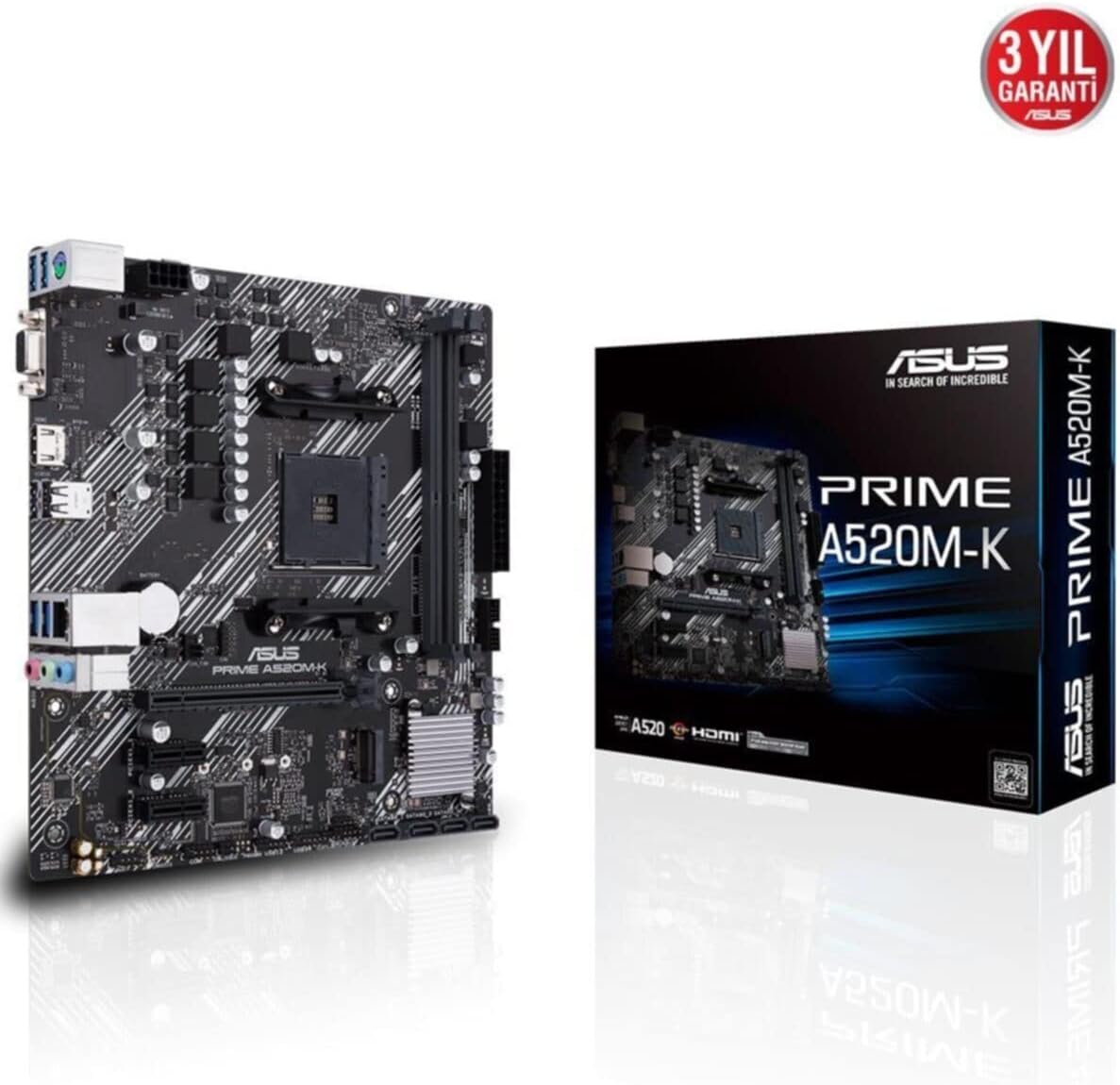
Figure 1: ASUS Prime A520M-K Motherboard and Retail Box.
2. Орнотуу жана орнотуу
Careful installation is crucial for optimal performance. Ensure your system components are compatible with the ASUS Prime A520M-K motherboard.
2.1. Процессорду орнотуу
The motherboard features an AMD AM4 socket. Align your AMD AM4 processor with the socket, ensuring the triangular markers on the CPU and socket match. Gently place the CPU into the socket without applying force, then secure it with the retention lever.
2.2. Эстутум орнотуу
The ASUS Prime A520M-K supports up to 64GB of DDR4 RAM across two DIMM slots. Insert DDR4 memory modules into the slots, ensuring they are properly seated until the clips on both ends lock into place.
2.3. Expansion Cards
Utilize the PCIe expansion slots for graphics cards or other expansion cards. Align the card with the slot and press firmly until it is fully seated. Secure the card with a screw to the chassis.
2.4. Storage Devices
Connect SATA storage devices (HDDs/SSDs) to the available SATA 6Gb/s ports using SATA data cables. Ensure power cables from your power supply are also connected to these devices.
2.5. Электр байланыштары
24-пин ATX негизги кубат туташтыргычын жана 8-пин ATX 12V кубат туташтыргычын кубат булагыңыздан энелик платадагы тиешелүү портторго туташтырыңыз.
2.6. Front Panel Connectors
Connect your chassis's front panel cables (power button, reset button, USB ports, audio jacks, LED indicators) to the designated headers on the motherboard. Refer to the motherboard diagram for precise locations.
2.7. Арткы I/O панели
The rear I/O panel includes various ports for peripherals:
- D-SUB (VGA) Port: For connecting to older monitors.
- HDMI порту: For connecting to modern displays.
- USB 2.0 порттору: Чычкандар жана клавиатуралар сыяктуу перифериялык түзүлүштөрдү туташтыруу үчүн.
- LAN порту: Тармак байланышы үчүн.
- Аудио уячалары: Динамиктер, кулакчындар жана микрофондор үчүн.

Figure 2: Rear I/O panel with D-SUB, HDMI, USB, LAN, and audio ports.
Видео 1: Продукт бүттүview of the ASUS Prime A520M-K Motherboard, demonstrating key features and connectivity options for easy installation.
3. Иштөө нускамалары
Бардык компоненттер орнотулуп, туташтырылгандан кийин, сиз тутумуңузду иштете аласыз.
3.1. Биринчи жүктөө
Upon the first boot, the system may enter the BIOS/UEFI setup utility. This allows you to configure system settings, boot order, and monitor hardware status. Press the designated key (usually Del or F2) during startup to access the BIOS.
3.2. Операциялық системаны орнотуу
Install your preferred operating system (e.g., Windows) from a bootable USB drive or DVD. Follow the on-screen instructions provided by the operating system installer.
3.3. Драйверди орнотуу
After installing the operating system, install the necessary drivers for the motherboard's chipset, audio, LAN, and any other integrated components. These drivers are typically provided on a support DVD or can be downloaded from the ASUS official webсайт.
4. Техникалык тейлөө
Үзгүлтүксүз тейлөө сиздин энелик платаңыздын узак мөөнөттүү жана туруктуу иштешин камсыз кылууга жардам берет.
- Чаңды тазалоо: Мезгил-мезгили менен кысылган абаны колдонуп, энелик платадан жана компоненттерден чаңды тазалап туруңуз. Тазалоодон мурун системанын өчүрүлгөнүн жана розеткадан ажыратылганын текшериңиз.
- BIOS/UEFI жаңыртуулары: Keep your BIOS/UEFI firmware updated to benefit from performance improvements, bug fixes, and support for new hardware. Download updates only from the official ASUS webсайт.
- Кабелдик башкаруу: Аба агымына тоскоол болуп калбашы жана кокустуктан ажырап калбоо үчүн бардык кабелдердин тыкан өткөрүлүшүн жана бекитилишин текшериңиз.
- CMOS батареясы: The motherboard uses a small lithium-ion battery (CR2032) to retain BIOS settings and system time. If your system consistently loses time or BIOS settings, this battery may need replacement.
5. Кыйынчылыктарды
Көйгөйгө туш болсоңуз, төмөнкү жалпы көйгөйлөрдү чечүү кадамдарын караңыз:
- Кубат жок: Check all power connections, including the 24-pin and 8-pin connectors to the motherboard, and ensure the power supply is switched on.
- Дисплей жок: Verify that your monitor is connected to the correct display output (D-SUB or HDMI) on the motherboard or dedicated graphics card. Reseat the graphics card and RAM modules.
- Системанын туруксуздугу/бузуулар: This can be caused by incompatible RAM, overheating, or outdated drivers. Check RAM compatibility, ensure proper cooling, and update all drivers.
- POST Code каталары: If your motherboard has diagnostic LEDs or a POST code display, consult the ASUS website or full manual for the meaning of specific codes.
- BIOS баштапкы абалга келтирүү: To reset BIOS settings to default, locate the CLRTC (Clear CMOS) jumper on the motherboard and follow the instructions in the full manual, or remove the CMOS battery for a few minutes.
6. Техникалык шарттар
Detailed technical specifications for the ASUS Prime A520M-K motherboard:
| Өзгөчөлүк | Спецификация |
|---|---|
| Бренд | ASUS |
| Сериялар | PRIME A520M-K |
| Модель номери | 90MB1500-M0EAY0 |
| CPU розетка | Розетка AM4 |
| Шайкеш процессорлор | AMD AM4 Socket 3rd Gen AMD Ryzen |
| Чипсет түрү | AMD A520 |
| RAM эс технологиясы | DDR4 SDRAM |
| Memory Slots | 2 x DIMM |
| Колдоого алынган максималдуу эс тутум | 64 ГБ |
| Memory Clock Speed | 2133 МГц (базалык) |
| USB 2.0 порттордун саны | 2 (Арткы I/O) |
| Video Output | D-SUB, HDMI |
| Форма фактору | Micro ATX |
| Продукциянын өлчөмдөрү (LxWxH) | 8.9 x 8.7 x 0.79 дюйм |
| Элемент Салмагы | 1.19 фунт |
| Түс | Кара |
| Платформа | Windows |
| Дата биринчи жеткиликтүү | 18-август, 2020-жыл |
7. Кепилдик жана колдоо
The ASUS Prime A520M-K motherboard typically comes with a manufacturer's warranty. Please refer to the warranty card included with your product or visit the official ASUS support website for detailed warranty terms and conditions. For technical assistance, driver downloads, and further support, please visit the ASUS колдоо webсайт.

Figure 3: ASUS Prime A520M-K Motherboard, indicating a 3-year warranty.


