Introduction
Thank you for choosing the havit MS72 Wired USB Gaming Mouse. This manual provides essential information for the proper installation, operation, and maintenance of your new gaming mouse. Please read this manual thoroughly before using the product to ensure optimal performance and longevity.
The havit MS72 features an ergonomic design, an anti-slipping surface, and adjustable DPI settings (800-1200 DPI) for precise control. It also includes RGB lighting for an enhanced aesthetic experience.
Пакеттин мазмуну
- havit MS72 Wired USB Gaming Mouse
- User Manual
Жайгашуу
Follow these steps to set up your havit MS72 Gaming Mouse:
- USB кабелин туташтыруу: Locate an available USB port on your computer (desktop or laptop). Insert the USB connector of the havit MS72 mouse into the USB port.
- Автоматтык драйверди орнотуу: Your operating system (Windows, macOS, Linux) should automatically detect the mouse and install the necessary drivers. This process may take a few moments.
- Функционалдуулугун текшерүү: Once the drivers are installed, the mouse's RGB lighting should illuminate, and the cursor should respond to movement. Test the left, right, and scroll wheel functions.
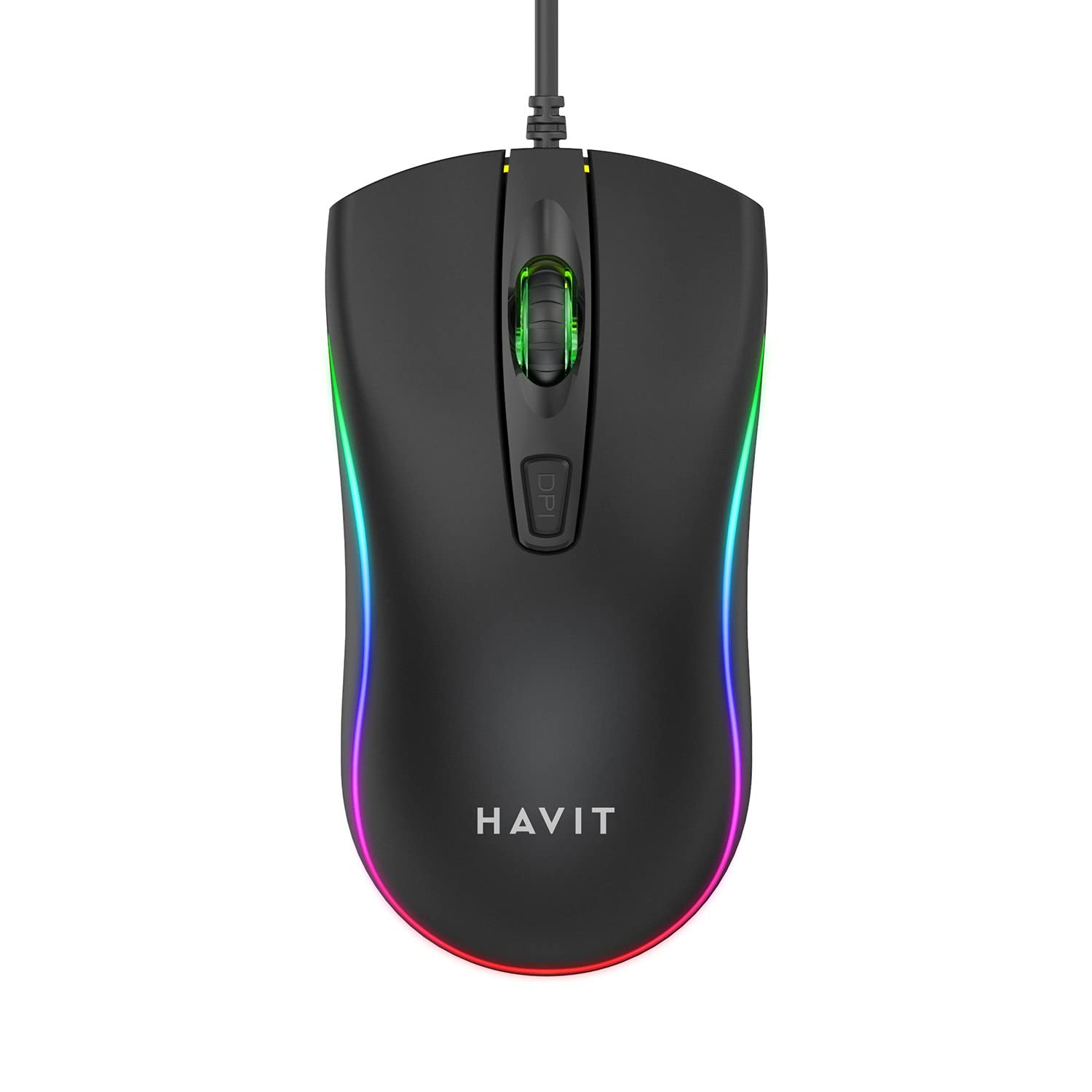
Image: The havit MS72 Gaming Mouse with its USB cable connected, showcasinанын эргономикалык дизайны жана RGB жарыктандыруу.
Иштөө нускамалары
The havit MS72 Gaming Mouse is designed for intuitive use. Here are its primary functions:
- Сол чыкылдатуу баскычы: Стандарттык негизги чыкылдатуу функциясы.
- Оң баскычты чыкылдатуу: Standard secondary click function, typically for context menus.
- Жылдыруу дөңгөлөгү: Документтерди жылдыруу үчүн колдонулат жана web барактар. Ошондой эле ортоңку чыкылдатуу баскычы катары иштей алат.
- DPI жөндөө баскычы: Located behind the scroll wheel. Press this button to cycle through the available DPI settings (800 DPI and 1200 DPI). The mouse's sensitivity will change with each press.
- Каптал баскычтары (Алга/Артка): Typically located on the left side of the mouse. These buttons are commonly used for navigation (e.g., forward/backward in web browsers) or can be programmed for specific in-game actions.
- RGB жарыктандыруу: The mouse features integrated RGB lighting that cycles automatically. There are no user-adjustable controls for the lighting patterns or colors.
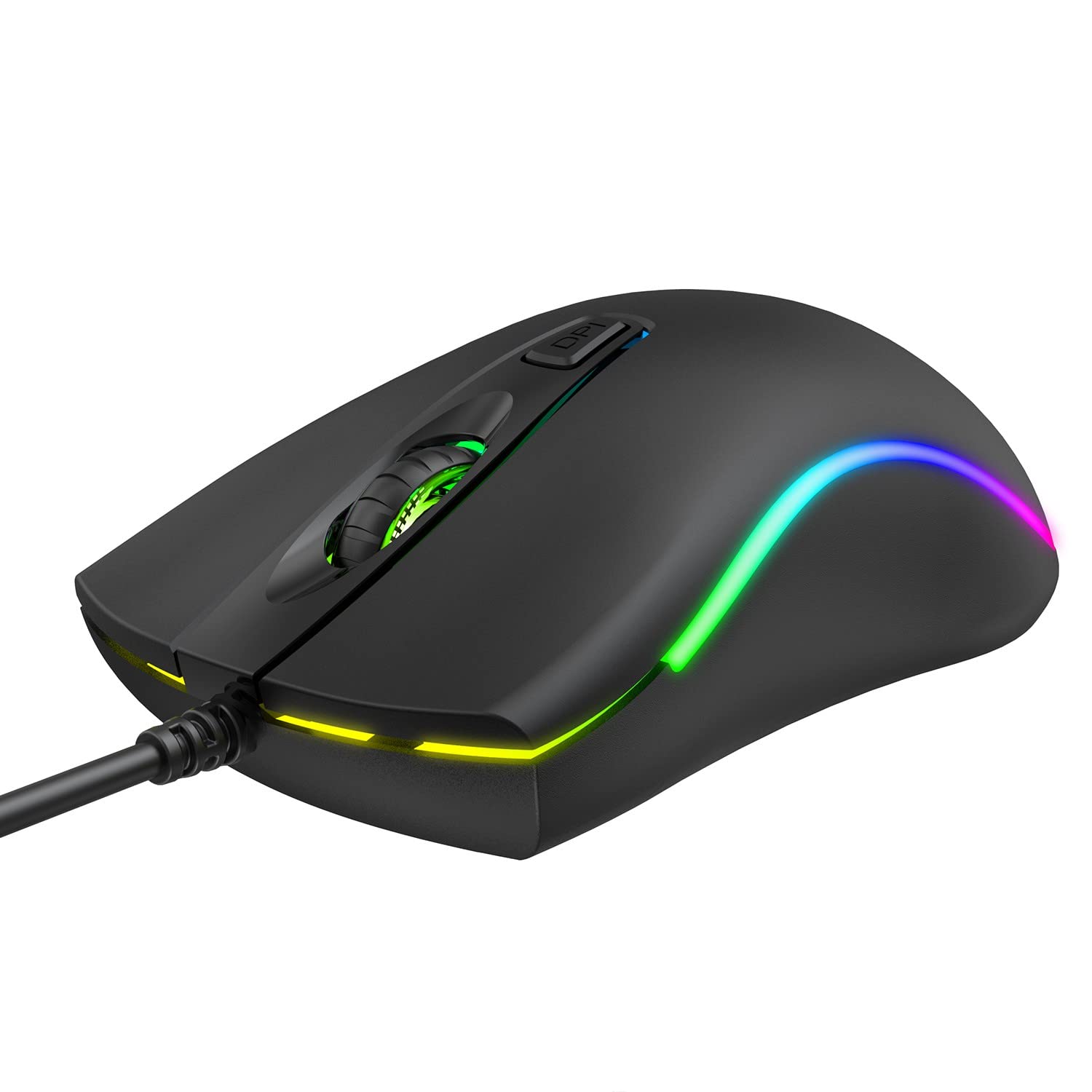
Сүрөт: Жогорку view of the havit MS72 Gaming Mouse, highlighting the scroll wheel and the DPI adjustment button.

Сүрөт: каптал view of the havit MS72 Gaming Mouse, illustrating the placement of the forward and backward side buttons.
Техникалык тейлөө
Proper maintenance ensures the longevity and optimal performance of your gaming mouse:
- Тазалоо: Чычкандын бетин сүртүү үчүн жумшак, кургак чүпүрөктү колдонуңуз. өжөр кир үчүн, бир аз гampчүпүрөктү суу же жумшак тазалоо эритмеси менен жууп салыңыз. Катуу химиялык заттардан же абразивдүү материалдардан алыс болуңуз.
- Оптикалык сенсор: Трекинг көйгөйлөрүн алдын алуу үчүн, чычкандын астыңкы жагындагы оптикалык сенсорду мезгил-мезгили менен кебез менен тазалап туруңуз.
- Кабельге кам көрүү: Avoid sharply bending or twisting the USB cable. Store the mouse in a way that prevents stress on the cable connection.
- Сактагыч: Узак мөөнөткө колдонулбаганда чычканды күн нурунан жана экстремалдык температурадан алыс, таза, кургак чөйрөдө сактаңыз.
Проблемаларды чечүү
If you encounter issues with your havit MS72 Gaming Mouse, refer to the following common solutions:
| Көйгөй | Мүмкүн себеп | Чечим |
|---|---|---|
| Чычкан жооп бербей жатат | Бош USB туташуу, туура эмес USB порт, драйвер маселеси. |
|
| Курсордун кыймылы туруксуз же секирик | Кир оптикалык сенсор, чычкандын жаздыкчасынын бети жараксыз. |
|
| DPI баскычы сезгичтикти өзгөртпөйт | Программалык камсыздоонун кагылышуусу, баскычтын иштебей калышы. |
|
| RGB жарыктандыруу иштебейт | Электр энергиясында көйгөй, ички ката. |
|
Техникалык шарттар
| Бренд | зыян |
| Модел | MS72 |
| Байланыш технологиясы | USB (Зымдуу) |
| Кыймылды аныктоо технологиясы | Оптикалык |
| DPI орнотуулары | 800-1200 DPI (Two gears) |
| Колдун багыты | Эки тараптуу |
| Өзгөчөлүктөр | Ergonomic Design, Anti-Slipping Surface, RGB Light |
| Шайкеш операциялык системалар | Linux, Windows 7, Windows XP, macOS |
| Аппараттык платформа | Ноутбук, персоналдык компьютер |
| Продукциянын өлчөмдөрү (LxWxH) | 11.4 x 6 x 3.8 см |
| Элемент Салмагы | 150 г |
Кепилдик жана колдоо
The havit MS72 Wired USB Gaming Mouse comes with a standard manufacturer's warranty. Please refer to the warranty card included with your product for specific terms and conditions.
For technical support, warranty claims, or any product-related inquiries, please contact the importer/manufacturer directly:
- Импорттоочу: Origin Marketing Private Limited компаниясы
- Дарек: 121 Raj Ratna Industrial Estate, Liberty Garden, Malad West, Mumbai 400064
- Телефон: 022 40224087
- Электрондук почта: service@originmarketing.in
When contacting support, please have your product model (MS72) and purchase details readily available.