1. Киришүү
This manual provides detailed instructions for the safe and effective use of your Phomemo D30 Bluetooth Mini Label Maker. Please read this manual thoroughly before operating the device to ensure proper function and longevity.

Image 1.1: The Phomemo D30 Label Maker, a compact thermal printer designed for various labeling needs.
2. Пакеттин мазмуну
Пакетиңизде бардык буюмдар бар экенин текшериңиз:
- 1 x Phomemo D30 Label Maker
- 1 x User Manual
- 1 x USB кабели
- 80-PCS Label Tape 12x40mm (1 roll)

Image 2.1: Visual representation of the items included in the Phomemo D30 package.
3. Продукт бүтүп калдыview
3.1 Негизги өзгөчөлүктөрү
- Компакт жана көчмө: Half the weight and size of traditional label makers.
- Термикалык басып чыгаруу технологиясы: Inkless printing, eliminating the need for ink, toner, or ribbons.
- High Print Clarity: Equipped with a German thermal print head, offering 25% increased DPI for clear and smooth printing.
- Зымсыз туташуу: Bluetooth connection for printing from mobile devices.
- Ар тараптуу энбелгилерди колдоо: Compatible with continuous and fixed-length label tapes, supporting sizes from 0.24 to 0.47 inches (6mm to 12mm).
- Колдонмо тарабынан көзөмөлдөнөт: Utilizes a dedicated mobile application for label design with various templates, symbols, frames, and fonts.
3.2 Компоненттер
The Phomemo D30 Label Maker consists of the following main components:
- Кубат баскычы: Used to turn the device on/off and initiate certain functions.
- Индикатор жарыгы: Displays device status (e.g., charging, connected, printing).
- Этикетканы чыгаруу уячасы: Басылган этикеткалар пайда болгон жерде.
- Label Compartment: Houses the label roll.
- USB кубаттоо порту: For connecting the USB cable to charge the device.
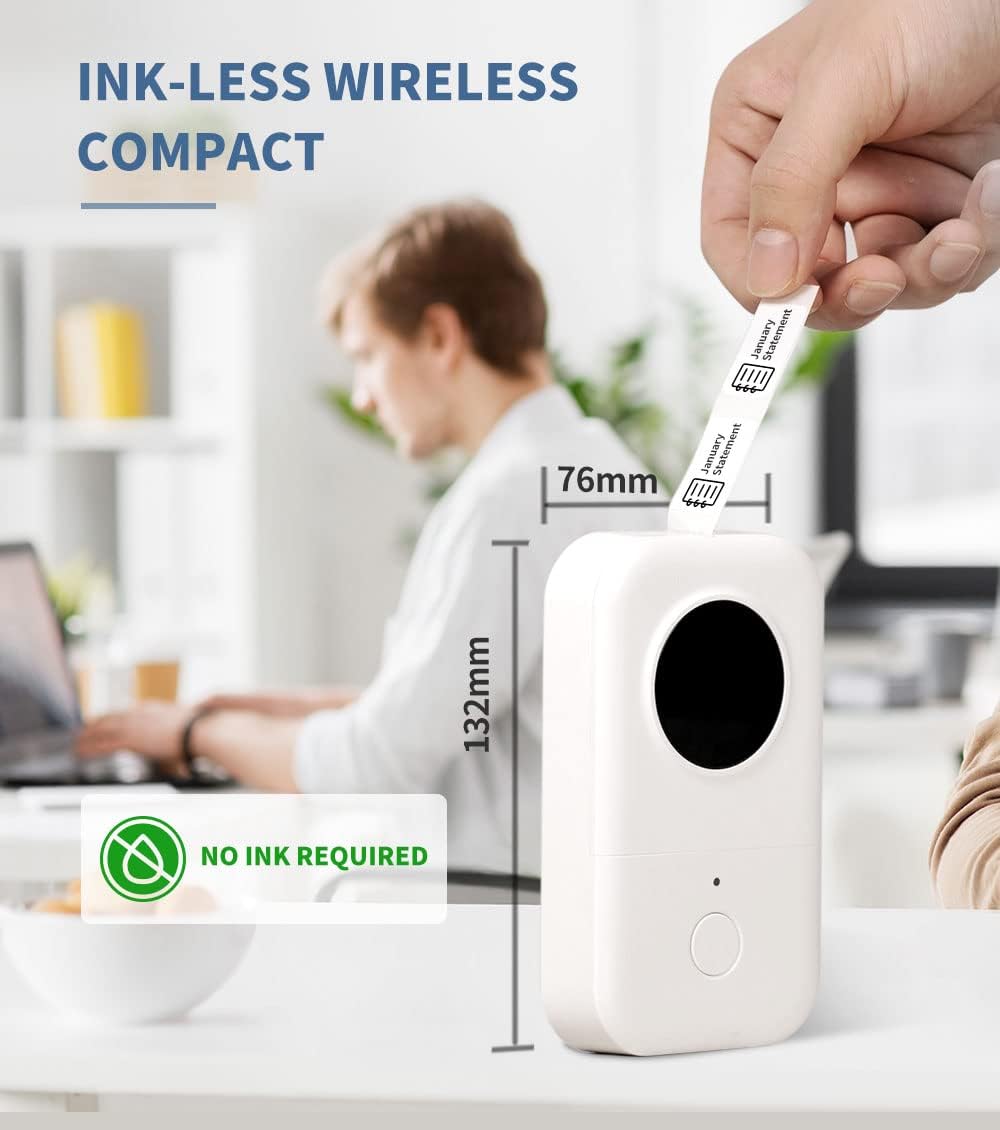
Image 3.1: The compact design of the Phomemo D30, highlighting its ink-less thermal printing technology.

Image 3.2: The Phomemo D30 supports multiple label widths, including 6mm, 12mm, 14mm, and 15mm.
4. Орнотуу
4.1 Аппаратты заряддоо
- Connect the provided USB cable to the charging port on the label maker.
- USB кабелинин экинчи учун туура келген USB кубат адаптерине (кошумча эмес) же компьютердин USB портуна сайыңыз.
- The indicator light will show charging status. A full charge typically takes 2-3 hours.
4.2 Этикетка кагазын жүктөө
- Этикетка бөлүмүнүн капкагын ачыңыз.
- Этикетка түрмөгүн басып чыгаруучу бети өйдө каратып салыңыз, анын бөлүмдүн ичинде туура тегизделгенин текшериңиз.
- Pull a small portion of the label tape out through the output slot.
- Этикетка бөлүмүнүн капкагын бекем жабыңыз.
4.3 Колдонмону орнотуу жана Bluetooth туташуу
- Download the "Print Master" app from your device's app store (iOS or Android).
- Turn on the Phomemo D30 Label Maker by pressing and holding the power button. The indicator light will illuminate.
- Мобилдик түзмөгүңүздө Bluetooth'ду иштетиңиз.
- Open the "Print Master" app and follow the on-screen instructions to connect to your D30 device. The app will typically detect nearby Phomemo devices automatically.

Image 4.1: The Phomemo D30 connects wirelessly via Bluetooth to a smartphone running the "Print Master" app.
5. Иштөө нускамалары
5.1 Creating Labels with the App
- Open the "Print Master" app on your connected mobile device.
- Шаблонду тандаңыз же жаңы энбелги дизайнын баштаңыз.
- Utilize the app's features to add text, icons, borders, and adjust fonts. The app offers a wide variety of customization options.
- Preview your label design to ensure accuracy before printing.

Image 5.1: The "Print Master" app provides extensive customization options for label creation, including fonts, icons, and borders.

Image 5.2: The app supports a variety of label styles and patterns for diverse applications.
5.2 Этикеткаларды басып чыгаруу
- Once your label design is complete, tap the print button within the app.
- Этикетка жасоочу этикетканы берип, басып чыгарат.
- Carefully tear off the printed label from the output slot.

Image 5.3: The D30 supports high-quality batch printing for pre-cut paper, ensuring clear and consistent results.
5.3 Энбелгилердин түрлөрү жана колдонмолору
The D30 supports both pre-cut and continuous label tapes, suitable for various uses:
- Pre-cut Labels: Ideal for individual items, such as food date marking, price tags, or personal item identification.
- Үзгүлтүксүз энбелгилер: Suitable for longer labels like cable identification, file classification, or gift labels.

Image 5.4: The Phomemo D30 supports both pre-cut labels for individual items and continuous labels for longer applications.

Image 5.5: The Phomemo D30 is a versatile tool for organizing files, labeling food, marking items, and creating gift labels.

Image 5.6: The D30 label maker is suitable for a wide range of applications, from personal organization to small business use.
6. Техникалык тейлөө
6.1 Басып чыгаруу башын тазалоо
Басып чыгаруу сапатын сактоо үчүн басып чыгаруу башын дайыма тазалаңыз:
- Этикетка жасоочуну өчүрүп, аны каалаган кубат булагынан ажыратыңыз.
- Энбелгилер бөлүмүн ачыңыз.
- Басып чыгаруучу башты кебез таякча менен акырын сүртүңүзampизопропил спирти менен жасалган.
- Allow the print head to dry completely before closing the compartment and using the device.
6.2 Батареяга кам көрүү
- Charge the device regularly, even if not in frequent use, to prolong battery life.
- Аппаратты экстремалдык температурага тийгизүүдөн сактаңыз.
- Эгерде түзмөк көпкө чейин колдонулбаса, сактоодон мурун аны болжол менен 50% га чейин кубаттаңыз.
6.3 Сактоо
Store the label maker in a cool, dry place away from direct sunlight and excessive dust. Ensure the label compartment is closed to protect the print head and internal mechanisms.

Image 6.1: Phomemo label tapes are designed for durability, offering resistance to water, abrasion, and oil, and can be removed without leaving residue.
7. Кыйынчылыктарды
7.1 Жалпы маселелер жана чечимдер
| Маселе | Мүмкүн себеп | Чечим |
|---|---|---|
| Түзмөк күйбөйт | Батареянын же кубаттуулуктун аздыгына байланыштуу көйгөй жаралууда. | Charge the device using the provided USB cable. Ensure the power button is pressed and held correctly. |
| Bluetooth аркылуу туташуу мүмкүн эмес | Bluetooth is off, device is out of range, or app issue. | Ensure Bluetooth is enabled on your phone and the label maker is on. Move the devices closer. Restart the app and the label maker. |
| Басып чыгаруу сапаты начар | Dirty print head, incorrect label roll insertion, or low battery. | Clean the print head (refer to Section 6.1). Re-insert the label roll correctly. Charge the device. |
| Labels not feeding | Label roll jammed or incorrectly loaded. | Open the compartment and check for any jams. Re-load the label roll, ensuring it is properly aligned. |
| Колдонмо бузулат же катып калат | Программалык камсыздоонун иштебей калышы же колдонмонун эскирген версиясы. | Restart the app. Check for app updates in your device's app store. Restart your mobile device. |
8. Техникалык шарттар
- Бренд: Phomemo
- Модел: D30
- Басып чыгаруу технологиясы: Термикалык
- Байланыш технологиясы: Bluetooth
- Максималдуу медиа өлчөмү: 15мм
- Кара жана ак басып чыгаруунун максималдуу чечилиши: 203 dpi
- Макс басып чыгаруу ылдамдыгы монохромдуу: 40 промилле
- Шайкеш түзмөктөр: Смартфондор (iOS, Android)
- Күч: 1 Литий Полимердик батарейка (кошулган)
- Элемент Салмагы: 6.3 унция (180 грамм)
- Продукциянын өлчөмдөрү: 4.72 x 3.15 x 1.97 дюйм (12 x 8 x 5 см)
- UPC: 789371387780
9. Кепилдик жана колдоо
The Phomemo D30 Label Maker comes with a limited warranty. For specific details regarding warranty coverage and duration, please refer to the warranty card included in your product packaging or contact Phomemo customer support.
For technical support, troubleshooting assistance, or inquiries about replacement parts and accessories, please visit the official Phomemo website or contact their customer service department. Contact information can typically be found on the product packaging or the Phomemo brand store online.


