Introduction
Thank you for choosing the INPHIC Bluetooth Mouse. This silent, wireless mouse offers dual-mode Bluetooth 5.0/3.0 connectivity, making it compatible with a wide range of devices including laptops, PCs, Macs, and iPads. Its mini, portable design and 1600DPI precision ensure a comfortable and efficient user experience. This manual provides detailed instructions for setup, operation, maintenance, and troubleshooting to help you get the most out of your new mouse.

The INPHIC Bluetooth Mouse, a compact and ergonomic wireless mouse.
Коопсуздук нускамалары
Please read and follow these safety instructions carefully to ensure safe and proper use of your device.
- Normal operating environment: 0°C - 40°C, 40%-65% RH.
- Продукцияны кандайдыр бир суюктукка батырбаңыз же ысык/нымдуу чөйрөгө чыгарбаңыз.
- Эгерде продукт белгиленген диапазондон тышкаркы температураларга дуушар болсо, температура белгиленген иштөө диапазонунда турукташканга чейин дароо кубат которгучун өчүрүңүз (зымдуу чычкандын USB кабелин сууруп алыңыз).
- Кайра заряддалуучу өнүмдөрдү ысык/нымдуу чөйрөдө заряддабаңыз. Заряддоо кабели, клавиатура, чычкан жана USB порттору кубаттоо учурунда кургап, калдыктары жок экенин текшериңиз.
- If the product's connection cable or charging cable is damaged in any way, stop using it immediately.
- Бул продукт колдонуучу тейлей турган бөлүктөрүн камтыбайт. Эгерде продукт туура иштебесе, кардарларды тейлөөгө кайрылыңыз.
- Буюмду өзүңүз өзгөртүүгө же оңдоого аракет кылбаңыз, анткени бул кепилдикти жокко чыгарат.
- Эгерде кайра заряддоого болгон өнүмдөр узак убакыт бою колдонулбаса, адегенде аларды толугу менен заряддап, өчүргүчтү өчүрүп, салкын, кургак жерде сактаңыз. Батареяны кубатсыз узак убакытка зыян келтирбөө үчүн ар бир үч ай сайын кубаттап туруңуз.

Important safety guidelines for the INPHIC Bluetooth Mouse.
Орнотуу жана туташуу
The INPHIC Bluetooth Mouse features dual-mode Bluetooth connectivity (BT3.0 and BT5.0) for wide compatibility without the need for a USB receiver.
Жупташуу көрсөтмөлөрү:
- Insert the battery into the mouse. The mouse requires 1 Lithium Polymer battery.
- Turn on the Bluetooth function on your PC, laptop, Mac, or iPad device to make it discoverable.
- Бир эле учурда басып туруңуз left, middle (scroll wheel), and right keys of the mouse for 3-5 seconds to activate the Bluetooth pairing mode.
- On your device's Bluetooth settings, look for either [BT5.0 Mouse] or [BT3.0 Mouse]. Select the compatible Bluetooth mode to connect.

To enter pairing mode, simultaneously press the left, middle, and right mouse buttons.

Visual guide for connecting the INPHIC Bluetooth Mouse to your device.
Шайкештик:
- Bluetooth 3.0: Compatible with Windows 7/8/10, Android, and Mac OS systems.
- Bluetooth 5.0: Compatible with Windows 8/10, Android, Mac OS 10.13 and above, and iOS 13.1 and above.
- Note: For iPadOS or iOS, please ensure your system is updated to iPadOS 13.1 or above, and enable the "Assistive Touch" feature.
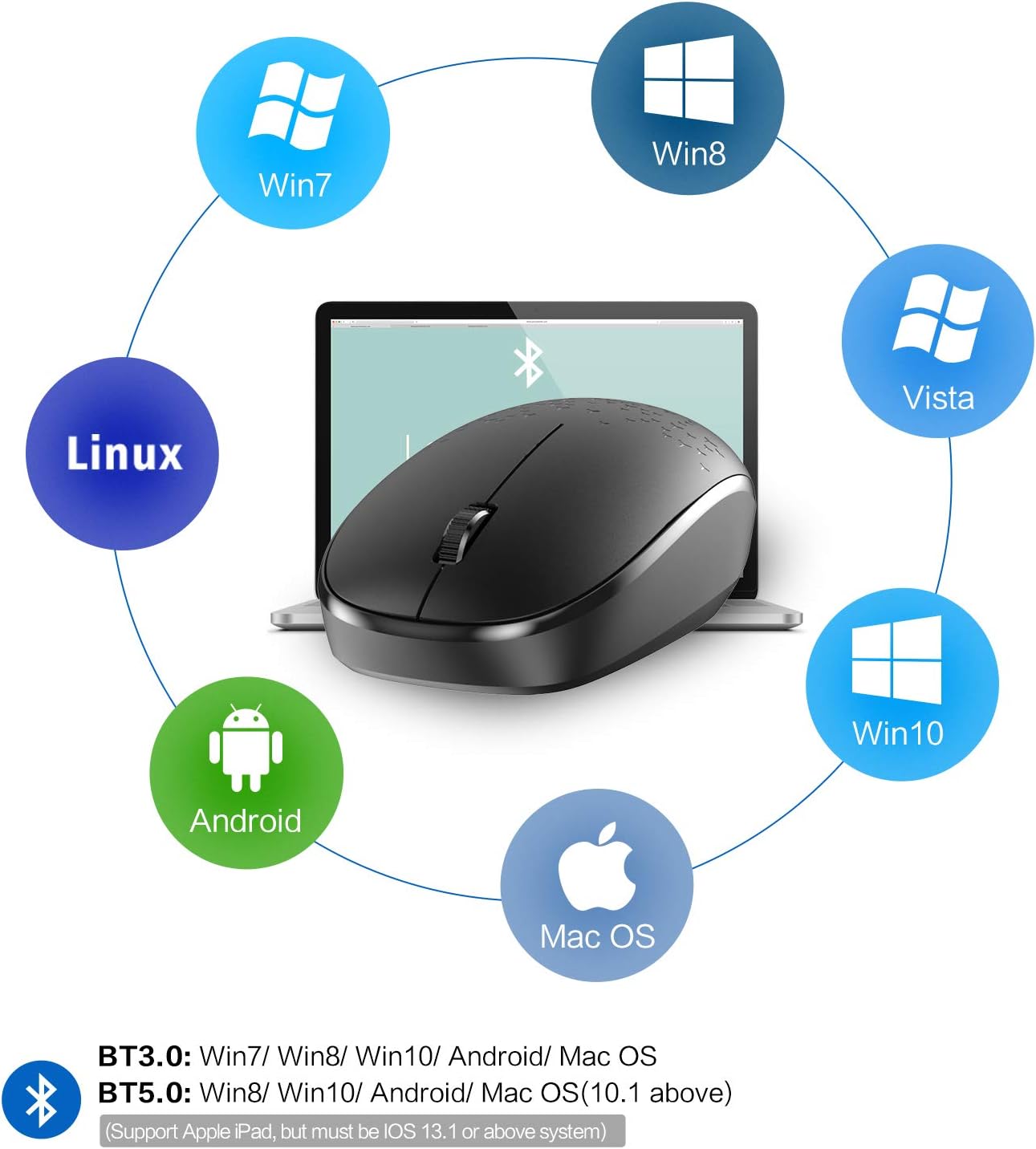
The INPHIC Bluetooth Mouse supports various operating systems including Windows, Mac OS, Linux, and Android.
Чычканды иштетүү
Унчукпай чыкылдатуу дизайны:
The INPHIC Bluetooth Mouse features a mute design for its left and right click buttons, significantly reducing click sounds by up to 80% compared to traditional computer mice. This provides a quiet working environment, ideal for offices, libraries, or late-night use.

Experience quiet operation with the silent click design of the INPHIC mouse.
Portable and Energy Saving:
This mini mouse is designed for portability, easily fitting into bags or pockets. To conserve power, the mouse automatically enters sleep mode after a few minutes of inactivity. To wake it up, simply click any button on the mouse.

The compact dimensions of the INPHIC mouse make it highly portable.
DPI жөндөөлөрү:
The mouse operates at 1600 DPI, providing precise and smooth cursor control for various tasks.

The mouse features a 1600 DPI sensor for accurate tracking.
Техникалык тейлөө
Батареяны алмаштыруу:
The INPHIC Bluetooth Mouse requires 1 Lithium Polymer battery. When the mouse's performance degrades or it stops responding, it is likely time to replace the battery. Refer to the battery compartment for proper insertion.

The mouse is designed for long battery life, typically up to 12 months.
Тазалоо:
To clean your mouse, gently wipe its surface with a soft, dry, lint-free cloth. Avoid using harsh chemicals, abrasive cleaners, or excessive moisture, as these can damage the device.
Проблемаларды чечүү
Mouse Not Connecting or Disconnecting Frequently:
- Батареяны текшерүү: Ensure the battery is properly inserted and has sufficient charge. Replace if necessary.
- Re-pair the Mouse: Follow the "Setup and Connection" steps to re-pair the mouse with your device. Sometimes, re-pairing can resolve connection issues.
- Түзмөктүн Bluetooth: Ensure your device's Bluetooth is turned on and functioning correctly. Try toggling Bluetooth off and on.
- Интерференция: Move the mouse closer to your device and away from other wireless devices that might cause interference (e.g., Wi-Fi routers, other Bluetooth devices).
- Системанын жаңыртуулары: Ensure your operating system and Bluetooth drivers are up to date.
Cursor Movement is Erratic or Lagging:
- Бети: Use the mouse on a clean, non-reflective, and uniform surface.
- Сенсордун тазалыгы: Check the optical sensor on the bottom of the mouse for any dust or debris and clean it gently with a soft cloth.
- Батарея деңгээли: A low battery can affect performance. Replace the battery.
Silent Click Not Working:
- The silent click feature applies only to the left and right mouse buttons. The scroll wheel click may still produce an audible sound.
Техникалык шарттар
| Өзгөчөлүк | Деталь |
|---|---|
| Продукциянын өлчөмдөрү | 4.13 x 2.17 x 0.67 дюйм (10.5 x 5.5 x 1.7 см) |
| Элемент Салмагы | 2.08 унция (59 грамм) |
| Модель номери | E5B |
| Байланыш технологиясы | Wireless, Bluetooth 5.0/3.0 |
| Түс | Кара |
| Өзгөчө өзгөчөлүк | Ergonomic Design, Silent Click |
| баскычтардын саны | 3 |
| DPI | 1600 |
| Батарея түрү | 1 Lithium Polymer battery (required) |
| Батареянын иштөө мөөнөтү | Up to 12 months (approximate) |
Кепилдик жана колдоо
For warranty information or technical support, please refer to the product packaging or contact INPHIC customer service directly through their official website or the platform where the product was purchased. Keep your purchase receipt as proof of purchase for warranty claims.


