Introduction
The POLY Voyager Focus UC is a stereo Bluetooth headset designed for professionals. It offers seamless connectivity between PC/Mac and smartphones, featuring active noise canceling to enhance focus in various environments.
Негизги өзгөчөлүктөрү:
- Wireless connectivity to PC/Mac via USB-A Bluetooth adapter and mobile phones via Bluetooth.
- Certified for Microsoft Teams and compatible with other leading collaboration platforms.
- Active Noise Canceling (ANC) for reduced background distractions.
- Three noise-canceling microphones for clear voice transmission.
- Up to 12 hours talk time (10 hours with ANC) and 15 hours listening time (12 hours with ANC).
- Roaming range of up to 98 feet (30 meters).
- Plush ear cushions for extended comfort.
Кутуда эмне бар
- POLY Voyager Focus UC Headset
- USB-A Bluetooth адаптери
- Заряддоо кабели (USB)
- Carrying Case (if included with specific variant)
Note: Specific contents may vary based on product variant and region.
Жайгашуу
1. Баштапкы төлөм
Before first use, fully charge your headset. Connect the included USB charging cable to the headset's charging port and to a powered USB port on your computer or a USB wall adapter. The LED indicator on the headset will show charging status.
2. Күйгүзүү/өчүрүү
To power on the headset, slide the Power switch located on the right earcup. To power off, slide the switch back to the off position.
3. Connecting to PC/Mac (USB-A Adapter)
- Insert the USB-A Bluetooth adapter into an available USB port on your computer.
- Гарнитурага туташтырылганда адаптердин LED жарыгы көк түстө күйүп-өчүп, андан кийин көк түскө айланат.
- Ensure the headset is powered on and in pairing mode (if not already paired).
- Your computer should automatically recognize the headset. Select "POLY Voyager Focus UC" as your audio device in your system settings and communication applications (e.g., Microsoft Teams, Zoom).
4. Мобилдик телефонго туташууда (Bluetooth)
- With the headset powered on, slide and hold the Power switch towards the Bluetooth icon until the LED flashes red and blue.
- On your mobile phone, go to Bluetooth settings and select "POLY Voyager Focus UC" from the list of available devices.
- Once paired, the headset LED will stop flashing and you will hear a voice prompt confirming the connection.
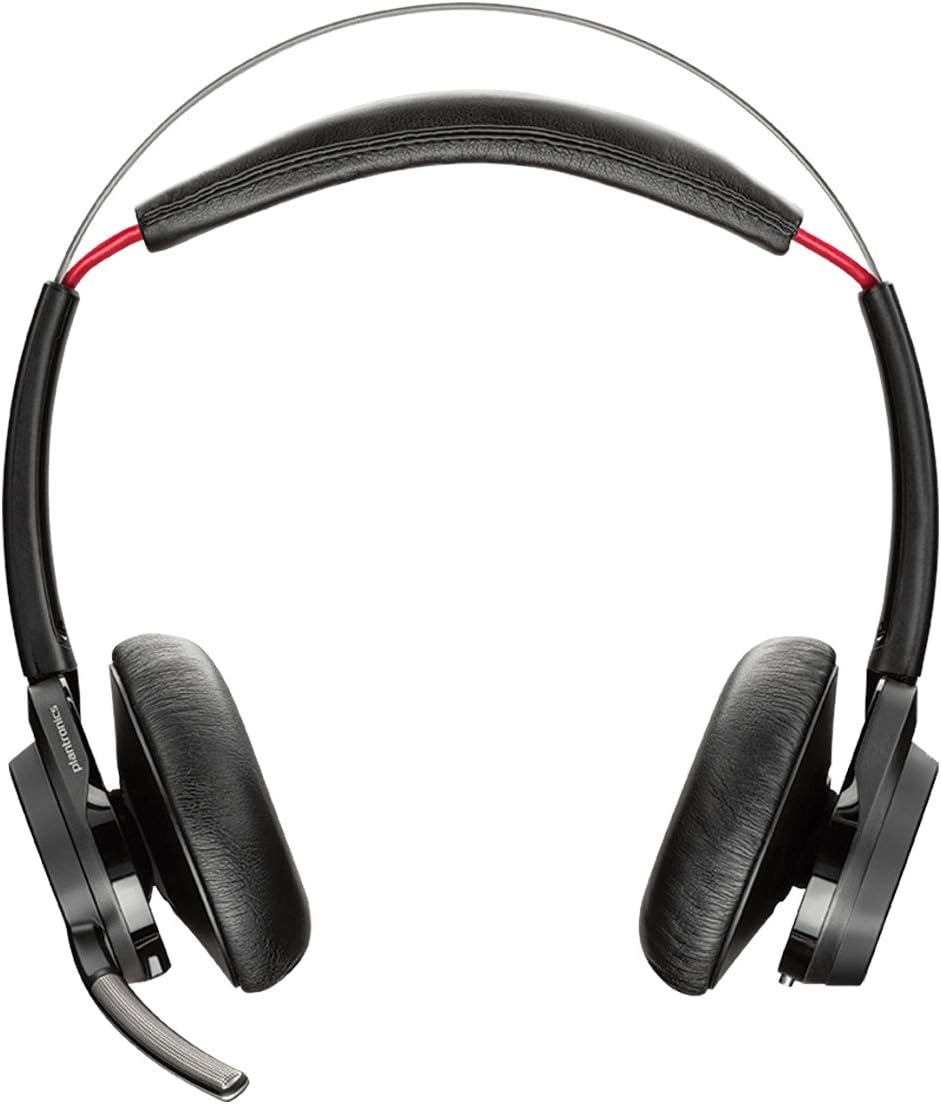
Сүрөт 1: Алдыңкы view of the POLY Voyager Focus UC Headset, showing the dual earcups and adjustable boom microphone.
Иштөө нускамалары
1. Чалууларды башкаруу
- Чалууга жооп берүү/аяктоо: Оң кулакчындагы Чалуу баскычын басыңыз.
- Үнсүз/Ачуу: Press the Mute button on the boom microphone or lift/lower the boom mic.
- Үндү көзөмөлдөө: Rotate the volume wheel on the right earcup up or down.
2. Active Noise Canceling (ANC)
To activate or deactivate Active Noise Canceling, slide the ANC switch located on the left earcup. ANC helps reduce ambient background noise for improved focus.
3. Медиа ойнотуу
- Ойнотуу/тындыруу: Press the Play/Pause button on the right earcup.
- Кийинки трек: Алга баскычын басыңыз.
- Мурунку трек: Press the Backward button.
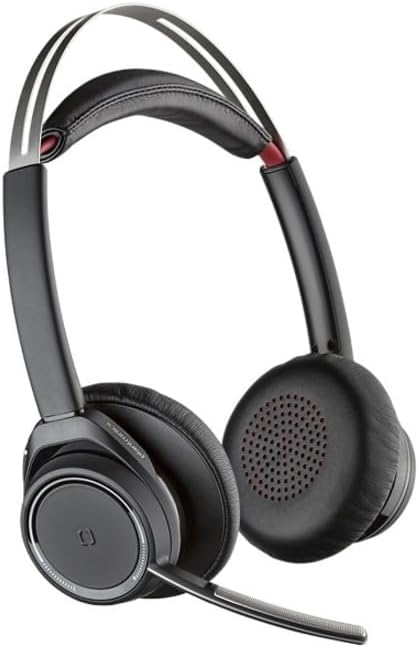
Figure 2: Close-up of the right earcup, illustrating the call, media, and volume controls.
Техникалык тейлөө
- Тазалоо: Гарнитураны тазалоо үчүн жумшак, кургак чүпүрөктү колдонуңуз. Абразивдүү тазалоочу каражаттарды же эриткичтерди колдонуудан алыс болуңуз.
- Сактагыч: Store the headset in its carrying case when not in use to protect it from dust and damage.
- Батареяга кам көрүү: Батареянын иштөө мөөнөтүн узартуу үчүн, бат-баттан батарейканы толук зарядсыздандырбаңыз. Үзгүлтүксүз колдонууда болбосо да, гарнитураны дайыма заряддаңыз.
Проблемаларды чечүү
Аудио жок / Аудио сапаты начар
- Гарнитура күйгүзүлгөнүн жана толук заряддалганын текшериңиз.
- Verify the headset is correctly paired and connected to your device (PC/Mac or mobile phone).
- Check your device's audio settings to ensure the "POLY Voyager Focus UC" is selected as the output and input device.
- If using the USB-A adapter, try plugging it into a different USB port.
- Компьютериңизди же мобилдик түзмөгүңүздү өчүрүп күйгүзүңүз.
Микрофон иштебейт
- Ensure the microphone boom is lowered and not muted.
- Check your application's (e.g., Teams, Zoom) microphone settings to confirm the headset is selected.
- Adjust the microphone position closer to your mouth.
Bluetooth туташуу маселелери
- Ensure the headset is within the 98 feet (30 meters) operating range of your device.
- Clear previous Bluetooth pairings on your device and re-pair the headset.
- Avoid sources of interference such as Wi-Fi routers, microwaves, or other Bluetooth devices.
Техникалык шарттар
| Өзгөчөлүк | Деталь |
|---|---|
| Модель аты | Voyager Focus UC |
| Байланыш технологиясы | Зымсыз (Bluetooth) |
| Зымсыз байланыш технологиясы | Bluetooth 4.0 |
| Noise Control | Активдүү ызы-чууну жокко чыгаруу |
| Talk Time | Up to 12 hours (10 hours with ANC on) |
| Угуу убактысы | Up to 15 hours (12 hours with ANC on) |
| Bluetooth диапазону | 30 метрге чейин (98 фут) |
| Шайкеш түзмөктөр | PCs, Macs, Mobile Phones, VoIP and Conferencing Applications |
| Элемент Салмагы | 0.634 унция |
| Продукциянын өлчөмдөрү | 8.4 x 7.3 x 2.3 дюйм |
| Материал | Пластик |
Кепилдик жана колдоо
Бул продукт менен келет 2 жылдык дүйнөлүк кепилдик. For warranty claims or technical support, please visit the official POLY support webсайтка же кардарларды тейлөөгө кайрылыңыз. Кепилдикти текшерүү үчүн сатып алганыңыздын далилин сактаңыз.
For further assistance, refer to the official POLY webсайт: www.poly.com


