Introduction
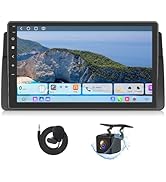
This instruction manual provides detailed information on the installation, operation, and maintenance of your Eonon GMX6S Android 13 Car Stereo. This head unit is designed to enhance your in-car entertainment and navigation experience with advanced features like wireless CarPlay, Android Auto, and a powerful 8-core processor.
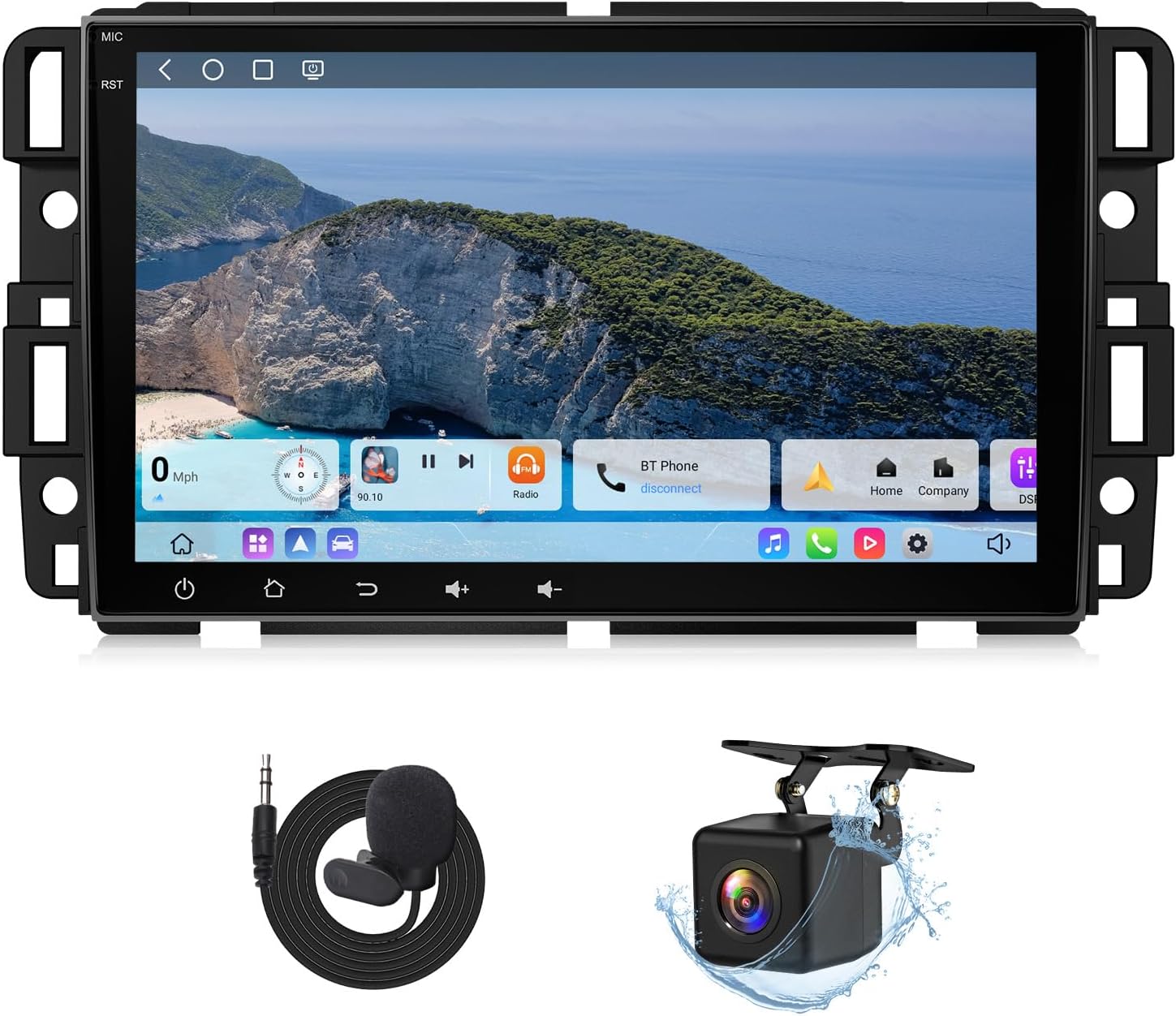
Figure 1: Eonon GMX6S Car Stereo with included accessories (microphone and backup camera).
Шайкештик
The Eonon GMX6S is compatible with a range of Chevrolet, GMC, Buick, and Hummer vehicles. Please verify your vehicle model and year against the list below to ensure proper fitment.
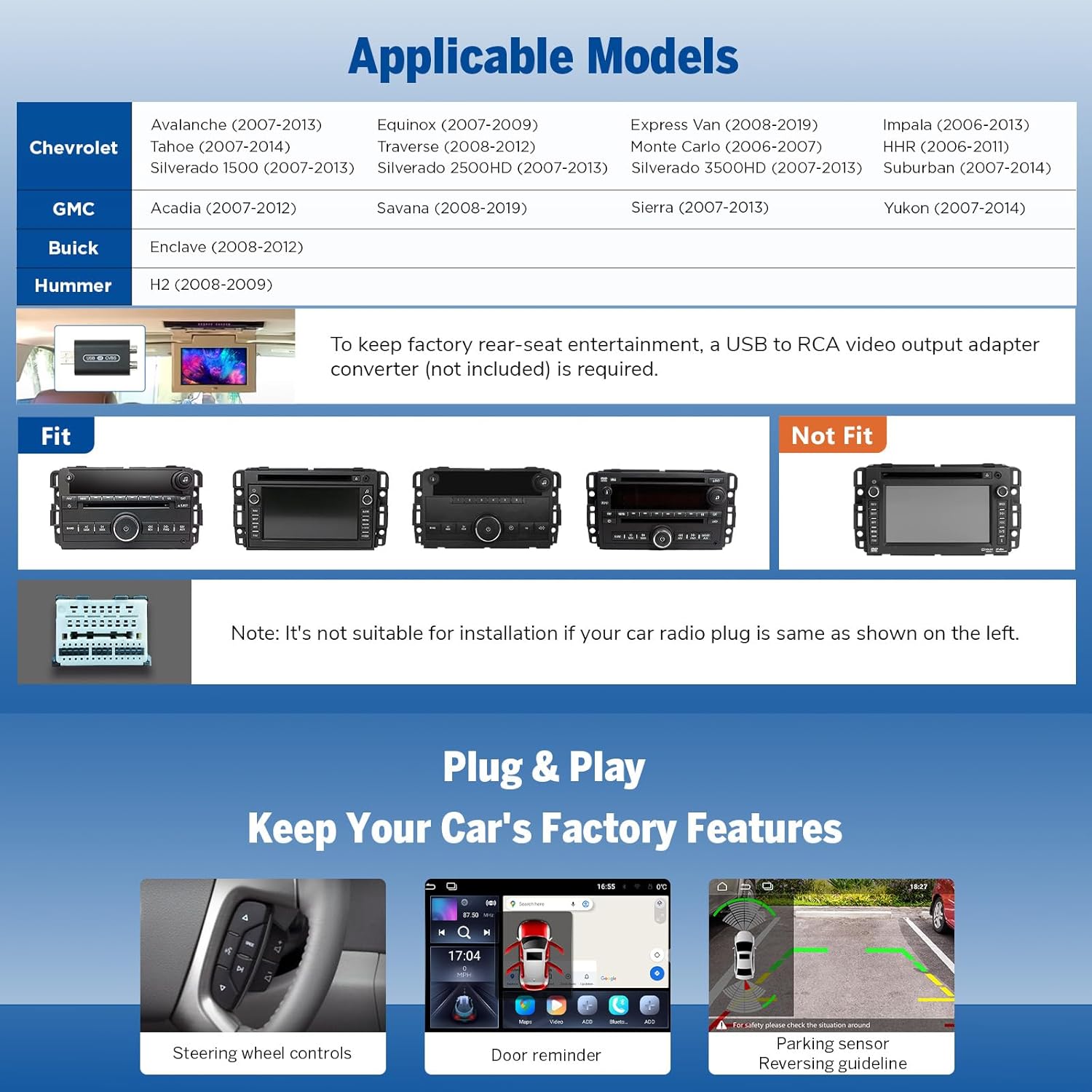
Figure 2: Applicable Vehicle Models for Eonon GMX6S.
Шайкеш моделдер:
- Chevrolet: Avalanche (2007-2013), Equinox (2007-2009), Express Van (2008-2019), Impala (2006-2013), HHR (2006-2011), Monte Carlo (2006-2007), Silverado (2007-2013), Suburban (2007-2012), Tahoe (2007-2014), Traverse (2008-2012)
- GMC: Acadia (2007-2012), Savana (2008-2019), Sierra (2007-2013), Yukon (2007-2014)
- Буик: Enclave (2008-2012)
- Hummer: H2 (2008-2009)
Маанилүү эскертүү: It is not suitable for installation if your car radio plug is the same as shown in the "Not Fit" section of Figure 2. For retaining factory rear-seat entertainment, a USB to RCA video output adapter converter (not included) is required.
Орнотуу жана орнотуу
The Eonon GMX6S is designed for plug-and-play installation, allowing retention of many original equipment manufacturer (OEM) features.
Негизги орнотуу өзгөчөлүктөрү:
- Plug & Play: Түз орнотуу үчүн иштелип чыккан.
- Retains OEM Features:
- Рулдун башкаруу элементтери
- Door reminder
- Паркинг сенсору
- Reversing guideline
- OnStar
- Bose audio system
- OEM backup camera (if applicable)
Figure 3: Retained OEM Features with Eonon GMX6S.

Figure 4: Optional V0056 OBD2 connection for vehicle diagnostics (not included).

Figure 5: Optional A100 Dash Cam for video recording (not included).
Негизги өзгөчөлүктөрү жана иштеши
Күчтүү аткаруу:
The GMX6S is equipped with a Qualcomm QCM6225 8-Core processor, ensuring high performance and efficiency.
- Процессор: Qualcomm QCM6225 8-Core (Quad-core ARM Cortex-A73 @ 2.4GHz + Quad-core ARM Cortex-A53 @ 1.9GHz)
- Өндүрүш процесси: Samsung 6nm LPP for higher performance and lower energy consumption.
- GPU: Adreno 610 for fluid UI and smooth multitasking.
- Эстутум: 6GB LPDDR4 RAM
- Сактагыч: 64 ГБ ROM

Figure 6: Eonon X6S Series Internal Architecture.

Figure 7: Performance Comparison: GMX6S vs. GMA12S.
Display and User Interface:
- Дисплей: 8-inch QLED HD display (1280x720 resolution) with vivid colors, high brightness, and high contrast.
- Viewбурч: Туурасы 178 ° viewбурч.
- Бөлүнгөн экранда көп тапшырмалуулук: View and use two applications simultaneously.
- Ыңгайлаштырылган UI: Choose from 4 unique user interfaces.
- Adjustable Button Lights: Personalize backlight colors.
- Power-Off Playback Memory: Resumes playback from the last position.
- Adaptive Screen Brightness: Automatically adjusts display brightness.

Figure 8: QLED Display and Split-Screen Functionality.

Figure 9: Brand New UI Designed for In-car Systems.

Figure 10: Design the Interior the Way You Want It.
Аудио тажрыйба:
- DSP чип: RHOM 32107 DSP for precise sound customization.
- Мадам: 48 тилкелүү эквалайзер.
- Ampөмүр берүүчү: ST TDA7851 amplifier delivering 4x48W surround sound output.
- Радио модулу: ST TDA7708 for crystal-clear radio reception (AM/FM/RDS support).
- Аудио чыгуулар: Optical and coaxial audio outputs for professional-grade setups, plus RCA output.

Figure 11: Immersive Audio Experience Features.

Figure 12: Optical & Coaxial HD Audio Output.
Үзгүлтүксүз туташуу:
- Зымсыз жана зымдуу CarPlay/Android Auto: Bridges your smartphone to the car display.
- Экранды чагылдыруу: iOS жана Android түзмөктөрүн колдойт.
- 4G модулу: Built-in, supports SIM card insertion for direct internet access.
- Wi-Fi: Wi-Fi 6 ready, supporting 2.4/5 GHz for fast speeds and WPA3 encryption.
- Bluetooth: Bluetooth 5.1 (Qualcomm WCN3988) for faster and more stable connections.
- USB порттору: 3 USB ports available.

Figure 13: Wireless CarPlay & Android Auto in Action.
Figure 14: Wireless Apple CarPlay Connection Steps.
15-сүрөт: Зымсыз Android Auto туташуу кадамдары.
Figure 16: Screen Mirroring for iOS.
Figure 17: Screen Mirroring for Android.

Figure 18: Bluetooth and Backup Camera Features.

Figure 19: Wi-Fi & Built-in 4G Module.

Figure 20: Additional Features.
Техникалык тейлөө
To ensure the longevity and optimal performance of your Eonon GMX6S car stereo, follow these general maintenance guidelines:
- Тазалоо: Use a soft, dry cloth to clean the display and unit. Avoid abrasive cleaners or solvents.
- Температура: Түзмөктү сунушталган температура диапазондорунда иштетиңиз. Ашыкча температуралар анын иштешине жана иштөө мөөнөтүнө таасир этиши мүмкүн.
- Программалык камсыздоо жаңыртуулары: Regularly check for and apply firmware updates to ensure system stability and access to new features.
Troubleshooting and Firmware Updates
For common issues or to improve system performance, consider the following:
Программалык камсыздоонун жаңыртуулары:
Keep your car stereo up-to-date through Over-the-Air (OTA) updates. These updates can fix software issues and enhance security. Note that Android system upgrades are not supported via OTA.
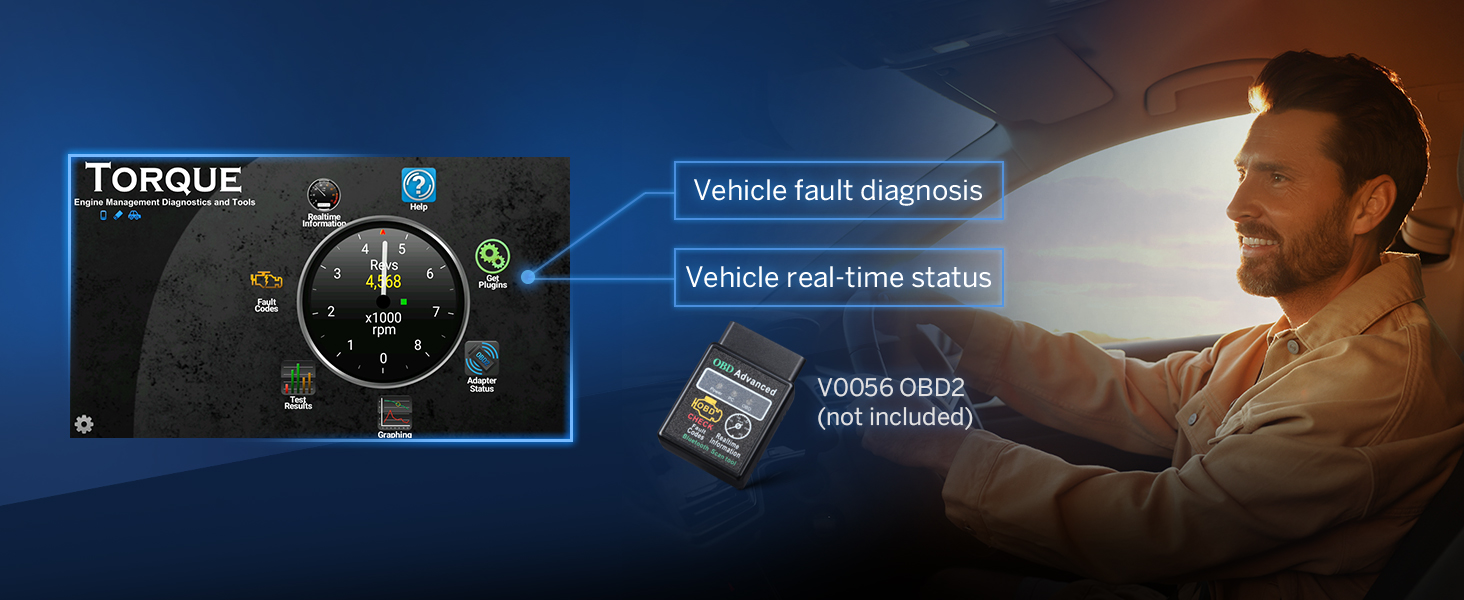
Figure 21: Over-the-air Firmware Update Process.
Жалпы маселелер:
- No Sound from Rear Speakers: Verify speaker connections and ensure your vehicle's audio system is compatible. Some OEM systems may require specific adapters or speaker replacements.
- Bluetooth Echo during Calls: Check microphone placement and adjust audio settings. Ensure no other devices are interfering with the Bluetooth connection.
- Parking Sensor Chime Issues: If the chime does not shut off, it may indicate a CAN bus communication issue. Ensure the correct CAN bus adapter is used for your vehicle model.
- Radio Sound Quits After Car Off: This behavior can be related to the vehicle's power retention settings. Consult your vehicle's manual or a professional installer if persistent.
- Android Auto Icon Size: Icon sizes within Android Auto are typically controlled by the Android Auto application itself. Check for updates to the Android Auto app on your phone.
If you encounter persistent issues, please refer to the "Warranty and Support" section for assistance.
Техникалык шарттар
| Өзгөчөлүк | Деталь |
|---|---|
| Продукциянын өлчөмдөрү | 2.01 x 17.78 x 7.49 см; 1.52 кг |
| Элемент моделинин номери | GMX6S |
| Дисплей өлчөмү | 8 дюйм |
| Үн буйругу | Микрофон, сенсордук экран |
| Өндүрүүчү | Eonon |
| Келип чыккан өлкө | Кытай |
| Байланыш технологиясы | Bluetooth, USB, Wi-Fi, 4G LTE |
| Controller Type | Android |
| Өзгөчөлүктөр | Built-In Bluetooth, Lane Assist (via navigation app), Touchscreen, Waterproof (Backup Camera) |
| Шайкеш түзмөктөр | Ampкөтөргүч, смартфон, динамик |
| Туташтыргыч түрү | Coaxial, Optical, RCA |
| Аудио чыгаруу режими | Стерео |
| Көлөмдүү үн каналынын конфигурациясы | 4 канал |
| Видеону коддоо | RM |
| Түс | Кара |
| Процессор | Qualcomm QCM6225 8-Core |
| RAM | 6 ГБ LPDDR4 |
| ROM | 64 ГБ |
| GPU | Adreno 610 |
Кепилдик жана колдоо
Eonon is committed to providing excellent customer service and support for its products.
Кепилдик маалыматы:
- 30 күндүк акчаны кайтарып берүү кепилдиги: For any reason, return your undamaged Eonon product within 30 days of purchase for a full refund.
- 18 айлык кепилдик: Covers quality-related issues. Products can be repaired or replaced.
- 2 жылдык кепилдик: Available within 2 years for certain conditions.
- Өмүр бою сатуудан кийинки тейлөө: Ongoing support for the product.
Кардарларды колдоо:
For any questions or assistance, please contact the Eonon Support Team:
- Электрондук почта: us-techsupport@qq.com
- Кызматтын жайгашкан жери: An authorized Eonon Repair Services location is available in the US.
Eonon has over 23 years of experience in car audio manufacturing and a professional R&D team dedicated to product quality and customer satisfaction.
Продукт видеосу бүттүview
Watch the official product video for a visual guide to the Eonon GMX6S Car Stereo's features and capabilities.
Video 1: Eonon GMX6S Car Stereo for GMC Sierra/Yukon/Chevy Silverado. This video provides a comprehensive overview of the product's design, features, and user interface.


