
Voger VG360
Voger Outdoor Security Camera User Manual
Модели: VG360
Introduction
This user manual provides comprehensive instructions for the installation, operation, and maintenance of your Voger Outdoor Security Camera. Please read this manual thoroughly before using the product to ensure proper functionality and safety. Keep this manual for future reference.
The Voger Outdoor Security Camera is designed to provide reliable and clear surveillance for your home or property, offering a wide 360-degree viewing angle, 1080P Full HD resolution, and robust weather resistance.
Негизги өзгөчөлүктөрү
360° Wider Angle & PTZ Control

The camera offers a 355-degree horizontal rotation and 110-degree vertical rotation, providing a comprehensive 360-degree view. Remotely control the Pan/Tilt/Zoom (PTZ) functions via the app to eliminate blind spots and monitor all desired angles with just one camera.
IP66 аба ырайына чыдамдуу дизайн

Rated IP66 for water and dust resistance, this outdoor camera is built to withstand various weather conditions, including rain, snow, and extreme heat (14°F to 122°F). It ensures continuous operation and protection for your home regardless of the climate.
Accurate Motion Detection & Tracking

Equipped with advanced motion detection technology and body tracking, the camera provides real-time alerts to your device. With adjustable sensitivities, you can customize detection zones to receive precise notifications about activity around your property.
Smoother Two-Way Audio

Communicate directly with people outdoors using the built-in microphone and speaker. The two-way audio feature allows for convenient interaction, whether it's greeting visitors or deterring unwanted guests.
Жакшыртылган түнкү көрүнүш
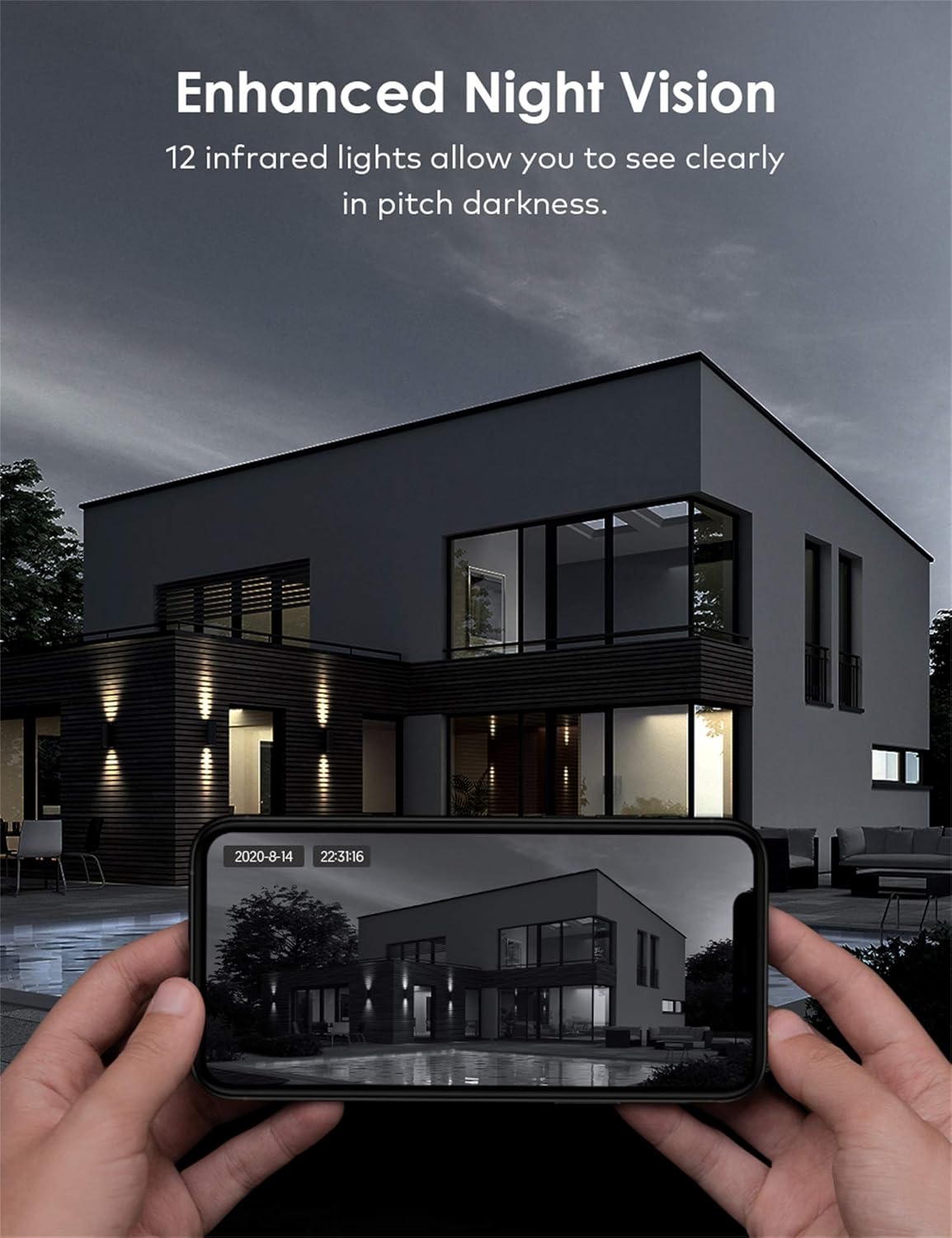
With 12 infrared lights, the camera provides clear night vision, allowing you to see in pitch darkness. This ensures 24/7 surveillance and peace of mind, even in low-light conditions.
Бир нече сактоо параметрлери

The camera supports both local storage via a TF (Micro SD) card and secure cloud storage. Important moments are saved privately, and the encrypted protocol ensures only authorized users can access the surveillance footage.
Smart Home шайкештиги

Seamlessly integrate your Voger camera with Amazon Alexa and Google Home. Use voice commands to view live feeds or control camera functions, enhancing your smart home experience.
Орнотуу колдонмосу
1. Пакеттин мазмуну
- Voger Outdoor Security Camera
- Кубаттуу адаптер
- Монтаждоо бурамалар жана анкерлер
- Waterproof Kit (for cable connections)
- User Manual
2. Орнотуу
- Жайгашкан жерди тандаңыз: Ачык аба ырайына ылайыктуу жерди тандаңыз view of the area you wish to monitor. Ensure it is within range of your Wi-Fi network or has access to a LAN cable connection.
- Камераны орнотуу: Use the provided mounting template to mark drill holes. Drill holes, insert anchors, and secure the camera base to the wall or ceiling using the screws.
- Кубат туташуу: Connect the power adapter to the camera and plug it into a power outlet. Ensure the connection is secure and protected from weather using the waterproof kit if necessary.
- Тармак туташуусу:
- Wi-Fi: Wi-Fi тармагыңыз 2.4 ГГц экенин текшериңиз (5 ГГц колдоого алынбайт).
- LAN (Optional): For a more stable connection, connect an Ethernet cable from your router to the camera's LAN port.
3. Колдонмону жүктөп алуу жана туташуу
- Колдонмону жүктөп алыңыз: Издөө the recommended app (e.g., Tuya Smart or equivalent as per packaging) on your smartphone's app store (App Store for iOS, Google Play Store for Android).
- Катталуу/Кирүү: Колдонмону ачып, жаңы аккаунт түзүңүз же сизде мурунтан эле бар болсо, кириңиз.
- Түзмөк кошуу: Tap the "+" icon to add a new device. Select "Security Camera" or "Smart Camera".
- QR кодун сканерлөө: Power on the camera. When prompted by the app, scan the QR code displayed on the camera or in the manual. Follow the on-screen instructions to connect the camera to your Wi-Fi network.
- Камераңызды атаңыз: Once connected, give your camera a recognizable name (e.g., "Front Door Camera").
Операция
1. Түз эфир View
Open the app and select your camera from the device list to access the live video feed. You can view реалдуу убакыт footagИнтернет байланышы бар каалаган жерден.
2. Pan/Tilt/Zoom Control
Түз эфирде view screen, use the directional controls or swipe gestures to remotely adjust the camera's viewing angle (355° horizontal, 110° vertical). Pinch to zoom in or out on the video feed.
3. Эки тараптуу аудио
Камеранын динамиги аркылуу сүйлөө үчүн колдонмодогу микрофон сүрөтчөсүн таптаңыз. Камеранын айланасынан аудио угуу үчүн динамик сүрөтчөсүн таптаңыз.
4. Кыймылды аныктоо жана эскертүүлөр
Access the camera settings in the app to configure motion detection sensitivity, detection zones, and alert notifications. You will receive push notifications on your smartphone when motion is detected.
5. Жаздыруу жана ойнотуу
Recordings can be stored on a Micro SD card (up to 128GB, not included) or via cloud storage subscription. Access the playback feature in the app to review foo жазылганtage by date and time.
6. Smart Home интеграциясы
To connect with Alexa or Google Home, enable the camera's skill/action in the respective smart home app. Follow the on-screen instructions to link your Voger account and discover devices. You can then use voice commands like "Alexa, show me the front door camera" or "Hey Google, show the backyard camera."
Техникалык тейлөө
- Тазалоо: Regularly wipe the camera lens with a soft, dry cloth to ensure clear image quality. Do not use harsh chemicals or abrasive materials.
- Программалык камсыздоонун жаңыртуулары: Check the app periodically for firmware updates. Keeping your camera's firmware up-to-date ensures optimal performance, security, and access to new features.
- Туташуу текшерүү: Periodically verify the stability of your Wi-Fi or LAN connection to the camera.
- Электр камсыздоо: Кубат адаптери жана кабели бузулбаганын жана туура туташтырылганын текшериңиз.
Проблемаларды чечүү
| Көйгөй | Мүмкүн себеп | Чечим |
|---|---|---|
| Камера оффлайн/Туташуу мүмкүн эмес | Wi-Fi сигналы начар, Wi-Fi сырсөзү туура эмес, камера роутерден өтө алыс, кубат маселеси. | Check Wi-Fi signal strength, ensure correct password, move camera closer to router, restart camera and router, try LAN connection. |
| Сүрөттүн сапаты начар | Кир линза, жарыктын жетишсиздиги, тармактын өткөрүү жөндөмдүүлүгү маселелери. | Clean the lens, ensure adequate lighting (especially for night vision), check internet speed. |
| Motion alerts too frequent/infrequent | Sensitivity settings, detection zone configuration. | Adjust motion detection sensitivity in the app. Configure specific detection zones to reduce false alarms. |
| Эки тараптуу аудио иштебейт | Microphone/speaker muted in app, network delay. | Ensure microphone and speaker icons are not muted in the app. Check network connection for stability. |
Техникалык мүнөздөмөлөр
| Спецификация | Деталь |
|---|---|
| Бренд | Voger |
| Модель аты | VG360 |
| Элемент моделинин номери | VG360 |
| Продукциянын өлчөмдөрү | 15 x 11 x 5 см; 785 грамм |
| Видео тартуунун резолюциясы | 1080p |
| Байланыш технологиясы | Зымдуу, зымсыз (Wi-Fi) |
| Байланыш протоколу | Wi-Fi |
| Өзгөчөлүктөр | Түнкү көрүнүш, кыймыл сенсору |
| Шайкеш түзмөктөр | Смартфон, Планшет |
| Power Source | Электр зымдары |
| Controller Type | Google Жардамчы |
| Монтаж түрү | Дубалга орнотуу |
| Биринчи жеткиликтүү күн | 25-сентябрь, 2020-жыл |
Кепилдик жана колдоо
For warranty information and technical support, please refer to the contact details provided on the product packaging or the official Voger webсайт. Сатып алуу квитанциясын кепилдик дооматтары үчүн сатып алуунун далили катары сактаңыз.
Ask a question about this manual
Ask about setup, troubleshooting, compatibility, parts, safety, or missing instructions. Manuals+ will review the question and use this page’s manual context to help answer it.