
Voger X100 Prior Pad HD Android 10 Планшет Колдонуучунун колдонмосу
X100 Prior Pad HD Android 10 Tablet User Manual A Letter to Our Customer Thank you for the purchase of Voger PriorPad X100. Now you can use our Tab to…


Voger offers a versatile range of consumer electronics, including Android tablets, digital photo frames, baby monitors, and smart outdoor security cameras.
Voger is a consumer electronics brand dedicated to enhancing everyday family life with accessible technology. Their product catalog features a variety of digital devices, such as HD Android tablets, smart digital photo frames, video baby monitors, and robust wireless security cameras.
Designed for convenience and ease of use, Voger products often emphasize remote monitoring capabilities and seamless digital media sharing. Whether providing parents with reliable baby monitors, protecting homes with surveillance cameras, or keeping families connected with cloud-enabled photo frames, Voger focuses on dependable electronics for the modern home.
Акыркы колдонмолор manuals+ бул бренд үчүн түзүлгөн.
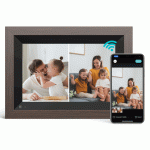


Колдонмолор, каттоо жана бул брендди колдоо жөнүндө жалпы суроолор.
You can reach Voger support via email at support@vogerhome.com or use their regional emails like support.tb.us@vogerhome.com depending on your location and specific product.
Voger products typically come with a 12-month limited warranty from the date of purchase. For specific details, please check your product manual or contact customer service.
You can load photos onto your digital frame by inserting a micro SD card or by using a USB flash drive connected via an OTG cable. Cloud-sharing options might also be available via their companion app.
First, ensure the tablet is fully charged by leaving it plugged in. If the battery is charged and it still will not turn on, you can try resetting the device by gently inserting a paperclip into the reset pinhole.