1. Киришүү
This manual provides essential information for the proper use, setup, and maintenance of your Transcend StoreJet 25M3C 4TB External Hard Drive. The StoreJet 25M3C is designed for reliable data storage and transfer, featuring a robust shock-resistant design and versatile connectivity options.

Image: The Transcend StoreJet 25M3C external hard drive, highlighting its compact and rugged design.
2. Продукт бүтүп калдыview
The Transcend StoreJet 25M3C is a 2.5-inch portable external hard drive engineered for durability and high-speed data transfer. Key features include:
- USB 3.1 Gen 1 Interface: Provides fast data transfer rates.
- Кош байланыш: Includes both a USB Type-C to Type-C cable and a USB Type-C to Type-A cable for broad device compatibility.
- Үч-С.tage Shock Protection System: Meets U.S. military drop-test standards (MIL-STD-810G) for superior data protection. This system comprises a silicone rubber case, an internal shock-absorbing suspension damper, and a reinforced hard casing.
- One Touch Auto-Backup Button: Allows for instant data backup with a single press (requires Transcend Elite software).
- Камтылган программа: Comes with Transcend Elite data management software and RecoveRx data recovery software.
- Сыйымдуулугу: 4TB storage capacity.

Сүрөт: жарылган view of the Transcend StoreJet 25M3C, illustrating its three-stage shock protection system.
3. Пакеттин мазмуну
Пакетиңизде төмөнкү заттар бар экенин текшериңиз:
- Transcend StoreJet 25M3C External Hard Drive (4TB)
- USB Type-Cден Type-Cге чейин кабель
- USB Type-Cден Type-Aга чейин кабель
- Ыкчам баштоо колдонмосу (бул колдонмодо камтылган эмес)

Image: The retail packaging of the Transcend StoreJet 25M3C, indicating the product and its accessories.
4. Орнотуу
Follow these steps to set up your StoreJet 25M3C:
- Дискти туташтыруу:
- For devices with a USB Type-C port, use the provided USB Type-C to Type-C cable.
- For devices with a standard USB Type-A port, use the provided USB Type-C to Type-A cable.
- Күйгүзүү: The drive is bus-powered and does not require an external power adapter. It will power on automatically once connected to your computer.
- Драйверди орнотуу: Most modern operating systems (Windows, macOS, Linux) will automatically detect and install the necessary drivers. No manual driver installation is typically required.
- Алгачкы таануу: Allow a few moments for your computer to recognize the new hardware. The drive should appear as a removable storage device in your file изилдөөчү же иш тактасы.

Image: The StoreJet 25M3C connected to a laptop, illustrating the use of its USB Type-C cable for data transfer.
5. Иштөө нускамалары
5.1. Маалыматтарды өткөрүү
өткөрүп берүү үчүн files, simply drag and drop them to and from the StoreJet 25M3C drive icon in your computer's file explorer. The USB 3.1 Gen 1 interface ensures rapid transfer speeds for large fileлар жана папкалар.
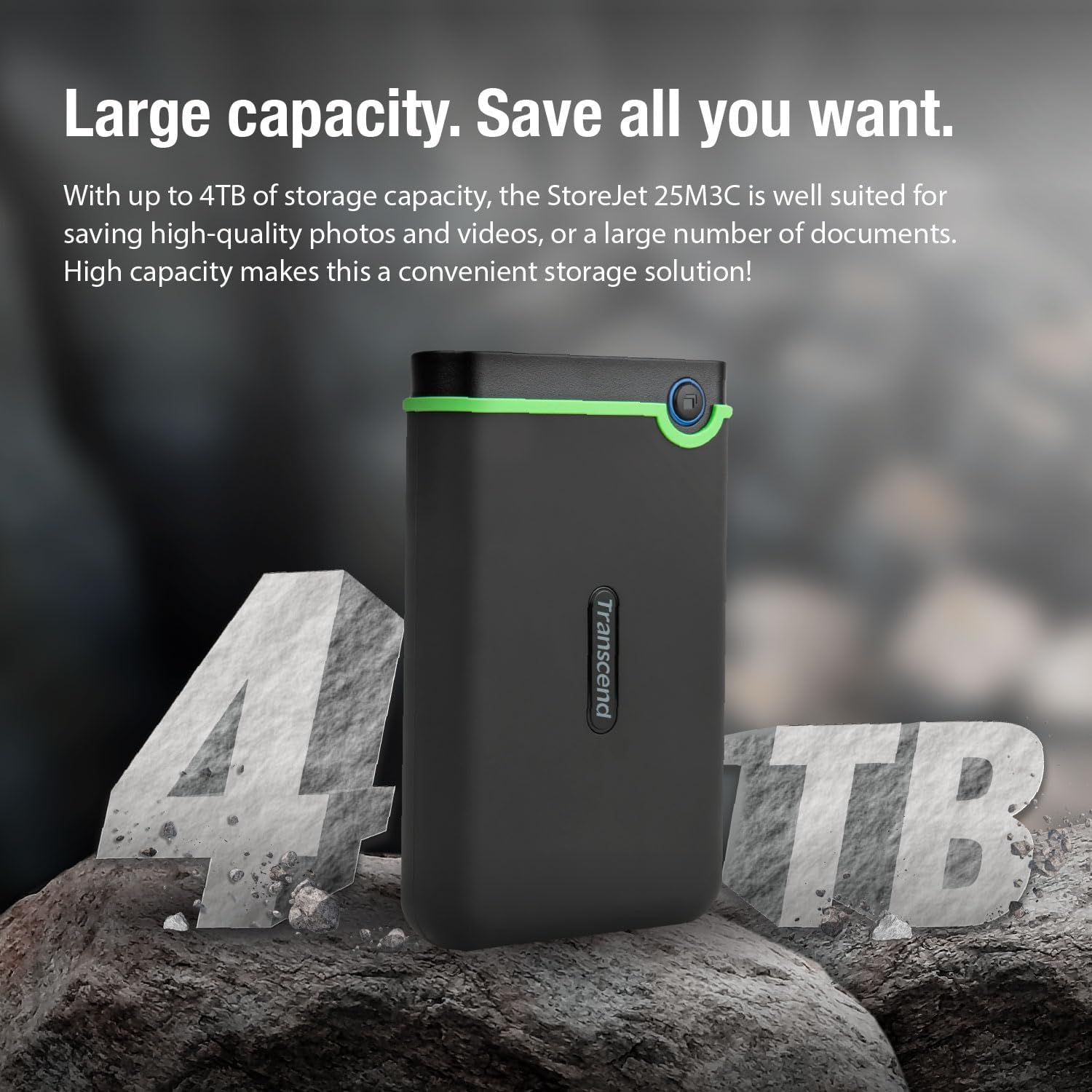
Image: The StoreJet 25M3C connected, emphasizing its USB 3.1 Gen 1 interface for fast data transfer.
5.2. One Touch Auto-Backup
The StoreJet 25M3C features a dedicated button for automatic data backup. To utilize this function:
- Install the Transcend Elite software on your computer. This software is available for download from the Transcend webсайт.
- Configure your backup settings within the Transcend Elite application.
- Press the One Touch Auto-Backup button on the drive to initiate a backup according to your configured settings. This button also allows you to reconnect the hard drive to your PC without needing to unplug and reinsert it.

Image: A computer screen showing the Transcend Elite software, used for data management and backup.
5.3. Safely Ejecting the Drive
Always safely eject the drive from your operating system before disconnecting it to prevent data corruption. This can typically be done by right-clicking the drive icon and selecting "Eject" or using the "Safely Remove Hardware" option.
6. Техникалык тейлөө
- Физикалык кам көрүү: While the StoreJet 25M3C is shock-resistant, avoid unnecessary drops or impacts. Keep the drive clean and free from dust and moisture.
- Программалык камсыздоо жаңыртуулары: Regularly check the Transcend website for updates to Transcend Elite and RecoveRx software to ensure optimal performance and compatibility.
- Маалыматтын камдык көчүрмөсү: Periodically back up critical data stored on the StoreJet 25M3C to another location to ensure data redundancy.
- Сактагыч: Колдонулбай турган учурда, дискти салкын, кургак жерде, күндүн түз нурунан жана өтө жогорку температурадан алыс сактаңыз.
7. Кыйынчылыктарды
- Drive not detected:
- USB кабели дискке да, компьютерге да туташтырылганын текшериңиз.
- Компьютериңиздеги башка USB портун колдонуп көрүңүз.
- Башка USB кабелин колдонуп көрүңүз (эгерде бар болсо).
- Компьютериңизди өчүрүп күйгүзүңүз.
- Check your computer's Disk Management (Windows) or Disk Utility (macOS) to see if the drive is recognized but unformatted or unassigned a drive letter.
- Жай которуу ылдамдыктары:
- Ensure you are connected to a USB 3.0 or USB 3.1 Gen 1 port on your computer for optimal performance. Older USB 2.0 ports will result in slower speeds.
- Көптөгөн майда которуулардан качыңыз files simultaneously; compressing them into a single archive can sometimes improve speed.
- Компьютериңиздин драйверлери жаңыртылганын текшериңиз.
- One Touch Auto-Backup button not working:
- Verify that Transcend Elite software is installed and running on your computer.
- Ensure backup settings are properly configured within the Transcend Elite software.
For further assistance, refer to the Transcend support webсайтка же кардарларды тейлөөгө кайрылыңыз.
8. Техникалык шарттар
| Өзгөчөлүк | Деталь |
|---|---|
| Бренд | Transcend |
| Модель номери | TS4TSJ25M3C |
| Түс | Steel Gray |
| Санариптик сактоо сыйымдуулугу | 4 ТБ |
| Катуу диск интерфейси | USB 2.0/3.0 (compatible with USB 3.1 Gen 1) |
| Аппараттык интерфейс | USB 3.1 A түрү, USB C түрү |
| Байланыш технологиясы | USB |
| Катуу диск технологиясы | Механикалык катуу диск |
| Катуу дисктин айлануу ылдамдыгы | 5400 RPM |
| Форма фактору | 2.5 дюйм |
| Шайкеш түзмөктөр | Компьютер |
| Операциялык системанын шайкештиги | Windows, Linux (and macOS) |
| Өзгөчөлүктөр | Шок туруктуу |
| Продукциянын өлчөмдөрү (L x W x Y) | 13.34 x 0.79 x 4.22 см (5.25 x 0.31 x 1.66 дюйм) |
| Продукт Салмагы | 354 грамм (0.78 фунт) |
9. Кепилдик жана колдоо
Transcend products are designed for reliability. For information regarding warranty coverage, technical support, and service, please visit the official Transcend webсайт. Сатып алуу квитанциясын кепилдик дооматтары үчүн сатып алуунун далили катары сактаңыз.
Please note that information regarding spare parts availability and guaranteed software updates is not explicitly provided in the product details.
Transcend Official Webсайт: www.transcend-info.com


