Introduction
This manual provides instructions for the setup, operation, and maintenance of your HP w200 HD Digital Webcam. Please read this manual thoroughly before using the device to ensure proper functionality and longevity.
The HP w200 webcam offers 720P HD video at 30 frames per second, a built-in microphone, and a wide-angle view, making it suitable for various video communication applications.
Пакеттин мазмуну
- HP w200 HD Digital Webcam
Жайгашуу
The HP w200 webcam features a plug-and-play design, requiring no additional driver installation for most operating systems.
Системалык талаптар
- Operating Systems: Windows XP (SP2, SP3), Vista, 7, 8, 10; Mac OS X 10.6 or higher.
- Available USB port.
Орнотуу кадамдары
- жайгаштыруу Webкамера:
тиркөө webcam to your monitor or place it on a flat surface using its adjustable clip. The clip allows for secure placement and angle adjustment.

Image: The HP w200 webcam demonstrating its 720-degree wide view angle, 270-degree swivel adjustment, and up-down adjustment capabilities. The webcam is shown mounted on a surface, highlighting its flexible design.
- Компьютериңизге туташуу:
сайыңыз webcam's USB cable into an available USB port on your computer. The device is plug-and-play, meaning your operating system should automatically detect and install the necessary drivers.
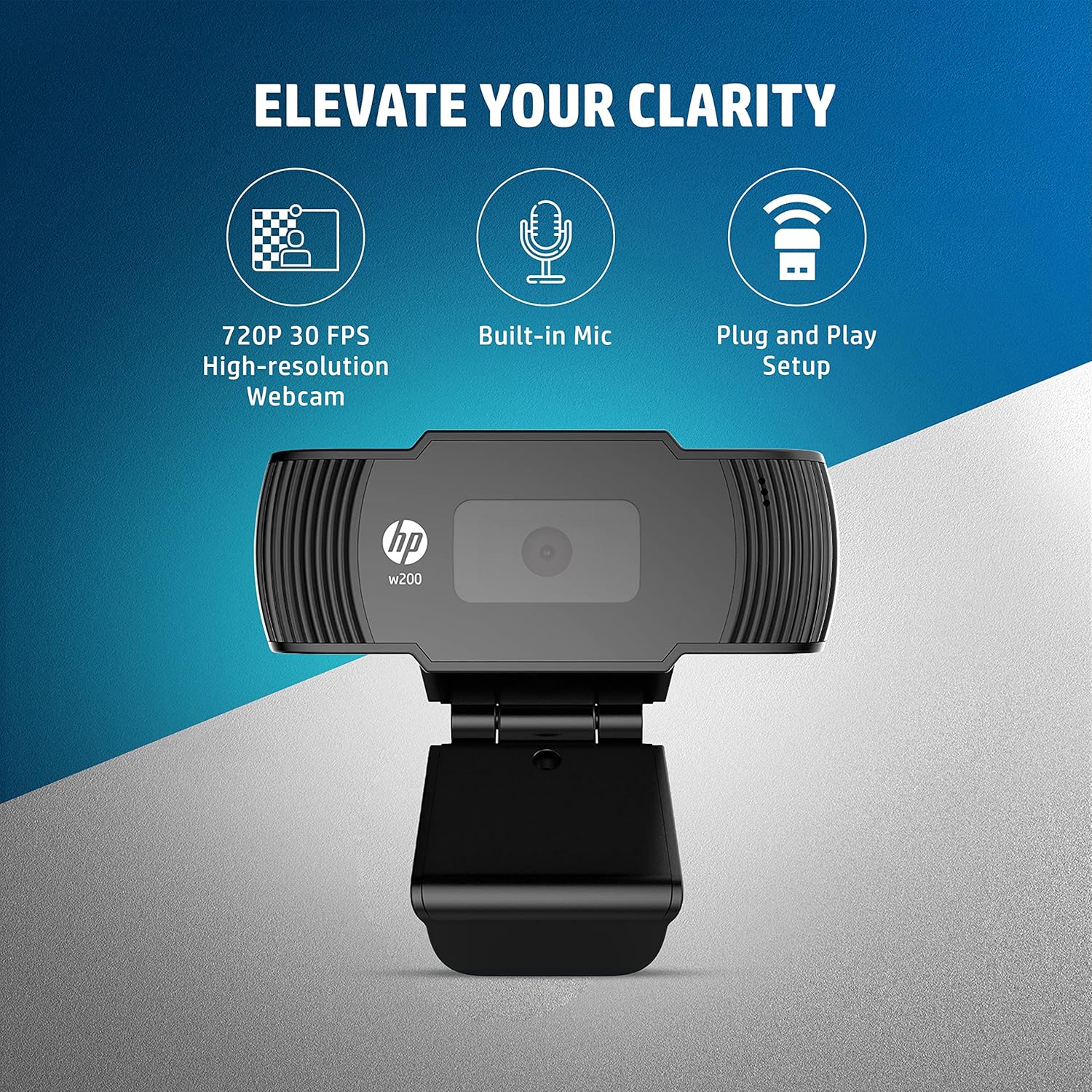
Image: A visual representation of the HP w200 webcam's key features: 720P 30 FPS high-resolution, built-in microphone, and plug-and-play setup. The image emphasizes the ease of use and core functionalities.
- Текшерүү:
After connecting, open a video conferencing application (e.g., Zoom, Skype, Microsoft Teams) or your operating system's camera application to verify that the webкамера таанылып, туура иштеп жатат.
Иштөө нускамалары
The HP w200 webcam is designed for ease of use with various video communication platforms.
колдонуу WebВидео чалуулар үчүн камера
- Launch Application: Open your preferred video calling application (e.g., Zoom, Skype, Microsoft Teams, Facebook Messenger, YouTube, WhatsApp, Google Hangouts, Line, Viber, WeChat).
- Түзмөктү тандоо: In the application's settings, navigate to the audio and video input options. Select "HP w200 Webcam" as your video device and "HP w200 Microphone" (or similar) as your audio input device.
- Позицияны тууралоо: тууралаңыз webcam's position and angle using its 270-degree swivel and up-down adjustment to achieve the desired view.
- Start Communication: Begin your video call or recording. The webcam will provide 720P HD video at 30 frames per second.
Микрофонду колдонуу
The webcam includes a single digital microphone for audio input. Ensure it is selected as the default microphone in your application settings for clear communication.
Техникалык тейлөө
To ensure optimal performance and longevity of your HP w200 webкамераны тейлөө үчүн, төмөнкү техникалык тейлөө көрсөтмөлөрүн аткарыңыз:
- Линзаны тазалоо: Акырын сүртүңүз webcam lens with a soft, lint-free cloth. Avoid using harsh chemicals or abrasive materials that could scratch the lens.
- Сактагыч: Колдонулбаган учурда, дүкөндү сактаңыз webкамераны таза, кургак чөйрөдө, өтө жогорку температурадан жана түз күн нурунан алыс кармаңыз.
- Кабельге кам көрүү: Ички зыян келтирбөө үчүн USB кабелин өтө ийип же бурап албаңыз.
Проблемаларды чечүү
| Көйгөй | Мүмкүн чечим |
|---|---|
| WebКомпьютер камераны аныктай алган жок. |
|
| No video output in application. |
|
| No audio input from microphone. |
|
| Видеонун сапаты начар. |
|
Техникалык шарттар
| Өзгөчөлүк | Деталь |
|---|---|
| Модель номери | W200 |
| Video Resolution | Max. 1280 x 720P |
| Frame Rate | Max. 30 FPS |
| Фокус түрү | Оңдолду |
| Микрофон | Single Digital Mic |
| Жөнгө салуу мүмкүнчүлүгү | Swivel 270°, Up-Down Adjustable Clip |
| Байланыш | USB |
| Өлчөмдөрү (L x W x Y) | 1.14 x 3.15 x 0.94 дюйм (болжол менен 29 x 80 x 24 мм) |
| Салмагы | 3.81 унция (болжол менен 108 грамм) |
| Түс | Кара |
| Фото сенсор технологиясы | CMOS |
| Видео тартуу форматы | MP4 |

Image: The HP w200 webcam with its physical dimensions and weight indicated. The image shows the length as 80 mm, height as 32.9 mm, and weight as 108g, providing a clear understanding of its compact size.
Кепилдик маалымат
This HP w200 webкамера менен келет 1 жылдык өндүрүүчү кепилдик сатып алынган күндөн тартып. Кепилдик дооматтары үчүн сатып алганыңыздын далилин сактап коюңуз. Кепилдик нормалдуу колдонуудагы материалдардагы жана жасалгадагы кемчиликтерди камтыйт.
Колдоо
For further assistance or technical support, please visit the official HP support website or contact HP customer service. Refer to your product packaging or the HP webсиздин аймактагы конкреттүү байланыш маалыматы үчүн сайт.