1. Introduction and Overview
This manual provides essential instructions for the safe and efficient use of your Yamaha RX-V6A AV Receiver. The RX-V6A is designed to deliver a powerful 7-channel surround sound experience, featuring Dolby Atmos Height Virtualizer, integrated MusicCast wireless system, and multiple HDMI connections optimized for next-generation gaming consoles. It also supports turntable connectivity for vinyl enthusiasts.

Image 1.1: Yamaha RX-V6A AV Receiver and included remote control. This image displays the front panel of the receiver, including the central volume knob, display screen, input selectors, and front-facing ports, alongside its dedicated remote control.
Негизги өзгөчөлүктөрү:
- 7-канал көлөмдүү үн: Delivers immersive audio for movies and music.
- Dolby Atmos Height виртуализатору: Creates a virtual surround and height effect without dedicated height speakers.
- MusicCast Wireless System: Enables streaming of digital music content and multi-room audio.
- Оюн оптималдаштыруу: Multiple HDMI connections support advanced gaming features.
- YPAO R.S.C. Sound Optimization: Analyzes room acoustics for optimal sound calibration.
- Turntable Connectivity: Dedicated PHONO input for vinyl playback.
2. Орнотуу
Proper setup ensures optimal performance of your RX-V6A AV Receiver. Follow these steps for initial installation.
2.1 Пакеттен чыгаруу жана жайгаштыруу
- Кабыл алгычты жана бардык аксессуарларды таңгактан этияттык менен алып салыңыз.
- Place the receiver on a stable, level surface with adequate ventilation. Avoid placing it in an enclosed cabinet without proper airflow.
- Ensure sufficient space around the unit for heat dissipation.
2.2 Динамиктерди бириктирүү
The RX-V6A supports a 7.1 channel speaker configuration. Connect your speakers to the corresponding terminals on the rear panel. Ensure correct polarity (+ to + and - to -) for each speaker.

Image 2.1: Rear panel connections of the Yamaha RX-V6A AV Receiver. This image highlights the various input and output ports, including speaker terminals, HDMI ports, and network connections.
2.3 Connecting Audio/Video Devices
Use HDMI cables to connect your video sources (e.g., Blu-ray player, game console, streaming device) to the HDMI INPUT ports on the receiver. Connect your TV to the HDMI OUT (ARC/eARC) port.
- HDMI: Connect up to 7 HDMI input devices and 1 HDMI output to your TV.
- Оптикалык/коаксиалдык: Санариптик аудио булактары үчүн.
- RCA (Analog Audio): For traditional audio components.
- ФОНО: Dedicated input for turntables.

Сүрөт 2.2: Детальдуу view of the Yamaha RX-V6A rear panel connections. This image provides a close-up of the various audio and video input/output options, including HDMI, optical, coaxial, RCA, and speaker terminals, with labels for each.
2.4 Тармактык туташуу
Агымдоо кызматтарына жана микропрограмма жаңыртууларына жетүү үчүн ресиверди үй тармагына туташтырыңыз.
- текст: Роутериңизден Ethernet кабелин ресивердеги NETWORK портуна туташтырыңыз.
- Зымсыз: Use the built-in Wi-Fi. Follow the on-screen instructions or use the MusicCast app for setup.
2.5 YPAO R.S.C. Sound Optimization
Use the included YPAO microphone to automatically calibrate the sound settings for your room's acoustics. This process measures speaker distances, levels, and equalization to optimize audio performance.
3. Кабылдагычты иштетүү
Familiarize yourself with the basic controls and functions of your RX-V6A.
3.1 Алдыңкы панелдин башкаруу элементтери
- Кубат баскычы: Аппаратты күйгүзөт/өчүрөт.
- Киргизүү тандагыч: Жеткиликтүү киргизүү булактары аркылуу айлануу.
- Үн баскычы: Башкы үн деңгээлин тууралайт.
- Дисплей: Shows current input, volume, sound mode, and other information.
- USB порт: USB сактагыч түзмөктөрдү туташтыруу үчүн.
- Телефондор Jack: For headphone connection.
3.2 Алыстан башкаруу
The included remote control provides full access to all receiver functions. Point the remote directly at the receiver's front panel sensor.
3.3 Киргизүүнү тандоо
Press the desired input button on the remote control or rotate the Input Selector knob on the front panel to switch between connected devices (e.g., HDMI 1, PHONO, OPTICAL).
3.4 Үн режимдери
The RX-V6A offers various sound modes to enhance your listening experience.
- Dolby Atmos: For immersive, object-based audio.
- Cinema DSP 3D: Yamaha's proprietary sound field processing for various environments (e.g., Concert Hall, Jazz Club).
- Стерео: Эки каналдуу аудио ойнотуу үчүн.
3.5 Music Streaming and Multi-room Audio
Utilize the MusicCast app (available for iOS and Android) to control streaming services, manage multi-room audio, and access network features. The receiver also supports AirPlay 2 for Apple devices.
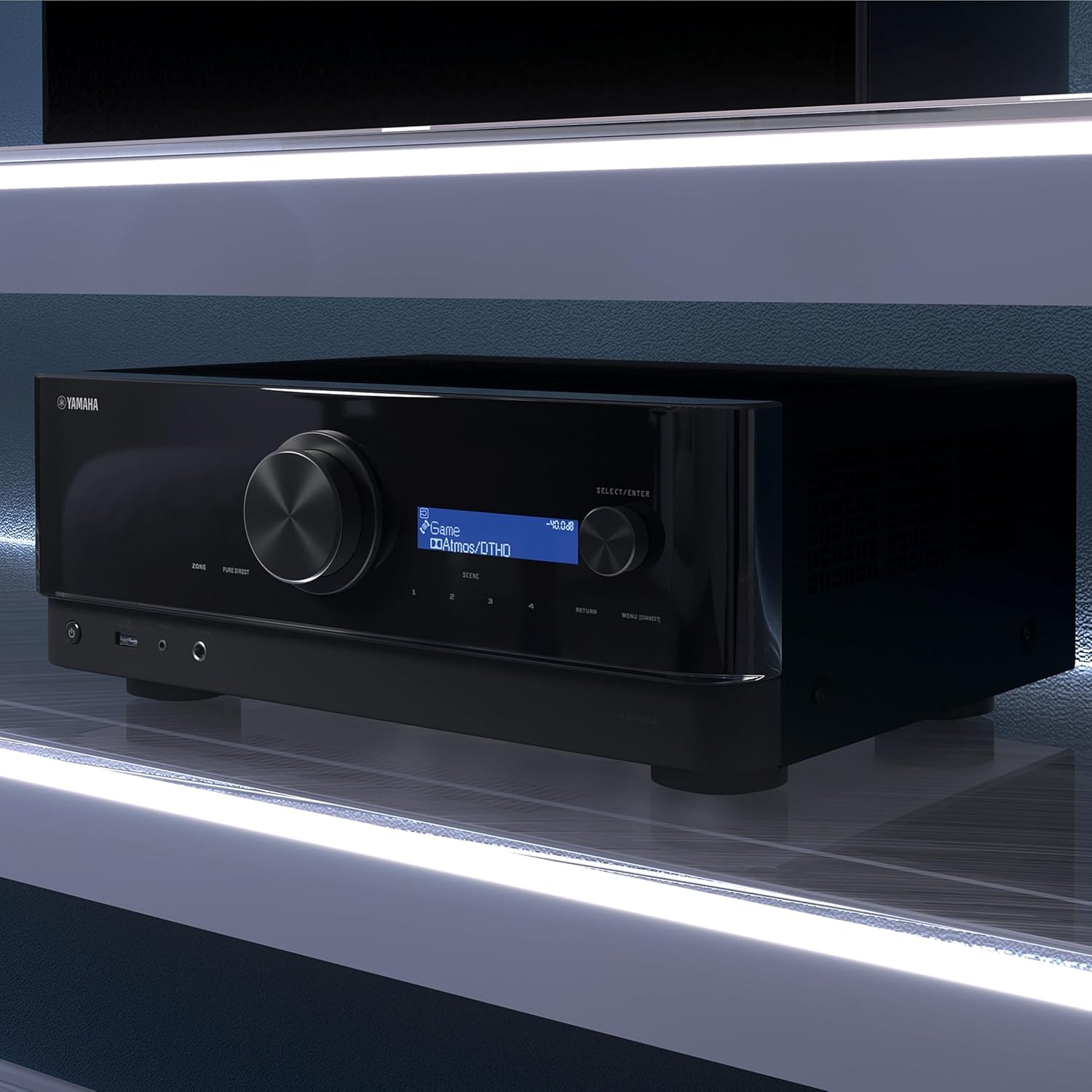
Image 3.1: Key features of the Yamaha RX-V6A. This diagram visually represents functionalities such as eARC via HDMI, MusicCast Controller, AV Setup Guide, Roon Tested Program, and AirPlay 2 Compatibility, highlighting the receiver's versatility.
4. Техникалык тейлөө
Regular maintenance helps ensure the longevity and performance of your receiver.
4.1 Тазалоо
- Тазалоодон мурун электр шнурын ажыратыңыз.
- Сырткы беттерди сүртүү үчүн жумшак, кургак чүпүрөктү колдонуңуз.
- Do not use liquid cleaners, abrasive pads, or chemical solvents, as these can damage the finish.
4.2 Микропрограмма жаңыртуулары
Periodically check for firmware updates via the network connection. Updates can provide new features, performance improvements, and bug fixes. Follow the on-screen instructions for any available updates.
5. Кыйынчылыктарды
If you encounter issues with your RX-V6A, refer to the following common troubleshooting steps. For more detailed solutions, consult the comprehensive owner's manual available on the Yamaha support webсайт.
5.1 Күч жок
- Электр шнурунун ресиверге жана жумушчу розеткага бекем сайылганын текшериңиз.
- Башка аспапка туташтыруу менен электр розеткасынын иштешин текшериңиз.
5.2 Үн жок
- Туура киргизүү булагы тандалганын текшериңиз.
- Тиешелүү полярдуулук жана коопсуз тиркеме үчүн динамик байланыштарын текшериңиз.
- Ensure the volume is not muted and is set to an audible level.
- Confirm that your speakers are enabled in the receiver's settings.
5.3 Сүрөт жок
- Confirm that the HDMI cables are securely connected to both the source device, the receiver's HDMI INPUT, and the TV's HDMI input.
- Ensure the TV is set to the correct HDMI input channel.
- Көйгөйдү чечүү үчүн, булагын түз телевизорго туташтырып, кабыл алгычты айланып өтүп көрүңүз.
5.4 Тармакка туташуу маселелери
- Роутериңизди жана модемиңизди өчүрүп күйгүзүңүз.
- Эгер Wi-Fi колдонуп жатсаңыз, кабыл алгыч зымсыз роутериңиздин диапазонунда экенин текшериңиз.
- Ресивердин менюсунда тармак жөндөөлөрүн текшериңиз.
6. Техникалык шарттар
Detailed technical specifications for the Yamaha RX-V6A AV Receiver.

Image 6.1: Dimensions and weight of the Yamaha RX-V6A AV Receiver. This diagram provides measurements for height (171 mm / 6-3/4"), depth (377 mm / 14-7/8"), and width (435 mm / 17-1/8"), along with its weight (9.8 kg / 21.6 lbs).
| Өзгөчөлүк | Спецификация |
|---|---|
| Модел | RX-V6A |
| Чыгуу Wattage | 150 Ватт (канал үчүн) |
| Динамиктин айланасындагы үн каналынын конфигурациясы | 7.1 |
| Аудио коддоо | Dolby Atmos |
| Байланыш технологиясы | Wireless (Wi-Fi, Bluetooth), HDMI, USB, RCA, Optical, Digital Coax, Ethernet |
| Жалпы HDMI порттору | 7 In / 1 Out (eARC compatible) |
| Шайкеш түзмөктөр | Game Console, Personal Computer, Smartphone, Speaker, Television |
| Өнүмдүн Өлчөмдөрү (Ж x Y x D) | 43.5 x 17.1 x 37.7 cm (17-1/8" x 6-3/4" x 14-7/8") |
| Элемент Салмагы | 9.8 кг (21.6 фунт) |
| Камтылган компоненттер | AV Receiver, Remote Control |
7. Кепилдик жана колдоо
Yamaha products are designed for reliability and performance. For specific warranty details, please refer to the warranty card included with your product or visit the official Yamaha webсиздин аймак үчүн сайт.
7.1 Продукт колдоо
For technical assistance, troubleshooting beyond this manual, or service inquiries, please contact Yamaha customer support. You can find contact information and additional resources, including the full owner's manual and FAQs, on the official Yamaha webсайт:


